You don’t have to choose one. Contactless is the faster option for most everyday sales, and chip and PIN is the fallback every card machine needs for larger or flagged payments. The real question is how your tills and card terminals handle both, and what happens at the counter when a customer is asked for a PIN. This guide covers how each method works, the UK limits, where a PIN still comes up, and how self-checkout fits in.
TL;DR
- Contactless lets customers tap a card or phone. Chip and PIN means inserting the card and typing four digits.
- The UK rules allow contactless up to £100 per payment, with extra checks after a run of payments, so your terminal must always accept chip and PIN too.
- Customers do not have to use chip and PIN before contactless. A brand-new card may need one PIN purchase first.
- Self-checkout can free up staff, but it needs supervision and the right layout to keep losses down.
- Choose a card machine or EPOS that takes both methods smoothly, and test it at your busiest hour.
Table of Contents
- What is the difference between contactless and chip and PIN?
- What is the UK contactless limit?
- Do customers have to use chip and PIN before contactless?
- Speed and convenience: where contactless wins
- Security: what you can say with confidence
- Which should a shop or restaurant push?
- Self-checkout vs staffed tills
- Our perspective
- How to set up your tills for both methods
- Getting the right set-up from Switch&Save
- FAQ
- Sources
What is the difference between contactless and chip and PIN?
Both methods use the same card. The difference is how the customer proves the payment is theirs.
Chip and PIN. The customer inserts the card into the reader, the chip is read, and they type a PIN. The PIN is the proof of identity. Nobody needs to sign anything, and the card stays in the customer’s hand throughout.
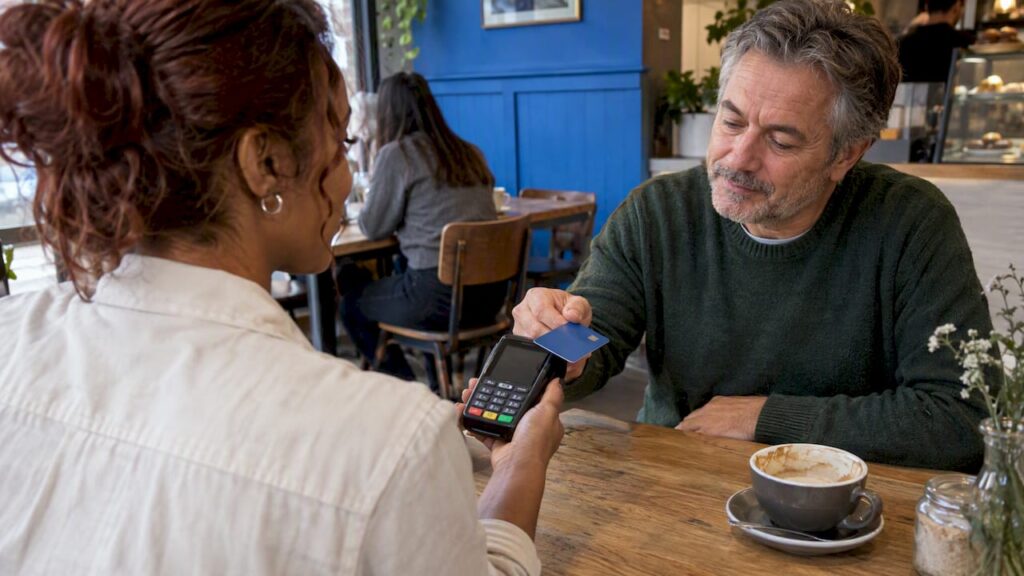
Contactless. The customer holds a card, phone or watch near the reader and the payment goes through without a PIN. The Association of Convenience Stores explains that a transaction above the contactless limit defaults to chip and PIN when a physical card is used.
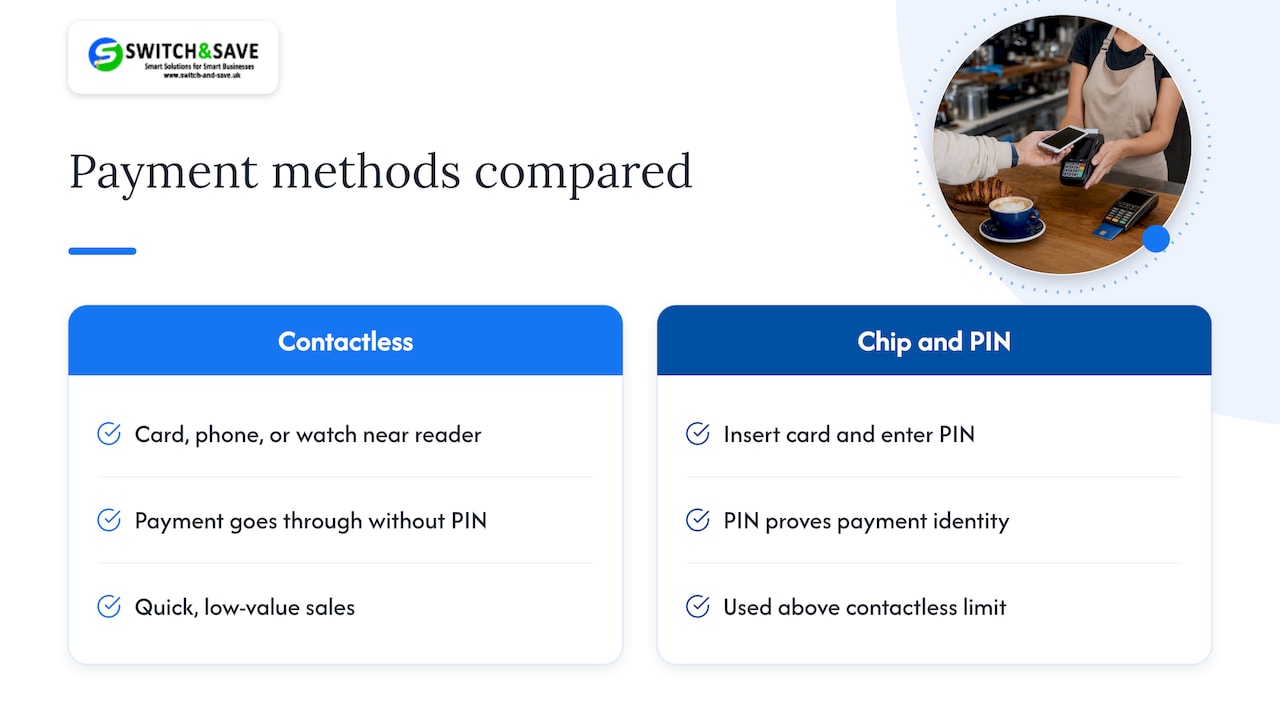
So the two are not rivals so much as two tiers of the same system. Contactless handles the quick, low-value sales. Chip and PIN steps in when the amount or the bank’s rules call for more proof.
Quick comparison
| Contactless | Chip and PIN | |
|---|---|---|
| How the customer pays | Taps card, phone or watch | Inserts card, enters PIN |
| PIN needed? | Not usually, within the limit | Yes |
| Best for | Quick, everyday sales | Larger amounts, or when asked by the bank |
| Works for a physical card above £100? | No, it falls back to chip and PIN | Yes |
| Customer contact with the reader | Minimal | Card inserted, keypad touched |
What is the UK contactless limit?
The single-payment limit is £100. The Financial Conduct Authority’s policy statement PS21/2 raised the contactless exemption from £45 to £100 per transaction, and the cumulative threshold from £130 to £300.
There is a second condition. The exemption applies while cumulative contactless spending since the last time the customer was fully authenticated stays within £300, or while the number of consecutive contactless payments does not exceed five. When either check is reached, the next payment needs a chip and PIN.
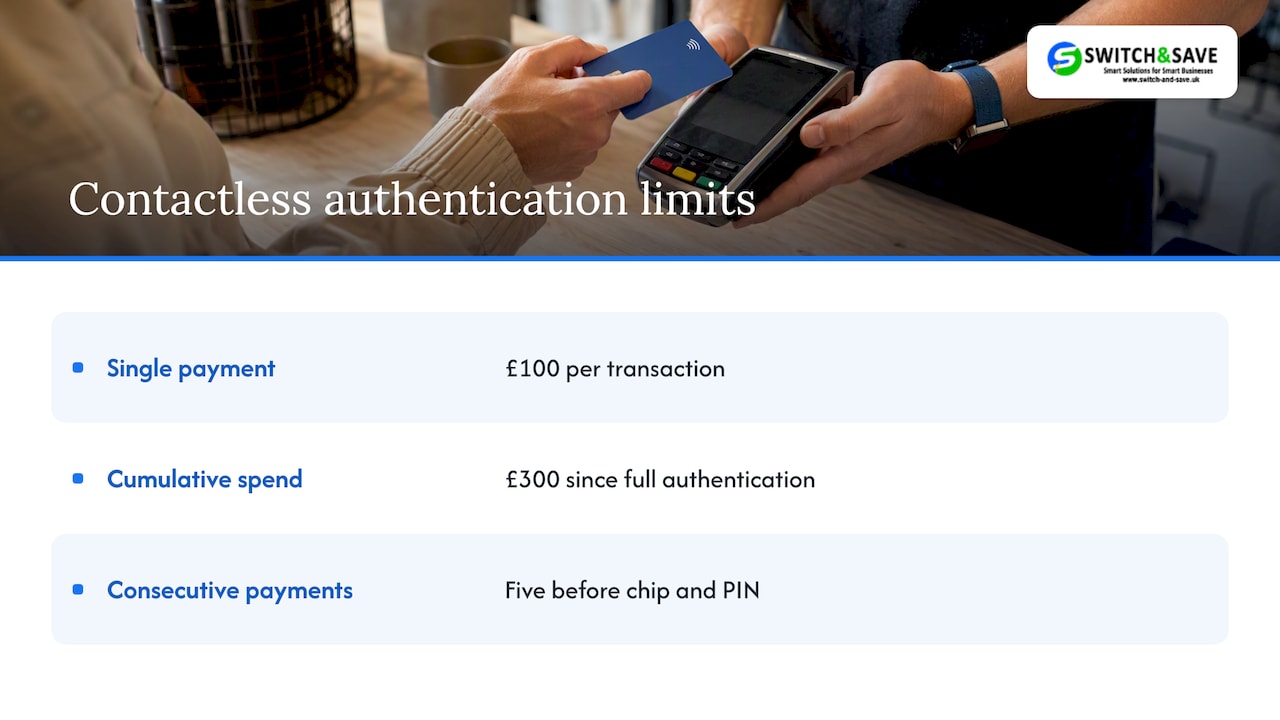
That is why customers sometimes get asked for a PIN on a small purchase. Lloyds Bank says a physical contactless card can normally pay up to £100 without a PIN, but customers may occasionally be asked for chip and PIN, particularly after several consecutive contactless payments.
What this means at your counter
- A £4.50 coffee can be refused contactless. This is the bank checking in, not a fault with your machine.
- Your staff should know to say “Could you pop your card in and enter your PIN, please?” without making the customer feel there is a problem.
- Keep the PIN pad within easy reach of the customer, or the sale slows down.
- Anything above £100 on a physical card will need chip and PIN every time.
If you want a deeper checklist on this, our guide to getting your tills ready for the UK contactless limit covers the downtime checks.
Do customers have to use chip and PIN before contactless?
No. Customers can choose contactless, cash or chip and PIN. Smile’s help pages confirm that customers can choose, and that they may sometimes be required to enter their PIN during a contactless transaction.
There is one exception that matters to shop staff. Santander says a newly issued contactless card may first need a chip and PIN purchase or a cash machine use before contactless works. If a customer says their new card “doesn’t work”, that is often the reason. Let them insert the card and enter the PIN. After that, tapping should work.
The same Santander page says a physical-card purchase above £100 requires chip and PIN.
Speed and convenience: where contactless wins
We have not found a trustworthy UK figure for seconds saved per sale, so we won’t quote one. What every shop owner can see for themselves is the sequence of steps.
- Contactless: amount shown, customer taps, beep, done.
- Chip and PIN: amount shown, customer finds the slot, inserts the card, types the PIN, waits, removes the card.
Fewer steps means fewer chances for a queue to build, and that matters most in a café at 8.30am or a corner shop at 5.30pm. Contactless also suits customers who pay with a phone or watch, which a chip-and-PIN-only terminal cannot handle.
Contactless is not the answer to everything, though:
- Customers with a card that has hit its consecutive-payment check will have to use their PIN anyway.
- Larger baskets, such as a restaurant bill for a big table, will often go over £100.
- Some customers simply prefer to enter their PIN. That is their right, and your terminal should make it easy.
Security: what you can say with confidence
Both methods rely on the chip in the card or the secure element in a phone, and the limits above exist as a safety net. The £300 cumulative and five-payment conditions mean a lost card cannot be used for an unlimited run of tap payments before the bank asks for a PIN.
For you as a merchant, the more practical security points are about the terminal and how you handle card data:
- Use a terminal that encrypts card details from the moment the card is read. Our guide to P2PE card terminals explains how that can shrink your card-security paperwork.
- Keep software up to date, and know your obligations under PCI compliance for small merchants.
- Read our practical guide to secure payment processing for the day-to-day habits that matter.
If you are thinking of dropping cash and PIN-entry altogether, test the risks first. We cover the three big ones in our piece on a contactless-only policy.
Which should a shop or restaurant push?
Offer both and nudge towards contactless. Here is how that looks in practice.
Retail shops
In a busy shop in Birmingham or Coventry, a fast tap keeps the queue moving. Keep the card reader at the customer’s hand height and make sure staff can hand the terminal over for PIN entry when needed.
Restaurants and cafés
Pay-at-table terminals suit chip and PIN and contactless equally, and the customer never loses sight of their card. For bills above £100 on a physical card, expect a PIN. Staff should carry a portable terminal so nobody has to walk to the till.
Takeaways and counters
Speed is everything. Contactless should be the default prompt. Keep a PIN-ready terminal for the occasional “please insert your card” moment.
Self-checkout vs staffed tills
Payment method and checkout format go together. A self-checkout machine has to take contactless, chip and PIN and often cash. So the choice between self-service and a staffed till affects how you set up your payments.
What self-checkout is
The ECR Global Study, hosted by RGIS, describes self-checkout as customers scanning items, selecting options and paying, with a sales clerk either absent or nearby to help. Businesses value the operational efficiency and cost savings, and customers value controlling their own checkout.
Staffing
The same study reports that one employee can supervise transactions that might previously have needed roughly five to ten staff in a fixed self-checkout environment. That is a potential labour saving, but it comes with a condition: the study’s view is that the labour advantage cannot be separated from supervision and control.
Speed
ECR Loss says self-checkout can actually be slower in real use than a staffed checkout, although customers may perceive it as faster because queues shrink and they control the process. About half of surveyed customers reportedly liked having different checkout choices.
That is a useful idea for a small shop: offering a choice matters as much as raw speed.
Theft and losses
This is the area to plan carefully. The evidence is mixed:
- Abertay University research, based on interviews with self-checkout staff, found that theft was reported as more likely when self-checkouts were busy and staff could not watch or assist multiple machines.
- ECR Loss says its retailer case studies suggested self-scan had little or no impact on shrinkage in some cases. One retailer found staffed-checkout operators were three times more likely not to scan an item than self-scan customers.
- The same paper recommends visible supervisors, CCTV or public-view monitors, till alerts, controlled customer movement and limited entry and exit. Where possible, one supervisor should cover no more than four self-checkouts.
So a staffed till is not automatically safer, and self-checkout is not automatically riskier. What matters is who is watching and how the area is laid out.
Layout and accessibility
The 2020 Self-Checkout Loss report from the Design Against Crime Centre says machine placement, signage, interface design and staff responses all affect the experience for shoppers and staff. It also says no single layout works as a fail-safe for every store. Its advice is to assess usability and staff workflows in your own shop and improve step by step.
For a small independent, that points to a simple test: watch a Saturday’s worth of customers and note where they hesitate.
Mobile and scan-and-go formats
The ECR Global Study says fixed self-checkout gives retailers comparatively strong control and monitoring, while Scan & Go and mobile self-checkout can be cheaper but give users more discretion and create bigger control challenges.
In hospitality, the same trade-off shows up with digital menus and mobile ordering: more flexibility for the guest, but you need clear processes behind it.
Staffed or self-checkout: a quick guide
| Situation | Likely better fit |
|---|---|
| Small shop, few items per basket, one or two staff | Staffed till with fast contactless |
| Busy shop with many small baskets at peak | Fixed self-checkout with a supervisor nearby |
| Restaurant or café | Staffed till plus pay-at-table terminals |
| Customers who need help or prefer a chat | Staffed till kept open alongside any self-service |
| Little floor space or no one to supervise | Staffed till |
Whichever you choose, your EPOS should show every sale in one place so you can spot gaps. Our guides on preventing stock theft and shrinkage with EPOS and fixing staff logins are good starting points.
Our perspective
When shop owners ask us “contactless or chip and PIN?”, we say they are asking the wrong question. Customers will use both, so the thing that costs you money is a terminal that makes either one awkward.
We see three common worries:
- “What if the machine freezes at the busiest time?” Test it at your peak hour before you commit, not on a quiet Tuesday.
- “Will my staff cope with PIN requests?” Yes, if the terminal is easy to hand over and everyone has a script.
- “Do I need self-checkout?” Only if you can supervise it. Fewer staff on the floor is a benefit only when someone is watching the machines.
Our advice is to pick an EPOS that links the card terminal to the till, so the amount is entered once and the payment goes straight through. Fewer manual steps means fewer mistakes, and small errors add up over a month.
— Amir
How to set up your tills for both methods
- Check your terminal accepts contactless cards, phones and watches, plus chip and PIN.
- Put the reader where customers can reach it comfortably, with a clear route for handing it over.
- Train staff on the PIN prompt. A calm, friendly line avoids awkward moments.
- Link the card terminal to your EPOS to avoid re-keying amounts.
- Plan for downtime. Know what you will do if the connection drops. Our daily to annual POS security checklist helps here.
- Review after a month. Look at how many sales needed a PIN and where queues built up.
For a plain-English refresher on how tap payments are processed, see what a contactless payment is and how it works.
Getting the right set-up from Switch&Save
We supply EPOS systems and card payment solutions for UK retail and hospitality businesses, with UK-based support.
- The Hospitality EPOS Bundle is from £349 + VAT upfront, with a monthly service plan on a 12-month minimum term (see EPOS pricing).
- Every package includes a card machine (subject to provider approval; card processing fees are separate).
- Retail shops can look at our EPOS bundles, and you can browse our card machines too.
👉 Not sure which fits your shop in Birmingham or Coventry? Start from our home page and ask for a free demo.
FAQ
What is the difference between chip and PIN and contactless?
Chip and PIN means inserting the card and entering a PIN. Contactless means tapping a card, phone or watch on the reader, normally with no PIN. A physical card above the contactless limit falls back to chip and PIN.
Is there still a £100 limit on contactless?
Yes, for UK card payments the FCA’s rules allow contactless up to £100 per transaction, within cumulative limits of £300 or five consecutive payments. After that, the customer is asked for a PIN. Check your own terminal and acquirer for any lower settings.
Do customers have to use chip and PIN before contactless?
No. Customers can choose contactless, cash or chip and PIN. The exception is a newly issued card, which may need one chip and PIN purchase or cash machine use first.
Is self-checkout faster than a staffed till?
Not always. Research from ECR Loss says it can be slower in actual use, though customers often feel it is quicker because queues are shorter and they control the process.
Sources
- Contactless Payments, Association of Convenience Stores
- PS21/2: Amendments to single and cumulative transaction limits, FCA
- Contactless cards, Lloyds Bank
- Do I have to use contactless instead of chip and PIN, Smile
- Card not working, Santander UK
- Global Study on Self-checkout in Retail, ECR
- Reducing self-checkout losses: what works in practice, ECR Loss
- Self-Checkout Loss, Design Against Crime Centre
- Dishonest behavior at self-service checkouts, Abertay University