A click and collect POS is a till that treats an online order like any other sale: it takes the payment, updates stock, tells your team what to prepare and records the handover. If your website and your till are separate systems, someone has to retype every order. That is where mistakes, missed collections and VAT headaches start. This guide explains how the pieces fit, what a shop or restaurant in Birmingham or Coventry needs in place, and what to check before you switch it on.
TL;DR
- Click and collect means the customer orders and pays online (“click”), then picks up in person (“collect”). Your POS should sit at the centre of that journey.
- The best set-up sends web orders straight to the till, keeps stock in one place and issues a proper receipt. A separate ordering module means staff re-keying every order.
- Plan for no-shows, stock that is reserved but never collected, and clear customer messages. These are the problems that cost money.
- Check payment costs and surcharge rules before launch. Any non-optional charge must be in the price the customer sees.
- We can talk through your set-up on a free demo before you commit to any hardware.
Table of Contents
- What click and collect means for a shop or restaurant
- Where the POS fits in the customer journey
- Integrated or bolted on: the difference that matters
- What you need to set up click and collect
- A worked example: a Coventry café taking pre-orders
- Retail example: a Birmingham gift shop
- Problems to plan for before you launch
- Costs and charges to check
- A checklist before you switch it on
- Our view: start with the till, not the website
- How our EPOS packages can help
- FAQ
- Sources
What click and collect means for a shop or restaurant
Click and collect is simple on paper. A customer browses your website or app, pays or reserves, and then comes to your premises at a time that suits them. You do not post anything, and you do not hand over a delivery fee to a courier.
For a retailer, that might be a phone case from a shop in the Bull Ring area, ordered on the bus and collected on the way home. For a restaurant or takeaway, it is a meal ordered for 7pm and picked up at the counter. The idea is the same. The difference is in the details: a shop is promising a specific item is on the shelf, while a kitchen is promising food will be hot and ready at a set time.
A UK academic analysis of a high street fashion retailer’s launch notes that click and collect can prompt extra purchases and make returns cheaper than postal returns. That is the upside for a shop: customers come through the door, and some add something while they are there.
Where the POS fits in the customer journey
Think of the order as a short chain. Every link either runs through your POS or has to be bridged by a person.
- The customer chooses. They see products, prices and availability on your website.
- The customer pays or reserves. The payment is taken online, or the item is held for payment in store.
- The order reaches you. It should appear on the till or a connected screen, not just in an email inbox.
- Your team prepares it. Items are picked from the shelf, or the kitchen gets a ticket.
- The customer is told it is ready. A message confirms the order and the collection slot.
- The customer collects. Staff find the order, check it and hand it over.
- The sale is closed. Stock, takings and receipt are all recorded.
A fully connected POS handles steps 3 to 7 without retyping. UK integration documentation for one ecommerce-to-till connector describes the typical scope: synchronising products, prices and stock, sending new orders to the till, supporting collection slots and routing food and drink to kitchen or bar printers. Whatever system you choose, that is a useful checklist of what “integrated” should mean.
Integrated or bolted on: the difference that matters
Not every click and collect option is part of the till. Some ordering modules run on their own. A UK help page for one restaurant booking and ordering tool makes the point plainly: when the ordering module is separate from the POS, staff must record each order in the till to produce the right receipt and VAT documentation.
Here is how the two approaches compare day to day.
| What happens | Integrated with your POS | Separate ordering module |
|---|---|---|
| New web order | Appears on the till or kitchen printer | Arrives by email or on a separate tablet |
| Stock levels | Update automatically after each sale | Need updating by hand or by a scheduled sync |
| Receipts and VAT | Produced by the till | Staff re-key each order to create them |
| End-of-day takings | One report | Two reports to reconcile |
| Risk of error | Low | Rises with every busy Saturday |
For a single small outlet doing a handful of online orders, a separate module may be tolerable. Once orders reach double figures on a busy day, retyping becomes the bottleneck. Small errors add up: a wrong item here, an unrecorded sale there, and your stock count no longer matches the shelf.
What you need to set up click and collect
You do not need a warehouse of technology. For most independent shops and restaurants you need five things.
1. A POS that holds one view of stock
If you sell the same item in store and online, there has to be a single stock figure. If the web shop shows an item as available while the last one has just left the shop, you have a customer on their way for something you cannot give them. Reporting on UK retail has called making sure stock is available at the specific stores offering click and collect a major headache for retailers. Real-time stock in the till is the fix.
If you run more than one shop, say one in Birmingham and one in Coventry, you also need stock to be tracked per location, so a customer can choose the branch that actually has their item.
2. A website or ordering page that talks to the till
This can be your own online shop, a restaurant ordering page or a connector between the two. What matters is that products, prices and orders flow both ways without someone copying them across.
3. Payment processing that suits online and in-person sales
You will take some payments online and some at the counter. Ideally both land in the same reporting. If you are weighing up card terminals at the same time, our guides on how to reduce card machine fees for UK retail and credit card processing rates explained will help you compare what you are charged.
4. Somewhere to put orders and a way to find them
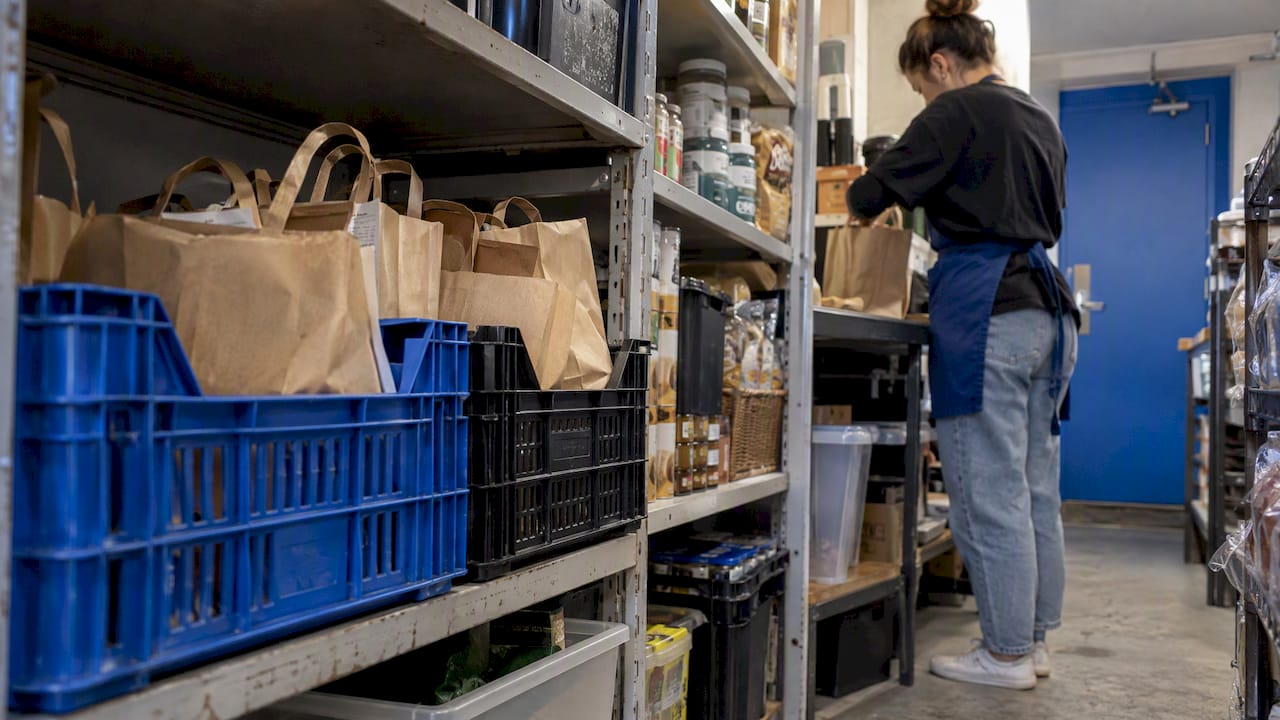
An ordinary shelf or a few labelled crates behind the counter will do. Label each order with a name or number, and keep collection items away from stock that is for sale. Otherwise the same item gets sold twice.
5. Hardware your team will actually use
A touchscreen till and receipt printer are the basics. Restaurants and takeaways also need a kitchen or bar printer, or a kitchen screen, so online orders reach the people who cook them. Larger retail operations sometimes add handheld scanners or mobile devices for picking, and handheld label printers for marking orders. For most small shops, a barcode scanner at the counter is enough to check an order out.
A worked example: a Coventry café taking pre-orders
Imagine a café in Coventry that takes lunch orders online, with collection slots every ten minutes between 12:00 and 14:00.
A customer orders two sandwiches and a coffee for 12:30. In a connected set-up, the order arrives on the till and the kitchen printer at once. The kitchen sees the slot, makes the food and puts the bag aside with the customer’s name. A text or email tells the customer the order is confirmed. At 12:30 they walk in, give a name, and the staff member marks the order as collected on the till.
With a separate ordering module, the same order arrives on a tablet. Someone has to type it into the till for the receipt. On a busy lunchtime, that is a staff member not serving the queue.
Retail example: a Birmingham gift shop
Now a gift shop with a website. A customer reserves a candle set for pick-up the same afternoon. When the order is placed, stock for that set drops by one at the till. A member of staff pulls it off the shelf, bags it and moves it to the collection shelf. If a walk-in customer wants the last set in the meantime, the till already shows it as unavailable. Without the stock link, you have two customers and one set.
Problems to plan for before you launch
Most click and collect trouble comes from the same few places. A short operational guide to click and collect lists inaccurate per-store stock, orders left reserved when customers do not turn up, and inconsistent notifications. Here is how to deal with each.
Orders that are never collected
Researchers writing about the fashion sector call this “click and non-collect”, and it carries hidden costs. Set a rule and write it where customers can see it. For example: orders are held for three days, then returned to stock and refunded. Decide who is responsible for releasing them, and make sure your POS lets you do it in a couple of clicks.
For food, the rule is stricter: a meal that is not collected within the slot cannot go back on the shelf. Take payment up front online, so a no-show does not mean a loss.
Customers not knowing the order is ready
Click and collect depends on a notification flow between the website, the till and the customer. Decide which messages you will send: order received, order ready, and perhaps a reminder. Keep the wording short, give the address and opening hours, and say what the customer should bring, such as the order number.
Handover mistakes
A basic proof-of-collection step prevents most disputes. Ask for the name and order number, check the items against the order on screen, and mark it collected. If the order includes anything age-restricted, your staff need to check ID at the handover, not just at the point of order.
Refunds and returns
Collecting in store does not change consumers’ legal rights. Under the Consumer Rights Act 2015, buyers may be entitled to a refund, replacement or repair for faulty or misdescribed goods, and you cannot restrict those rights. Your returns policy should say so.
For online sales there is also the cancellation right. For goods bought at a distance, the standard cancellation period is 14 days after the goods come into the consumer’s physical possession, which in a click and collect sale means from the day they pick the order up. Food made to order is treated differently, so check the rules for your product with your local Trading Standards service if you are unsure.
Costs and charges to check
Click and collect itself rarely needs a lot of equipment. The costs sit in three places.
- Software. Some systems include click and collect, some charge for it as an add-on, and some need a separate ordering service. Ask for the full monthly cost of the version that includes it.
- Payment processing. Online and in-person transactions can be priced differently. Ask for both rates, plus any monthly minimums and fixed fees per transaction.
- Staff time. Preparing, labelling and handing over orders takes minutes per order. Count them when you decide whether to offer a discount for collecting.
If you are thinking of passing costs on to the customer, be careful. UK guidance says retailers must not mislead consumers about payment surcharges, and that information should be available upfront alongside the main price. The same guidance explains that businesses can set prices to cover their costs, but non-optional surcharges must be included in the quoted price. The safest route is to build the cost into your prices rather than adding a fee at checkout.
Compare card fees carefully too: our breakdown of UK card machine processing fees compared shows what to look for in the small print.
A checklist before you switch it on
- Confirm that online orders reach your till or kitchen printer without retyping.
- Test that a sale in store reduces the stock your website shows, and the other way round.
- Set collection slots that your team can realistically meet.
- Write your hold period and no-show rule on the product and checkout pages.
- Draft the confirmation and ready messages, and send yourself a test order.
- Decide where orders are stored and who is responsible for the collection shelf.
- Run five test orders at your busiest time before telling customers.
Our view: start with the till, not the website
We talk to retailers and restaurateurs about EPOS every week, and the pattern is consistent. People start with the website: they pick an ordering plugin, then wonder why the till does not know about it. We would turn that around.
Start with what your till does well. Does it give you real-time sales and stock, support more than one terminal, and let you check takings from anywhere on a cloud dashboard? If it does, adding online ordering is a matter of connecting it. If it does not, adding web orders on top simply multiplies the mess.
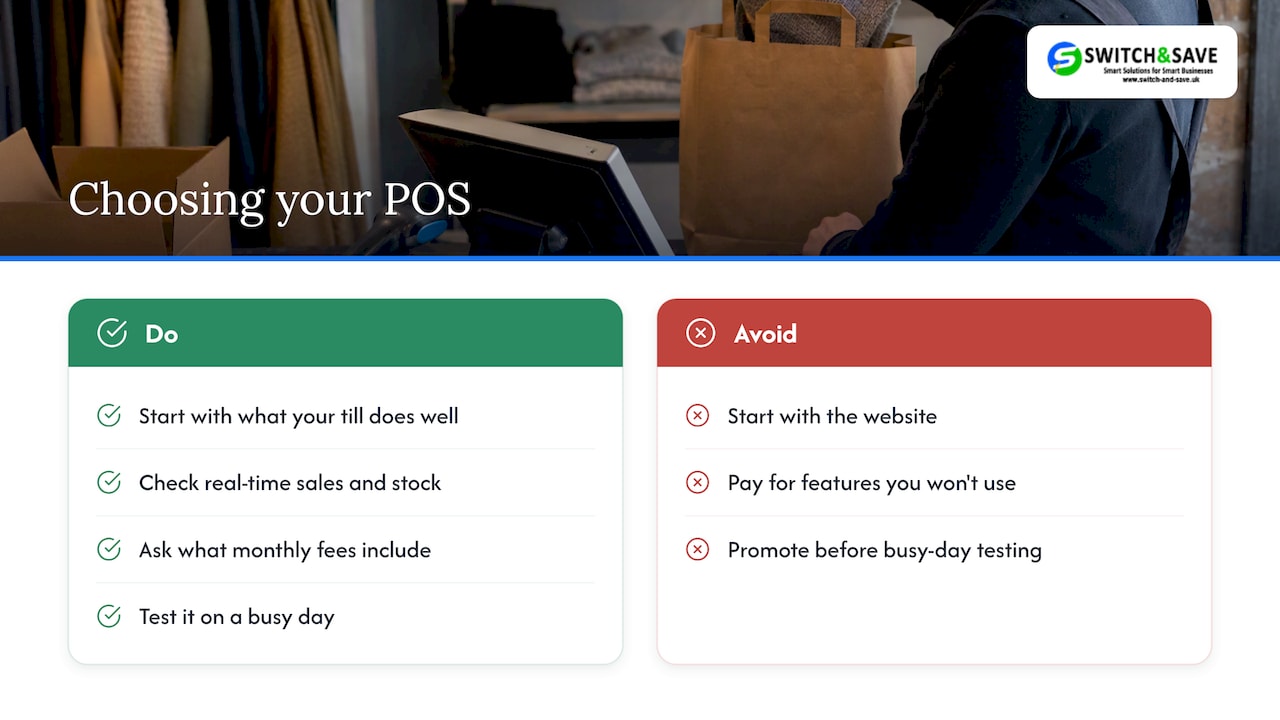
We also think small businesses should be wary of paying for features they will not use. A cafe taking ten pre-orders a day does not need the same set-up as a multi-store retailer. Ask for transparent pricing, ask what is included in the monthly fee, and ask what happens if you want to move to another provider later. That is the standard we hold ourselves to: published prices, UK-based support and help with migrating from your current system.
Whatever you choose, test it on a busy day before you promote it. Customers forgive a missing feature far more readily than a missed order.
— Amir
How our EPOS packages can help
If you are replacing or upgrading your till, it is worth sorting the basics first: fast checkout, real-time stock and a cloud dashboard you can check from home.
Our Hospitality EPOS Bundle is from £349 + VAT upfront, with a monthly service plan on a 12-month minimum term (see EPOS pricing). Every package includes a card machine (subject to provider approval; card processing fees are separate). Shops can look at our retail EPOS bundles, and if you only need payments, see our card machines.
👉 Tell us how you take orders today and we will show you how it would work on your counter. Book a free demo through our main site.
FAQ
What is a click and collect POS?
It is a point of sale system that accepts and manages online orders for in-store pickup. It records the payment, updates stock, passes the order to your team or kitchen and logs the collection. The aim is to avoid keying the same order in twice.
Do I need a separate system for click and collect?
Not always. Some tills include online ordering, and some connect to a website or ordering page. If you use a separate module, staff will need to record each order in the till so receipts and VAT records are correct, so check how much extra work that creates.
How do I stop customers ordering items I do not have?
Use a POS that holds a single stock figure and updates it after every sale, in store or online. If you have several shops, track stock per location, and only show an item as available at the branch that has it.
Can I charge customers extra to pay by card for click and collect?
Be very careful. UK guidance says retailers must not mislead consumers about payment surcharges, and any non-optional charge must be in the price quoted upfront. Most small businesses find it simpler to include the cost in their prices.
What happens when a customer does not collect?
Set a hold period and publish it at checkout. After that time, return the item to stock and refund the customer, or for food, take payment up front so you are not left with the loss. Your POS should let you release reserved stock quickly.
Sources
- Why Primark’s new click and collect service will not be a simple win (The Conversation)
- Click and Collect integration documentation (Nettl)
- Click & Collect, Payments & FAQs (Zenchef Help Center)
- Click and collect for ecommerce, operational guide (NWT)
- Writing a returns policy (Business Companion)
- Payment surcharges (Business Companion)
- The Consumer Contracts (Information, Cancellation and Additional Charges) Regulations 2013, Part 3