

If you take card payments in a UK shop, café or restaurant, PCI DSS applies to you. It is not an Act of Parliament. It is a security standard that your card payment provider expects you to meet and to prove, every year. The standard has 12 requirements, but how much work they mean for you depends on how your card terminal or EPOS is set up. For many small businesses, the right setup cuts that work down to a short questionnaire.
This guide explains what the requirements are, who they apply to, what happens if you ignore them, and a checklist you can work through this week. It is written for owners and managers in places like Birmingham and Coventry who want a clear answer, not a compliance textbook.
TL;DR
- PCI DSS is not a UK law, but it is a condition of your card payment agreement. Breaking it can mean fees, higher costs or losing the ability to take cards.
- It covers any business that stores, processes or transmits card data, whatever its size.
- There are 12 requirements. Version 4.0.1 is the current one, and its 51 newer requirements became mandatory after 31 March 2025.
- The simplest route to less paperwork is to keep card data off your own systems: use approved terminals and an integrated, encrypted payment setup.
- Ask your payment provider which self-assessment questionnaire (SAQ) you should complete, and put the renewal in your diary.
Table of Contents
- What PCI DSS is and who it applies to
- Is PCI DSS mandatory in the UK?
- What happens if you do not comply
- The 12 PCI DSS requirements in plain English
- What changed with version 4.0.1
- How to prove compliance: choosing your self-assessment route
- A PCI compliance checklist for a small shop, café or restaurant
- How your setup changes your PCI workload
- Our perspective: make compliance a by-product of the setup
- Setting up an EPOS that keeps card data out of your till
- Common mistakes we see
- FAQ
- Sources
What PCI DSS is and who it applies to
PCI DSS stands for Payment Card Industry Data Security Standard. It is a set of baseline technical and operational requirements designed to protect payment account data. The PCI Security Standards Council manages the standard, while the card brands that founded it enforce compliance.
The Council says the standard is meant for every organisation involved in payment processing, whatever its size or transaction volume. That includes anyone who stores, processes or transmits cardholder data or sensitive authentication data, and anyone who could affect the security of that data.
For a retailer or restaurant, that means:
- the card terminal on your counter or the one your waiting staff carry to the table
- the EPOS or till software that sits beside it, if it touches card details
- the network (router, Wi-Fi, cabling) that your terminal uses
- any paper receipts, booking notes or order slips that carry a full card number
- online or phone orders, if you take them
If you take one card payment a week, you are in scope. What changes with size is the amount of evidence you need to provide, not whether the standard applies.
Is PCI DSS mandatory in the UK?
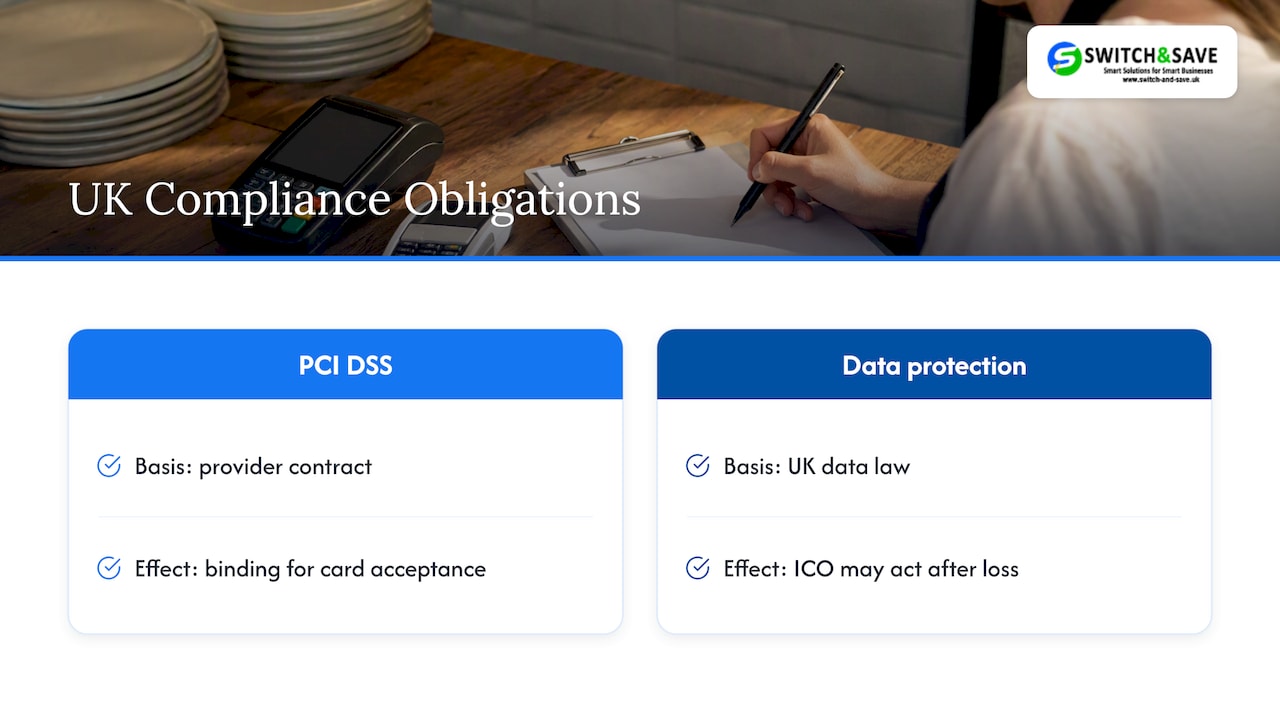
Not by statute. PCI DSS is not a direct legal requirement in the UK, but it is enforced through the contract between you and your bank or card payment provider. In practice, that makes it just as binding for anyone who wants to keep accepting cards.
There is a separate legal layer. If card data is lost, you are also handling personal data under UK data protection law, and the regulator can act. The ICO’s reprimand of a professional body over a 2020 breach is a useful illustration: it cited weak organisational measures, delayed security updates and a lack of regular security testing. Those are exactly the habits PCI DSS asks you to build. PCI DSS can also help you meet data protection obligations by embedding policies and procedures that protect cardholder data. If you want the GDPR side in detail, our guide to five POS GDPR actions for UK retail and hospitality covers it.
What happens if you do not comply
The consequences come from your payment agreement, so they vary by provider. The usual pattern is described by industry sources: monthly penalty fees, higher transaction costs, or termination of your ability to accept card payments by your acquirer.
If you suffer a breach while non-compliant, expect more than a fee. You may have to pay for a forensic investigation, replace compromised terminals and explain yourself to customers and the ICO. For a single-site café, a week without card payments is the cost you will feel first.
Many providers also give new merchants a grace period. One major UK acquirer says that when you first start taking payments you have 90 days before you need to meet the requirements, and after that you must keep meeting them and show you are doing so at least once a year. Check your own agreement for the exact terms, because they differ between providers.
The 12 PCI DSS requirements in plain English
The requirements are grouped under six goals. This table translates them into what they mean on a shop floor or in a kitchen. The list follows the PCI SSC’s own quick reference guide; the wording of the standard has been updated since, but the 12 headings have stayed the same.
| # | Requirement | What it means for a small business |
|---|---|---|
| 1 | Install and maintain firewalls | Your router or network has a firewall switched on and set up properly, and the terminal is not on an open guest Wi-Fi |
| 2 | Avoid vendor-supplied default passwords | Change the factory passwords on routers, tills and terminals the day they are installed |
| 3 | Protect stored cardholder data | Do not keep card numbers. If you must, they have to be protected, and the security code is never stored after authorisation |
| 4 | Encrypt transmitted data | Card data travels encrypted, never by email, text or messaging app |
| 5 | Protect systems from malware | Up-to-date security software on any PC or till that connects to payments |
| 6 | Develop and maintain secure systems | Install updates and patches promptly, on tills and terminals alike |
| 7 | Restrict access by business need to know | Staff only see what their job needs |
| 8 | Identify and authenticate access | Each person has their own login. No shared “manager” passwords |
| 9 | Restrict physical access | Terminals are locked away or supervised, and you check them for tampering |
| 10 | Track and monitor access | Keep logs of who did what on systems that handle card data |
| 11 | Test security regularly | Scans and checks on a schedule, not once and forgotten |
| 12 | Maintain an information security policy | A short written policy that staff have read |
If that looks like a lot for a business with four staff, here is the reassuring part: which of these you must evidence yourself depends heavily on how you take payments. Each system you keep card data away from is a requirement you hand to someone else.
What changed with version 4.0.1
The current version is PCI DSS v4.0.1. Its 51 future-dated requirements became mandatory and had to be fully considered in assessments after 31 March 2025. That means that today, in late 2026, there is no longer a transition period: your annual validation is against the full standard.
Most of the newer requirements bite hardest on online payment pages. Two headline examples, 6.4.3 (managing scripts on payment pages) and 11.6.1 (detecting changes to those pages), are aimed at websites that collect card details. The Council published guidance, SAQ A updates and an FAQ to help merchants with them. If your website sends customers to a hosted payment page run by your provider, much of this burden sits with the provider. If you take card payments only face to face on a terminal, these web-focused items will rarely be your concern.
How to prove compliance: choosing your self-assessment route
This is the question people search for least and trip over most. Most small merchants prove compliance with a Self-Assessment Questionnaire (SAQ), a form that fits how you take payments. Larger merchants, or those who have had a breach, may need an on-site assessment instead, and your provider will tell you if that is you.
The common SAQ types for shops and restaurants, as summarised by a compliance platform, look like this:
| SAQ | Typically for | Effort |
|---|---|---|
| A | Online or phone-order merchants who outsource all card handling to a compliant third party | Lightest |
| B | Standalone dial-out terminals with no electronic storage of card data | Light |
| B-IP | Standalone approved terminals connected over IP, with no electronic storage | Light to medium |
| P2PE | Merchants using a validated point-to-point encrypted terminal solution | Light |
| C | Payment application connected to the internet, no electronic storage | Medium |
| D | Everything else, including merchants who store card data | Heaviest |
The lesson is in the right-hand column. A shop with an EPOS system that stores and passes around card data can end up on the longest questionnaire. A shop using an approved, encrypted terminal that keeps card data away from its till software can land on a much shorter one. We walk through this in more detail in our guides on dropping to SAQ-A or SAQ-B-IP and on how P2PE terminals shrink the self-audit.
The route that applies to you is set by your provider, not by us or by a search engine. Ask them three things: which SAQ you need, where you submit it, and by what date each year.
A PCI compliance checklist for a small shop, café or restaurant
Work through this in order. Most of it takes an afternoon, plus a call to your provider.
- Find your agreement and your provider’s PCI portal. Note the deadline, the fee for non-validation and who to contact.
- Map how card data moves. List every terminal, till, tablet, website and phone line that touches a card. Include the router.
- Use approved devices. The PCI Council’s guide for small merchants advises using PCI-approved payment terminals and PIN entry devices. In the UK, terminals, including software-only products, must be evaluated to the Common Criteria methodology and certified by Common.SECC, so ask your supplier for the approval details of any device you buy.
- Stop storing what you do not need. The same guide says that if you do not need card data, the most secure practice is to destroy it, and where you must keep any, to use encryption or tokenisation services from your bank or processor. That includes handwritten card numbers on booking sheets.
- Consider outsourcing card processing to a PCI DSS-compliant provider. For online payments, the Council describes wholly outsourcing capture and processing to a validated third party as the safest option, and says you should confirm your provider is compliant.
- Use a qualified installer where possible. The Council suggests a PCI Qualified Integrator and Reseller (QIR) to help install a payment system securely.
- Change every default password and give each member of staff their own login.
- Secure the network. Keep the payment terminal off guest Wi-Fi and make sure the router firewall is on.
- Protect the hardware. Keep terminals in sight or locked away overnight, and check them for loose parts, new cables or stickers each day. Keep a list of devices and their serial numbers.
- Keep software updated. Tills, terminals and any PC on the network should receive updates promptly. Automatic updates beat reminders.
- Write a one-page security policy. Cover who can access what, what to do if a terminal goes missing and who to call after a suspected breach. Have staff sign it.
- Complete your SAQ and diarise next year. Put the renewal date in a shared calendar, with a reminder a month ahead.
Your card security policy also sits within wider data handling rules. If you run bookings, loyalty schemes or online orders, the same discipline applies to all personal data, and it helps to read about data privacy policies and procedures in other booking-led businesses to see how they handle it.
How your setup changes your PCI workload
Different ways of taking payments carry different amounts of responsibility.
Standalone card terminal
A terminal that is separate from your till and sends encrypted data straight to the acquirer keeps your own systems out of the card data flow. This is the simplest case and often the shortest questionnaire. Staff still key amounts in by hand, which suits very small shops. Our payment terminal guide explains the options.
Integrated EPOS and card terminal
When the till sends the amount to the terminal and the terminal handles the card, you get faster checkouts and fewer keying errors, while the card details stay inside the terminal. The risk is in a poor integration, where card data passes through the till software or your network in clear form. Ask your supplier plainly: does card data ever touch my till, and is the terminal validated for point-to-point encryption?
Online, phone and mobile payments
If you take orders by phone or through a website, the safest approach is to use a hosted payment page or a compliant payment provider, so numbers are never typed into your own systems. Notebooks with card numbers are the classic failure in small restaurants taking telephone bookings with deposits.
Table-side and portable terminals
Portable terminals make the payment more convenient for diners and reduce card handover, but they add devices to track. Keep a register of them, and lock them in a charging cabinet overnight.
Our perspective: make compliance a by-product of the setup
We sell EPOS systems and card payment solutions to UK shops and restaurants, and the PCI conversation often arrives late: a letter from the provider, a fee on a statement, a deadline looming. The owners we talk to are not careless. They have simply been told compliance is a project, when for a small business it should be a by-product of choosing the right equipment.
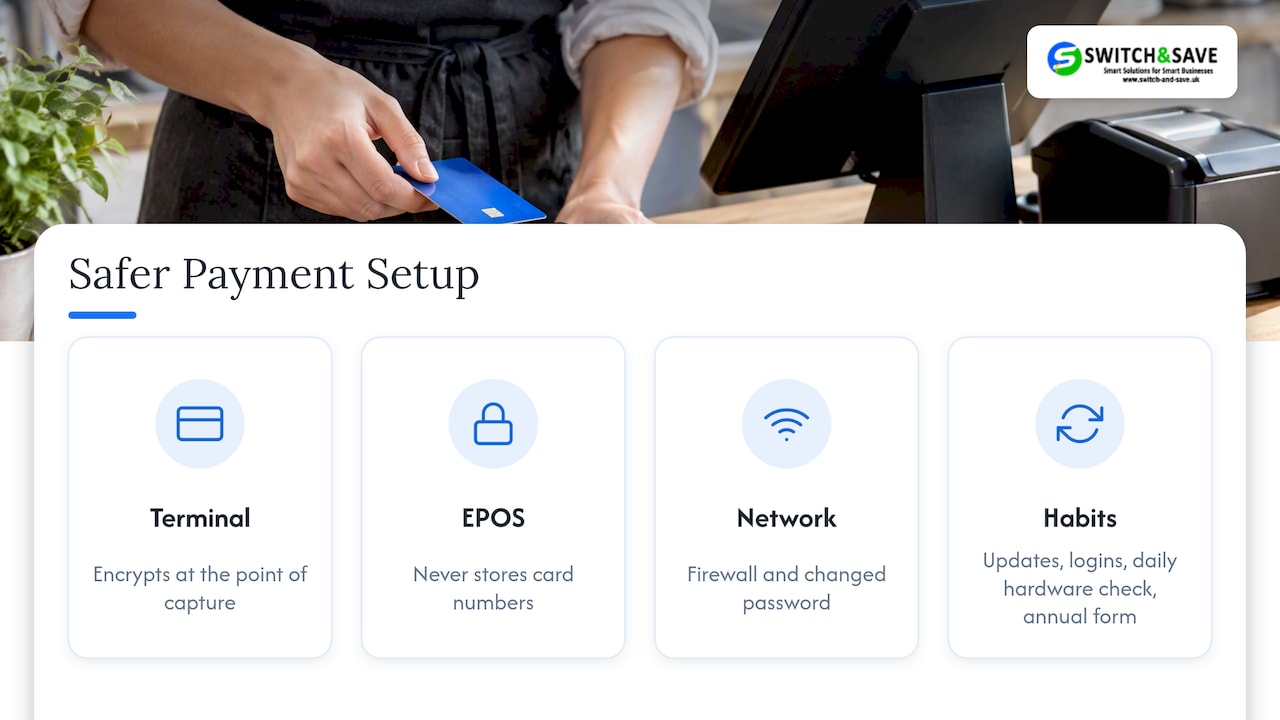
Our advice is to decide how card data will flow before you buy anything. A terminal that encrypts at the point of capture, an EPOS that never stores card numbers, and a router with a firewall and a changed password get you most of the way. The rest is habit: updates, logins, a daily look at the hardware, and an annual form.
We would also say this plainly: no supplier can make you compliant by selling you a box. The standard still expects you to run your own premises, staff and network responsibly. What a good supplier can do is shrink the number of things you are responsible for, explain the paperwork in words you can use, and answer the phone when something looks wrong. That is how we try to work with businesses across Birmingham, Coventry and the rest of the UK.
— Amir
Setting up an EPOS that keeps card data out of your till
If you are replacing or installing a system, build the PCI question into the purchase. Our Hospitality EPOS Bundle starts from £349 + VAT upfront plus a monthly service plan on a 12-month minimum term. Every package includes a card machine (subject to provider approval; card processing fees are separate). Retail businesses can look at our EPOS bundles, and if you only need a terminal, see our card machines. We list our prices openly, and UK-based support is there if you want a second opinion on your setup before you buy.
👉 Ask for a free demo and bring your PCI questions with you.
Common mistakes we see
- Treating the SAQ as a one-off. It is annual, and your circumstances change when you add a terminal, a website or a second site.
- Buying the cheapest terminal without checking approval. An unapproved device can undermine the whole setup.
- Shared logins. One “admin” password used by every shift makes it impossible to say who did what.
- Card details in email or messaging apps. Customers send them, staff copy them. Both are avoidable with a payment link.
- Forgetting the router. The terminal might be fine while the network is running on factory settings.
- No plan for a breach. Know who to ring first (usually your payment provider), before it happens. Our guide on secure payment processing and the note on PCI compliance for small merchants go further.
FAQ
Is PCI DSS mandatory in the UK?
It is not written into UK law, but it is enforced through your agreement with your bank or payment provider. If you take cards, you are expected to comply and to prove it each year. Failing to do so can mean fees, higher costs or losing card acceptance.
What are the 12 requirements for PCI DSS compliance?
They cover firewalls, default passwords, protecting stored data, encrypting data in transit, malware protection, secure systems and updates, need-to-know access, unique logins, physical security, logging and monitoring, regular testing, and a written security policy. The table above explains each in plain terms.
What are the PCI requirements for 2026?
The standard in force is PCI DSS v4.0.1. Its 51 future-dated requirements became mandatory after 31 March 2025, so they all apply now. Online payment page controls are the most noticeable additions, and face-to-face merchants on approved terminals will see fewer of them.
What do PCI DSS requirements apply to?
They apply to any business that stores, processes or transmits card data, and to systems that could affect its security. For a shop or restaurant, that means terminals, EPOS, networks, paperwork and any online or phone ordering.
How do I know which questionnaire to complete?
Your provider assigns or confirms it based on how you take payments. Standalone approved terminals and validated encrypted solutions usually lead to shorter forms, while storing card data leads to the longest. Ask your provider before you start.
Sources
- PCI Security Standards Council: Protect payment data
- Is PCI DSS a legal requirement in the UK?
- ICO reprimand: Chartered Institute for Securities & Investment
- Is PCI DSS mandatory in the UK? Law, fines and enforcement
- PCI DSS Quick Reference Guide
- Guidance for PCI DSS e-commerce requirements effective after 31 March 2025
- Guide to Safe Payments for small merchants
- UK Finance: Scheme description and approvals list
- PCI SAQs: which self-assessment questionnaire is right for your business
- Data privacy in bookings