Many UK business owners use “payment terminal” and “POS system” as if they mean the same thing. They don’t. And choosing the wrong option can quietly slow down your checkout, limit your business data, and cost you more than you expect over time. Whether you run a busy café in Manchester or a boutique shop in Bristol, getting this right matters. This guide cuts through the confusion, explains how payment terminals actually work, and gives you a clear framework for choosing the solution that fits your business today and as you grow.
Table of Contents
- How payment terminals work
- Payment terminals vs. POS systems: What’s the difference?
- Essential features of payment terminals for UK businesses
- Selecting the right payment terminal: Real-world scenarios
- Rethinking payment terminals: What most guides ignore
- Explore efficient payment solutions with Switch&Save
- Frequently asked questions
Key Takeaways
| Point | Details |
|---|---|
| Payment terminal basics | Payment terminals securely process card transactions with encryption and compliance checks. |
| Terminal vs POS | Standalone terminals are cost-effective but limited; POS systems offer integration but at a higher cost. |
| Feature essentials | Prioritise PCI DSS compliance, contactless support, and reliability when choosing a terminal. |
| Scenario-driven selection | Different business environments require tailored payment solutions to maximise efficiency. |
| Long-term integration benefits | Integrating terminals with business data saves money and improves insights over time. |
How payment terminals work
Before you can pick the right setup, it helps to understand what’s happening behind the scenes every time a customer taps, inserts, or swipes their card.
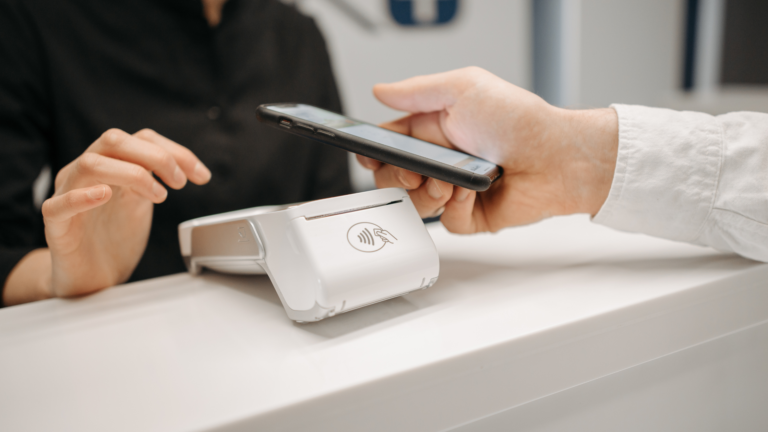
The process moves faster than most people realise. A standard transaction works like this: the terminal reads the card data, encrypts it instantly, sends it to your payment acquirer (the company that processes payments on your behalf), which then routes it through the card network (Visa or Mastercard) to the customer’s issuing bank. The bank either authorises or declines the payment, and that decision comes back to the terminal within seconds. The whole cycle completes before the customer has even put their wallet away.
Here’s a step-by-step breakdown of what happens:
- Card reading: The terminal reads card details via chip, magnetic stripe, or contactless NFC technology
- Encryption: Data is immediately encrypted using end-to-end encryption to protect sensitive information
- Transmission: Encrypted data travels to your acquirer via secure payment networks
- Authorisation: The issuing bank checks available funds and approves or declines
- Confirmation: The terminal displays the result and prints or sends a receipt
Security is non-negotiable. Reputable payment terminals comply with PCI DSS (Payment Card Industry Data Security Standard), the global benchmark for protecting cardholder data. If your terminal isn’t PCI DSS compliant, you’re exposing your business to serious liability.
One thing many business owners don’t think about is settlement time. Authorisation is instant, but the actual funds landing in your account typically takes 1 to 3 business days. This matters for cash flow planning, especially in hospitality where margins are tight.
When it comes to terminal types, you’ve got three main options to consider:
- Countertop terminals: Fixed to your counter, reliable, ideal for shops with a clear till point
- Portable terminals: Wireless and battery-powered, great for restaurants where staff take payment at the table
- Mobile terminals: Connect via Bluetooth or 4G, perfect for market traders, pop-up events, or delivery drivers
When choosing card machines, your physical setup and customer journey should drive the decision. A restaurant that makes customers walk to a counter to pay is already losing points on experience.
Payment terminals vs. POS systems: What’s the difference?
Now that you understand how terminals process payments, let’s get into the comparison that trips up most business owners.
A standalone payment terminal does exactly one job. It takes card payments. That’s it. There’s no connection to your stock levels, no sales reporting, no loyalty programme integration. You process the payment, the customer leaves, and that’s the end of the data trail.
A POS (Point of Sale) system is a broader setup. It combines payment processing with software that manages your entire sales operation. Think real-time inventory tracking, staff management, sales analytics, customer records, and reporting dashboards. Many modern systems are cloud-based, meaning you can check your sales figures from anywhere.
Here’s a clear comparison to help you decide:
| Feature | Standalone terminal | Integrated POS system |
|---|---|---|
| Upfront cost | Lower | Higher |
| Setup complexity | Simple | Moderate |
| Payment processing | ✓ | ✓ |
| Inventory management | ✗ | ✓ |
| Sales reporting | Basic | Detailed |
| Staff management | ✗ | ✓ |
| Cloud access | Rarely | Common |
| Scalability | Limited | Strong |
| Integration with other tools | Minimal | Extensive |
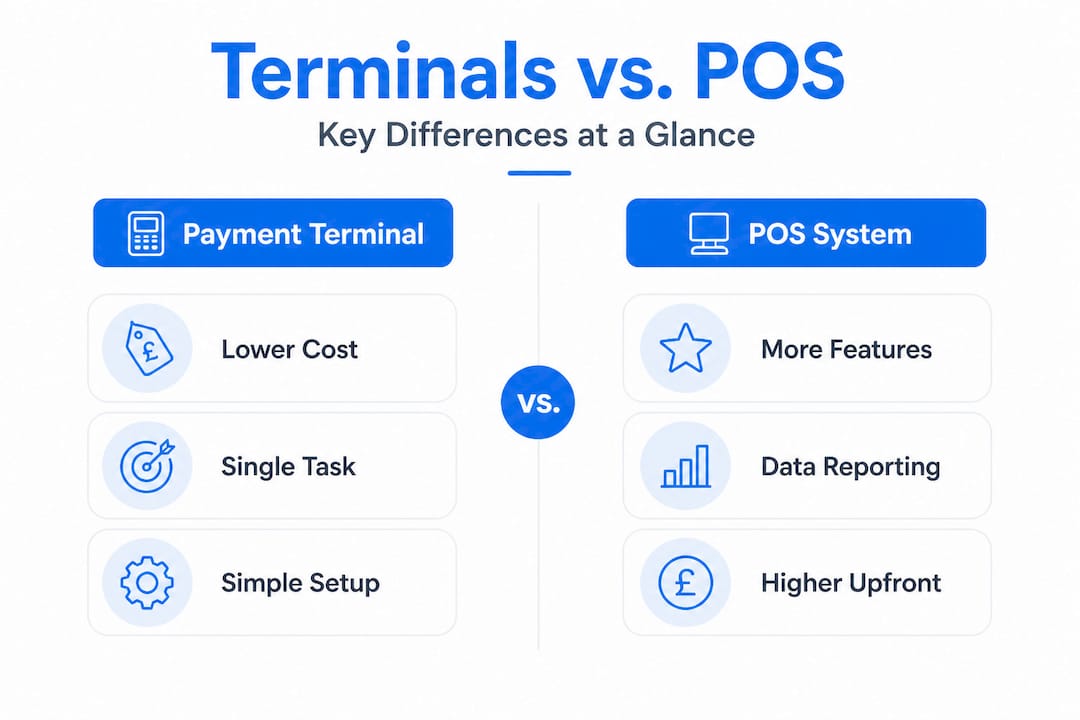
As the data shows, standalone terminals are cheaper upfront but lack the integration features that full POS systems offer, including inventory tracking and detailed sales data, which come at a higher initial cost and slightly more complexity to set up.
Pro Tip: Don’t just think about what you need today. If you’re planning to open a second location, run promotions, or manage a growing team, a standalone terminal will quickly feel like a bottleneck. A retail POS system that scales with you is almost always the smarter long-term investment.
The good news is that the gap between the two options has narrowed significantly. Many modern POS system features are now available at price points that would have seemed impossible five years ago. If you’re still unsure what a POS system actually involves, this POS system guide is a solid starting point.
Essential features of payment terminals for UK businesses
With the comparison fresh in mind, let’s focus on the features that genuinely matter when you’re evaluating a payment terminal for a UK retail or hospitality setting.
Security compliance should be your first filter. Every terminal you consider must be PCI DSS certified and use end-to-end encryption. This isn’t optional. Non-compliant terminals can expose customer data and leave your business open to fines and reputational damage. The transaction security process of reading, encrypting, and transmitting card data only works as intended when the hardware meets these standards.
Payment method support is the next priority. Your customers expect to pay how they want. That means your terminal must handle:
- Contactless payments (Visa, Mastercard, American Express)
- Chip and PIN
- Mobile wallets (Apple Pay, Google Pay, Samsung Pay)
- Potentially digital gift cards or loyalty schemes
Refusing a customer’s preferred payment method is a fast way to lose a sale. And with contactless now accounting for the majority of in-person transactions in the UK, a terminal that doesn’t support it is a serious liability.
Reliability sounds obvious but gets overlooked during the buying process. What happens when your Wi-Fi drops? Does the terminal have offline mode? How quickly does the supplier provide a replacement if the device fails during a busy Saturday? These are the questions that matter in a real business environment.
Settlement speed feeds directly into your cash flow. If your supplier takes four or five days to settle funds, that’s money sitting idle when you could be using it. Look for providers who offer next-day or two-day settlement as standard.
Integration potential is where the real value sits. A terminal that connects to your retail sales system means every sale automatically updates your stock levels, feeds into your reporting, and keeps your accounts accurate without manual data entry. Small errors add up quickly when you’re relying on spreadsheets or disconnected systems.
Stat to note: Businesses using integrated payment and inventory systems report significantly fewer stock discrepancies and spend less time on end-of-day reconciliation compared to those using standalone terminals.
Selecting the right payment terminal: Real-world scenarios
Features matter, but context matters more. Let’s look at how real UK businesses approach this decision.
1. Busy independent retail shop
A clothing boutique with a single till point and a consistent queue at weekends needs speed above all else. A countertop terminal integrated with a cloud-based stock system means every sale updates inventory in real time. No more discovering you’ve sold the last item in a size and not realising until a customer complains. The standalone terminal is cheaper upfront but loses out quickly on data visibility, meaning the owner has no easy way to spot which lines are selling well or when to reorder.

2. Independent restaurant or café
Table-side payment is no longer a luxury. It’s what customers expect. A portable terminal that connects wirelessly to a hospitality POS system lets staff take payment at the table, split bills, and send receipts by email. This reduces errors, speeds up table turnover, and improves the customer experience in one move.
3. Market trader or pop-up operator
A mobile terminal running on 4G is the practical choice here. Lightweight, quick to set up, and able to take payments anywhere. The trade-off is that integration options are more limited, so this setup works well for businesses at an early stage or with simple product catalogues.
4. Growing multi-location business
If you’re running two or more sites, a standalone terminal at each location is a management headache. You’re pulling reports separately, reconciling accounts manually, and getting no consolidated view of performance. An integrated POS across all locations solves this immediately.
Here’s a quick reference table to match scenarios with the right approach:
| Business type | Recommended solution | Priority feature |
|---|---|---|
| Single-till retail shop | Countertop + integrated POS | Inventory sync |
| Restaurant or café | Portable terminal + hospitality POS | Table-side payments |
| Market trader or pop-up | Mobile terminal (4G) | Portability |
| Multi-location business | Cloud-based integrated POS | Central reporting |
When you’re ready to upgrade your setup, it’s worth reviewing the full range of hardware and software options available. You can also browse the Switch&Save shop to compare packages suited to different business types and budgets.
Rethinking payment terminals: What most guides ignore
Here’s something that most buying guides won’t tell you. The biggest mistake UK small businesses make isn’t choosing the wrong terminal type. It’s under-investing in integration from the start.
Most business owners focus heavily on the upfront cost of a terminal. That’s understandable. Budget matters. But the real cost of a standalone terminal isn’t the device itself. It’s the hours spent manually entering sales data, the stock errors from disconnected systems, the missed opportunities from having no visibility into your best-selling products or peak trading hours.
We’ve spoken with retail and hospitality owners who ran standalone terminals for years before switching to integrated systems. Almost universally, their first reaction after switching is: “I wish I’d done this sooner.” Not because the terminal was better, but because the data it unlocked changed how they made decisions. Suddenly they knew which products to push, when to schedule staff, and which promotions actually moved stock.
There’s also a staff training dimension that rarely gets discussed. A terminal that’s intuitive and consistent reduces errors at the till. When staff understand the system and trust it, checkout is faster and customers wait less. That’s a direct impact on revenue and on how your business feels to walk into.
Finally, don’t overlook the upgrade path. A good terminal provider should make it straightforward to move from a basic setup to a more advanced one without replacing everything you’ve already invested in. The technology exists to start simple and build capability over time. The businesses that benefit most from POS-driven sales growth are the ones that treat their payment setup as a business tool rather than a utility bill.
Explore efficient payment solutions with Switch&Save
👉 If you’ve been running on a standalone terminal and wondering what you’re missing, now is a good time to explore what a fully integrated system can do for your business. Switch&Save offers EPOS systems built specifically for UK retail and hospitality, combining reliable hardware with AI-powered software and integrated payment processing. Whether you’re starting fresh or looking to upgrade, the Switch&Save EPOS system gives you real-time inventory visibility, cloud reporting, and fast checkout in one package. For businesses wanting payment and operations fully connected from day one, the integrated payments bundle is worth a look. UK-based support is on hand to help you choose the right setup and get running quickly.
Frequently asked questions
How long does it take for card payments to settle?
Card payment settlements usually take 1 to 3 business days after the transaction is authorised, though some providers offer faster settlement options.
Are payment terminals PCI DSS compliant by default?
Most modern payment terminals meet PCI DSS compliance standards, but you should always confirm this with your supplier before purchasing to protect your business and your customers.
Can payment terminals process contactless and mobile payments?
Yes. Contactless payment support is now standard on most new terminals, including compatibility with Apple Pay, Google Pay, and Samsung Pay.
Should I pick a standalone terminal or integrated POS system?
Standalone terminals suit smaller or simpler businesses, while integrated POS systems offer the inventory tracking and sales data that growing businesses need to operate efficiently.
Is it easy to upgrade from a standalone terminal to a full POS system?
Yes. Upgrading has become much more straightforward, and many providers design their systems so you can start simple and add features as your business grows without starting from scratch.