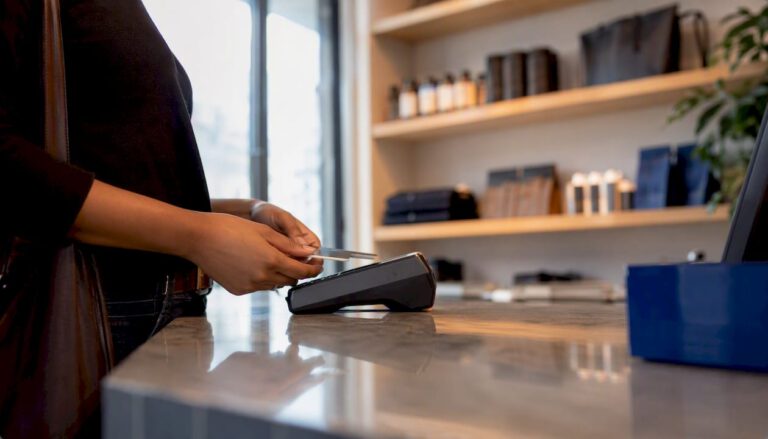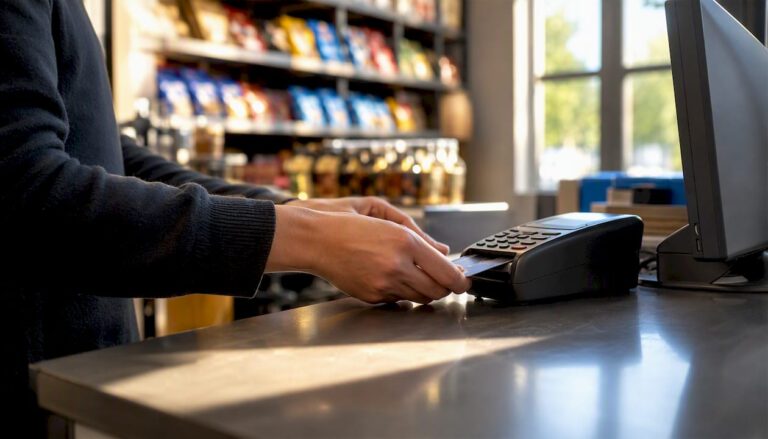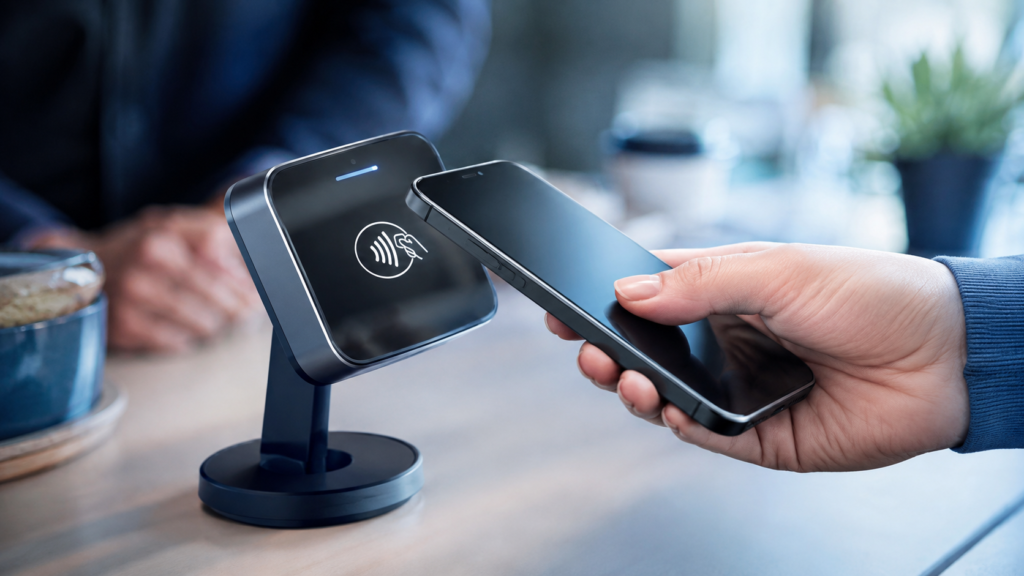
A contactless payment is a card or mobile payment completed by holding a contactless card, smartphone, smartwatch or compatible device close to a payment terminal. The card and terminal communicate using Near Field Communication, commonly called NFC, allowing the customer to pay without inserting their card or entering a PIN for many transactions.
For businesses, contactless payments can make checkout quicker, give customers more ways to pay and connect transaction data directly with a modern EPOS system.
Key Takeaways
| Question | Direct answer |
|---|---|
| What is a contactless payment? | A payment made by tapping a compatible card or device near a contactless terminal. |
| What technology does it use? | Near Field Communication, also known as NFC. |
| Does the card need to touch the machine? | No. It only needs to be held within a few centimetres of the reader. |
| What is the usual UK card limit? | Most physical contactless cards currently use a £100 single-transaction limit, although banks and providers now have greater flexibility. |
| Can mobile payments exceed £100? | Often, yes, because the customer normally verifies the payment using a fingerprint, face scan or device passcode. |
| What does a business need? | A contactless-enabled card machine, merchant account or payment service, and preferably an integrated EPOS system. |
What Is a Contactless Payment?
A contactless payment is an electronic payment that does not require the customer to insert their card into a card machine.
Instead, the customer holds a contactless-enabled card or device close to the payment terminal. The terminal reads the payment information wirelessly and sends the transaction for authorisation.
A contactless card can usually be identified by the four curved lines printed on it. The same symbol appears on compatible card machines.
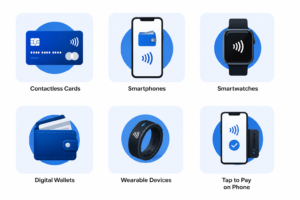
Contactless payments may be made using:
- Debit cards
- Credit cards
- Smartphones
- Smartwatches
- Digital wallets
- Contactless-enabled wearable devices
The term tap to pay is also commonly used, although the card does not technically need to touch the terminal.
How Does a Contactless Payment Work?
Contactless payments use NFC technology to exchange payment information over a very short distance.
Here is what normally happens during a contactless card payment.
1. The business enters the transaction amount
The card machine receives the total directly from the till or the operator types it into the terminal.
When the card machine is integrated with an EPOS system, the amount can be sent automatically. This reduces the risk of an employee entering the wrong total.
2. The customer presents a card or device
The customer holds their card, phone or smartwatch near the contactless symbol on the payment terminal.
The devices must normally be within a few centimetres of each other before they can communicate.
3. The terminal reads the payment data
The card or mobile wallet provides the information needed to process the payment.
The customer’s PIN is not transmitted to the merchant. Contactless transactions also use cryptographic security data, including a one-time electronic signature or cryptogram that is created for the individual transaction.
4. The payment is authorised
The terminal sends the request through the payment provider and card network to the customer’s bank or card issuer.
The issuer checks factors such as:
- Whether the card is active
- Whether sufficient funds or credit are available
- Whether the transaction appears unusual
- Whether additional verification is required
The payment is then approved or declined.
5. The sale is completed
Once approved, the card machine confirms the payment and the EPOS system records the sale.
The customer may receive a printed, digital or emailed receipt, depending on the business’s setup.
Although the customer-facing process takes only a few moments, several systems communicate in the background to authorise and record the transaction.
What Can Customers Use for Contactless Payments?
Contactless payment is no longer limited to physical bank cards.
Contactless debit and credit cards
Most modern UK debit and credit cards include an NFC chip and antenna. Customers hold the card near the terminal rather than inserting it.
A customer may occasionally be asked to insert the card and enter their PIN. This is a normal security check and does not necessarily indicate a problem with the card or terminal.
Smartphones
Customers can add supported cards to digital wallets such as Apple Pay or Google Wallet.
The phone communicates with the card machine using NFC. The customer may need to verify the payment using:
- Face recognition
- Fingerprint recognition
- A device passcode
- Another approved security method
Google confirms that an Android phone must support NFC and meet its security requirements before it can make contactless Google Wallet payments.
Smartwatches and wearables
Supported smartwatches, rings and other wearable devices can also be used at compatible contactless terminals.
This is useful in environments where customers may not have their wallet or phone readily available, such as gyms, transport networks or outdoor events.
Tap to Pay on a merchant’s phone
Some payment providers allow businesses to accept contactless payments directly on a compatible NFC-enabled smartphone.
This may be suitable for mobile traders, market sellers, delivery businesses and service providers that do not want to carry a separate terminal. However, the business should still compare processing fees, reporting functions, connectivity and support before choosing this option.
What Is the Contactless Payment Limit in the UK?
For most physical contactless cards in the UK, the familiar single-transaction limit remains £100. There is also commonly a background security limit requiring the customer to verify themselves after repeated contactless spending, historically no more than £300 without further authentication.
However, the UK rules changed on 19 March 2026.
The Financial Conduct Authority removed the fixed regulatory contactless limits and introduced a risk-based approach. Banks and payment providers with suitable fraud controls now have greater flexibility to set their own contactless policies. This regulatory change does not mean every bank automatically increased or removed its £100 card limit.
As a result:
- Many physical cards still operate with a £100 limit.
- A bank may set a different limit for its customers.
- Customers may be allowed to set a personal limit.
- Some customers can switch contactless functionality off.
- A bank may request PIN verification at any time.
- Policies may differ between cards and issuers.
Mobile wallet payments are treated differently. Apple Pay, Google Pay and similar services do not have a universal fixed £100 limit because the device can verify the customer using biometrics or a passcode. The customer’s bank, the merchant and the payment terminal must still support the transaction.
Businesses should therefore avoid telling customers that every contactless payment is strictly limited to £100.
Are Contactless Payments Secure?
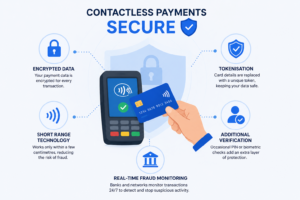
Contactless payments use multiple security controls to protect the customer and merchant.
Short communication distance
The card or device must be held very close to the terminal. A payment cannot normally be made simply because someone walks near a card machine.
Transaction-specific security data
Contactless card payments generate a transaction-specific cryptographic code. This helps prevent captured transaction data from simply being reused for another purchase.
Mobile wallet tokenisation
Digital wallets can replace the customer’s actual card number with a device-specific payment token.
The merchant therefore receives the payment information required to process the transaction without necessarily receiving the customer’s underlying card number. Apple Pay, for example, combines tokenisation with transaction-specific security data.
Periodic customer verification
A physical card may request Chip and PIN verification after repeated taps, cumulative spending or a transaction that triggers the issuer’s fraud controls.
Mobile wallets generally require the customer to unlock or authenticate on the device.
Real-time fraud monitoring
Banks and payment providers can analyse transactions for unusual amounts, locations or spending patterns. Suspicious payments may be declined or referred for additional authentication.
Contactless technology is secure, but businesses must still follow appropriate payment procedures. Staff should check that a transaction has genuinely been approved rather than relying only on the sound produced by a card machine.
What Are the Benefits of Contactless Payments for Businesses?
Faster customer checkout
A customer can present their card or device without inserting it and waiting to enter a PIN for every eligible transaction.
This can help a busy café, takeaway or convenience shop serve customers more efficiently during peak periods.
More payment choice
Some customers leave home without cash or even without a physical wallet. Accepting mobile wallets and contactless cards allows them to pay using the device they already carry.
Better customer experience
A quick and familiar payment process can reduce friction at the till.
For example, a customer buying one coffee is unlikely to want a lengthy payment process. Contactless gives them a straightforward way to complete a low-value purchase.
Cleaner transaction records
When card payment solutions are properly integrated with EPOS software, each payment can be connected with its corresponding order.
This can help a business:
- Reconcile card takings
- Review daily sales
- Identify payment-method trends
- Investigate refunds
- Monitor staff activity
- Reduce manual entry errors
Support for mobile businesses
Portable terminals and smartphone-based acceptance can help market traders, mobile caterers, delivery drivers and service providers collect payments away from a fixed counter.
Are There Any Disadvantages?
Contactless payments are useful, but they are not completely friction-free.
Processing charges still apply
A contactless sale is still a card transaction. The merchant may pay:
- A transaction fee
- A percentage of the sale
- Terminal rental
- Authorisation or platform charges
- Additional service fees
Businesses should compare the total cost of accepting payments rather than choosing a provider based only on one advertised rate.
Payments can still be declined
A contactless payment may fail because of:
- Insufficient funds
- A damaged card
- Terminal connectivity problems
- Issuer fraud checks
- An unsupported mobile wallet
- A required Chip and PIN verification
Staff should know how to request another payment method without delaying the queue.
Internet and system reliability matter
Many terminals rely on an internet, mobile data or network connection. A business should ask what happens if the main connection fails and whether the terminal supports a backup connection or offline functionality.
Poor integration creates extra work
If staff must enter every sale separately into the till and card machine, mistakes can occur.
An employee might charge £19 on the till but accidentally type £1.90 into the terminal. Integrated payments reduce this risk by sending the correct total directly from the EPOS system.
How Can a Business Accept Contactless Payments?
A UK business will normally need:
- A merchant account or suitable payment service
- A contactless-enabled card machine or acceptance device
- A reliable internet or mobile connection
- A process for receipts, refunds and end-of-day reconciliation
- Staff training
- An EPOS integration where appropriate
Before signing a payment contract, check:
- Transaction rates
- Monthly rental
- Contract duration
- Early termination charges
- Settlement times
- Refund fees
- PCI compliance requirements
- Terminal replacement arrangements
- Technical support hours
- EPOS compatibility
- Mobile wallet acceptance
- Reporting functionality
The lowest headline rate is not always the lowest overall cost. Review both fixed and variable charges using your expected monthly card turnover and average transaction value.
Switch & Save helps businesses compare their current arrangements and identify where their payment and EPOS setup may be creating unnecessary costs or administrative work.
Choose a Contactless Payment Setup That Supports Your Business
Contactless payment is more than a convenient way for customers to tap their cards. When it is integrated with reliable EPOS software, it can improve checkout, simplify reconciliation and give business owners clearer sales information.
The right solution should match your transaction volume, average sale value, operating environment and existing business systems.
Switch & Save helps UK businesses reduce costs with AI-powered EPOS systems, card payment solutions and business finance.
Frequently Asked Questions
What is a contactless payment in simple terms?
A contactless payment is a card payment made by holding a compatible card, phone or wearable device near a contactless card machine instead of inserting the card.
How does contactless payment work?
The card or device uses NFC to communicate with the terminal over a short distance. The payment request is sent to the customer’s bank, which approves, declines or requests additional verification.
What does NFC mean?
NFC means Near Field Communication. It is a wireless technology that allows compatible devices to exchange information when they are placed close together.
Does a contactless card need to touch the machine?
No. It only needs to be held close to the contactless reader. However, many people physically tap the terminal out of habit.
What is the contactless card limit in the UK?
Most physical contactless cards still use a £100 single-payment limit. Since March 2026, banks and payment providers have greater flexibility to set limits using a risk-based approach, so individual policies may differ.
Can Apple Pay or Google Pay be used for more than £100?
Yes, authenticated mobile wallet payments can often exceed £100. Approval depends on the bank, retailer and terminal, and the customer may need to verify the payment using a fingerprint, face scan or passcode.
Why is a customer sometimes asked for their PIN?
Banks periodically require Chip and PIN verification to confirm that the person using the card is the genuine cardholder. A PIN may also be requested because of the payment amount, cumulative contactless spending or a risk check.
Can a contactless payment be taken twice?
A properly functioning terminal processes one authorised payment for the sale. The business should still check its terminal and EPOS records before attempting the transaction again after an error or delayed response.
Do businesses pay extra for contactless transactions?
Contactless payments are generally charged under the merchant’s card-processing agreement. Costs depend on the provider, card type, transaction value and contract.
What equipment is needed to accept contactless payments?
A business needs a contactless-enabled terminal or compatible acceptance device, a payment-processing service and a suitable connection. EPOS integration is recommended where the business needs automatic totals and consolidated reporting.