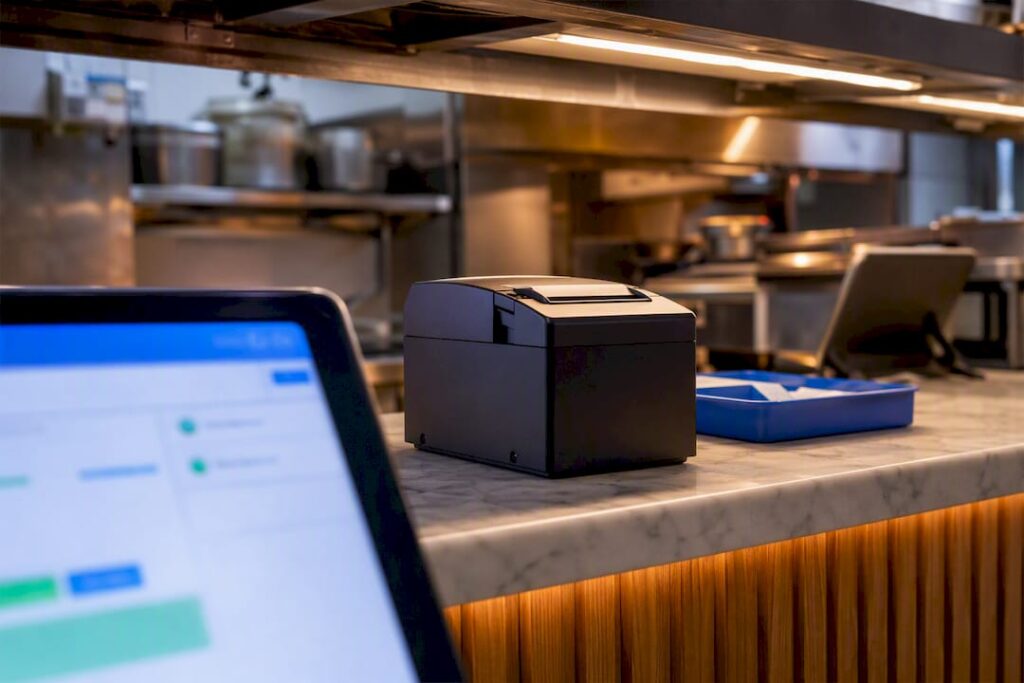
Yes, you can integrate Just Eat with most modern EPOS systems. For most UK operators, the fastest route is a native connector where your EPOS provider already supports one; otherwise, middleware such as Deliverect gets you live within about a week. UK stores still need a Just Eat pad switched on regardless of route, and if you’d rather not manage the setup yourself, Specialised providers can handle the mapping and testing for you.
TL;DR:
- Native connectors offer real-time order sync but are limited to specific EPOS brands, and not all systems support this route without disruption.
- Middleware solutions like Deliverect are the quickest to set up and manage across multiple platforms, ideal for operators running several delivery services.
- Testing internet stability, menu mapping accuracy, and correct credentials before activation are crucial to avoid missed or incorrect orders once live.
- Common issues such as offline tablets or price mismatches usually relate to connection problems or menu mapping errors, which can be quickly fixed with proper monitoring during peak times.
- A dedicated service provider can streamline setup and staff training, especially for multi-site operators, reducing errors caused by inconsistent menu or system management.
Table of Contents
- How does Just Eat POS integration actually work?
- Native connector, API, or middleware: which one fits your kitchen?
- Setting up and activating your integration: a step-by-step checklist
- What goes wrong once you’re live, and how do you fix it?
- Should you manage this yourself or bring in a UK provider?
- Get your Just Eat integration set up properly, the first time
- Sources
- FAQ
How does Just Eat POS integration actually work?
Orders start life on the customer’s phone, but where they land next depends entirely on your setup. Just Eat’s own integration domain, JET Connect, pushes accepted orders straight into your POS or middleware layer, cutting out manual re-keying from a tablet screen.
Here’s the typical journey an order takes:
- A customer places the order through the Just Eat app or website.
- It appears on the Just Eat tablet first, where a staff member (or the connected system) accepts it.
- JET Connect pushes the order data to your POS or your middleware provider.
- Your kitchen display system or ticket printer routes it to the right station.
- Status updates (preparing, ready, collected) flow back to Just Eat automatically.
Marketplace-fulfilled orders, where Just Eat’s own couriers handle delivery, tend to move faster through this chain than merchant-fulfilled ones, where your own drivers are involved and timing depends more on your dispatch process.
The data travelling with each order matters as much as the order itself. Expect modifiers (extra cheese, no onions), customer contact details for delivery queries, delivery fee breakdowns, and live status flags. When a delivery fails or a courier can’t be found, Just Eat’s documented recovery processes attempt retries and status corrections rather than simply cancelling the order outright, which is worth knowing before you assume a stuck order means a lost sale.
Native connector, API, or middleware: which one fits your kitchen?
Three routes lead to the same destination, and each suits a different kind of operator.
A native connector built into your EPOS gives you real-time, direct sync with no third party sitting in between. It’s the cleanest option if your provider already supports Just Eat, but not every EPOS vendor has built one, and switching systems just to get one is rarely worth the disruption.
Building against the JET Connect API yourself gives you full control over how orders map into your system, but it demands in-house development time or a paid integrator. Few independent restaurants have the resources to justify this route.
Middleware such as Deliverect sits between Just Eat and your POS, consolidating orders from Just Eat, Deliveroo, and Uber Eats into one feed. It’s usually the fastest to set up and the easiest to manage across multiple delivery platforms at once.
- Native connector: fastest order flow, but limited to specific EPOS brands.
- API build: most flexible, but the slowest and costliest to deploy.
- Middleware: quickest to activate, ideal if you run more than one delivery platform.
One UK quirk cuts across all three routes: Just Eat is not typically tabletless in this market, so a physical pad usually still needs to stay powered on to keep your store open, even with a full POS integration behind it.
Pro Tip: Before signing anything, ask the vendor directly whether their “integration” removes the tablet or just quietens it. Some setups still need the pad live as the primary receiver, and finding that out after installation is a frustrating way to learn it.
Single-site operators with a simple menu often do fine with middleware alone. Multi-site groups juggling several platforms benefit more from a native connector paired with centralised reporting, since it keeps commission reconciliation consistent across locations.
Setting up and activating your integration: a step-by-step checklist
Getting from decision to live orders takes preparation more than technical skill. Work through this order:
- Confirm compatibility. Check your EPOS supports Just Eat natively or can accept a middleware feed, and confirm your kitchen display system can route delivery orders separately from dine-in.
- Test your connection. A dropped Wi-Fi signal at the pass is the single most common cause of missed orders, so verify your internet reliability before you go further.
- Gather your credentials. You’ll need your Just Eat store ID, registered postcode, and full menu with allergen, alcohol, and dietary tags mapped against Gov.
- Map your menu items. Match every SKU, modifier, and price against what’s live on Just Eat, since mismatches here are a leading cause of rejected orders.
- Run staging orders. Place test orders through the system before going live and check they hit the correct kitchen station with correct pricing.
- Agree reconciliation rules. Confirm how commission deductions appear in your reporting so end-of-week totals actually match your bank statement.
Once credentials and menu mapping are submitted, activation windows of several days are common for middleware setups. Your EPOS provider or middleware account manager should confirm a firm go-live date once testing passes, not before.
What goes wrong once you’re live, and how do you fix it?
Even a well-configured integration throws up faults during service, usually at the worst possible moment.
- Tablet shows offline: check the power and Wi-Fi connection first; a dead battery or a router reboot mid-shift is the usual culprit.
- Orders arrive with wrong prices or missing modifiers: this points to a mapping error, so re-check that SKU against your Just Eat menu listing.
- Orders vanish or get auto-cancelled: this often means the accept window was missed; review your staff’s accept/close workflow during peak hours.
Before calling support, log the order ID, the timestamp, and a screenshot of what appeared (or didn’t) on your POS. That evidence gets a fix moving far faster than “it just stopped working.”
Pro Tip: During Friday and Saturday peaks, nominate one person whose only job is monitoring the tablet and POS feed. A five-minute gap in acceptance during a rush is when most missed orders happen.
Escalate to your middleware provider or EPOS vendor if the fault sits in the software layer, and to a specialised hardware provider if it’s a hardware or connectivity issue on your end.
Should you manage this yourself or bring in a UK provider?
Most operators underestimate how much staff training the tablet-plus-POS combination actually needs. It’s not the technology that fails, it’s the handover between systems during a rush, when a distracted team member leaves an order sitting unaccepted for four minutes too long.
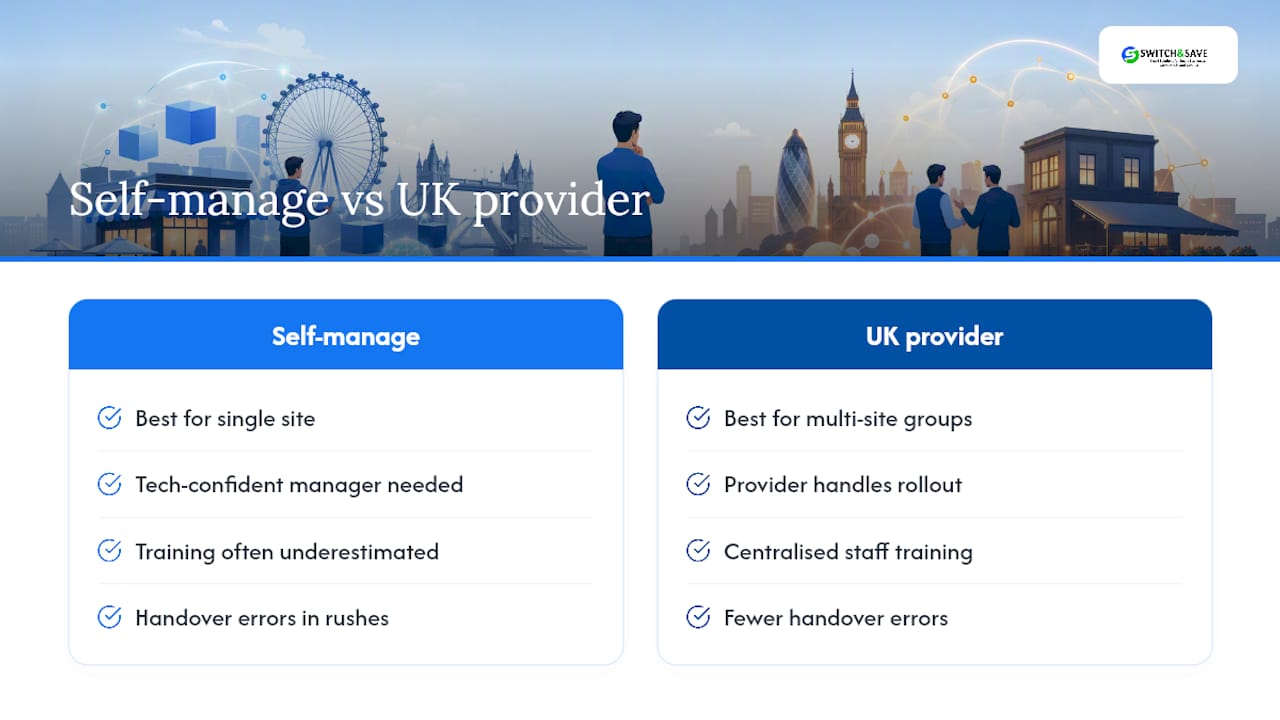
Self-managing works fine for a single site with a simple menu and a tech-confident manager. It stops working the moment you add a second location, because reporting accuracy across sites depends on menu mapping staying identical everywhere, and that discipline slips fast without someone owning it centrally.
The tablet requirement isn’t going away in the UK market, so plan around it rather than against it. Multi-site groups get more value from a provider who can standardise the rollout across every location than from letting each site improvise its own workaround.
— Amir
Get your Just Eat integration set up properly, the first time
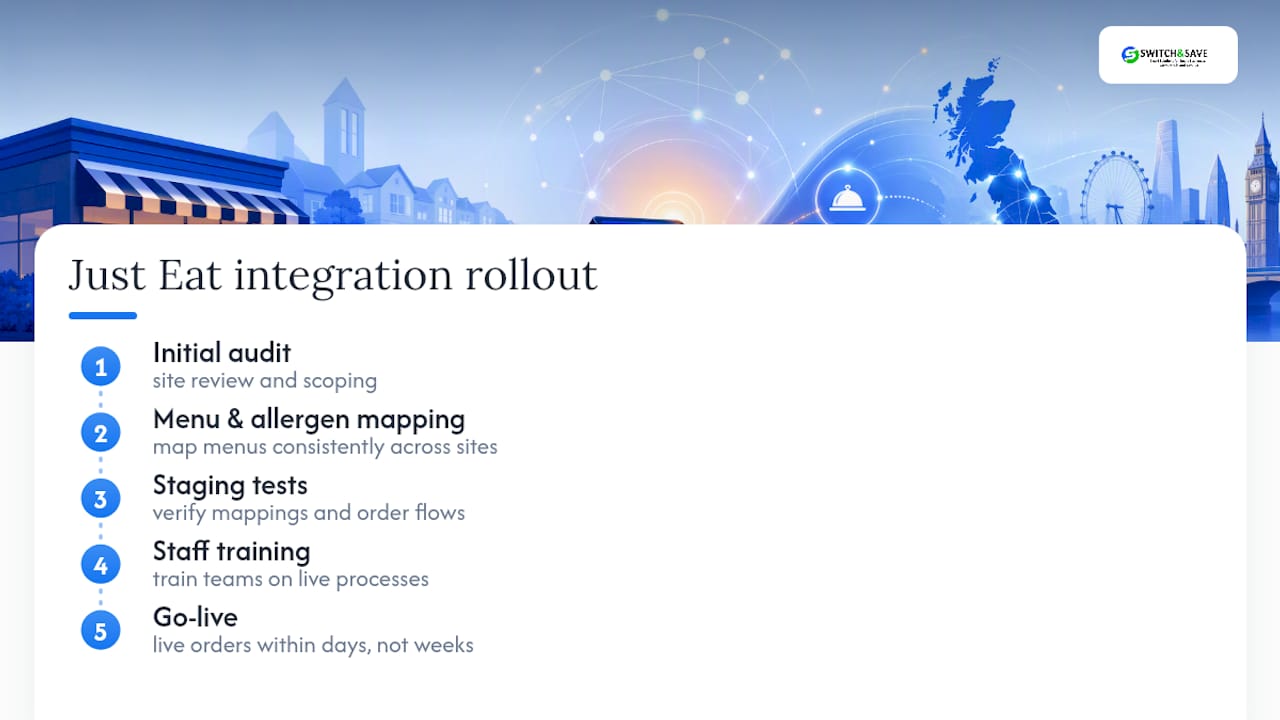
A dedicated service provider is a practical alternative to managing the setup yourself: instead of testing menu mappings and chasing activation windows personally, an experienced team can handle the audit, menu and allergen mapping, staging tests, and staff training as one package.

A typical rollout runs from initial audit to live orders within days, not weeks, with clear deliverables at each stage so you know exactly what’s been tested before go-live. That matters most for multi-site groups, where inconsistent menu mapping between locations is the single biggest cause of reporting headaches later on.
If you’re weighing up a hospitality EPOS system built to handle Just Eat, Deliveroo, and Uber Eats orders side by side, request a demo and we’ll walk through what your specific menu and site count would need before you commit to anything.
Sources
For the technical detail behind this guide, go straight to the source. Just Eat’s own JET Connect documentation covers order flow and recovery processes, while the API reference details payload structures for developers. Deliverect’s integration overview explains middleware activation, and gov.uk guidance sets the labelling rules your menu tags must follow.
- Just Eat: Integration Overview | Deliverect Help Center
- How POS Integration Works | Just Eat Takeaway.com
- Calorie labelling in the out‑of‑home sector: implementation guidance
FAQ
Do Just Eat report to HMRC?
Just Eat, like other UK delivery platforms, is subject to standard reporting obligations for digital platforms, so restaurant earnings processed through the platform form part of your normal taxable income reporting to HMRC.
Does Just Eat work in the UK?
Yes, Just Eat operates extensively across the UK, and UK stores typically still require an active tablet even where a POS or middleware integration is in place.
Why is Just Eat being investigated?
Just Eat, like other major delivery platforms, has periodically faced regulatory scrutiny over issues such as commission structures and competition concerns, though specifics vary and operators should check current guidance directly with Just Eat or relevant regulators rather than rely on rumour.
Who owns Just Eat in the UK?
Just Eat operates in the UK as part of Just Eat Takeaway.com, the group formed from the merger of Just Eat and Takeaway.com.
Can Switch-and-save help if I already have an EPOS system?
Some providers offer audits of existing EPOS setups and can configure Just Eat integration around them, rather than requiring a full system replacement, provided the current hardware supports the necessary connection.