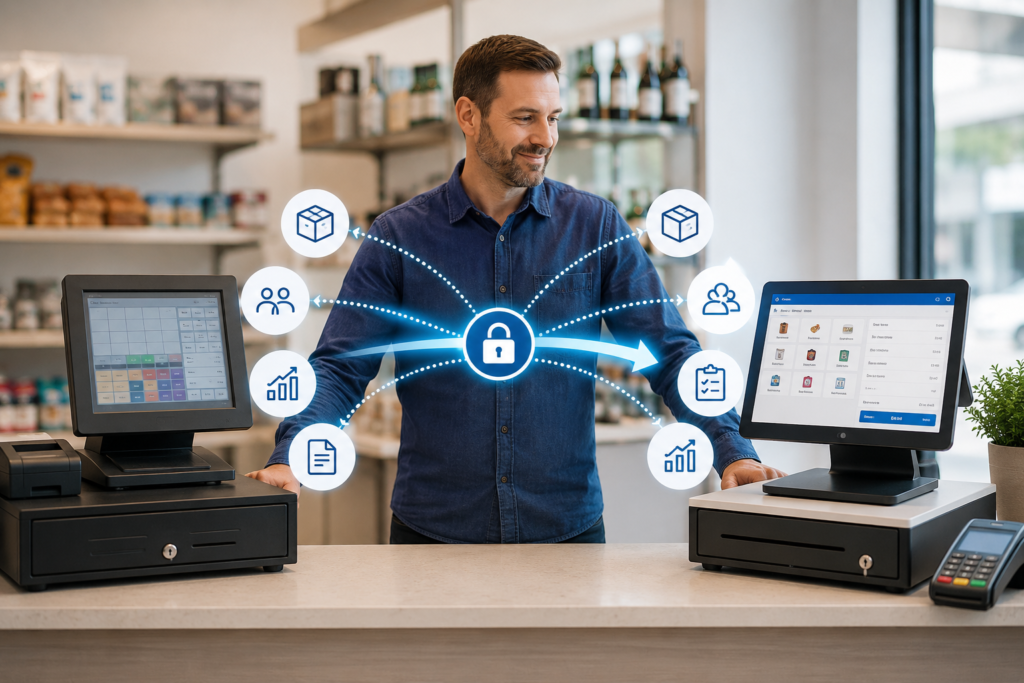
Yes, you can change EPOS providers without losing your business data—but only when the migration is planned carefully. Before cancelling your current service, confirm which records can be exported, what format they will be supplied in, which fields the new system can import, and how the information will be checked after transfer.
Product catalogues, customer records, supplier details, stock quantities and menu information can often be moved. However, historical reports, loyalty balances, staff permissions, integrations and system-specific settings may require additional work or may need to be retained separately.
The safest approach is to create a complete backup, test the migration before launch and keep the old system accessible until the new EPOS has been reconciled.
Key Takeaways
| Question | Practical answer |
|---|---|
| Can you change EPOS providers without losing data? | Usually, provided the information can be exported and mapped into the new system. |
| What data is easiest to transfer? | Products, prices, barcodes, customer details, suppliers and opening stock are commonly transferable. |
| What data is harder to migrate? | Historical reports, loyalty activity, staff audit trails, integrations and custom settings. |
| Should you cancel the old EPOS first? | No. Complete and validate the migration before ending access to the existing system. |
| What export format is best? | Structured formats such as CSV or Excel are usually easier to review and import. |
| Is a backup enough? | No. The imported data must also be tested, reconciled and approved before launch. |
Can All EPOS Data Be Transferred to a New Provider?
Not necessarily. Whether your data can be transferred depends on three factors:
- Whether your current EPOS provider allows the information to be exported
- Whether the export is supplied in a usable format
- Whether your new EPOS system has matching fields and import tools
A simple product list containing names, barcodes, departments, VAT rates and prices is usually easier to migrate than years of transactional history.
The challenge is rarely just copying a file. The information must also be mapped correctly. For example, your existing system may call a field “Retail Price”, while the new platform calls it “Selling Price”. One provider may store VAT as a percentage, while another uses a VAT category or identifier.
A successful EPOS data migration therefore involves extracting, cleaning, mapping, importing and validating the information.
What Business Data Can Normally Be Migrated?

The following records can often be transferred when they are available in CSV, Excel or another structured format.
Product and menu data
For a retailer, this may include:
- Product names
- Barcodes
- Product codes or SKUs
- Categories and departments
- Cost and retail prices
- VAT rates
- Supplier references
- Reorder levels
- Age-restricted product settings
For a restaurant, café or takeaway, transferable information may include:
- Menu categories
- Item names
- Prices
- Variants
- Modifiers
- Meal options
- Cooking instructions
- Eat-in and takeaway prices
Businesses moving to a modern hospitality EPOS system should ask whether modifiers, meal deals and kitchen-printing categories can be imported—not just the basic menu.
Customer information
Customer records may include names, contact details, delivery addresses, account balances, loyalty points and marketing preferences.
This information requires careful handling because customer and staff details may constitute personal data. The Information Commissioner’s Office explains that data portability can give individuals the right, in qualifying circumstances, to receive personal data they supplied in a structured, commonly used and machine-readable format. However, that individual right does not automatically create a blanket entitlement for a business to receive every operational record or proprietary system configuration from an EPOS supplier.
When migrating customer information, your business should confirm:
- The lawful basis for continuing to process the data
- Whether marketing consent records are included
- How the export will be transferred securely
- Who will have access during migration
- When temporary migration files will be deleted
Supplier records
Supplier names, contact information, account references and product associations may also be transferred. Purchase histories and outstanding purchase orders can be more complicated because their structures differ between EPOS platforms.
Stock quantities
Current stock can usually be moved by importing an opening quantity for each product. More advanced stock information may be harder to reproduce, including:
- Stock by branch or location
- Damaged and expired stock
- Reserved stock
- Stock transfer history
- Batch numbers
- Expiry dates
- FIFO stock layers
- Previous purchase costs
For accurate stock control, your new provider should explain whether it is importing only the current quantity or rebuilding the complete inventory history.
What EPOS Data May Be Difficult to Move?
Some information is closely tied to the architecture of the original platform.
Historical sales transactions
Your old provider may export sales summaries without providing every line-level transaction. Even when full transaction data is available, the new platform may not be able to recreate old receipts, refunds and payment records inside its normal reporting screens.
A practical solution is to migrate the data needed for daily operations while securely retaining historical reports from the old system.
Download important records before your account is closed, including:
- Daily, weekly and monthly sales reports
- VAT reports
- End-of-day and Z reports
- Refund and void reports
- Payment-method summaries
- Staff sales reports
- Product-performance reports
Our guide to the EPOS reports business owners should check daily explains which reports are particularly useful for operational control.
Loyalty history
A current loyalty-point balance may be transferable, but the complete history of how each point was earned, redeemed, adjusted or expired may not be.
Before migration, agree whether the new system will carry across:
- Customer accounts only
- Current loyalty balances
- Full loyalty transaction histories
Customers should not unexpectedly lose rewards because the migration scope was unclear.
Staff records and permissions
Staff names and employee codes may be transferable. Passwords, PINs, roles, permissions, clock-in records and audit trails are more sensitive and are often configured again in the new system.
Creating new credentials is usually safer than attempting to transfer passwords or security information.
Third-party integrations
Connections to card machines, accounting software, ecommerce websites, delivery platforms, kitchen displays and online-ordering services may need to be rebuilt.
Changing the EPOS does not automatically transfer every connected service. Integration availability should be confirmed before the migration date.
Businesses also reviewing their payment arrangement can read our guide to switching card machine providers.
Custom settings
Receipt layouts, discount rules, floor plans, printer routes, button positions and bespoke reports may not have a compatible export format. These settings may need to be recreated manually.
Use the migration as an opportunity to remove outdated products, duplicate customers, unused categories and obsolete staff accounts rather than transferring every historical configuration.
Who Owns the Data in Your EPOS System?

Your contract and the type of data involved both matter.
A business may regard its product catalogue, prices and sales history as its operational information, but access, export methods, retention periods and migration assistance may still be governed by the supplier’s contractual terms.
Before signing with any provider, review:
- Data-export rights
- Available export formats
- Export or migration charges
- Notice periods
- Contract termination terms
- Data-retention periods
- Backup arrangements
- Account access after cancellation
Do not rely on a verbal statement that your data is “yours”. Ask how it can actually be downloaded, how quickly it will be supplied and whether the export is usable by another system.
UK data-protection law also applies to personal information held about customers and staff. The ICO notes that organisations should transmit qualifying personal data securely and in a structured, commonly used and machine-readable format when the right to portability applies. CSV is identified as one format that can be appropriate for this purpose.
How to Change EPOS Providers Without Losing Data
1. Audit your current information
List every type of information stored in the existing system:
- Products or menu items
- Customers
- Suppliers
- Stock
- Loyalty balances
- Staff
- Sales history
- VAT reports
- Gift cards
- Accounts
- Integrations
- Online orders
Classify each item as essential, useful or no longer required.
2. Request sample exports
Do not wait until the final week of your contract. Request sample exports early and check whether the files contain all the necessary fields.
A report that looks complete on screen may produce a limited export.
3. Ask the new provider to assess the files
Send sample files through an approved secure method. The new provider should identify:
- Fields that can be imported directly
- Fields that need conversion
- Missing mandatory information
- Duplicate records
- Unsupported data
- Work requiring manual configuration
Switch & Save provides EPOS systems for UK retail and hospitality businesses, including sales, stock, customer-management and reporting functionality. The exact migration scope should always be agreed from the business’s actual files rather than assumed.
4. Clean the data
Migration is more reliable when the source information is consistent.
Correct duplicate barcodes, missing product names, invalid prices, outdated customer details and inconsistent VAT settings before import.
Keep an untouched copy of the original export as your audit backup.
5. Run a test migration
Import a sample or test database before the final switch. Check:
- Product counts
- Customer counts
- Prices
- VAT settings
- Barcodes
- Stock totals
- Loyalty balances
- Categories
- Supplier relationships
Testing should involve the staff members who understand the daily operation, not only the technical provider.
6. Reconcile the results
Compare totals from the old and new systems. For example:
- Number of active products
- Total opening stock
- Number of customers
- Total loyalty-point liability
- Number of suppliers
- Outstanding customer account balances
Small differences may reveal duplicates, blank records or mapping errors.
7. Choose a controlled changeover date
Avoid switching during your busiest trading period. A restaurant should not change systems immediately before a bank-holiday weekend, and a retailer should avoid a major seasonal promotion.
Complete the final export after trading closes, import any changes and test the new platform before reopening.
8. Keep the old system available temporarily
Where your contract allows it, retain read-only access to historical reports until the new system has completed at least one full reporting and reconciliation cycle.
You should also prepare a business-continuity process. Our guide explaining what happens when an EPOS system goes down includes practical steps for maintaining service during disruption.
Common EPOS Migration Mistakes

Cancelling the current service too early
Once an account is closed, exports and reports may become harder—or impossible—to access.
Assuming everything will transfer
A provider saying “we can migrate your data” may be referring only to products or menu items. Request a written list of included and excluded records.
Importing data without validation
An import can complete successfully while still containing incorrect VAT, duplicate products or mismatched stock.
Migrating unnecessary information
Old customers, obsolete products and inactive staff records create clutter and increase the amount of personal data being processed.
Forgetting about connected services
Printers, card terminals, scales, ecommerce sites and delivery integrations must be tested separately.
Questions to Ask Before Choosing a New EPOS Provider
Ask every prospective provider:
- Which data can you import?
- Which records cannot be transferred?
- Can you review a sample export before I sign?
- Who cleans and maps the information?
- Is migration included in the quoted price?
- How will customer information be transferred securely?
- Will you run a test migration?
- How will totals be reconciled?
- Can historical sales be imported or only archived?
- What support is available on the changeover day?
- Can I export my information if I leave in the future?
- Which file formats can your system produce?
A reliable provider should answer these questions clearly before asking you to commit.
Frequently Asked Questions
Can I transfer my product list to another EPOS system?
Usually, yes. Product names, barcodes, prices, categories and VAT settings can often be imported from CSV or Excel. The file must still be checked for duplicates and incompatible fields.
Can customer data be moved to a new EPOS provider?
It may be transferable, but it must be handled securely and in accordance with applicable data-protection obligations. Marketing preferences and consent records should not be assumed or recreated without evidence.
Can I transfer my complete sales history?
Sometimes, but not always. Historical transactions are more complex than product records. Your new provider may import summaries, archive exports or provide access to old reports instead.
Will my loyalty points be lost when I switch?
They should not be lost when balances are included in the migration plan. Confirm whether only the current balance or the full loyalty history will be transferred.
How long does an EPOS data migration take?
It depends on the volume, quality and complexity of the information. A clean product spreadsheet is simpler than a multi-site migration involving inventory layers, customer accounts, online ordering and third-party integrations.
Should I keep a copy of my old EPOS data?
Yes. Keep secure copies of important exports and statutory business reports in line with your legal, accounting and operational retention requirements.
Can Switch & Save help with an EPOS migration?
Switch & Save can assess your current setup, review available files and explain which information can be imported or recreated in the new system. Migration requirements vary, so the scope should be confirmed before the changeover.
Change EPOS Providers with a Clear Migration Plan
Changing your EPOS provider does not have to mean starting again. The key is to treat the move as a controlled data-migration project rather than a simple hardware replacement.
Export your information before cancelling, agree the migration scope in writing, clean the source files, run a test import and reconcile the results. Most importantly, do not disconnect the old platform until the new EPOS has been tested in real trading conditions.
Switch & Save helps UK businesses reduce costs with AI-powered EPOS systems, card payment solutions and business finance.