Yes. A UK business can change its card machine or merchant services provider, provided it follows the cancellation terms in its current agreement.
Before submitting a cancellation request, check:
- Your minimum contract term
- The contract renewal date
- The required notice period
- Early termination charges
- Terminal return instructions
- Whether you have separate terminal rental and payment processing agreements
- Whether any outstanding balance or equipment charge applies
Do not assume that stopping direct debit payments will cancel the contract. Cancellation should normally be made through the provider’s required process, preferably in writing, with evidence that the request was received.
It is also important to check whether your contract automatically renews. Missing the cancellation window could leave your business paying for an unwanted service for longer than expected.
Switch & Save makes this process easier by helping UK businesses compare suitable providers, understand their options and coordinate card machine and EPOS setup without unnecessary disruption.
Key Takeaways
| Question | What UK businesses need to know |
|---|---|
| Can you switch provider? | Yes, but your existing contract may include a notice period or early termination charge. |
| What should you compare? | Compare transaction fees, terminal rental, authorisation charges, PCI-related costs, settlement times and support. |
| Should you cancel immediately? | No. Keep the existing machine active until the new terminal has been approved, delivered, installed and tested. |
| Does EPOS compatibility matter? | Yes. Integrated payments can reduce manual entry, speed up checkout and prevent payment amount errors. |
| Can Switch & Save help? | Yes. Switch & Save can help assess your requirements, provide additional provider choices and manage a smoother transition. |
| Which providers can be considered? | Options may include Teya, Shift4, Dojo, Worldpay and takepayments, depending on your business and eligibility. |
Why Do Businesses Switch Card Machine Providers?
Businesses normally consider switching when their existing payment arrangement no longer offers suitable value or service.
High or Unclear Processing Costs
A low advertised transaction rate does not always mean the lowest overall cost. Your monthly statement may also include:
- Terminal rental
- Authorisation charges
- Minimum monthly service charges
- PCI compliance or non-compliance charges
- Refund fees
- Chargeback administration fees
- Premium card rates
- International card charges
- Statement or account management fees
The most useful comparison is your effective processing rate:
Total monthly card payment costs ÷ total monthly card turnover × 100
For example, a business processing £25,000 in card sales and paying £425 in total payment-related charges has an effective cost of 1.7%.
Use the same calculation when reviewing a new quotation.
Slow or Unreliable Card Machines
A slow terminal can create queues, frustrate customers and place pressure on staff. This is particularly important for cafés, takeaways, convenience stores, pubs and busy restaurants where several transactions may be processed within a few minutes.
A more suitable machine may provide:
- Wi-Fi and mobile-data connectivity
- Faster payment authorisation
- Longer battery life
- Contactless and digital-wallet acceptance
- Portable table-service payments
- Better reporting
- Automatic EPOS integration
Poor Customer Support
Card machine problems can directly affect revenue. Businesses may switch when they experience long support queues, repeated connectivity problems, delayed replacement equipment or unclear billing responses.
Check both the provider’s normal account-support hours and its technical-support availability. These may not always be the same.
Lack of EPOS Integration
With an integrated payment setup, the EPOS system sends the transaction amount directly to the card terminal. Staff do not need to type the amount into the machine manually.
This can make checkout faster and reduce mistakes such as entering £56.00 instead of £65.00.
Switch & Save offers EPOS bundles for UK retail and hospitality businesses with compatible payment integration options. Integrated payments can support quicker service, more accurate reconciliation and clearer end-of-day reporting.
What Should You Check Before Switching?
1. Your Existing Contract
Request a current copy of your agreement when necessary and identify exactly when you can leave.
Some businesses have more than one agreement, such as:
- A merchant acquiring agreement
- A terminal rental agreement
- An EPOS agreement
- A maintenance or support agreement
Cancelling one does not necessarily cancel the others.
2. The Complete New Pricing Schedule
Ask the new provider to supply all charges in writing. Do not compare only the headline debit-card rate.
Request details covering:
- Consumer debit cards
- Consumer credit cards
- Commercial and corporate cards
- International cards
- Terminal rental
- Authorisation costs
- Refunds
- Chargebacks
- PCI requirements
- Minimum monthly charges
- Setup and delivery
- Cancellation fees
You can also read Switch & Save’s guide on how to choose the right card machine provider in the UK before accepting a quotation.
3. Settlement Times
Settlement is the time between accepting a payment and receiving the funds in your nominated account.
Ask whether the provider offers:
- Next-working-day settlement
- Weekend settlement
- Faster or instant settlement
- A daily banking deadline
- Different settlement periods for online and in-person payments
Fast settlement may be valuable for businesses purchasing stock frequently or managing tight cash flow. However, it should be compared alongside the total cost of the service.
4. EPOS Compatibility
Confirm integration before signing the card machine contract.
Ask:
- Does the terminal integrate with my current EPOS?
- Is the integration included in the quoted price?
- Will payments update the till automatically?
- Do refunds work through the EPOS?
- Can staff process split payments?
- Will card totals appear in end-of-day reports?
- Who provides support when the terminal and EPOS stop communicating?
A card machine may be suitable as a standalone device but unsuitable for a business that requires fully integrated checkout.
5. Hardware and Connectivity
Your business type should determine the terminal format.
A countertop machine may suit a fixed retail checkout. A portable terminal may be better for restaurants, bars and cafés. A mobile 4G terminal may be more appropriate for delivery drivers, market traders, tradespeople and businesses taking payments away from their premises.
Also check what happens if Wi-Fi fails. A machine with a suitable mobile-data backup may help your business continue taking payments during a local internet problem.
Card Machine Providers to Consider
There is no single best provider for every UK business. The most suitable option depends on your turnover, average transaction value, card mix, industry, required integrations and preferred contract structure.
Teya
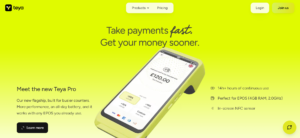
Teya offers card machines, payment-management tools and multiple settlement options. Its terminals support Wi-Fi and 4G connectivity, and the company also provides a phone-based contactless payment option. Businesses should check current equipment charges, transaction rates and settlement terms when requesting a quotation.
Teya may be worth considering for retailers, cafés, restaurants and other small businesses looking for a modern terminal with online account-management tools.
Shift4

Shift4 provides payment and commerce technology across sectors including food and beverage, hospitality, retail, travel and online payments. Its UK offering may be particularly relevant to hospitality businesses looking at payments alongside point-of-sale technology.
Before proceeding, confirm which Shift4 products, integrations and contractual arrangements are available for your specific business.
Dojo
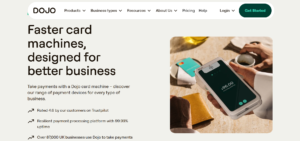
Dojo supplies card machines for small businesses and larger organisations. Its terminal range includes Wi-Fi and 4G connectivity, which can help maintain payment acceptance when a venue’s main Wi-Fi connection is unavailable.
Dojo may be considered by hospitality and retail businesses that prioritise portable hardware, connectivity and an integrated payment experience.
Worldpay
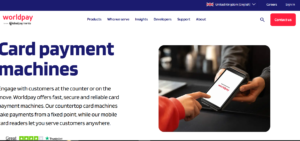
Worldpay offers countertop and mobile card machines as well as wider payment and point-of-sale options. Countertop terminals can support fixed checkouts, while mobile devices can be used around a venue or business premises.
Worldpay may suit businesses looking for an established provider with options for in-person, online or more complex payment requirements.
Takepayments
Takepayments focuses on payment solutions for small UK businesses, including card machines, online payments and POS systems. Its website currently promotes next-working-day settlement subject to approval and applicable terms, seven-day customer support and a 12-month card payment contract. Always confirm the current offer in your individual quotation.
It may be suitable for independent retailers, salons, cafés, tradespeople and service businesses that want additional guidance during setup.
How to Compare Card Machine Quotes Correctly
Give each potential provider the same information so the quotations can be compared fairly.
Provide:
- Monthly card turnover
- Average transaction value
- Number of monthly transactions
- Percentage of debit and credit card sales
- Commercial-card usage
- International-card usage
- Number of terminals required
- Business type
- Required settlement speed
- EPOS integration requirements
Where possible, provide recent merchant statements. A statement-based assessment is normally more useful than a generic advertised rate because it reflects how your customers actually pay.
Compare the estimated total monthly cost rather than selecting the provider with the smallest percentage printed at the top of the quotation.
The Card Machine Switching Process
A well-managed switch generally follows these steps.
Step 1: Review Your Current Agreement
Identify your contract end date, notice period, cancellation method and equipment-return requirements.
Step 2: Gather Recent Statements
Collect several recent merchant statements. Include normal, busy and quieter trading months where possible.
Step 3: Compare Suitable Providers
Compare total costs, hardware, settlement, support, integrations and contractual flexibility.
Step 4: Apply Before Cancelling
Submit the new application and provide any requested business, identity and banking documents.
Approval is not guaranteed. Do not cancel your existing payment facility merely because you have requested a quote or started an application.
Step 5: Arrange Installation and Integration
Configure the terminal, connect it to your network and complete the EPOS integration where applicable.
Step 6: Process Test Transactions
Complete a normal sale, contactless payment, refund and end-of-day reconciliation. Check that money reaches the correct bank account.
Step 7: Cancel and Return the Old Equipment
Once the new setup is working properly, submit the formal cancellation and return rented equipment using a tracked service. Keep the receipt, tracking number and cancellation confirmation.
Common Mistakes When Changing Providers
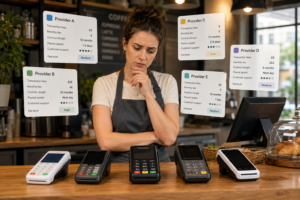
Avoid these frequent switching errors:
- Cancelling before the replacement account is approved
- Comparing only one transaction rate
- Ignoring terminal rental and additional charges
- Assuming the new terminal integrates with the existing EPOS
- Missing the current provider’s notice window
- Failing to obtain promises in writing
- Returning equipment without proof of delivery
- Choosing unsuitable hardware for the business environment
- Forgetting to train staff before the launch date
- Running both contracts for several months without a planned cancellation date
A small overlap between services can protect your business from downtime. An unplanned overlap can create unnecessary duplicate charges.
How Switch & Save Makes Switching Easier
Approaching several payment companies independently can mean repeating the same information, comparing differently structured quotes and trying to determine which terminal will work with your EPOS.
Switch & Save provides a more straightforward route.
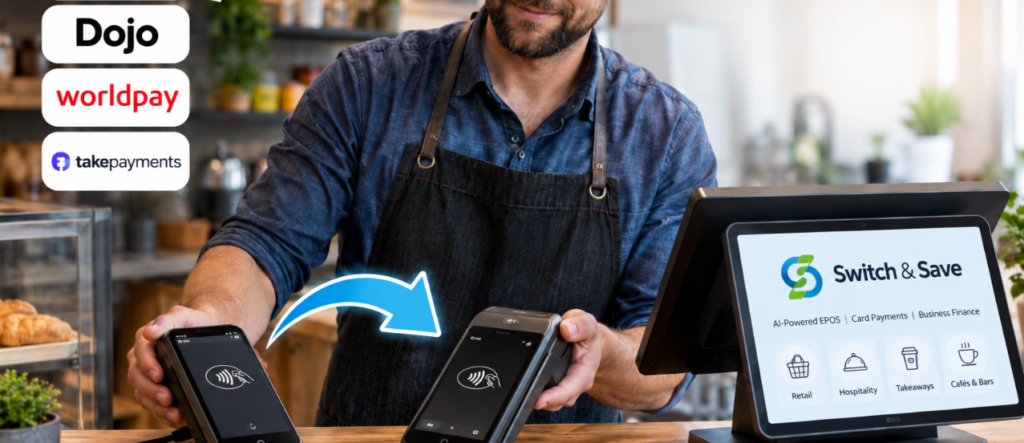
Switch & Save works with multiple recognised payment providers, including Teya, Shift4, Dojo and Worldpay, while its wider partner options also include takepayments. This gives businesses additional choices rather than automatically directing every merchant towards one card machine.
The Switch & Save team can help you:
- Review how your existing payment arrangement works
- Identify charges that may be increasing your total cost
- Consider additional provider choices
- Match the terminal to your business type
- Check compatibility with your EPOS requirements
- Coordinate the card machine and till setup
- Reduce disruption during the changeover
- Access ongoing UK-based support
For a convenience store, this might mean selecting a fast integrated countertop terminal. For a restaurant, it may involve portable table payments connected to the hospitality EPOS. For a takeaway, the priority may be processing counter, telephone, collection and delivery orders through one organised system.
The aim is not simply to replace one machine with another. It is to create a payment and EPOS setup that is easier for staff to operate, clearer for the owner to manage and better aligned with the business’s transaction profile.
Explore Switch & Save’s card machine solutions or review its integrated EPOS and card payment options.
Or contact us HERE
Frequently Asked Questions
Is it easy to switch card machine providers?
It can be straightforward when your contract position is clear and the new account is installed before the old one is cancelled. Complications normally arise from missed notice periods, separate equipment contracts or unconfirmed EPOS compatibility.
Can my new provider pay my cancellation fee?
Some providers or intermediaries may occasionally offer switching support, but this should never be assumed. Ask for the amount, conditions and payment process in writing before signing.
Will I need a new merchant account?
Usually, changing the company processing your card payments involves a new merchant application. The provider may request business information, identification, bank details and evidence of trading.
How long should I keep both machines?
Keep the existing machine until the new terminal has been activated and tested. A short planned overlap may reduce risk, particularly for businesses that cannot operate effectively without card payments.
Can I keep my existing EPOS system?
Possibly. It depends on whether the new terminal and payment provider integrate with your current EPOS. Confirm compatibility before accepting the payment contract.
Which card machine provider is the cheapest?
There is no universal cheapest provider. The result depends on turnover, card mix, transaction size, hardware requirements and additional charges. Compare the estimated total monthly or annual cost.
Can Switch & Save compare multiple options?
Yes. Switch & Save provides access to a choice of recognised card payment providers and can help identify a suitable option based on your business, transaction profile and EPOS requirements.
Can I get business finance after switching?
Eligible businesses may also explore business finance through Switch & Save and YouLend. Repayment structures and eligibility depend on the finance provider’s assessment and terms.
Switch Card Machine Providers with Less Hassle
Changing your card machine provider should not be based on a headline rate alone. Review your current contract, calculate the full cost of each offer, confirm settlement and support arrangements, and make sure the new terminal works with your EPOS.
Most importantly, install and test the new service before disconnecting the existing one.
Switch & Save helps UK businesses reduce costs with AI-powered EPOS systems, card payment solutions and business finance.