For most UK retailers, Switch-and-save is the strongest all-round choice. It pairs AI-enabled EPOS hardware with cloud-based software, transparent pricing, and UK-based support — without locking you into a lengthy contract. If you process more than a few thousand pounds a month in card payments and want real-time inventory visibility, AI analytics, and a team you can actually call, it covers the ground that matters.
That said, the right retail POS software solution depends on where your business sits today:
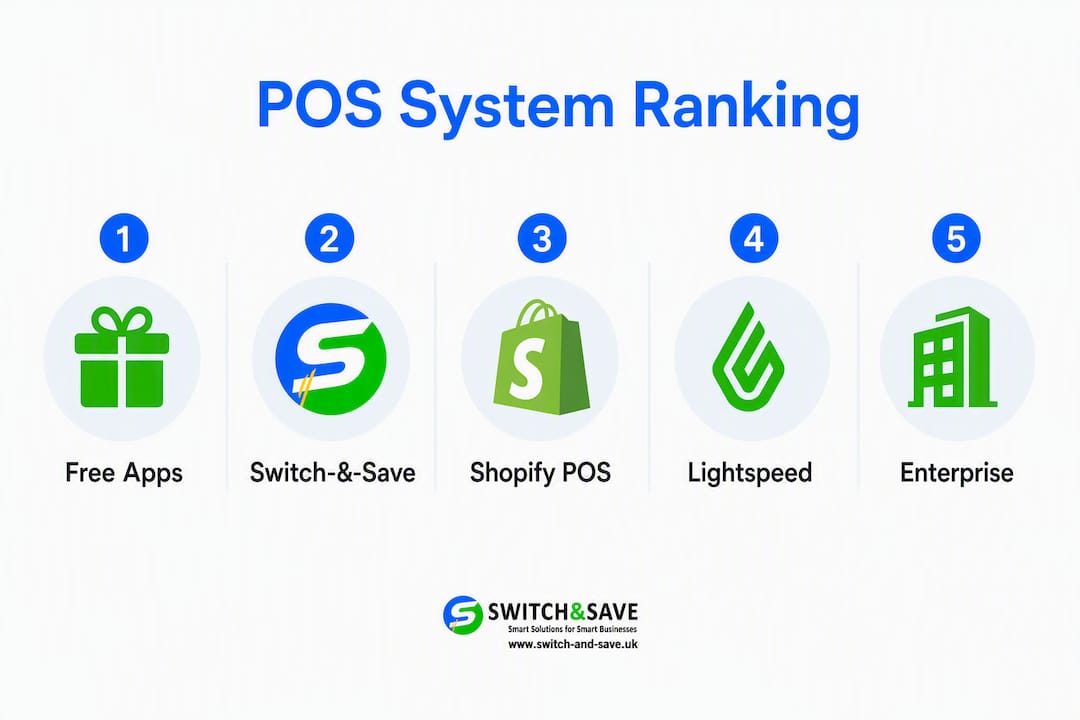
- Free pay-as-you-go apps (e.g. entry-level card reader platforms): best if you process under roughly £2,500–£3,000 a month in card takings and want zero monthly fees.
- Omnichannel platforms: best if you already sell online and need unified stock control across your website and shop floor.
- Full EPOS bundles with AI: best for growing or multi-site retailers who need inventory depth, reporting, and local support.
- Enterprise retail EPOS: best for larger chains needing payroll, HR, and advanced procurement modules.
Decision hinge: Calculate your monthly card turnover. At lower volumes, a no-contract app is often cheapest. Above that, a cloud EPOS bundle with a fixed monthly fee typically costs less per transaction and gives you far more capability. Start with a free Switch-and-save demo to see where you land.
Table of Contents
- How do the top POS solutions for retail compare at a glance?
- Per-vendor reviews: who should use each system?
- How do you choose the right POS for your UK retail store?
- What do POS systems actually cost, and how long does deployment take?
- AI, analytics and future-proofing your EPOS in 2026
- Which POS system fits your store type?
- Key takeaways
- Why Switch-and-save stands out for UK retailers
- Switch-and-save: UK-based EPOS with AI tools and no-obligation demos
- Useful sources
- FAQ
How do the top POS solutions for retail compare at a glance?
Here is a side-by-side view of the leading retail POS systems available to UK retailers in 2026. Pricing shown is indicative; always confirm current figures directly with each provider.
| Provider | Best for | Monthly fee (approx.) | Transaction fee | Hardware | Inventory & multi-store | Ecommerce / omnichannel | UK support | Contract |
|---|---|---|---|---|---|---|---|---|
| Switch-and-save | UK small to multi-site retailers needing AI analytics + local support | Transparent tiered plans | Integrated card processing | Terminals, tills, iPad/PC | Real-time, multi-store, AI-powered | Cloud dashboard; integrations available | UK-based, phone + onboarding | 12-month minimum term, then monthly rolling |
| Square | Micro-retailers and market stalls | Free plan available | 1.75% in-person | Free reader; paid terminals | Basic; single-site | Shopify-style online store add-on | Online/chat | No contract |
| Shopify POS | Online-first retailers adding a physical store | From ~£19/mo (Starter) | 1.75%–2% | iPad-based; Shopify hardware | Unified online + in-store | Native Shopify ecommerce sync | online | Monthly or annual |
| Lightspeed Retail | Multi-location retailers with complex stock | From ~£69/mo | Varies | iPad/PC; dedicated terminals | Centralised multi-store + PO management | Ecommerce module available | UK support available | Annual typical |
| SumUp | Mobile sellers; low-volume shops | Free / £19+ (Payments Plus) | 0.99%–1.75% | Compact readers; SumUp POS | Basic | Limited | Online | No contract |
| Epos Now | SME retail wanting hardware bundles | From £19/mo | Varies | Full till bundles | Good; app marketplace | App-based integrations | UK-based | 24–36 month contracts common |
| PayPal POS (Zettle) | PayPal-reliant sellers | Free app | 1.75% | Zettle reader; till kit | Basic | PayPal online invoicing | Online | No contract |
| Clover | Retailers wanting rich hardware choice | From £19/mo | Varies | Wide hardware range | Moderate | App marketplace | Via reseller | Contract varies |
| Helcim | Higher-volume merchants | Free software | Interchange-plus | Card readers; terminals | Moderate | Online store builder | Online (US-focused) | No contract |
| Korona POS | Specialist/ticketed retailers | From ~£49/mo | Varies | Tills, kiosks, tablets | Strong reporting | Limited native | Online | Monthly |
| Heartland | Larger retail chains | Custom pricing | Custom | Full hardware suite | Enterprise-level | Integrations available | Dedicated account | Contract |
| Saledock | Independent shops; simple workflows | Not publicly listed | Not publicly listed | Standard till setup | Basic stock management | Limited | UK-based | Not publicly listed |
Pros and cons at a glance:
- Switch-and-save — AI analytics and UK onboarding are genuine differentiators; pricing requires a demo conversation rather than a published rate card.
Per-vendor reviews: who should use each system?
Switch-and-save
Switch-and-save targets UK retail and hospitality businesses that want a complete EPOS package rather than a DIY assembly of apps. The system combines AI-powered software with integrated card processing, real-time inventory management, multi-terminal support, and a cloud dashboard you can access remotely. Onboarding is handled by a UK-based team, which matters when you are configuring stock matrices or training staff under time pressure.

Pricing is structured across Standard, Premium, Retail, and Hospitality tiers; exact figures are confirmed at demo stage rather than published as a flat rate card. That transparency-through-conversation approach suits buyers who want to size a bundle correctly rather than guess from a website table. Hardware options include countertop terminals, portable devices, and iPad-compatible setups.
Pros: Native AI tools, local support, flexible contracts, multi-store capability.
Cons: Pricing requires a demo conversation; not the cheapest entry point for a single market stall.
Verdict: The most complete option for UK retailers who want AI analytics, real inventory depth, and a support team based in the UK.
Square
Square’s free plan and low-cost card reader make it the most commonly recommended starting point for micro-retailers and market traders. There is no monthly fee on the base plan, and the 1.75% in-person transaction rate is straightforward. The trade-off is that back-office depth is limited — inventory management is basic, and multi-site control requires paid tiers.
Pros: Zero monthly cost, quick setup, no contract.
Cons: Transaction fees become expensive at higher volumes; limited inventory features.
Shopify POS
If your business already runs on Shopify, this is the obvious choice. The native ecommerce and in-store inventory sync removes the reconciliation headache that plagues retailers using separate online and offline systems. Plans start from around £19 per month for the Starter tier. Retailers not already on Shopify will pay for ecommerce infrastructure they may not need.
Pros: Seamless online/offline stock sync; strong app ecosystem.
Cons: Costly if you only need in-store POS; hardware is iPad-dependent.
Lightspeed Retail
Lightspeed is built for multi-location retail with centralised inventory and purchase order management. If you run two or more sites with complex product matrices, it handles that better than most. Pricing starts from around £69 per month and scales with features. Single-site shops with simple stock will find it over-specified.
Pros: Best-in-class multi-site inventory; strong reporting.
Cons: Higher monthly cost; annual contracts are typical.
SumUp
SumUp’s Payments Plus tier becomes cost-advantageous once monthly card turnover passes a moderate volume threshold, dropping the transaction rate to 0.99%. For mobile sellers and small shops with modest volumes, it is a practical, low-friction option. Back-office features are minimal.
Epos Now
Epos Now offers hardware-led bundles with a broad app marketplace, making it a popular choice for SMEs that want an out-of-the-box setup. The app ecosystem covers accounting, loyalty, and delivery integrations. The key caution: contracts often run 24–36 months, so read the small print before signing.
PayPal Point of Sale (Zettle)
Zettle suits sellers who already process PayPal payments online and want a consistent dashboard for in-person and online invoicing. The free app and 1.75% transaction rate mirror Square’s entry offer. Inventory depth is limited, and the system is most useful as a payments tool rather than a full retail management platform.
Clover
Clover’s hardware range is one of the widest available, from compact readers to full countertop stations. The third-party app marketplace extends its functionality considerably. Pricing and contract terms vary by reseller in the UK, so compare quotes carefully.
Helcim
Helcim’s interchange-plus pricing model rewards higher-volume merchants with transparent, volume-based savings. The software is free; you pay only processing fees. It is primarily US-focused, so UK retailers should confirm local acquiring support and card scheme coverage before committing.
Korona POS
Korona suits specialist retailers and ticketed venues that need adaptable reporting and device compatibility across tills and kiosks. Monthly plans start from around £49. It is a niche pick rather than a general-purpose retail EPOS.
Heartland
Heartland targets larger retail chains that need integrated payments alongside payroll and HR modules. Pricing is custom and contract-based. For a small or mid-size UK independent, it is likely over-engineered.
Saledock
Saledock focuses on straightforward till workflows and basic stock management for independent shops. It is a sensible choice for retailers who want simplicity above all else and do not need advanced analytics or multi-site controls.
How do you choose the right POS for your UK retail store?
Getting this decision right saves you money and avoids a painful migration six months later. Work through these steps before you book a demo or sign anything.
Step-by-step selection checklist
- Calculate your monthly card turnover. This single figure determines whether a free pay-as-you-go app or a fixed monthly subscription is cheaper. Use the total cost of ownership formula: monthly fee + (transaction rate × monthly card turnover) + hardware amortisation. Run the numbers at your current volume and at 20% growth.
- List your must-have features. Separate genuine requirements (multi-site inventory, age-verification prompts, kitchen display integration) from nice-to-haves. A POS for small businesses rarely needs every feature in a vendor’s premium tier.
- Test your inventory scenario. During any demo, import a sample of your actual product catalogue. Check how the system handles variants (size, colour), bundles, and low-stock alerts. This is where thin systems show their limits quickly.
- Verify integrations. Confirm compatibility with your accounting software (Xero, QuickBooks, Sage), your online store platform, and any loyalty programme. Ask for a live integration test, not just a feature list.
- Check contract terms. Monthly rolling contracts give you flexibility; 24–36 month agreements lock in your costs but also your risk. Ask specifically about data export rights if you leave.
Questions to ask every vendor
- What is the total monthly cost at my current card turnover, including transaction fees?
- How long does migration from my existing system take, and who manages it?
- Can I export my full product and sales data at any time, in a standard format?
- What is your PCI DSS compliance process, and who is responsible for it?
- What happens to my system if your servers go offline — is there an offline mode?
- What are your UK support hours, and what is the SLA for a till-down emergency?
Red flags to watch for
- Transaction fees that are not disclosed until after you sign up.
- Hardware costs bundled into a long contract with no early-exit clause.
- No data export or CSV download without paying an additional fee.
- Support routed exclusively through overseas call centres with no UK escalation path.
- Vague answers about PCI compliance responsibility.
What do POS systems actually cost, and how long does deployment take?
Typical UK cost bands
Costs vary significantly by turnover and system type. These sample ranges illustrate the shape of the decision rather than precise quotes — always confirm with vendors directly.
| Store type | Monthly card turnover category | Indicative monthly cost bracket | Notes |
|---|---|---|---|
| Market stall / micro-retailer | Low | Lower cost bracket; transaction fees dominate | |
| Small high-street shop | Moderate | Mid-tier costs justified by features | |
| Multi-site boutique | Higher | Higher-end bundles for inventory and multi-store | |
| Larger retail chain | Very high | Custom enterprise pricing; dedicated management |
Hardware is a separate line. A basic card reader costs under £30; a full countertop EPOS bundle (till, receipt printer, cash drawer, barcode scanner) typically runs £300–£800 upfront or is included in a monthly bundle.
Deployment timeline
| Stage | Typical duration |
|---|---|
| Discovery and vendor selection | 1–2 weeks |
| Procurement and contract sign-off | 3–5 days |
| System configuration and product import | 3–5 weeks |
| Hardware installation | 1 day (on-site) |
| Staff training | Half a day to 1 day |
| Go-live and parallel running | 3–5 days |
Total from decision to trading: typically 3–5 weeks for a single site.
Pro Tip: Run your old and new systems in parallel for at least three trading days before switching off the legacy till. Export your full product catalogue as a CSV before migration begins, and reconcile stock counts on the morning of go-live rather than the night before — overnight discrepancies are common and easy to miss.
AI, analytics and future-proofing your EPOS in 2026
The gap between enterprise retail technology and what a small UK shop can afford has narrowed considerably. AI-enabled EPOS features — including predictive analytics and automated fraud detection — are now accessible to small retailers, not just large chains. That shift changes the ROI calculation for any retailer choosing a system in 2026.
The most practical AI features for retail are demand forecasting (which reduces overstock and stockouts), automated reorder triggers, and real-time shrinkage alerts. For a multi-site retailer, AI-driven visibility across locations can catch discrepancies that a manual stock count misses for weeks. For a single-site shop with 50 SKUs, the same tools add less immediate value.
AI features deliver the most value where stock complexity or shrinkage risk is highest. A fashion boutique with hundreds of size-colour variants, or a convenience store with high-turnover ambient lines, gains more from predictive analytics than a gift shop with a stable, slow-moving catalogue. Be honest about which category you fall into before paying a premium for AI features.
Security is the other dimension worth noting. Automated fraud detection in modern EPOS systems flags unusual transaction patterns in real time, reducing chargebacks and internal theft without requiring manual review. For any retailer processing card payments, PCI DSS compliance is non-negotiable — confirm that your chosen system handles this at the platform level rather than leaving it to you.
Pro Tip: During your demo, ask the vendor to show you a live AI-generated report on a sample dataset. If they cannot demonstrate it in the session, the feature may be more marketing than substance. A real AI analytics tool produces a readable output in under 30 seconds.
For a deeper look at how AI is reshaping EPOS for UK retailers, the Switch-and-save AI EPOS guide covers the practical implications in detail.
Which POS system fits your store type?
The right answer depends on your operational reality, not on feature lists.
Single-site market stall or pop-up: A free no-contract app (Square or SumUp) is the lowest-risk starting point. Keep your monthly card turnover figure in mind — once you cross £2,500–£3,000 consistently, a fixed monthly subscription starts saving you money on transaction fees alone.
Small high-street retailer: This is where Switch-and-save earns its place most clearly. You need real inventory management, a reliable till that works offline, UK-based support when something goes wrong on a Saturday afternoon, and a system that grows with you. A free app will not give you that; an enterprise platform is over-specified and over-priced.

Multi-site boutique or growing independent chain: Switch-and-save’s multi-store and multi-terminal support handles this directly. Lightspeed is the main alternative if your stock matrices are unusually complex and you are comfortable with annual contracts.
Omnichannel retailer (online + in-store): Shopify POS is the natural fit if your ecommerce already runs on Shopify. If not, Switch-and-save’s cloud dashboard and integration options cover the omnichannel basics without forcing a platform migration.
Pro Tip: Whatever your store type, book at least two demos before deciding. Use the same test scenario in each — import the same 20 products, process a refund, and check the stock report. The differences in speed, clarity, and support quality become obvious fast.
Key takeaways
For most UK retailers, the choice of retail POS system comes down to monthly card turnover, operational complexity, and whether you need UK-based support — with Switch-and-save the strongest all-round pick for shops processing above £2,500–£3,000 per month.
| Point | Details |
|---|---|
| Turnover is the decision hinge | Below £2,500–£3,000/month, a free no-contract app is often cheapest; above it, a fixed monthly EPOS bundle typically costs less per transaction. |
| AI features are now accessible | Predictive analytics and fraud detection are available to small UK retailers in 2026, but add most value where stock complexity or shrinkage risk is high. |
| Contract terms carry real risk | Epos Now and Clover commonly include 24–36 month contracts; always confirm data export rights and early-exit terms before signing. |
| Omnichannel needs a unified dashboard | Retailers selling online and in-store should prioritise systems with native inventory sync to avoid reconciliation errors. |
| Switch-and-save for growing UK retailers | Switch-and-save’s AI-powered EPOS bundles, UK-based onboarding, and clear 12-month terms make it the recommended pick for small to multi-site UK retailers. |
Why Switch-and-save stands out for UK retailers
Most POS comparison articles treat every system as equally valid for every retailer. That is not a useful position. The decision criteria that matter — monthly card turnover, stock complexity, support quality, and contract flexibility — point clearly toward different solutions at different stages of a retail business.
For the majority of UK retailers reading this: a growing independent shop, a multi-site boutique, or a hospitality-retail hybrid, Switch-and-save addresses the real pain points. Not because it is the cheapest entry point (it is not, and it does not claim to be), but because the combination of AI analytics, UK-based support, and flexible contracts solves the problems that actually cost retailers money. A till that goes down on a Saturday with no UK support number to call is not a minor inconvenience; it is lost revenue and a damaged customer relationship.
The free-app options covered here are genuinely good for what they are. But “free” stops being an advantage the moment your business grows past the point where transaction fees exceed a fixed monthly subscription. That crossover happens faster than most owners expect.
Switch-and-save is the publisher of this article, which means there is a commercial interest in recommending it. The evaluation criteria used here — cost at realistic turnover bands, UK support quality, AI feature depth, and contract flexibility — are the same criteria any independent buyer should apply. The recommendation stands on those merits.
Switch-and-save: UK-based EPOS with AI tools and no-obligation demos
There are plenty of routes to a new till system: self-install apps, reseller bundles, and enterprise contracts. Switch-and-save offers something more specific: a complete AI-powered EPOS bundle with UK-based onboarding, transparent tiered pricing, and a free demo so you can see the system working on your actual product data before you spend a penny.

For retailers who have outgrown a basic card reader but are not ready for an enterprise contract, that combination is hard to match. You get real-time inventory management, multi-terminal and multi-store support, cloud-based remote access, and integrated card processing — all configured by a UK team that knows the retail environment you are working in.
Browse the full range of Switch-and-save EPOS systems or book a free demo to see the system in action with your own product catalogue. No long-term commitment required to get started.
Useful sources
Further reading to validate the comparisons and explore specific topics in more depth:
- Best EPOS Systems for UK Businesses (2026) — Business Expert: pricing methodology and turnover crossover analysis.
- Compare EPOS Systems UK (2026) — Expertsure: side-by-side pricing, contract terms, and feature comparisons.
- Best EPOS Systems (2026): Guide for UK Businesses — Expert Market: independent vendor reviews with pros and cons.
- How AI Is Changing EPOS Systems in 2026 — Business Quote: research on AI features now available to small UK retailers.
- Top 4 POS Systems for UK Retailers — Saledock: retail-focused shortlist from a UK POS provider.
- Switch-and-save EPOS tips and guides: practical how-to articles for UK retailers setting up or upgrading EPOS.
- Why choose POS for retail — Switch-and-save: feature comparison and suitability guide for independent UK retailers.
FAQ
What is the best POS system for UK retailers in 2026?
For most UK retailers processing above £2,500–£3,000 per month in card payments, Switch-and-save offers the strongest combination of AI analytics, UK-based support, and flexible contracts. For very low-volume sellers, a free no-contract app such as Square or SumUp is often the most cost-effective starting point.
What is the best free POS system for small UK shops?
Square’s free plan is the most widely recommended no-cost option for UK small businesses, offering a free POS app and a low-cost card reader with no monthly fee. The 1.75% transaction rate means costs rise quickly at higher volumes, so it suits micro-retailers and market traders more than established shops.
How long does it take to set up a new retail POS system?
A single-site installation typically takes 3–5 weeks from vendor selection to go-live, covering configuration, product import, hardware installation, and staff training. Running the old and new systems in parallel for a few trading days after go-live reduces the risk of stock discrepancies.
Do I need AI features in my retail POS system?
AI features such as demand forecasting and automated fraud detection add the most value where stock complexity or shrinkage risk is high. A retailer with hundreds of product variants or multiple sites gains more from these tools than a small shop with a simple, stable catalogue.
What should I watch out for in a POS contract?
The main risks are long contract lock-ins (24–36 months are common with some hardware-led providers), undisclosed transaction fees, and limited data export rights. Always confirm your right to export your full product and sales data before signing, and check the early-exit terms.