For most small UK shops, the quickest route to reliable sales, stock control, and PCI-compliant payments is a bundled EPOS from Switch-and-save — hardware, software, and UK support in one package, ready to go live with minimal fuss.
Why Switch-and-save works for small retail:
- Easy to use from day one. The interface is built for shop staff, not IT teams. Minimal training means you’re selling, not troubleshooting.
- Everything you need in one place. Sales, inventory, card payments, and daily reporting are all included. No bolting on separate apps.
- UK-based support you can actually reach. Phone, remote, and on-site help from people who understand UK retail.
Ready to see it in action? Book a free demo or request a tailored quote from Switch-and-save.
Table of Contents
- What must an EPOS system do for your small shop?
- Switch-and-save packages for small retail shops
- How to choose the right EPOS for your shop
- What does an EPOS system cost in the UK?
- Which hardware bundle should you choose?
- What to expect from installation, training, and support
- What shop owners say about Switch-and-save
- Key takeaways
- Why the cheapest EPOS is rarely the right EPOS
- Ready to see Switch-and-save in action?
- Useful sources and further reading
- FAQ
What must an EPOS system do for your small shop?
A good EPOS system does more than process a sale. For a small retail shop, it replaces your till, your stock book, and your end-of-day cash count — all at once. Before you compare packages, it helps to know which features are genuinely necessary and which are extras you can add later.
Must-have features for small shops:
- Fast checkout. Barcode scanning, quick product search, and split-tender payments keep queues short.
- Integrated card payments. PCI-compliant processing built into the same system, not a separate card machine with no data link.
- Stock control. Real-time inventory updates when you sell, receive, or return stock. This alone saves hours of manual counting.
- Basic reporting. Daily takings, best-sellers, and refund summaries. You need these to close the till and order stock sensibly.
- Receipt printing. Paper and email receipts, with your shop name and VAT number if applicable.
Nice-to-haves (add when you’re ready):
- Loyalty programmes and gift cards
- Advanced ecommerce integration (though inventory synchronisation across online and in-store channels does prevent overselling)
- Multi-site management and staff scheduling
- Detailed margin and supplier reporting
How these map to your daily routine: opening the till takes seconds with a cloud login; stock counts happen automatically as you scan sales; end-of-day reports close in one tap. Refunds are processed against the original transaction, keeping your records clean.
Pro Tip: If you run a single-site shop with fewer than 500 product lines, you do not need enterprise-level reporting or multi-warehouse tools. Start with core retail features and add capabilities as your shop grows.
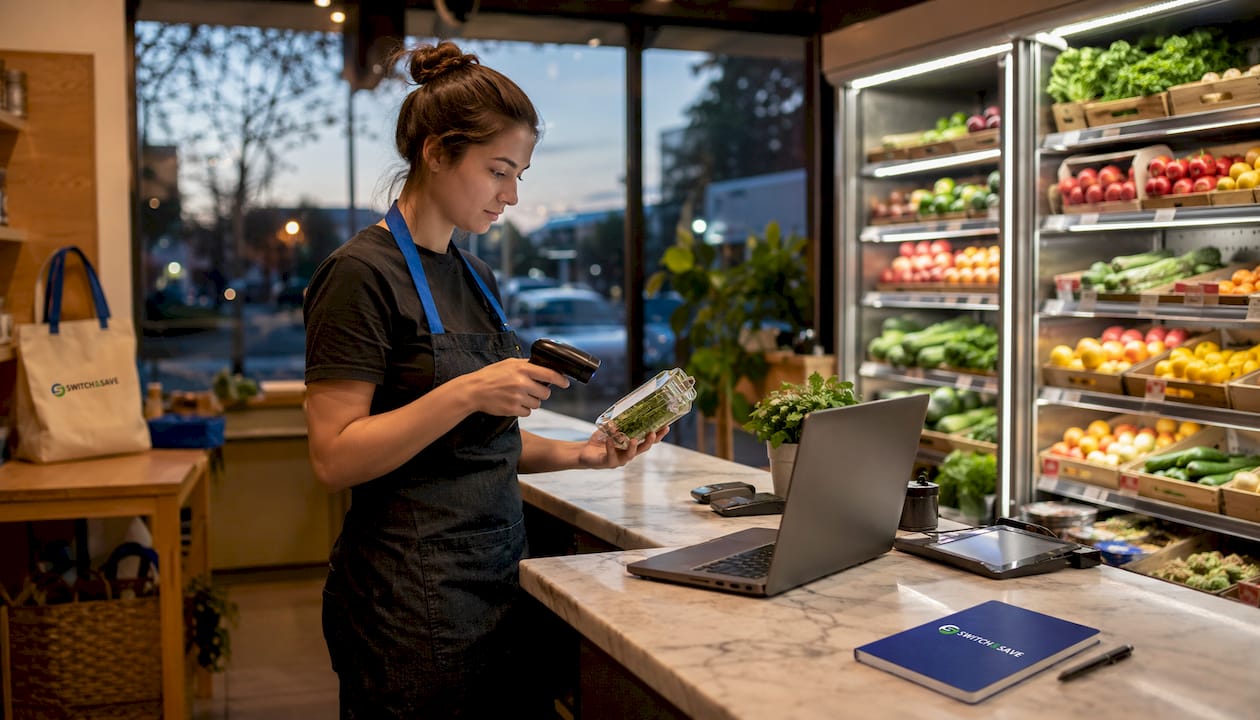
Shops with high staff turnover benefit most from systems that require minimal onboarding. A complex interface costs you every time a new member of staff joins.
Switch-and-save packages for small retail shops
Switch-and-save offers three main package tiers for retail. Each bundles hardware and software together, which removes the guesswork of sourcing compatible components separately.
Standard bundle
The entry point for small shops. Includes a touchscreen terminal, receipt printer, and the Switch&Save EPOS software with sales, basic stock control, and card payment integration. Suits a market stall, a small gift shop, or any single-counter operation that needs a reliable till and nothing more.
Retail bundle
Steps up to include a barcode scanner, cash drawer, and customer display alongside the terminal and printer. The software adds more detailed inventory management, supplier tracking, and sales reporting. A good fit for a boutique, a deli, or a convenience store with a moderate product range.
Premium bundle
The full counter setup. Adds a second terminal option, advanced cloud reporting, multi-user access, and priority support. Designed for shops that want real-time remote access to their sales data or plan to add a second till point later.
All packages include UK-based support, a free demo before you commit, and PCI-compliant payment processing. Warranties and data backup are included as standard.
Switch-and-save’s pricing is transparent: you’ll see upfront hardware costs and monthly software fees clearly before signing anything. Financing options are available for shops that prefer to spread the hardware cost rather than pay it all at once.
UK-based support is a genuine differentiator here. Clear demo options and visible warranty terms are among the strongest trust signals a vendor can offer — and Switch-and-save makes both easy to access.
How to choose the right EPOS for your shop
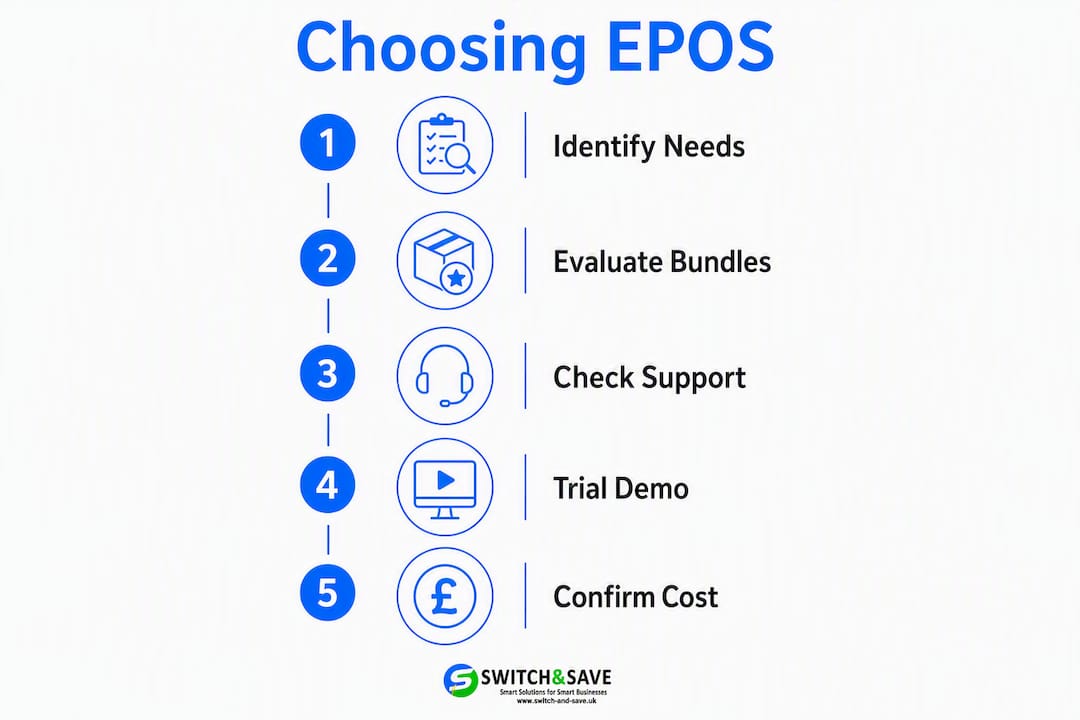
Use this checklist before you book a demo or sign anything.
Step-by-step decision process:
- Map your must-haves. Write down your three most important daily tasks (checkout speed, stock accuracy, end-of-day reporting). These are non-negotiable in any system you consider.
- Set a realistic budget. Include hardware, software, card processing fees, and installation. The total cost of ownership matters far more than the monthly software fee alone.
- Book a live demo. Never buy from a brochure. Ask the vendor to walk through your specific workflows — opening the till, processing a refund, running a stock report.
- Test the interface yourself. Could a new member of staff use it after 30 minutes of training? If not, it will cost you every time someone leaves.
- Check the contract terms. Monthly rolling or annual? What happens if you need to cancel or upgrade?
- Confirm integrations. If you use Xero, Sage, or an online shop, ask exactly how the link works and whether it costs extra.
Questions to ask vendors during a demo:
- What card processing rates apply to my transaction volume?
- Can I export my sales and stock data at any time, in a standard format?
- What happens to my data if I cancel?
- Is installation and staff training included, or charged separately?
- What are your UK helpdesk hours and typical response times?
Red flags to watch for:
- Vague answers about payment processing rates or processor lock-in
- Integration fees that only appear after you sign up
- Poor or no offline mode (your till should work if the broadband drops)
- Long, complex training requirements for basic tasks
- No clear warranty or returns policy
Pro Tip: Write a short demo script before you call any vendor. Include: scan a product, process a card payment, issue a refund, run a daily sales report, and check current stock level for one item. Any system worth buying should handle all five in under ten minutes.
Setup, training, and integration are distinct cost drivers that independent retailers often underestimate. Factor them in before you compare headline prices.
What does an EPOS system cost in the UK?
UK EPOS costs range from free basic apps to £200+ per month for advanced systems. Hardware is typically the largest upfront expense.
| Setup type | Hardware (one-off) | Software (monthly) | Card processing |
|---|---|---|---|
| Card reader + app only | £19–£100 | £0–£30 | 1.5%–2.5% per transaction |
| Single-till bundle (terminal + printer) | £500–£2,000+ | — | 1.5%–2.5% per transaction |
| Full counter setup (terminal + printer + scanner + cash drawer) | £500–£2,000+ | — | Negotiable at volume |
Sources: Compare Your Business Costs; Expert Market
Example first-year cost for a typical small shop (single counter, full bundle):
- Hardware (one-off): £1,200
- Software subscription (12 months at £59/month): £708
- Card processing (estimated at 1.5%–2.5% on £120,000 annual card turnover): £1,800–£3,000
- Installation and training (one-off): £150–£300
- Consumables (till rolls, 12 months): £60–£120
Estimated first-year total: roughly £4,200–£4,500
That figure looks significant, but compare it to the time saved on manual stock counts, fewer pricing errors, and faster end-of-day closes. The system typically pays for itself within the first year for a busy shop.
A word on free POS apps: they often rely on transaction fees rather than a monthly charge. As your card turnover grows, those per-transaction costs can exceed what a flat monthly subscription would have cost. Always model both options against your actual sales volume.
Watch out for recurring integration fees to accounting or ecommerce platforms — these can be monthly charges that never appear in the headline price. Add them to your budget from day one.
Which hardware bundle should you choose?
The hardware in your EPOS setup determines how fast you can serve customers and how reliably the system runs under pressure. Getting it right matters.
Standard hardware checklist:
- Touchscreen terminal or tablet. The main interface for your staff. Look for a screen size that’s comfortable to use quickly — 10–15 inches is typical for a counter.
- Card terminal. Integrated with the software so every card payment updates your sales data automatically.
- Receipt printer. Thermal printers are fast and low-maintenance. Check that consumables (till rolls) are easy to source locally.
- Cash drawer. Still necessary for most shops, even as card payments grow.
- Barcode scanner. Handheld or fixed-mount. Fixed scanners suit high-volume counters; handheld suits shops where you need to scan items on shelves.
- Customer display. Shows the transaction total to the customer. Builds trust and reduces disputes.
Matching hardware to your shop type:
A market stall or pop-up needs portability above all else. A tablet-based terminal with a mobile card reader and a portable printer covers everything without a fixed counter. A boutique or gift shop benefits from a full counter setup with a receipt printer and cash drawer, where the aesthetic of the hardware matters as much as the function. A convenience store or off-licence with high transaction volume needs a fast, fixed scanner and a robust terminal that can handle hundreds of transactions a day without slowing down.
Starter setups begin at around £19–£100 for a card reader alone; full counter bundles typically run £500–£2,000+. Hardware is usually the largest single upfront cost, so it’s worth getting the spec right rather than buying twice.
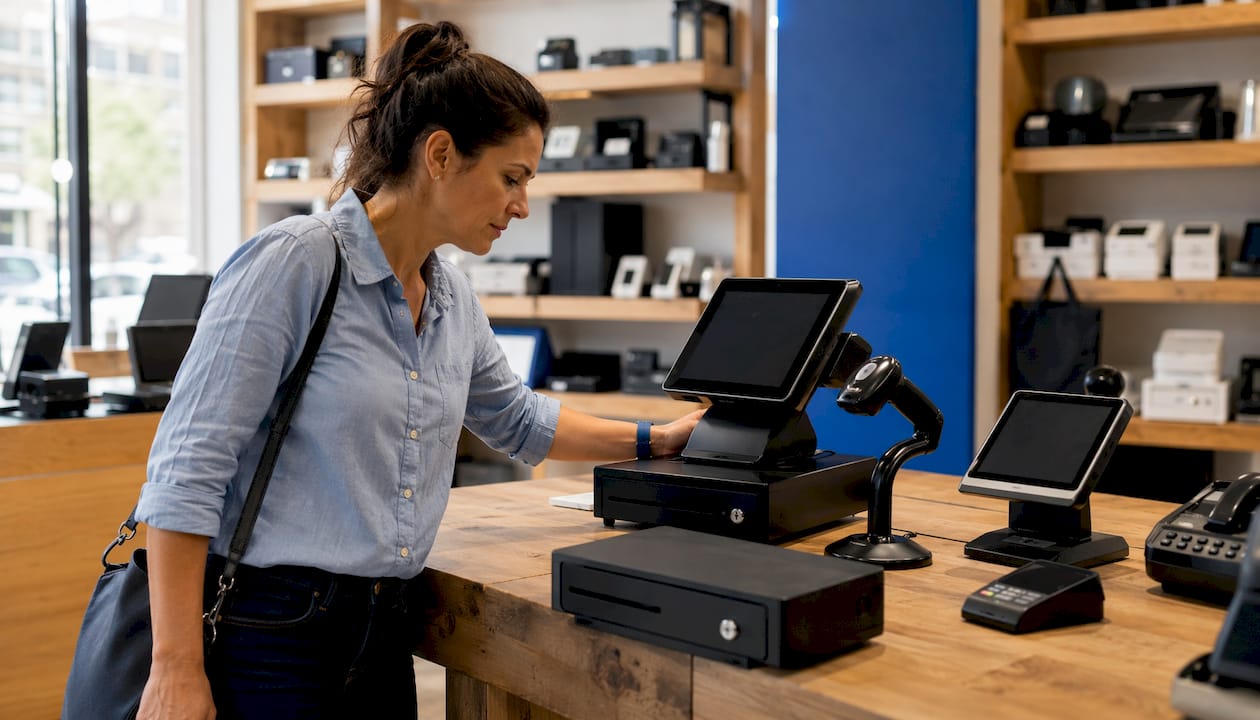
Check warranty terms carefully. A terminal that fails during a busy Saturday is a real problem. Switch-and-save includes warranty cover and UK-based support as standard across its bundles, which means you have a clear route to a fix if something goes wrong.
What to expect from installation, training, and support
Getting your EPOS live is not just about plugging in hardware. A realistic timeline helps you plan around it.
Typical timeline from order to live:
- Order confirmed. Hardware is dispatched; lead times for UK delivery are typically 3–7 working days.
- Hardware arrives. Unbox, connect, and power on. Most Switch-and-save bundles are pre-configured to reduce setup time.
- Product upload. Load your product catalogue — either manually, by spreadsheet import, or by scanning existing barcodes. Allow half a day to a full day for a shop with up to 500 lines.
- Staff training. A well-designed system needs 30–60 minutes of training for basic operations. Switch-and-save provides guided onboarding and training resources.
- Go-live. Run a test transaction before opening. Keep UK support on standby for the first day.
Support checklist — what to confirm before you buy:
- UK helpdesk hours (ideally covering your trading hours, including weekends)
- Remote support availability for software issues
- On-site support option for hardware failures
- SLA response times (how quickly will someone pick up?)
Security and data basics:
- PCI DSS compliance for all card transactions
- Automatic cloud backups so your data is safe if hardware fails
- GDPR-compliant data processing and storage
- Offline mode: the system should continue processing sales if your broadband drops, then sync when reconnected
Staff training is where many shops lose time unnecessarily. A system that requires minimal onboarding pays dividends every time a new team member starts. Switch-and-save’s interface is designed with exactly that in mind.
What shop owners say about Switch-and-save
Small shop owners who switch to a bundled EPOS consistently report the same benefits: faster checkout, fewer stock errors, and a clearer picture of what’s selling. The shift from a manual till or a disconnected card machine to an integrated system tends to feel immediate.
The most common feedback centres on three things. First, the reduction in end-of-day admin. When sales, payments, and stock updates all happen in one system, closing the till takes minutes rather than half an hour of cross-checking. Second, the confidence that comes from real-time stock data. Knowing exactly what you have on the shelf, without a manual count, changes how you order and how you price. Third, the reassurance of having UK-based support available when something goes wrong. For a small shop owner without an IT department, that matters enormously.
Switch-and-save’s approach of bundling hardware, software, and support together removes the friction that often derails EPOS rollouts for independent retailers. You are not sourcing three separate suppliers and hoping they work together.
Key takeaways
For most small UK shops, a bundled EPOS from Switch-and-save covers sales, stock, and payments in one system, with UK support and transparent pricing that makes the total cost of ownership predictable from day one.
| Point | Details |
|---|---|
| Start with must-haves | Prioritise checkout speed, stock control, card payments, and basic reporting before adding extras. |
| Budget for total cost | First-year costs for a full counter setup commonly total £4,100–£5,000, including hardware, software, processing, and training. |
| Test before you buy | Book a live demo and run your five core workflows — any credible system handles them in under ten minutes. |
| Watch for hidden costs | Integration fees, consumables, and per-terminal support charges often exceed expectations in year one. |
| Switch-and-save recommendation | Switch-and-save’s retail bundles cover hardware, software, and UK support in one transparent package, with free demos available. |
Why the cheapest EPOS is rarely the right EPOS
There is a pattern worth naming. A shop owner picks a free or very low-cost POS app, gets it running in an afternoon, and feels like they’ve solved the problem. Six months later, they’re paying more in transaction fees than a flat monthly subscription would have cost, their stock data is unreliable because the app doesn’t handle returns properly, and they have no one to call when it stops working on a Saturday.
The real cost of an EPOS system is not the monthly fee. It’s the time your staff spend working around its limitations, the stock you order twice because the counts are wrong, and the sales you lose when the system goes down and there’s no offline mode.
What actually works for small retail is a system that covers the core workflows reliably, has a support team you can reach during trading hours, and gives you clean data you can act on. Fancy dashboards and AI-generated insights are worth nothing if the basics are broken.
The best system is rarely the cheapest. Evaluate how much time it saves on inventory counts and staff reporting, not just what it costs per month. That’s the honest measure.
Ready to see Switch-and-save in action?
Switch-and-save gives small UK shops a faster path to a working EPOS than sourcing hardware and software separately. One package covers your terminal, printer, scanner, card payments, and cloud software, with UK-based support included from day one — no piecing together incompatible parts, no mystery fees appearing after you sign.

The concrete difference: transparent pricing, a free demo before you commit, and a support team based in the UK that picks up the phone during your trading hours. For a shop owner without an IT department, that’s the practical advantage that matters.
Browse EPOS bundles and find the right package for your shop, or request a tailored quote and a free demo from Switch-and-save today.
Useful sources and further reading
- EPOS Costs UK — Compare Your Business Costs: Covers typical UK EPOS cost ranges from free apps to full counter setups.
- EPOS System Cost Calculator — Compare Your Business Costs: Useful for estimating hardware and software costs by setup type.
- How Much Does an EPOS System Cost for Independent Retailers? — Intelligent Retail: Explains setup, training, and integration as distinct cost drivers.
- How to Choose the Best EPOS System for a UK Startup — What EPOS: Covers interface priorities, integration fees, and ecommerce sync.
- Best EPOS Systems for UK Businesses — Expert Market: Broad comparison of UK EPOS providers with pricing and feature breakdowns.
- Best EPOS Systems for UK Businesses — Business Expert: Explains when free POS plans become more expensive than subscriptions.
- Switch-and-save EPOS systems: Browse Switch-and-save’s retail bundles and request a free demo.
- Switch&Save EPOS software — Switch-and-save: Technical feature detail on the software included in Switch-and-save bundles.
- Best EPOS system for retail stores — Switch-and-save blog: Further reading on retail-specific EPOS evaluation.
- How to train staff on EPOS — Switch-and-save blog: Step-by-step onboarding guide for new EPOS users.
FAQ
What is the best EPOS system for a small retail shop?
For most small UK retail shops, a bundled EPOS that combines hardware, software, and integrated card payments in one package is the most practical choice. Switch-and-save’s retail bundles cover all core workflows — checkout, stock control, and reporting — with UK-based support included.
How much does an EPOS system cost for a small business in the UK?
UK EPOS costs range from free basic apps to £200+ per month for advanced systems, with upfront hardware typically running £150–£2,000+. A realistic first-year budget for a full counter setup, including hardware, software, card processing, and training, usually falls between £4,100 and £5,000, and typically pays for itself within the first year due to time savings and efficiency improvements.
What is an EPOS system and why does a small shop need one?
An EPOS (Electronic Point of Sale) system replaces a traditional till with a digital setup that handles sales, stock updates, card payments, and reporting in one place. For a small shop, it removes manual stock counting, speeds up checkout, and gives you accurate daily takings without extra admin.
Which card machine or POS terminal is best for a small business?
The best option depends on your setup. A mobile card reader suits market stalls and pop-ups; a full counter terminal suits fixed retail. The key is choosing a card terminal that integrates directly with your EPOS software so every transaction updates your sales and stock data automatically.
Are free POS apps worth it for small shops?
Free POS apps typically charge per-transaction fees of around 1.5%–2.5%, which can exceed a flat monthly subscription as your card turnover grows. They also tend to limit advanced reporting and offline functionality, which matters when your broadband drops mid-trading.