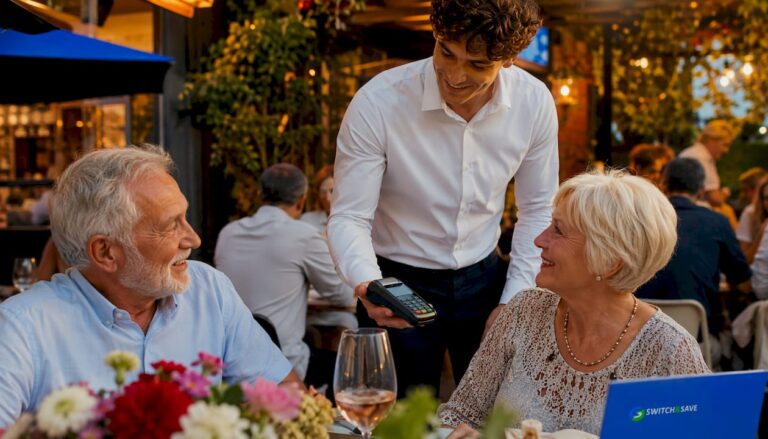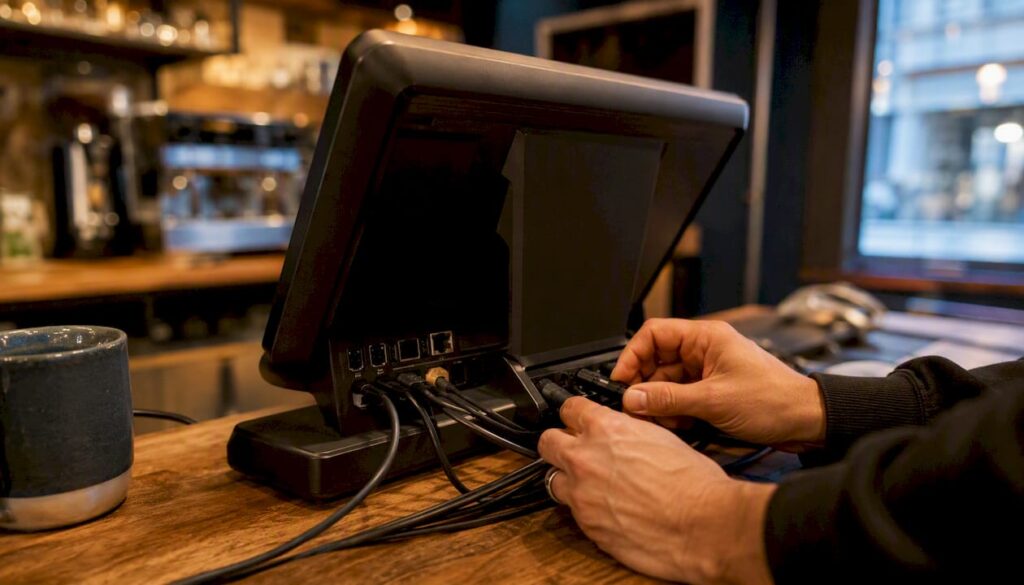
For most UK hospitality venues, Switch-and-save is the clearest starting point: it combines staff-friendly order workflows, integrated card payments, and UK-based support in a single package built for the British market. Whether you run a single-site café, a busy pub, or a growing restaurant group, that combination of usability, transparent fees, and local backup covers the three things that matter most when choosing between EPOS platforms for UK hospitality.
Table of Contents
- What must every UK hospitality EPOS actually do?
- What does a UK hospitality EPOS actually cost?
- How do you evaluate vendors without wasting time?
- Your step-by-step migration plan
- Which EPOS features matter most for your venue type?
- Switch-and-save: built for UK hospitality venues
- Key takeaways
- What the data actually tells you about EPOS selection
- Useful sources and further reading
- FAQ
What must every UK hospitality EPOS actually do?
The non-negotiables for hospitality EPOS come down to usability first. If staff cannot fire a course or split a bill under pressure, the feature list is irrelevant.
- Hardware flexibility: Terminals, handhelds, kitchen display screens (KDS), and a reliable offline mode. Cloud-based EPOS with local caching is now the market standard, so offline trading during an internet outage is an expectation, not a luxury.
Pro Tip: Ask every vendor to demonstrate offline mode live during your demo. Many systems claim it; fewer handle a full service cycle without connectivity.
What does a UK hospitality EPOS actually cost?
Pricing has three layers: software subscription, hardware, and payment processing. Understanding all three before you sign prevents budget surprises.
| Component | Typical UK range |
|---|---|
| Software subscription | £0–£150+ per month (basic to advanced) |
| Hardware (upfront) | £300–£2,000+ per site depending on terminals and KDS |
| Transaction fee | Approx. 1.4%–2.6% per card payment |
| Onboarding and training | Often quoted separately; budget an implementation buffer |
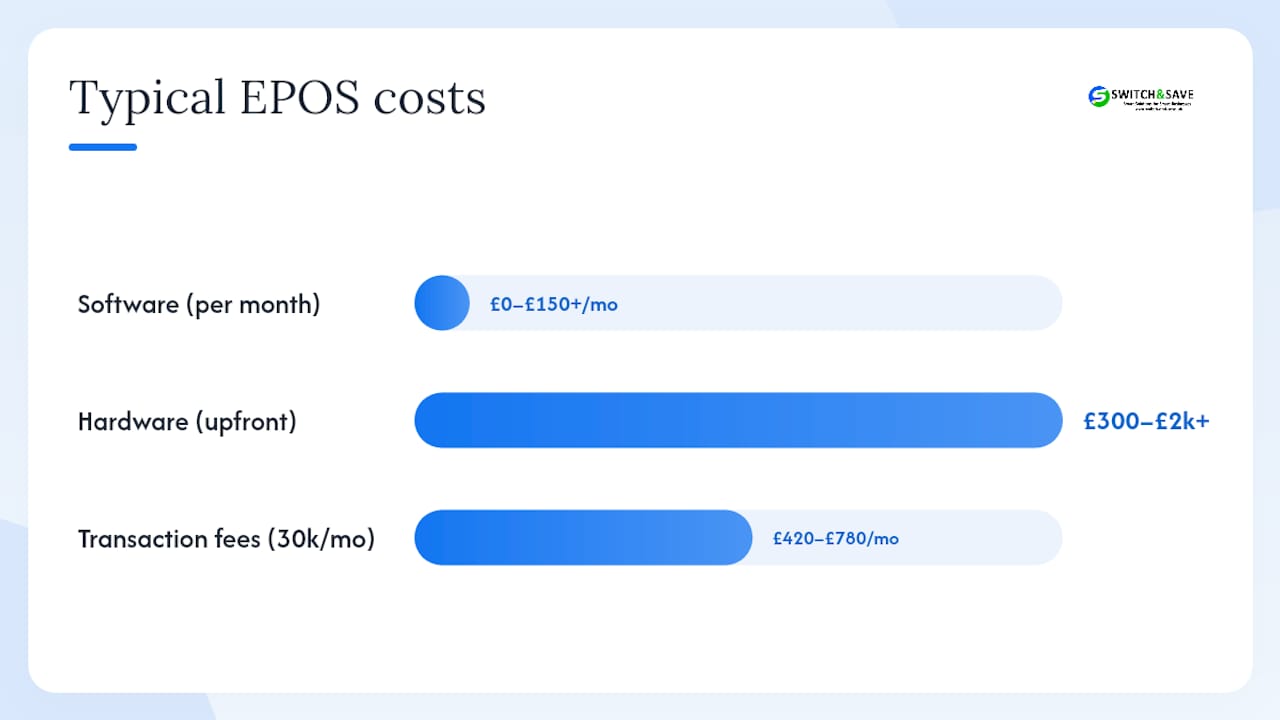
Café-scale venues can start at £0/month on entry-level software, but the moment you add stock control, KDS, or accounting integration, you move into the £50–£150+/month bracket. A busy restaurant processing £30,000/month in card payments at 2.0% pays £600/month in transaction fees alone — which is why negotiating that rate matters as much as the subscription price.
Hidden costs to watch for:
- Per-terminal licence fees on top of the base subscription
- Integration fees for Xero, reservation platforms, or loyalty tools
- Off-network transaction surcharges when your primary processor is unavailable
- Training hours billed separately after the first session
For a deeper look at how procurement choices affect your total cost, compare transaction-fee structures across at least two vendors before committing.
How do you evaluate vendors without wasting time?
Structure your demo around a numbered checklist so every vendor answers the same questions.
- Show us a live Xero sync — which data fields transfer and how often?
- Demonstrate offline mode through a full order, payment, and kitchen ticket cycle.
- What is your uptime SLA, and how is downtime compensated?
- Can we export our full product catalogue and sales history in CSV or JSON?
- How does your API handle a two-way reservation integration?
- Walk us through a KDS routing change mid-service.
- What are your cancellation terms and notice period?
Red flags to walk away from:
- Transaction fees quoted as “competitive” with no actual percentage
- No UK phone support line (email-only is not acceptable for a live trading environment)
- Setup timelines longer than four weeks for a single site
- Cancellation clauses buried in appendices or requiring 90+ days’ notice
Trust signals to verify: free demo or trial period, UK-based phone and on-site support options, published case studies from venues similar to yours, transparent pricing pages, and explicit PCI DSS and UK GDPR compliance statements.
Pro Tip: Request a fixed-rate transaction quote for a 90-day test period. Vendors confident in their pricing will agree; those who hedge usually have variable rates that climb.
Your step-by-step migration plan
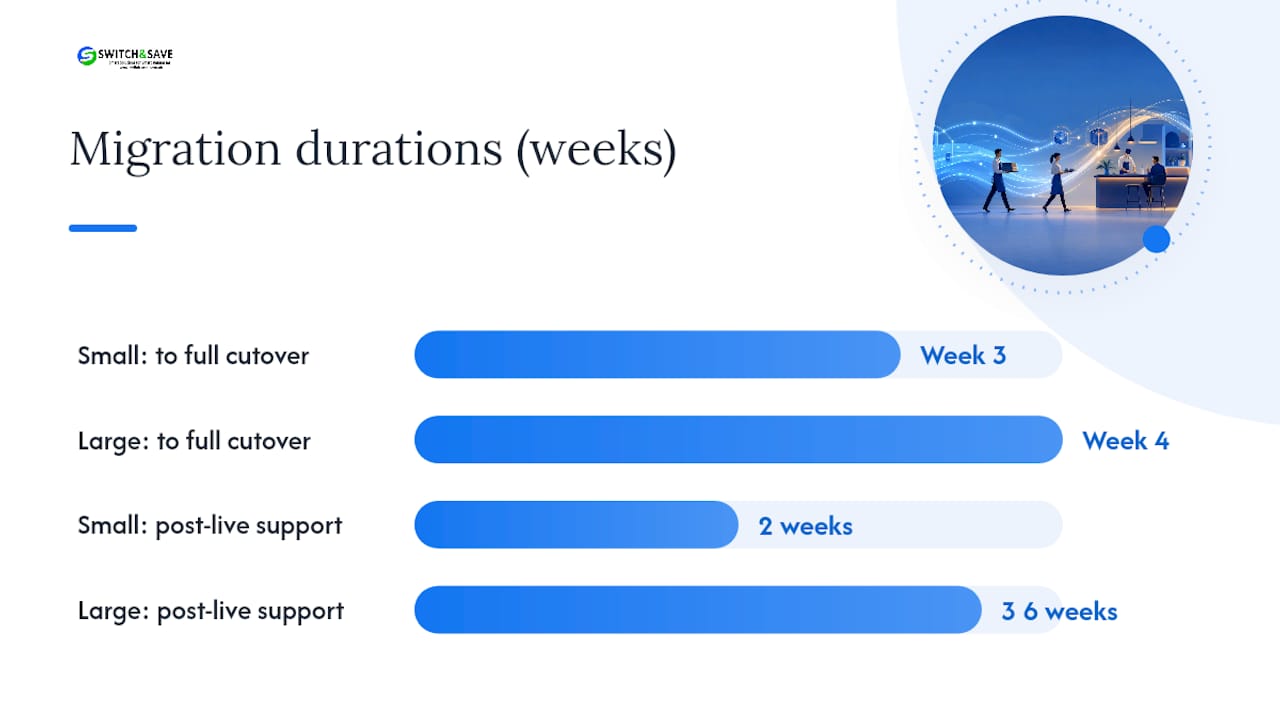
A clear migration plan is the single most reliable factor in a smooth cutover. Venues that skip a pilot night almost always face reconciliation errors in the first week.
| Phase | Small venue (1–2 tills) | Larger venue (3+ tills / KDS) |
|---|---|---|
| Data prep and export | Week 1 | Weeks 1–2 |
| Hardware setup and config | Week 2 | Weeks 2–3 |
| Staff training | Days 3–5 of Week 2 | Week 3 (staggered by role) |
| Pilot night | End of Week 2 | End of Week 3 |
| Full cutover | Week 3 | Week 4 |
| Post-live support window | 2 weeks | 3–4 weeks |
Budget 2–3 weeks for staff to reach full comfort with a new system. That timeline is realistic for a small venue; larger operations with kitchen leads and multiple role types need longer.
Data to prepare before go-live: full product catalogue with modifiers and allergen flags, current stock levels, historic sales data for menu mapping, staff permissions list, and table plan layout.
Testing checklist before you go live:
- Offline mode: place an order, take payment, and confirm the kitchen ticket prints without connectivity
- Payment reconciliation: run an end-of-day report and match it to your card processor statement
- Kitchen routing: confirm every order type reaches the correct KDS or printer
- Receipt formatting: check allergen and modifier data appears correctly on printed and digital receipts
Pro Tip: Assign one manager and one kitchen lead as internal champions before training begins. Their buy-in shapes how quickly the rest of the team follows.
Agree a rollback plan with your vendor in writing: which number to call, what the reversion process is, and how long it takes. Small errors add up fast on a busy trading night without a clear escalation path.
Which EPOS features matter most for your venue type?
Not every venue needs the same priorities. Here is where to focus your demo time.
- Café: Speed above everything. Simple modifier support, compact hardware (ideally a single-till footprint), reliable offline mode, and a clean interface staff can learn in under an hour.
- Pub / wet-led venue: Multi-terminal tab management, fast checkout for high-volume rounds, draught and cellar stock tracking, and tronc support if you run a service charge distribution. Multi-site pub groups should prioritise centralised reporting and labour integrations.
- Full-service restaurant: Table plans with course firing, deep modifier and allergen logic, and KDS screens that kitchen leads can manage without leaving the pass.
- Hotel / resort: Location-aware mobile ordering matters here more than anywhere else. A guest ordering poolside needs the delivery routed to their specific cabana, not just their room number. Two-way reservation integration is non-negotiable.
- Multi-site groups: Centralised reporting, role-based user controls, consistent menu pushes across all sites, and batch terminal updates. AI-powered forecasting tools, now increasingly available in modern EPOS platforms, can give smaller groups the same demand-planning intelligence that chains have used for years.
Pro Tip: For multi-site operations, test the central reporting dashboard with real data from two different sites before signing. Aggregated reports that require manual reconciliation defeat the purpose.
Switch-and-save: built for UK hospitality venues
Switch-and-save gives you the non-negotiables covered above without the complexity of enterprise procurement. The platform combines AI-powered software, integrated card payments, real-time inventory, and UK-based support in a transparent monthly package — no hidden per-terminal fees, no offshore support queues.

What that means in practice: faster cash-up at the end of service, fewer reconciliation errors, and a clearer picture of your margins every morning. UK-based phone and on-site support means that if something goes wrong on a Saturday night, you are not waiting until Monday for a response.
👉 Browse EPOS systems and bundles or book a free demo via the restaurant EPOS page. Have your product list, table plan, and current transaction-fee rate ready — the demo call is more useful when you can compare directly.
Key takeaways
The right EPOS platform for UK hospitality pays for itself through faster service, lower reconciliation time, and tighter stock control — but only if you choose it against a clear checklist.
| Point | Details |
|---|---|
| Transaction fees compound fast | Rates of 1.4%–2.6% per card payment mean fee negotiation is as important as the monthly subscription. |
| Offline mode is non-negotiable | Cloud EPOS with local caching is the 2026 standard; test it live before you sign. |
| Migration needs a pilot night | A structured cutover with a pilot service and a post-live support window prevents first-week errors. |
| Match features to venue type | Cafés need speed; restaurants need KDS and allergen depth; hotels need location-aware ordering. |
| Switch-and-save covers the checklist | AI-powered software, integrated payments, and UK-based support in one transparent package. |
What the data actually tells you about EPOS selection
The conventional wisdom in hospitality tech is to lead with features: KDS, QR ordering, loyalty integrations. The vendors push it, the comparison sites rank by it, and managers end up in demos watching impressive dashboards that their team will never use correctly under pressure.
The evidence points somewhere else. Operational simplicity consistently outperforms feature depth when it comes to actual service outcomes. A system your team can navigate in the first week of trading delivers more value than one with six integrations that takes a month to configure. That is not an argument against features — it is an argument for sequencing. Get the core right first: fast order entry, reliable payments, clean kitchen routing. Add the intelligence layer (AI forecasting, CRM, loyalty) once the team is confident.
The other persistent mistake is treating transaction fees as a footnote. At meaningful card volumes, the difference between 1.4% and 2.6% is a material monthly cost. Managers who negotiate the subscription and accept the default processing rate often pay more in fees than they saved on software.
Switch-and-save’s approach — transparent pricing, UK-based support, and a free demo before any commitment — is the right structure for this decision. It removes the two biggest risks: a system your team cannot use, and a contract you cannot exit.
Useful sources and further reading
The sources below informed this guide. Each covers a distinct part of the buying decision.
| Source | What it covers | Why it matters |
|---|---|---|
| The Caterer — EPoS buying guide | Non-negotiables, allergen requirements, transaction-fee ranges | Operator-led perspective from UK hospitality |
| Compare Your Business Costs — Café EPOS | UK pricing bands, hardware costs, café-specific decision factors | Practical cost benchmarks for smaller venues |
| Smart Pub Tools — Café EPOS UK | Cloud/offline expectations, training timelines, accounting integrations | Migration and implementation guidance |
| Stackbase HQ — UK Hospitality EPOS | Multi-site features, tronc, labour integrations, UK support value | Enterprise and group venue priorities |
| Business Quote — AI in EPOS | AI forecasting, stock automation, customer insights | How AI tools are now accessible to smaller operators |
When evaluating any vendor, prefer those with published UK case studies and a named UK support contact. A vendor who cannot point you to a comparable venue they already support is a risk you do not need.
FAQ
What are the most important features of a UK hospitality EPOS?
Staff usability, integrated card payments with transparent fees, allergen data at ingredient level, and a reliable offline mode are the baseline. Two-way reservation and accounting integrations become critical as venue complexity grows.
How much does a hospitality EPOS system cost in the UK?
Software typically runs £0–£150+ per month depending on features, with hardware adding £300–£2,000+ upfront. Card transaction fees of approximately 1.4%–2.6% per payment are a separate, ongoing cost to factor into your total budget.
How long does it take to migrate to a new EPOS system?
A small single-site venue can complete migration in 2–3 weeks including staff training. Larger venues with multiple terminals and KDS screens should plan for 3–4 weeks, plus a 2–4 week post-live support window.
Does Switch-and-save offer a free demo for hospitality venues?
Yes. Switch-and-save offers a free demo for UK hospitality venues. You can book directly through the restaurant EPOS page and have your product list and current transaction-fee rate ready for the call.
What is PCI DSS and why does it matter for UK hospitality?
PCI DSS (Payment Card Industry Data Security Standard) is the security framework governing how card payment data is handled. Any UK hospitality venue taking card payments must use a PCI-compliant system to protect customer data and avoid liability in the event of a breach.