
The fastest way to cut POS downtime is to layer your defences: preventive maintenance, redundant connectivity, offline payment fallbacks and rehearsed recovery, all backed by ransomware-resistant backups. No single fix covers every failure mode, but combined they close most of the gaps that cause outages. Some EPOS packages are built with this layered approach in mind, giving retail and hospitality teams a practical starting point. According to Retail Economics and FreedomPay, only around 40% of businesses currently offer offline card processing, which shows how many operators still have gaps to close.
TL;DR:
- Few UK businesses currently offer offline card processing, leaving most operators vulnerable when primary payment channels fail.
- Regular testing of backups, monitoring alerts, and rehearsing recovery procedures are essential to ensure quick recovery during outages.
- Implementing redundant connectivity, hardware spares, and staged updates significantly reduces the risk of full POS failure across multiple locations.
- Offline payment methods should be handled with caution, understanding the potential for transactions to be rejected at settlement and the risk of lost stored data.
- Integrated remote management and UK-based support from solutions like Switch&Save can streamline prevention and recovery efforts at a low cost.
Table of Contents
- Why POS downtime hurts retail and hospitality operations
- Common causes of POS outages and how they show up on the shop floor
- Practical prevention checklist: hardware, software, connectivity, payments and backups
- Monitoring, testing and rehearsing recovery
- Staff procedures and customer-facing playbooks for when POS fails
- Incident recovery and post-incident actions
- Why Switch&Save’s approach matters for prevention
- Operational resilience is an ongoing practice, not a one-off project
- How Switch&Save helps prevent and recover from POS downtime
- Sources
- FAQ
Why POS downtime hurts retail and hospitality operations
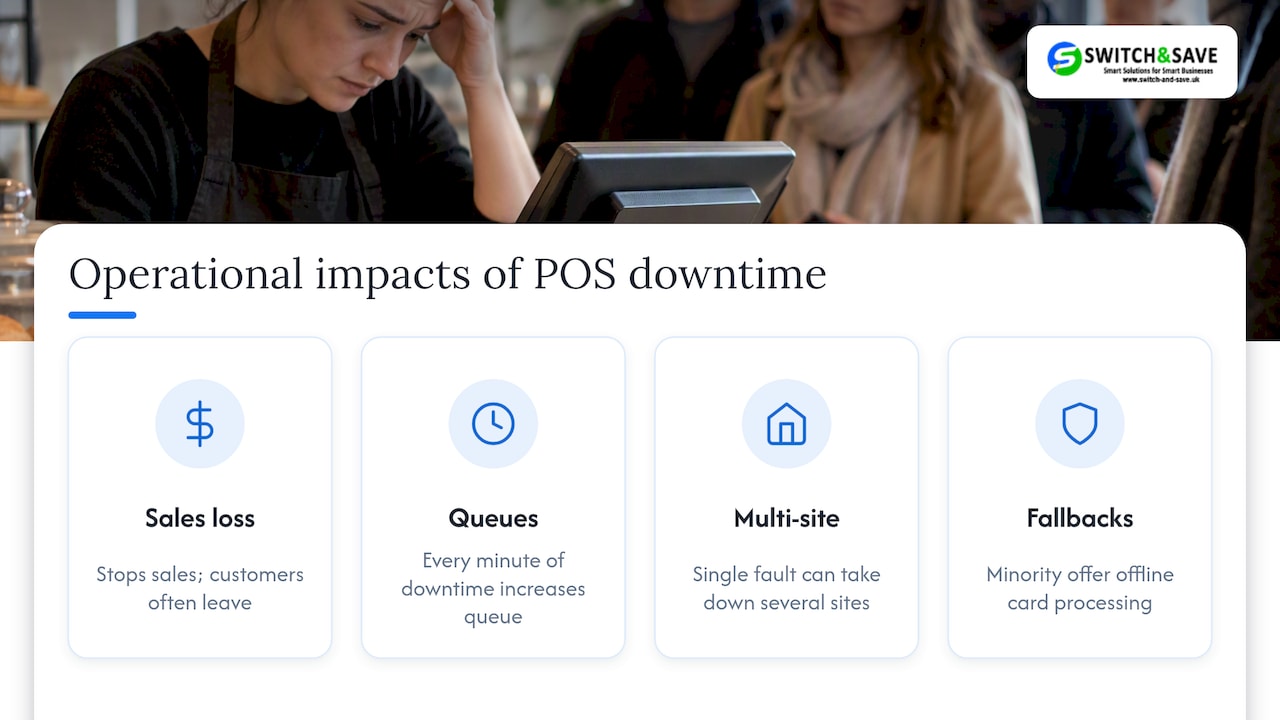
A till going down is not just an inconvenience. It stops sales, backs up queues and pushes customers towards competitors who can actually take payment. During busy trading hours, even a short outage compounds fast: every minute of downtime adds to the queue behind it, and frustrated customers often leave without buying anything.
Multi-site businesses feel this more sharply. One faulty router or an unpatched till can take down several locations at once if the network setup is shared or poorly segmented. Staff end up managing refunds, manual sales records and apologetic conversations instead of serving customers, and that overtime and lost goodwill rarely show up on a balance sheet until it is too late.
A minority of UK businesses currently offer offline card processing, according to Retail Economics research, which means most operators still lack a reliable fallback when their primary payment path fails.
Common causes of POS outages and how they show up on the shop floor
Most POS failures trace back to a small set of causes, and recognising the early signs helps staff react before a full outage develops.
- Power issues: flickering screens, unexpected till reboots or a router that silently drops offline.
- ISP or network faults: authorisations that stall or time out even though the till itself looks fine.
- Payment gateway or acquirer problems: cards get declined across every terminal at once, not just one.
- Hardware failure: printers jamming repeatedly, card readers losing connection, or a till that freezes mid-transaction.
- Software updates gone wrong: a patch installs overnight and the till behaves differently or refuses to open the next morning.
- Security incidents: unusual slowdowns, unexpected pop-ups or files that will not open, all signs worth escalating immediately.
- Human error: a cable unplugged during cleaning, or a setting changed without anyone noticing.
When something goes wrong, a quick first-response checklist helps: check the power and network lights, note whether one till or all tills are affected, and ask whether authorisations are slow or simply absent. That distinction alone often points staff towards the right fix, or the right person to call.
Practical prevention checklist: hardware, software, connectivity, payments and backups
Prevention works best as an ordered set of habits rather than a single project. Here is a practical sequence for most retail and hospitality sites:
- Hardware lifecycle: keep spare card readers, receipt printers and barcode scanners on-site, and replace ageing tills before they fail mid-shift.
- Power protection: fit a UPS to tills and critical network kit so a brief power cut does not mean a full reboot.
- Patch management: schedule software updates for quiet hours, test patches on one till first, and run monthly vulnerability scans.
- Connectivity redundancy: add a secondary ISP or a cellular failover device so a single broadband fault does not stop trading.
- Network segmentation: keep payment traffic on its own VLAN with firewall rules that limit exposure if another device on the network is compromised.
- Payment fallbacks: configure deferred authorisation, sometimes called store-and-forward, carefully, understanding that it shifts settlement risk onto the merchant and has stored-transaction limits.
- Cash fallback policy: agree a clear manual process and reconciliation method for when card payments are unavailable.
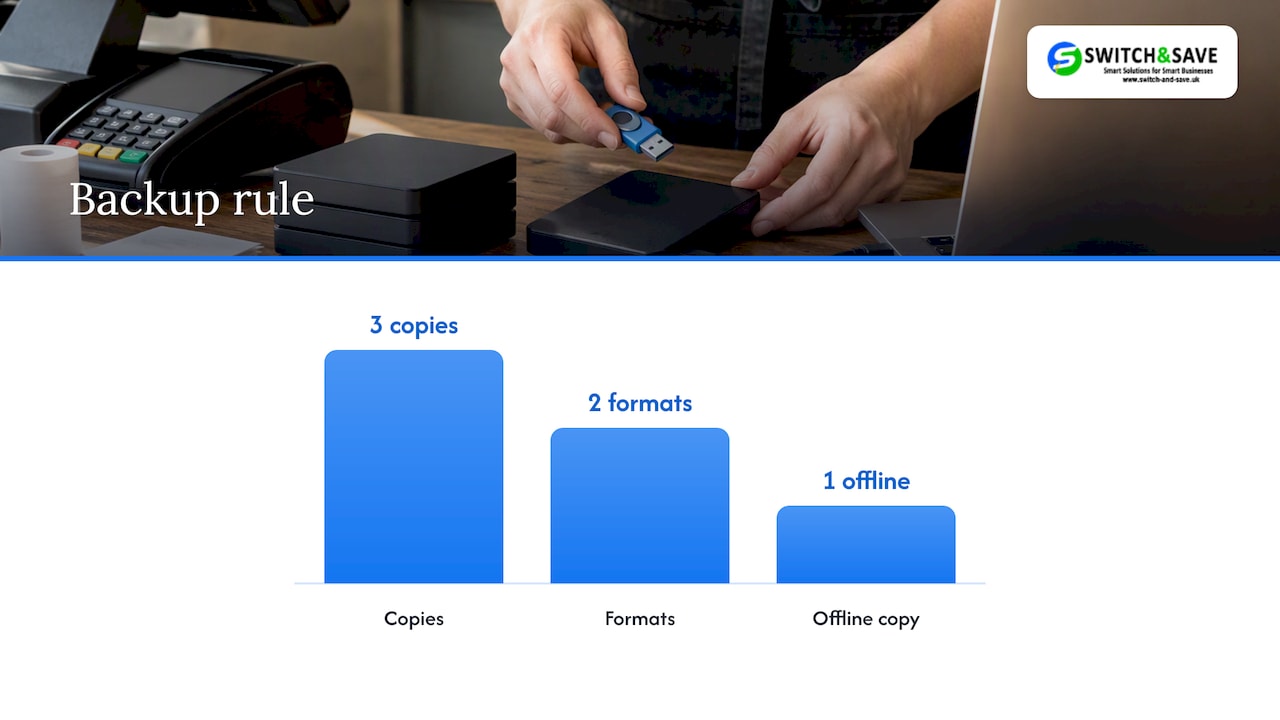
- Backups: follow the 3-2-1 rule, three copies, two formats, one offline, and keep at least one copy genuinely disconnected from the network, in line with NCSC guidance on mitigating ransomware.
- Backup admin protection: restrict backup access to as few accounts as possible and secure them with phishing-resistant multi-factor authentication.
- Supplier SLAs and rollouts: agree clear service levels with your POS vendor, and use staged go/no-go criteria before rolling any change across every till.
Pro Tip: Test one patch or update on a single till first, and only roll it out estate-wide once you have confirmed it behaves as expected.
Offline payment acceptance deserves particular care. Worldpay’s own deferred authorisation documentation is clear that transactions taken offline may be rejected at settlement, and locally stored data can be lost entirely if the terminal fails before it uploads. Treat it as a risk decision, not a free safety net.
Monitoring, testing and rehearsing recovery
Prevention only gets you so far without a way to catch problems early and confirm your fixes actually work. Real-time alerts for payment failures, slow authorisations or network loss give staff a head start before customers notice anything.
- Synthetic transactions: run small test payments regularly to confirm the payment path is genuinely working, not just powered on.
- Heartbeat checks: monitor whether each till is checking in as expected, and flag any that go quiet.
- Error trend reviews: look at authorisation failures and reboots weekly, not just when something breaks.
- Full restore tests: periodically restore from backup and confirm the data is intact, not just that the backup file exists.
UK Finance’s commentary on operational resilience makes the point plainly: resilience is a cultural habit built through rehearsal, not a document that sits untouched until something goes wrong. Table-top exercises, where the team talks through a scenario step by step, cost little and reveal gaps that a written plan alone never will.
Pro Tip: Write down your recovery steps as a runbook, in plain language, so any staff member on shift can follow it without waiting for a manager.
Staff procedures and customer-facing playbooks for when POS fails
The first five minutes of an outage decide how smoothly the rest goes. A clear, rehearsed sequence beats improvisation every time.
- Confirm the scope: is it one till, one site, or every location?
- Switch to the fallback: manual card machine, cash-only signage, or a backup till, whichever your policy specifies.
- Communicate with customers: a short, honest script and clear signage at the till or door reduce frustration far more than silence.
- Log every transaction manually: paper receipts with time, amount and payment method, ready for reconciliation later.
- Escalate promptly: call the right contact, whether that is your POS vendor, payment provider or internal IT, using a pre-agreed contact list.
Staff should practise this at least twice a year, ideally as a short team briefing rather than a formal drill, so the steps feel familiar rather than theoretical when they are actually needed.
Incident recovery and post-incident actions
Recovery should follow a set order: tills first, then payment paths, then inventory sync, so trading resumes before back-office data catches up. Restoring from an offline backup matters here because a compromised or corrupted live system can otherwise reinfect anything it touches.
- Scan before restoring: check backup data for integrity and malware before bringing it back online, following NCSC’s ransomware guidance.
- Escalate appropriately: contact your payments provider for authorisation issues, your POS vendor for hardware or software faults, and a specialist only if a security incident is suspected.
- Reconcile manual sales: match paper records against system data once everything is back online.
- Debrief afterwards: a short review of what failed, what worked, and what needs fixing before the next incident.
Most UK businesses keep at least one non-cash backup payment method, according to Retail Economics, yet the gap between having a backup and rehearsing it properly is where most recovery plans actually fail.
Why Switch&Save’s approach matters for prevention
Every item on this checklist maps to features found in advanced EPOS solutions: remote POS management for spotting problems before they escalate, AI-enabled monitoring across tills, integrated payments that reduce single points of failure, and support services when you need a human to escalate to. Our remote POS management guidance and PCI compliance advice cover the practical detail behind several steps above, and are worth reading alongside your own resilience plan.
Operational resilience is an ongoing practice, not a one-off project
Most of the outages I hear about were preventable with a habit, not a budget. Rehearsal beats documentation, simple defaults beat clever ones, and supplier accountability matters more than owners admit. Pick one small, testable change this week, perhaps a cellular failover on a single till, and build from there.
— Amir
How Switch&Save helps prevent and recover from POS downtime
Building this checklist yourself takes time most managers do not have. Switch&Save’s Hospitality EPOS Bundle at £549 one-off, paired with AI-powered cloud software from £20 per month, gives hospitality operators an integrated route to fewer outages without managing five separate suppliers.

- Remote management and monitoring across every till, included in the software layer.
- Integrated payments, via the Integrated Payments Bundle, reduce reliance on a single payment path.
- UK-based support to escalate to when something goes wrong on the shop floor.
Book a free demo through our EPOS system page to see how the setup fits your site.
Sources
- Mitigating malware and ransomware attacks (NCSC)
- Deferred authorisation | Worldpay Developer Hub
- Form3’s Payments Cannot Fail podcast: building resilience into culture | UK Finance
- Payment resilience research (Retail Economics / FreedomPay)
- PCI Security Standards (PCI SSC)
FAQ
What does POS mean in hotels?
In hotels, POS stands for point of sale, the system used to process payments and manage orders at restaurants, bars, spas and other on-site outlets. It often links to the property management system so charges can be posted directly to a guest’s room.
How long does a POS system last?
A well-maintained POS system, including hardware and software, typically remains reliable for several years before components need replacing, though exact lifespans vary by usage and manufacturer. Regular maintenance, timely updates and having spare hardware on hand extend usable life and reduce unplanned downtime.
What does POS system operation mean?
POS system operation covers everything the system does day to day: processing sales, taking payments, updating stock levels and recording transaction data. It also includes the behind-the-scenes tasks of syncing data, running updates and connecting to payment networks.
What is POS in inventory management?
In inventory management, POS refers to the point where a sale is recorded and stock levels are automatically updated in real time. This link between sales and stock lets managers see exactly what is available without manually counting shelves.
Is it risky to accept card payments offline during an outage?
Yes, accepting payments offline through deferred authorisation carries settlement risk, since Worldpay’s documentation confirms offline transactions can be rejected once they reach settlement. Merchants should set clear stored-transaction limits and treat offline acceptance as a deliberate risk decision, not a default setting.