Remote POS management gives you centralised control over every till in your business, letting you troubleshoot, update and monitor terminals without a single site visit. The result is less downtime, fewer engineer callouts, and tills that keep taking payments even when something goes wrong behind the scenes. Getting there properly does mean setting up the right mobile device management or payment terminal management tooling, with secure configuration from day one.
TL;DR:
- Remote POS management can significantly reduce on-site engineer visits by proactively monitoring, diagnosing, and fixing issues remotely across multiple locations.
- Effective implementation requires detailed inventory, network configuration, role-based access controls, and a phased rollout to minimize operational disruption.
- Securing remote access hinges on PCI-compliant key management, strong authentication, session audit logs, and device hardening measures, alongside physical security practices.
- The business benefits, such as faster repairs and higher uptime, are measurable through key performance indicators like mean time to repair and monthly on-site visits.
- Choosing the right remote management approach depends on terminal types, with MDM suited for Android tablets, PTMS for dedicated payment devices, and remote-access agents for Windows-based tills.
Table of Contents
- What does remote POS management actually do?
- MDM, PTMS or remote-access agents: which approach fits?
- How do you implement remote POS management step by step?
- How do you keep payment data secure during remote access?
- What’s the real business case for remote POS management?
- Why remote POS management is an operations decision, not just an IT one
- Get remote control over your tills without the IT overhead
- Sources
- FAQ
What does remote POS management actually do?
Remote POS management is the umbrella term for controlling, monitoring and updating your point-of-sale estate from a central dashboard rather than walking a technician to every store. You’re not just watching for red flags. You’re actively fixing things before customers notice.
The core capabilities you’ll use most often include:
- Remote access and control: screen sharing and remote keyboard/mouse access, so a technician can see exactly what a till operator sees and fix a frozen screen without touring the shop floor
- Health monitoring and alerts: automatic flags for offline terminals, low disk space, printer faults or failed card reader connections
- Over-the-air (OTA) updates: pushing firmware, software and security patches to every terminal overnight, rather than visiting each one
- Centralised configuration: changing prices, menus, tax rates or staff permissions across every location from one screen
A cloud-based POS setup makes all of this possible because sales, inventory and staff data sit in one place rather than trapped on individual machines. If you’re still working out how that changes daily operations, our guide to what a remote POS setup means for your business covers the basics in more depth.
MDM, PTMS or remote-access agents: which approach fits?
Three broad technical approaches exist, and confusing them leads to buying the wrong tool for your estate. Understanding the difference matters more than most vendors let on.
Mobile device management (MDM) treats POS terminals like managed smartphones. It enforces kiosk mode, pushes silent updates, and can remotely wipe a lost or stolen device — strong for Android-based terminals and tablets running POS apps.
Payment terminal management systems (PTMS) go further for dedicated card machines. A platform like Ingenico’s Manage360 centralises monitoring, supports remote key injection and flags predictive maintenance issues before a terminal fails outright.
Remote-access agents (the TeamViewer-style category) give you direct screen control for ad-hoc troubleshooting, which suits Windows-based tills where staff need hands-on IT support rather than fleet-wide policy enforcement.
- Single-site operators often need only a lightweight remote-access agent plus basic monitoring
- Multi-site retailers or hospitality groups usually need MDM or PTMS for policy consistency and audit trails
- Hardware-assisted out-of-band access, such as Intel vPro, lets IT reach a terminal even when the operating system has crashed entirely
Pro Tip: If your terminals mix Android tablets and dedicated card machines, don’t force one tool to cover both. Pair an MDM for the tablets with a PTMS for the payment hardware, then link alerts into a single dashboard.
How do you implement remote POS management step by step?
Rolling this out badly causes more disruption than the downtime you’re trying to fix. Follow a sequence, not a scramble.
- Inventory and discovery. Catalogue every terminal by model, operating system, firmware version and existing remote-access capability. You can’t manage what you haven’t mapped.
- Provisioning. Enrol each device into your chosen MDM or PTMS platform, install any required agents, and define role-based access control so only the right staff can push changes or view sensitive data.
- Network and access setup. Configure VLANs to separate POS traffic from general office Wi-Fi, establish a management VPN, set firewall rules, and confirm bandwidth is sufficient for OTA updates without slowing checkout speeds.
- Operational routines. Schedule silent updates for off-peak hours, set alerting thresholds for offline devices, and write a clear escalation path for when remote fixes don’t resolve an issue.
- Pilot, measure, then roll out. Start with one store and 5 to 10 representative terminals. Track mean time to repair (MTTR) and field-visit rate for around 60 days before expanding fleet-wide.
Two numbers worth watching from day one: your baseline MTTR and your monthly count of on-site engineer visits. Remote management platforms are built specifically to shrink both by catching issues through proactive monitoring rather than waiting for a till to go dark.
If terminals lack hardware out-of-band features, a well-configured combination of an MDM agent plus static routes and a dedicated management VPN gets you close to the same level of control without needing vPro-enabled hardware.
How do you keep payment data secure during remote access?
Remote access to a till is remote access to payment infrastructure, so security can’t be an afterthought bolted on later. Get the fundamentals wrong here and you risk both a breach and a compliance failure.
The non-negotiables:
- PCI-aware key handling. Never manage encryption keys ad hoc over a remote session. Use an approved PTMS or the terminal vendor’s own key-injection process, as outlined in Ingenico’s Manage360 documentation.
- Strong authentication. Two-factor authentication and single sign-on should gate every remote session, with least-privilege roles so a junior support agent can’t touch payment configuration.
- Full auditability. Session logs and, where possible, session recording create a tamper-evident trail of who accessed what and when — essential if a dispute or audit ever arises.
- Device hardening. Kiosk mode, application whitelisting, disk encryption and remote-wipe capability all reduce the blast radius if a device is lost, stolen or compromised.
Physical security still matters alongside the digital controls. Point-of-sale security guidance for small businesses covers the device-level basics that remote tooling doesn’t replace, like securing terminal mounts and restricting who can physically access a till.
Pro Tip: Run a quarterly access review. Staff change roles, contractors leave, and stale permissions are one of the easiest ways a remote-access tool becomes a liability rather than an asset.
What’s the real business case for remote POS management?
Downtime is the cost that hides in plain sight. Every minute a till is unresponsive is a queue, a lost sale, or a customer who walks to a competitor instead.
OTA updates and remote diagnostics cut mean time to repair by catching faults before they cause a full outage, and by letting technicians fix software issues without travelling to site at all. Intel’s vPro research notes that total cost of ownership typically falls once remote management reduces emergency field visits, even after accounting for subscription costs on the management platform itself. Vendor case studies from Ingenico also report measurable improvements in merchant satisfaction once remote management runs at scale.
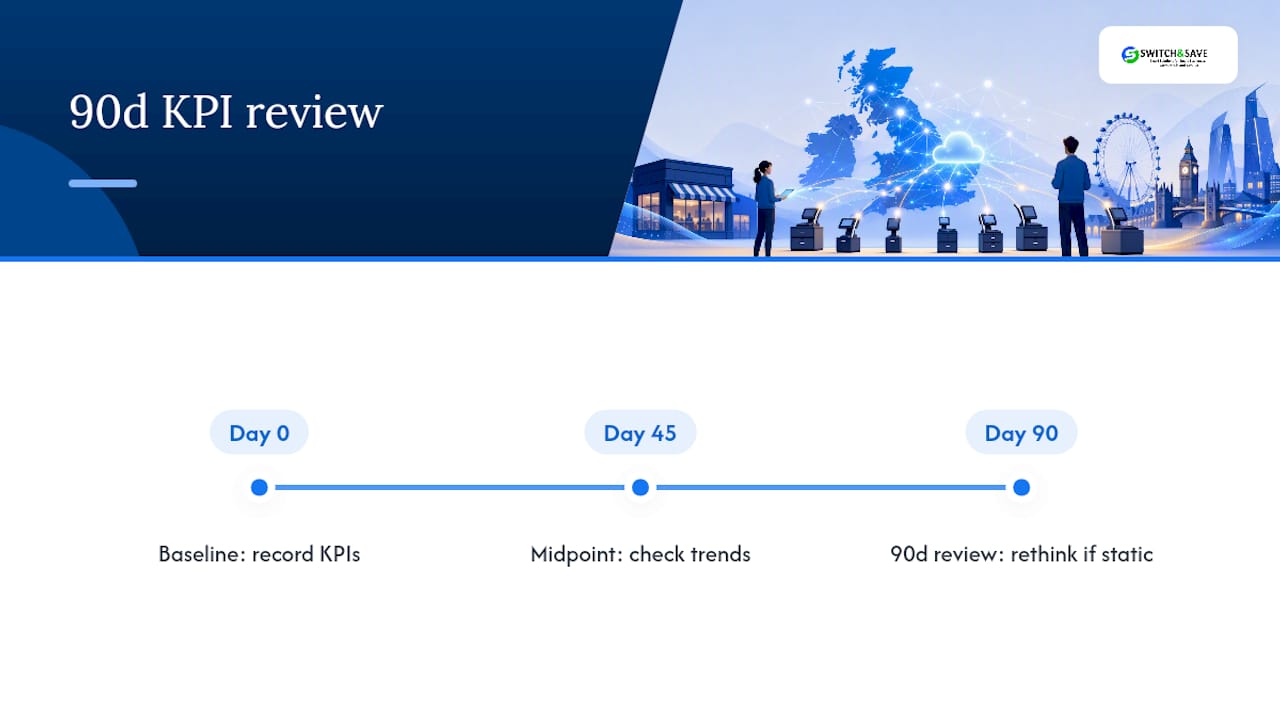
Track three KPIs post-deployment: MTTR, monthly field-visit count, and terminal uptime percentage. If none of them move within 90 days, the tooling or the rollout needs a rethink.
Why remote POS management is an operations decision, not just an IT one
The mistake I see most often is treating remote POS management as a technical upgrade rather than an operational one. It isn’t. The real payoff shows up on the shop floor, not the server room, in the form of a till that gets fixed in minutes instead of a wasted afternoon waiting for an engineer.
Where this typically goes wrong is scope. Businesses buy an enterprise-grade MDM platform for three tills, or they try to run twenty locations on a basic remote-access agent with no role-based control. Neither fits. Packages exist precisely because most retail and hospitality operators sit in the middle: multi-terminal, multi-store, needing a cloud dashboard and support without enterprise complexity.
Build in-house only if you have dedicated IT resource to maintain it. Otherwise, a managed EPOS partner is the pragmatic call.
— Amir
Get remote control over your tills without the IT overhead
There are solutions offering centralised POS control that many independent retailers and hospitality businesses can’t easily build themselves. Rather than piecing together separate MDM, PTMS and monitoring tools, many vendors offer a cloud dashboard, real-time sales and inventory visibility, and support bundled into one system.

If you’re running multiple tills across one or several sites, the Retail EPOS System and Hospitality EPOS system packages are built with exactly this kind of remote oversight in mind, whether you’re managing stock levels, staff permissions, or software updates from a single screen. For a closer look at the software behind the dashboard, the SSPOS software page details what’s actually running under the hood.
Book a free demo through the EPOS systems range to see how remote management would work across your own estate before committing to anything.
Sources
- MDM for POS Systems: Why retailers need mobile device management — SOTI
- Remote support and manageability for POS with Intel vPro — Intel white paper
- Ingenico Manage360 brochure (October 2025)
FAQ
What are the top POS systems for remote management?
There’s no single universal ranking, since the right choice depends on whether you need MDM for Android tablets, a PTMS for dedicated payment terminals, or a cloud-based EPOS platform like Switch&Save that bundles remote monitoring into the core system.
Is a POS system hard to learn?
Most modern cloud-based POS systems are designed for quick staff onboarding, often within a single shift, because interfaces mirror familiar touchscreen layouts and centralised training materials can be pushed to every terminal at once.
Is POS a type of CRM software?
No. POS systems handle transactions, inventory and payment processing, while CRM software manages customer relationships and marketing; some EPOS platforms include basic customer data capture, but that’s a feature layered on top, not the core function.
What is the best POS software available in the UK?
The best option depends on whether you run retail, hospitality or both, and how many sites need centralised remote oversight. Certain retail and hospitality EPOS packages are designed for businesses needing cloud dashboards, multi-store support, and local technical support.