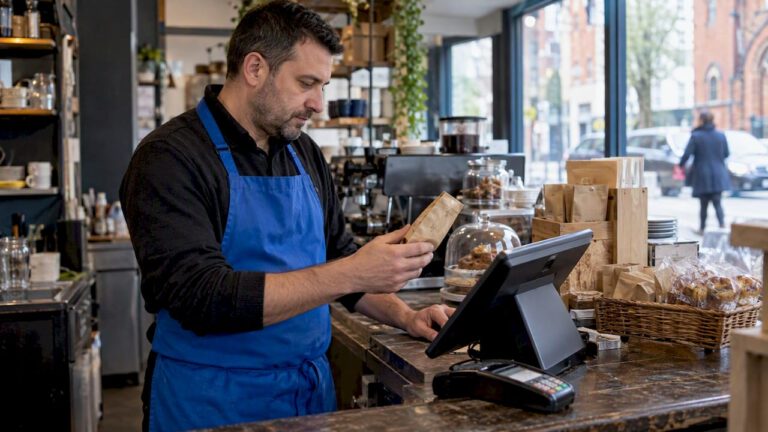
Effective EPOS training is the single biggest factor in whether your new system pays off or creates chaos at the till. EPOS, short for Electronic Point of Sale, is the digital system that handles transactions, stock, and reporting in one place. Getting it right means your team processes sales quickly, makes fewer errors, and serves customers without hesitation. This guide covers how to train staff on EPOS using role-specific methods, micro-lessons, and hands-on drills that actually stick. Whether you manage a busy café, a clothing boutique, or a multi-site hospitality venue, the approach is the same: structured, practical, and built around real tasks.
What do you need before EPOS staff training begins?
Preparation determines whether training runs smoothly or falls apart on day one. Before your team touches the till, you need the right environment and materials in place.
The most important step is activating a sandbox or training mode on your system. Mock transactions in a safe practice environment significantly lower error rates and improve learning outcomes. Staff can make mistakes without affecting real sales data, which removes anxiety and speeds up learning.
Beyond the environment, gather these materials before your first session:
- Role-based user accounts with permissions set for each job type. Cashiers should only see the functions they need. Managers get access to reports and admin tools.
- Printed cheat sheets covering the five or six tasks each role performs daily.
- Sample receipts from real or mock orders, used as training targets.
- A short checklist for opening and closing procedures.
- A designated EPOS champion. This is the team member who receives deep training before go-live and becomes the first point of contact for questions. EPOS champions handle around 80% of staff queries after launch, which frees you up to manage the business.
Pro Tip: Choose your EPOS champion at least two weeks before go-live. Give them full admin access during the sandbox phase so they can troubleshoot confidently from day one.
Setting up role-based permissions that hide unnecessary buttons reduces cognitive load and improves training speed for new hires. A cashier who cannot accidentally open the refund or reporting screen is a cashier who learns faster. You can read more about simplifying your EPOS setup before training begins.
How to train staff on EPOS using role-specific methods
The most effective EPOS training guide separates staff by role and uses short, focused sessions rather than long group demonstrations. Separating cashier and manager training avoids confusion and wasted time, with each group focusing only on the functions they will actually use.
A structured session framework works well for most retail and hospitality teams. Role-specific training for restaurant and retail staff can be completed in around 60 minutes when time is divided across focused topics. Here is how to structure it:
- Screen navigation (10 minutes). Walk staff through the home screen, menu layout, and how to move between sections. Use the sandbox environment. Do not explain every button. Focus only on what their role requires.
- Order entry and product search (15 minutes). Cashiers practise entering orders, scanning barcodes, and applying discounts. Servers practise table selection and modifier entry. Use real product names from your catalogue.
- Payment processing (15 minutes). Cover cash, card, and split payments. Run mock transactions until each team member completes one without prompting.
- Error handling (5 minutes). Show staff how to void an item, cancel a transaction, and call for help. Keep this short. The goal is awareness, not mastery.
- Practical drills (15 minutes). Use printed receipts as targets. Receipt-based drills force staff to produce exact outputs, building muscle memory faster than screen walkthroughs alone.
For managers, add a separate 30-minute session covering end-of-day reports, stock adjustments, and user account management. Keep this completely separate from cashier training.
Pro Tip: Run cashier drills in pairs. One person acts as the customer, the other operates the till. Switching roles doubles practice time and builds empathy for the customer experience.

After the structured session, schedule shadow shifts. Shadow shifts help new staff translate training into real customer service skills by observing and then performing tasks under supervision during quieter trading periods. Gradually handing over register tasks during a live shift builds confidence far more effectively than any classroom exercise.
How to maintain EPOS proficiency after go-live
Training does not end on launch day. The first two weeks after go-live are when most errors occur and when good habits are either formed or lost.
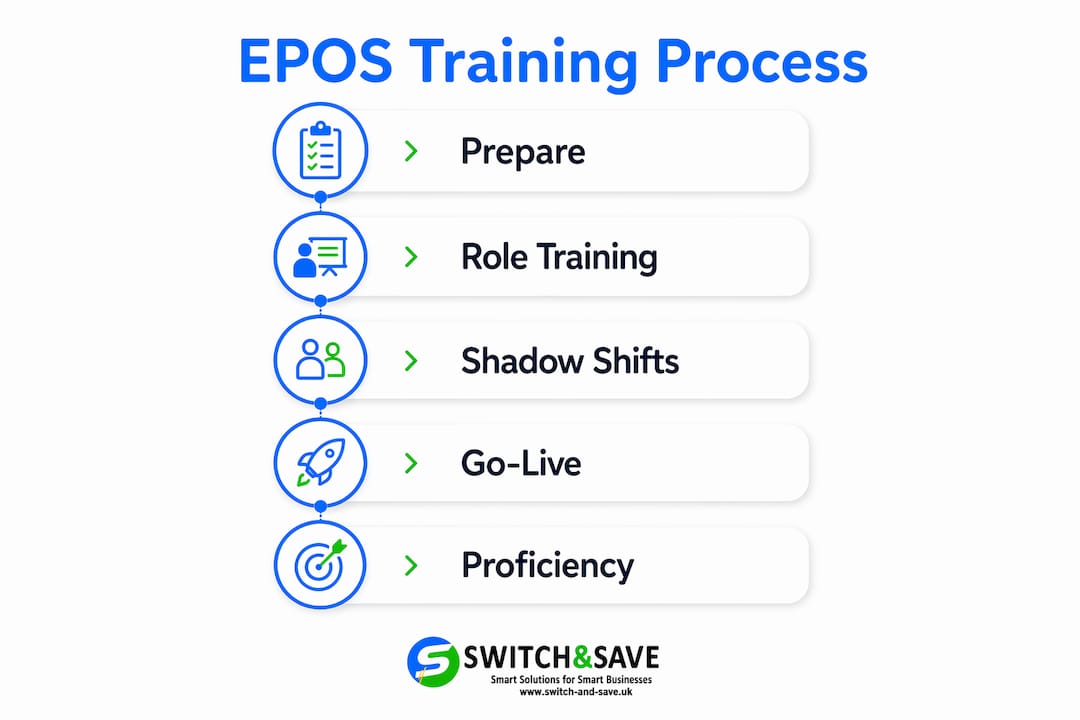
Keep the sandbox environment active for at least 30 days post-launch. Staff who encounter an unfamiliar scenario during a quiet moment can practise without risk. Run a short feedback survey around 10 days after launch to identify which tasks are still causing problems. Target your follow-up training sessions at those specific gaps rather than repeating the full programme.
Place a laminated one-page panic protocol at every till. A simple one-page checklist covering 3–5 common issues, such as card reader failures, voided transactions, and receipt printer errors, helps staff manage problems calmly during busy periods. The protocol should include who to call and what to try first.
Your EPOS champion plays a central role here. Structure their ongoing responsibilities clearly:
- Daily: Answer first-line questions from the team and log recurring issues.
- Weekly: Review error logs and flag patterns to management.
- Monthly: Run a 10-minute refresher drill for new starters or after any system update.
“Hands-on experience during quiet shifts with real transactions is the single most effective training tool available. Video tutorials and online guides cannot substitute for actual till usage.” — smartpubtools.com
Tracking errors through your EPOS reporting dashboard also helps. Well-trained staff produce fewer voids, fewer price overrides, and shorter transaction times. If those numbers are not improving after two weeks, your training approach needs adjusting, not your staff.
What training pitfalls should you avoid with EPOS onboarding?
Most EPOS training failures come from the same handful of mistakes. Recognising them before you start saves you from repeating them.
- Long passive sessions. A 90-minute group demonstration is the least effective way to train staff on a POS system. Micro-lessons of 5–10 minutes spread across a week improve retention and confidence far better than a single long session.
- Mixing roles in the same session. Training cashiers and managers together creates confusion. Each group ends up learning functions they do not need and missing the ones they do.
- Using abstract demos instead of real transactions. Showing staff a pre-recorded walkthrough teaches them what the system looks like, not how to use it. Always use live or sandbox transactions with real product data.
- Skipping permissions setup. Giving all staff full system access during training exposes them to screens they do not need. This slows learning and increases the chance of accidental errors. Role-based permissions simplify the interface and speed up skill development.
- Training in large groups. Groups of more than four people reduce individual practice time significantly. Aim for groups of two to three for hands-on sessions.
Pro Tip: Print a sample receipt before each training session and use it as the target output. Staff know they have succeeded when their transaction produces an identical receipt. This removes ambiguity and builds accuracy fast.
Understanding how EPOS systems reduce errors in retail gives you a clearer picture of what good training is actually protecting against. Small errors at the till add up quickly across a week of trading.
Key takeaways
Effective EPOS staff training requires role-specific sessions, hands-on drills with real transactions, a designated EPOS champion, and ongoing post-launch support to build lasting proficiency.
| Point | Details |
|---|---|
| Prepare before training | Set up a sandbox environment, role-based accounts, and printed cheat sheets before any session begins. |
| Train by role, not by group | Separate cashier and manager training to avoid confusion and focus each session on relevant tasks only. |
| Use receipt-based drills | Printed receipts give staff a clear target output and build muscle memory faster than screen walkthroughs. |
| Appoint an EPOS champion | A dedicated champion handles around 80% of post-launch queries and keeps the team confident after go-live. |
| Keep training active post-launch | Run a 10-day feedback survey, maintain sandbox access, and use a laminated panic protocol at every till. |
Why I think most EPOS training fails before it even starts
The honest truth is that most managers treat EPOS training as a one-off event rather than a process. They book a vendor demo, gather the whole team, and expect everyone to be confident by closing time. That approach rarely works.
What I have seen work consistently is building training around the actual tasks each person performs on a given shift. A cashier does not need to know how to run an end-of-day report. A manager does not need to practise scanning barcodes for 20 minutes. When you separate those two things, training becomes shorter, clearer, and far less stressful for everyone involved.
The EPOS champion idea is the one I recommend most strongly. Giving one capable team member deep system knowledge before launch changes the entire dynamic. Staff stop coming to you with every question. The champion becomes a genuine resource, and their confidence spreads through the team naturally.
Receipt-based drills are the other thing most training guides overlook. Telling someone how to process a transaction is very different from handing them a printed receipt and saying “make the system produce this.” The second approach creates accountability and builds real skill. It also makes it immediately obvious when someone is guessing rather than understanding.
Balancing training time with daily operations is the practical challenge. Short sessions of 10–15 minutes during quieter periods cause far less disruption than pulling staff off the floor for an hour. If your system supports a reliable EPOS software environment with a proper training mode, use it every day for the first two weeks. The investment in time pays back quickly in fewer errors and faster service.
— Amir
Switch-and-save EPOS systems built for retail and hospitality teams
Training your staff is much easier when the system itself is designed to be learnt quickly. Switch-and-save provides EPOS systems for retail and hospitality that combine intuitive software, role-based permissions, and UK-based support to make onboarding straightforward from day one.

Whether you run a single shop or a multi-site hospitality business, Switch-and-save has a package to match. From the SSPOS software that supports training mode and real-time reporting, to complete EPOS bundles that arrive ready to use, every solution is built with your team’s learning curve in mind. Book a free demo and see how quickly your staff can get up and running.
FAQ
How long does EPOS training take for new staff?
A structured, role-specific session takes around 60 minutes, covering navigation, order entry, payments, error handling, and practical drills. Shadow shifts during quiet trading periods then reinforce those skills over the following week.
What is an EPOS champion and do I need one?
An EPOS champion is a team member trained deeply on the system before go-live who handles first-line queries from colleagues. Champions resolve around 80% of post-launch staff questions, reducing the burden on managers significantly.
Should cashiers and managers be trained separately?
Yes. Separating cashier and manager training avoids confusion, keeps sessions focused, and prevents staff from being exposed to system functions they do not need. Cashiers train on transactions and payments; managers train on reports and administration.
What is the best way to practise EPOS without affecting real sales?
Use a sandbox or training mode environment, which most modern EPOS systems support. This allows staff to run mock transactions, make mistakes, and build confidence without touching live sales data.
How do I keep staff confident on EPOS after the initial training?
Keep the sandbox active for at least 30 days, place a laminated panic protocol at each till, and run a short feedback survey around 10 days after launch to identify and address any remaining gaps.