
Upgrading your POS system, or EPOS (Electronic Point of Sale) system as it is formally known in the UK trade, is one of the most direct ways to improve how your retail or hospitality business runs day to day. A modern EPOS system handles faster transactions, real-time inventory tracking, PCI DSS compliance, and cloud-based reporting, all in one place. If your current setup is slow, limited, or no longer receiving software updates, the cost of staying put is almost certainly higher than the cost of switching. This guide covers the key reasons to upgrade your POS system, what the process looks like, and how to plan a smooth transition.
Why upgrade your POS system: the operational case
The most immediate benefit of a POS upgrade is speed at the till. 86% of consumers avoid shops with long queues at registers. That single figure should focus the mind of any retail or hospitality manager. Slow checkout is not just an inconvenience; it is a direct cause of lost revenue.
Beyond speed, a modern EPOS system removes the manual work that quietly drains your team’s time. Here are the core operational gains you can expect:
- Faster checkout. Touchscreen terminals and barcode scanning cut transaction times significantly compared to legacy keypads and paper-based processes.
- Real-time inventory sync. Stock levels update automatically with every sale, so you avoid overselling and can reorder before you run out.
- Fewer human errors. Automated pricing and product lookups replace manual data entry. Small errors add up across hundreds of transactions a week.
- Better staff workflow. Unified POS platforms consolidate sales, inventory, and customer data in one screen, so staff spend less time switching between systems and more time serving customers.
- Higher system reliability. Legacy hardware degrades gradually. Modern EPOS systems are built on current components with active manufacturer support.
Pro Tip: Run a timed checkout audit during a busy period before you upgrade. Record average transaction times and queue lengths. That baseline makes it easy to measure the improvement after your new system goes live.
A unified POS ecosystem also reduces the daily technical issues that pull staff away from customers. When your till, stock management, and reporting all talk to each other, the friction disappears.

How do modern POS upgrades protect your business from security risks?
Security is the reason many businesses are forced into an upgrade rather than choosing one. Legacy POS systems stop receiving critical updates, which creates data security and compatibility risks that grow worse over time. Running an unsupported system is not a neutral decision; it is an active risk.
The key security and compliance benefits of upgrading include:
- PCI DSS compliance. Meeting PCI DSS standards protects your business from fines and shields your customers’ payment data from breaches. Non-compliance can result in significant financial penalties and reputational damage.
- Automatic software patching. Cloud-based EPOS systems receive security updates automatically. You do not need an IT team to apply patches manually.
- Reduced breach exposure. Modern systems use end-to-end encryption and tokenisation for card payments. Older systems often lack both.
- Vendor support continuity. When your system is actively supported, you have a provider to call when something goes wrong. With a legacy system, that support is gone.
The risk of inaction: An outdated POS system without vendor support is not just a technical inconvenience. It is a liability. A single data breach can cost far more than any upgrade.
The security risks of outdated systems are not theoretical. Payment card data is a high-value target, and older systems are easier to exploit. Upgrading removes that exposure and gives you a defensible compliance position.
What financial and strategic benefits do POS upgrades offer?
The return on investment from a POS upgrade goes well beyond the hardware cost. Modern POS features such as dual pricing, cash discount programmes, and real-time inventory synchronisation directly reduce operating costs and processing fees. That saving compounds across every transaction you process.
Cloud-based analytics give you real-time visibility into which products sell, when your busiest periods are, and where stock is being wasted. Better data leads to better buying decisions, tighter margins, and less dead stock sitting on shelves.
| Factor | Legacy POS system | Modern EPOS system |
|---|---|---|
| Transaction speed | Slow, prone to queues | Fast, touchscreen-driven |
| Inventory management | Manual, error-prone | Automated, real-time sync |
| Security updates | None after end of life | Automatic via cloud |
| Reporting | Basic, end-of-day only | Real-time, remote access |
| Processing fees | Standard rates only | Dual pricing options available |
| Vendor support | Limited or none | Active UK-based support |
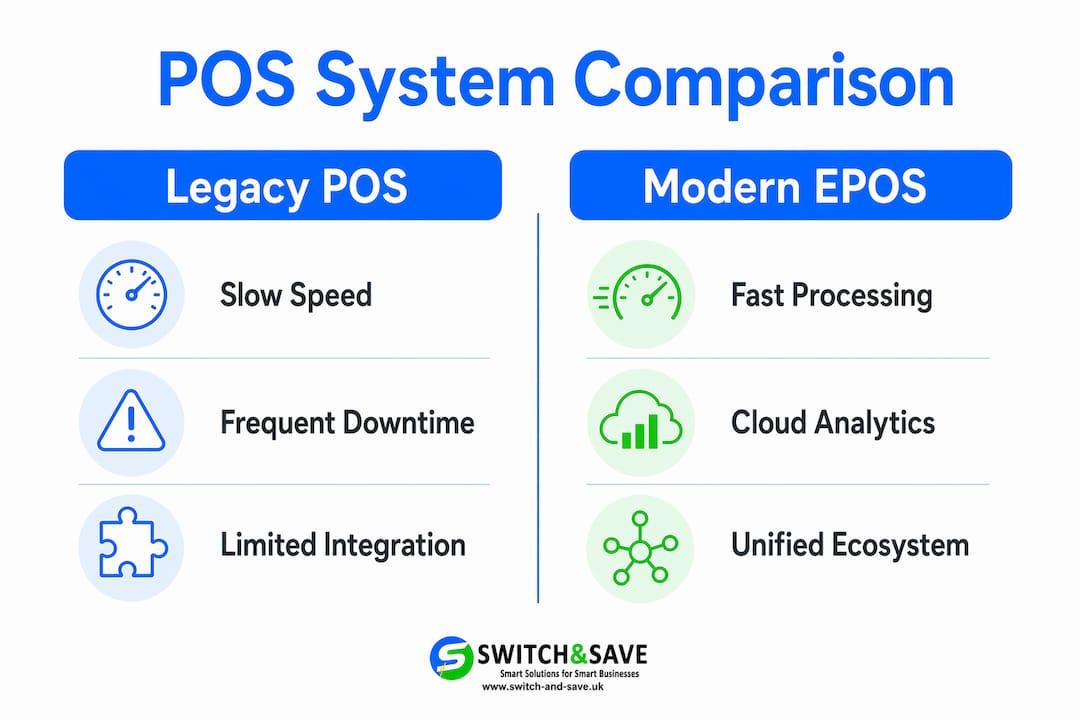
The ROI of a POS upgrade includes operational efficiency, peace of mind, and better decision-making. These are harder to put a number on than hardware costs, but they are real and they accumulate every day. A business that knows exactly what it sold yesterday, what it has in stock today, and what its busiest hour is next week makes sharper decisions than one flying blind.
Pro Tip: When comparing upgrade costs, calculate your total cost of ownership over three years. Include recurring SaaS fees and infrastructure alongside the upfront hardware price. That three-year view gives you a fair comparison against your current system’s true running cost.
Understanding how a modern POS increases sales is also worth exploring before you commit to a specific system. Loyalty features, upsell prompts, and faster service all contribute to higher average transaction values.
When should you plan a POS upgrade?
The right time to upgrade is before your current system forces your hand. POS performance deteriorates gradually, so waiting for a complete failure means you will face an emergency migration under pressure, with no time to train staff or clean your data properly.
Watch for these signs that an upgrade is overdue:
- Slow processing times. If your till takes more than a few seconds to complete a transaction, your hardware or software is struggling.
- Limited payment options. Customers expect contactless, mobile wallets, and split payments. If your system cannot handle them, you are losing sales.
- Poor integration. If your POS does not connect to your accounting software, online shop, or stock management tool, you are doing manual reconciliation work that should not exist.
- No vendor support. If your provider no longer offers updates or a support line, your system is already end-of-life.
- Frequent crashes or errors. Occasional glitches become daily disruptions as legacy hardware ages.
Once you have decided to upgrade, the transition itself needs a plan. Data hygiene before migration is critical. Audit your product catalogue, customer records, and pricing data before you move anything across. Messy data migrated to a new system is still messy data, and it causes errors from day one.
Pro Tip: Schedule your go-live date during a quieter trading period, not your busiest week. Run both systems in parallel for a short period if your provider allows it. That overlap gives your team confidence and catches any data gaps before they affect customers.
Staff training is the other variable that determines whether an upgrade succeeds or stumbles. A well-designed EPOS system is intuitive, but your team still needs time to practise before they use it in front of customers. Build that time into your project plan. When choosing the right POS system for your business, prioritise providers that offer hands-on onboarding support rather than just a manual.
Key takeaways
Upgrading your EPOS system is not a cost to manage. It is an investment that pays back through faster service, lower risk, and sharper business decisions every single day.
| Point | Details |
|---|---|
| Speed drives revenue | 86% of consumers avoid shops with long queues, making faster checkout a direct sales lever. |
| Security cannot wait | Legacy systems without updates create compliance gaps and data breach risks that grow over time. |
| ROI is broader than hardware | Savings from dual pricing, real-time analytics, and fewer errors outweigh upfront upgrade costs. |
| Plan before you are forced to | Gradual system decline erodes profit quietly; proactive upgrades avoid emergency disruptions. |
| Data hygiene matters | Cleaning records before migration prevents errors and operational disruption on go-live day. |
The case for upgrading before you have to: Amir’s view
Most business owners I speak to have the same instinct: wait until the system actually breaks. I understand it. Upgrading feels disruptive, and the upfront cost is visible in a way that the slow drain of an ageing system is not. But that instinct is expensive.
The businesses that struggle most with POS transitions are the ones that waited too long. They migrate under pressure, with no time to clean their data, train their staff, or evaluate their options properly. They end up paying more, not less, because urgency removes negotiating power and careful planning.
The businesses that get it right treat their EPOS system as the backbone of their operation, not a piece of hardware to be replaced when it stops working. They upgrade on their own timeline, with proper preparation, and they come out the other side with better data, faster service, and a team that actually knows how to use the new system.
The features a modern POS system should have in 2026 have moved well beyond basic transaction processing. Real-time cloud reporting, AI-assisted stock management, and integrated payment processing are now standard expectations, not premium add-ons. If your current system cannot deliver them, your competitors’ systems probably can.
Upgrade on your terms, not your system’s.
— Amir
Switch-and-save EPOS systems for retail and hospitality
Switch-and-save works with UK retail and hospitality businesses that are ready to move on from systems that are holding them back.

The Switch-and-save EPOS systems range covers everything from standard retail setups to full hospitality EPOS solutions with table management and kitchen display integration. Every system includes AI-powered software, real-time cloud reporting, and UK-based support from a team that understands the pressures of running a busy shop or restaurant. If you want to see how the system works before you commit, Switch-and-save offers free demos with no obligation. Get in touch to book yours.
FAQ
Why upgrade a POS system rather than repair the old one?
Older systems stop receiving security updates and become incompatible with modern payment methods. Repair costs on legacy hardware typically exceed the cost of a planned upgrade within a short period.
What does PCI DSS compliance mean for my business?
PCI DSS is the payment card industry data security standard. Meeting it protects your customers’ card data and shields your business from fines and reputational damage caused by a breach.
How long does a POS upgrade take?
The timeline depends on the size of your operation and how much data needs migrating. Most small to medium retail or hospitality businesses complete a transition within a few days to a couple of weeks, including staff training.
What are the hidden costs of upgrading a POS system?
Beyond hardware, total costs include ongoing SaaS subscription fees, network infrastructure upgrades, and staff training time. A three-year total cost of ownership calculation gives you the clearest picture.
When is the right time to upgrade my EPOS system?
The right time is before your current system fails. Signs such as slow processing, limited payment options, and absent vendor support all indicate your system is already past its useful life.