Challenge 25 means asking for acceptable proof of age when someone who looks under 25 tries to buy a product covered by your policy. For alcohol, the minimum purchase age is 18. An EPOS prompt reminds staff to make the check before completing the sale, while the cashier checks the proof of age and decides whether the item can be sold.
| Situation at the till | What staff should do |
|---|---|
| A restricted item triggers a prompt | Pause and apply the shop’s policy for that product. |
| The customer looks under 25 and the policy applies | Ask for acceptable proof of age before completing the restricted sale. |
| The customer provides acceptable proof | Check it belongs to them and confirms they meet the minimum age for the product. |
| The customer cannot prove their age when asked | Refuse the restricted item and record the reason according to shop policy. |
| An item you expected to trigger a check scans without a prompt | Apply the age check and flag the product record for review. |
What does Challenge 25 mean for UK retailers?
Challenge 25 gives staff a clear point at which to ask for proof of age. At an off-licence using the policy, a customer who looks 23 should expect to be asked for ID when buying wine. If acceptable proof confirms they’re at least 18 and the other conditions for the sale are met, the cashier can continue. The same routine should apply whether the shop is quiet or the queue reaches the door.
How do alcohol age checks differ across the UK?
| Where you trade | What to check for in-store alcohol sales |
|---|---|
| England and Wales | Licensed premises must have an age-verification policy. The mandatory condition sets a minimum challenge threshold of apparent age under 18. Your policy may set a higher threshold, and you should check your premises licence for any specific conditions. GOV.UK |
| Scotland | The mandatory age-verification policy for alcohol sales on the premises must cover customers who appear under 25. The policy can set a higher threshold. gov.scot |
| Northern Ireland | Retailers must verify the age of customers who may be under 18. Official business guidance recommends asking for ID when a customer looks under 25. nibusinessinfo.co.uk |
Give staff a short reference for your shop that sets out which products need a check, the applicable minimum ages, what proof you accept and who to call for help. Use the rules for your location and product when writing that reference. If you plan to accept digital proof of age for alcohol in England or Wales, check the current Home Office conditions and train staff on the approved checking process before introducing it.
How does an EPOS age check work at the till?
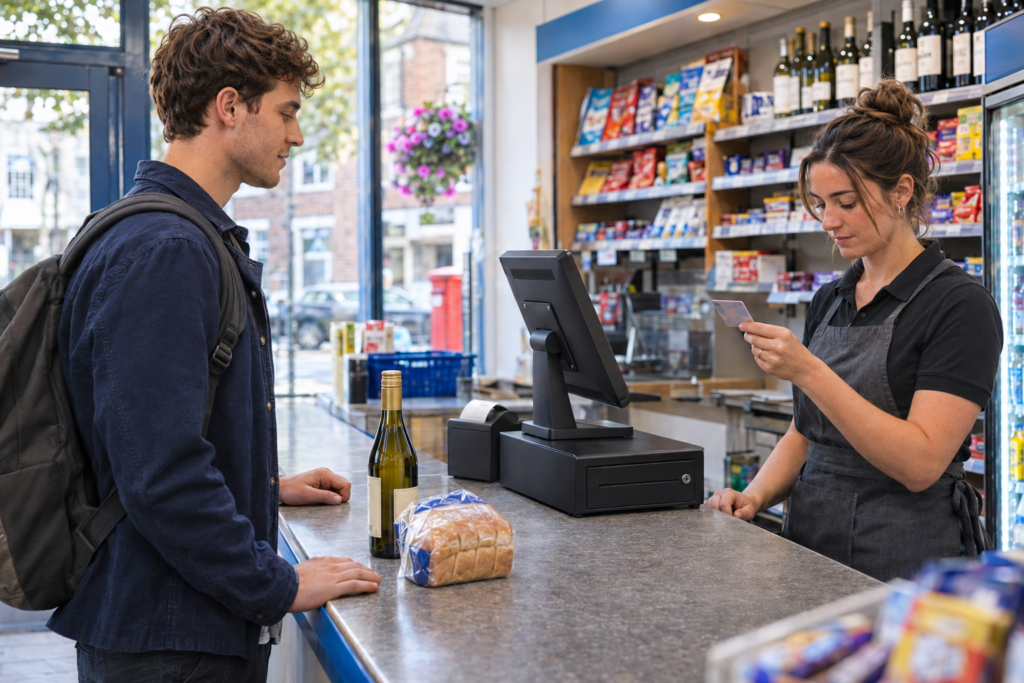
Imagine a customer at a Birmingham convenience store buying bread, milk and a bottle of wine. The bread and milk scan as usual. When the cashier scans the wine, the till displays an age-check prompt. Under the shop’s Challenge 25 policy, the cashier asks for acceptable proof of age if the customer looks under 25. In Switch&Save EPOS (Retail), the convenience-store setup can prompt for a date of birth as part of that check.
What should the cashier do when the prompt appears?
- Pause on the restricted item. Identify what triggered the prompt and apply the policy for that product.
- Ask for proof of age when required. A simple line works well. “Can I see proof of age for the wine, please?”
- Check the evidence. For physical ID, check the photograph, date of birth and relevant security features against your policy and the applicable rules.
- Complete or refuse the restricted sale. If the customer meets the age requirement and the sale can proceed, follow the till’s confirmation step. If the required proof is unavailable, refuse the item and follow the shop’s recording process.
In the example above, if the customer has no acceptable proof, the cashier removes the wine and can still offer to complete the sale of the bread and milk. Practise this mixed-basket example in training so staff know how to remove the restricted item, record the refusal and check the revised total before taking payment.
How do you set up age checks for the right products?
Start with the products you actually sell. An off-licence might start with beer, cider, wine and spirits. A newsagent may also need to check how tobacco and lottery products are handled. Make a list for your shop and confirm which requirements apply to each product and location. Then check that the product records match that list. News Returns & Age Checks
What should you test before a product goes on sale?
- Scan the actual barcode, including new pack sizes and multipacks.
- Select the item using a till shortcut or product search if staff can sell it that way.
- Try it in a basket with everyday groceries and check that staff can identify the restricted item.
- Practise recording a refusal and completing the rest of the basket.
- Repeat the test on other tills where the item will be sold.
A newly delivered cider multipack may have a different barcode from the single can already in your catalogue. Test it before it reaches the shelf. Give the person who adds new products a clear way to flag restricted lines and a named colleague to check them. That makes the process easier to maintain when stock changes.
For retailers choosing a system, ask to see the full checkout process with a few of your own products. Switch&Save offers age-check features for shops and off-licences through our convenience store EPOS. If you sell newspapers, magazines and scratchcards, see our newsagent EPOS. Off-Licence & Newsagent
What should staff record when they refuse a sale?
Use the refusal register your shop has agreed on, whether it’s at the till or in a separate log. Set out what staff should record in line with your procedures and any applicable licence conditions. Useful fields can include the date and time, the product or category, the reason for refusal and the staff member or till involved. Switch&Save’s convenience-store setup supports refusal logging.
How can a manager use the refusal log?
Look for issues you can act on. If a new product repeatedly needs a manual check, review how it was set up. If staff are unsure what to do after removing an item, practise the transaction with them. A quiet log on its own tells you little about whether staff have followed the policy, so review it alongside training and spot checks on the tills.
Give staff a clear escalation route if a customer disputes a refusal or they suspect someone is buying alcohol for an underage person. Practise who calls the manager and what staff should say while waiting for help. Keep the refusal note factual and focused on what happened at the counter.
How can you train staff for a busy shift?
Run short practice transactions before new or temporary staff serve customers on their own. Ask them to handle a customer who looks under 25 and shows acceptable proof, a customer who has no proof and a mixed basket where the restricted item must be removed. Then give them a product that should trigger a check and ask what they would do if the prompt were missing.
Use the same wording at each checkout and put signs where customers can see them before paying. Give staff time to find the refusal register and try a practice entry. If you change a till setting or take on a new restricted product, ask someone on the next shift to repeat the test. That gives you a check on how the procedure works when the usual manager is away.
See Challenge 25 at the till with Switch&Save. Call 0333 038 9707 to book a demo.
Bring a few product examples and we’ll walk through the age prompt, a mixed basket and a refused sale.
What else do retailers ask about Challenge 25?
Can a 20-year-old buy alcohol under Challenge 25?
Yes. A 20-year-old can meet the minimum purchase age of 18. If they look under 25 and the policy applies, staff should ask for acceptable proof of age before completing the sale. GOV.UK
What if the till doesn’t display an age prompt?
Apply the shop’s policy to the product and tell the person responsible for the till setup. Ask them to check the product record, barcode and any shortcuts used to sell it.
Can a customer still buy the rest of their shopping after a refusal?
Yes, if the remaining items can be sold. Remove the refused item, record the refusal according to your procedure and confirm the updated basket total before taking payment.
Can Switch&Save EPOS record a refused sale?
The Switch&Save convenience-store setup supports refusal logging. Ask to see where staff enter a refusal and how a manager reviews it during your demo. Off-Licence & Newsagent