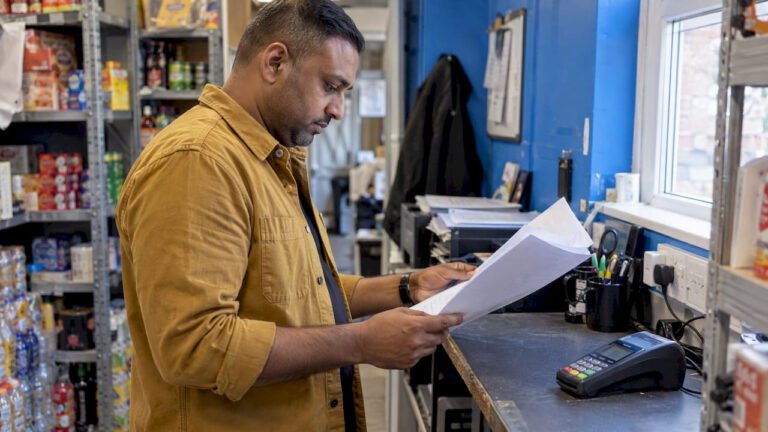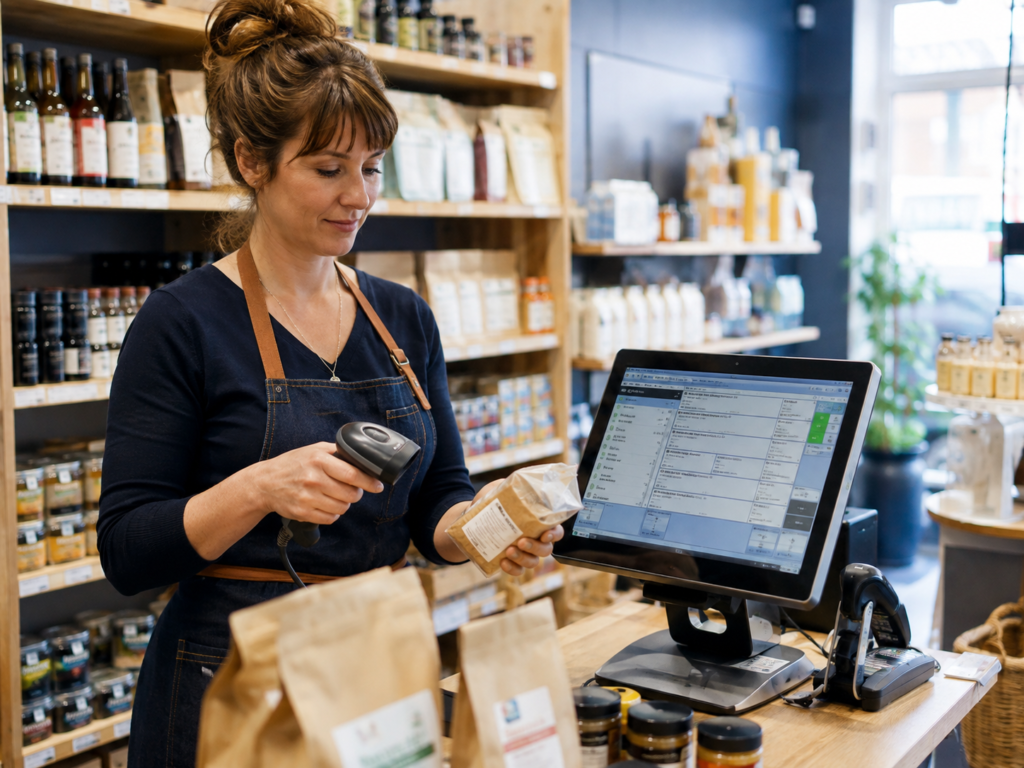
EPOS stands for Electronic Point of Sale. It is a combination of hardware and software that businesses use to process sales, accept payments, manage products, monitor stock and produce reports.
Unlike a basic cash register, an EPOS system records detailed information about every transaction. It can show what was sold, how the customer paid, which employee completed the sale and how much stock remains.
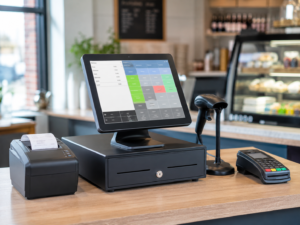
For most UK retail, hospitality and takeaway businesses, EPOS acts as the central system used to manage day-to-day sales activity. A modern EPOS setup may include a touchscreen till, receipt printer, barcode scanner, cash drawer and integrated card machine.
Key Takeaways
| Question | Direct answer |
|---|---|
| What does EPOS stand for? | Electronic Point of Sale. |
| What does an EPOS system do? | It processes sales and can manage payments, products, stock, staff and reports. |
| Is EPOS the same as a till? | EPOS includes till functions but normally offers more features than a basic cash register. |
| Can EPOS connect to a card machine? | Yes. Integrated card payments can send the sale amount directly to the terminal. |
| Does EPOS track stock? | Most retail and hospitality EPOS systems include stock-control functions. |
| Is EPOS suitable for small businesses? | Yes. It can support businesses ranging from one independent shop to multi-branch operations. |
What Does EPOS Mean?
EPOS means Electronic Point of Sale.
The point of sale is the place where a customer pays for a product or service. In a shop, this is usually the checkout counter. In a restaurant, it may be the till used to enter orders and take payments.
An electronic point-of-sale system digitises this process. Instead of using a basic cash register to record only the value of a sale, EPOS software stores detailed transaction information.
For example, when a customer buys a sandwich and drink from a café, an EPOS system can record:
- The products purchased
- The price of each item
- Any discount applied
- The payment method
- The staff member who processed the sale
- The time of the transaction
- The remaining stock quantity
This information can then be used in sales reports, stock calculations and business performance reviews.
How Does an EPOS System Work?
An EPOS system works by connecting sales software with the hardware used at checkout.
When a sale is processed, the employee selects products on a touchscreen or scans their barcodes. The system calculates the total, applies any tax, discount or promotion and records the chosen payment method.
A typical transaction works as follows:
- The employee selects or scans the products.
- The EPOS software calculates the transaction total.
- The customer pays by cash, card or another supported method.
- The system records the completed sale.
- Product stock levels are updated.
- A receipt is printed or sent electronically.
- The transaction appears in the relevant sales reports.
If the card machine is integrated with the EPOS system, the payment amount may be transferred directly to the terminal. This removes the need for the employee to type the amount into the card machine manually.
What Equipment Does an EPOS System Include?
An EPOS system can be configured differently depending on the business.
Touchscreen terminal or tablet
The touchscreen is the main interface used to enter sales, access products and complete transactions.
Some businesses use a dedicated EPOS terminal, while others use a tablet mounted on a stand.
Receipt printer
A receipt printer produces a record of the customer’s purchase. Hospitality businesses may also use separate kitchen or preparation printers.
Cash drawer
The cash drawer stores notes and coins. It can be connected to the system so that it opens automatically when a cash payment is completed.
Barcode scanner
Retail businesses use barcode scanners to find products and add them to a transaction quickly.
Card machine
A card terminal allows businesses to accept contactless, chip-and-PIN and supported mobile wallet payments.
Switch & Save provides [card payment solutions]([INSERT CARD PAYMENT SOLUTIONS URL]) that can be used alongside suitable EPOS setups.
Customer display
A customer-facing screen can show purchased items, prices and the amount due. Some displays may also show promotions or loyalty information.
Label or kitchen printer
Retailers may need shelf or product labels, while cafés, restaurants and takeaways may require order tickets for kitchens or preparation areas.
What Can EPOS Software Do?
The capabilities of an EPOS system depend on the software and package selected.
Most modern systems include several of the following functions.
Process transactions
EPOS software records cash, card and other supported payment types. It calculates totals and can handle discounts, refunds and split payments.
Manage products and prices
Businesses can create product records containing information such as:
- Product name
- Selling price
- Cost price
- Barcode
- Category
- VAT treatment
- Stock quantity
Prices can be updated without replacing physical till buttons or manually changing every register.
Track stock
When a product is sold, the EPOS system can automatically reduce its stock quantity.
More advanced systems may also support:
- Low-stock warnings
- Purchase deliveries
- Supplier records
- Stock adjustments
- Damaged or expired stock
- Stock transfers
- Product movement history
Produce reports
An EPOS system can provide reports covering:
- Daily sales
- Weekly or monthly performance
- Sales by product
- Sales by category
- Payment methods
- Discounts
- Refunds
- Staff activity
- Busy trading periods
- Stock movement
These reports give business owners more useful information than a single end-of-day total.
Manage employee access
Each employee can have a separate login or access level.
For example, a cashier may be allowed to process sales but not change product prices. A supervisor may be able to authorise refunds, while the owner has access to reports and administrative settings.
Support promotions and loyalty schemes
Some EPOS systems allow businesses to create:
- Percentage discounts
- Multi-buy offers
- Time-based promotions
- Customer loyalty points
- Member pricing
- Voucher codes
This can make promotions easier to manage consistently across the business.
EPOS System Versus a Traditional Till
A traditional till or cash register mainly records payments and stores cash. An EPOS system provides broader operational functions.
| Feature | Traditional till | EPOS system |
|---|---|---|
| Processes basic sales | Yes | Yes |
| Stores cash | Yes | Yes |
| Prints receipts | Usually | Yes |
| Product database | Limited | Yes |
| Stock tracking | Usually limited | Yes |
| Detailed reports | Limited | Yes |
| Card integration | Rare | Available |
| Staff permissions | Basic or unavailable | Available |
| Loyalty functions | Rare | Available |
| Multi-location management | Usually unavailable | Available |
| Remote access | No | Available on cloud systems |
A traditional till may still be suitable for a business with a very small range of products and simple transactions.
However, an EPOS system is generally more useful when a business needs better visibility over stock, employees, sales and payment activity.
You can explore this comparison in more detail in our guide to [cash registers versus EPOS systems]([INSERT CASH REGISTER VS EPOS BLOG URL]).
What Are the Benefits of an EPOS System?
Faster checkout
Products can be selected from organised touchscreen categories or scanned by barcode. This helps employees process transactions more efficiently.
Fewer manual-entry errors
Integrated product prices reduce the need for staff to remember or manually enter amounts.
When card payments are integrated, the sale total can be sent directly to the terminal, reducing the chance of entering the wrong amount.
Better stock visibility
EPOS stock information can help businesses identify which products need to be reordered and which items are selling slowly.
Clearer business reporting
Owners can review sales by date, product, category, employee or payment type.
This helps answer practical questions such as:
- Which products generate the most sales?
- What time of day is busiest?
- How many refunds were processed?
- How much revenue came from card payments?
- Which items may need to be reordered?
Improved staff accountability
Individual employee accounts create a clearer record of sales, refunds, discounts and other till activity.
Easier business growth
A suitable EPOS system can often support additional products, tills, users or branches as the business grows.
How Is EPOS Used in Different Businesses?
Retail shops
Retail EPOS systems commonly provide barcode scanning, product databases, stock tracking and sales reporting.
For example, a convenience store can scan products at checkout while the system updates stock automatically.
Cafés and coffee shops
A café can organise drinks, food and extras into clear touchscreen categories.
Employees may select a latte, choose its size, add an extra shot and send the completed order to the preparation area.
Restaurants
Restaurant EPOS software may support table management, menu options, kitchen printing, split bills and different service areas.
Takeaways
A takeaway can use EPOS to manage collection, delivery and counter orders.
Orders can include customer details, product choices, preparation notes and payment status.
Bars and pubs
An EPOS system can help bar staff locate drinks quickly, process transactions and track product sales during busy periods.
Grocery shops
Barcode scanning and stock management are particularly useful for businesses selling a large number of products.
Mobile phone shops
Mobile and electronics retailers may use EPOS to track devices, accessories, staff activity and product stock.
Switch & Save offers AI-powered EPOS systems designed for UK retail and hospitality businesses.
How Does EPOS Card Payment Integration Work?
Card payment integration connects the EPOS software with the payment terminal.
Without integration, the employee enters the transaction into the EPOS system and then types the total into the card machine.
With integration, the process is more connected:
- The employee completes the order on the EPOS screen.
- The sale amount is sent to the card terminal.
- The customer taps or inserts their card.
- The terminal confirms whether the payment was approved.
- The EPOS system records the payment result.
This may help reduce:
- Incorrect payment amounts
- Duplicate data entry
- Checkout delays
- End-of-day reconciliation differences
Integration can be especially valuable for busy cafés, takeaways, bars and retail shops.
What Is a Cloud-Based EPOS System?
A cloud-based EPOS system stores or synchronises business information through online services.
This may allow an authorised owner or manager to access reports remotely through a browser or management portal.
Cloud EPOS systems can make it easier to:
- Review sales away from the premises
- Manage more than one location
- Update products centrally
- Back up business information
- Receive software updates
- Monitor branch performance
However, business owners should ask how the system behaves when the internet connection is unavailable.
Some EPOS systems can continue processing certain transactions offline and synchronise data once the connection returns. The exact functionality depends on the provider.
An on-premises system stores most of its information locally at the business. It may offer less remote access but can suit businesses with particular technical or operational requirements.
How Much Does an EPOS System Cost?
EPOS pricing varies depending on the hardware, software and services included.
The cost may be influenced by:
- Number of terminals
- Type of hardware
- Software features
- Number of branches
- Card payment integration
- Installation
- Staff training
- Technical support
- Software subscriptions
- Hardware warranties
Some providers charge an upfront equipment cost, while others use monthly packages or rental agreements.
When comparing providers, businesses should look beyond the headline price.
A low-cost package may not include stock management, support, installation or essential integrations. A more complete system may cost more initially but reduce manual work and provide better operational control.
Businesses seeking funds for equipment, stock or expansion can also explore business finance options
How to Choose the Right EPOS System
Before choosing an EPOS provider, consider the following areas.
Your business type
Retail and hospitality businesses use EPOS differently. Choose software designed for your actual working environment.
Required features
Identify which functions are essential, such as:
- Barcode scanning
- Stock control
- Menu management
- Delivery orders
- Table management
- Loyalty
- Staff permissions
- Multi-branch reporting
Avoid paying for unnecessary functions, but make sure the system can support likely future needs.
Ease of use
The checkout screen should be clear and practical for employees. A complicated interface can slow down transactions and increase training requirements.
Payment integration
Ask which card machines and payment providers can connect to the system.
Offline operation
Confirm what happens when the internet connection fails. Ask whether sales can continue and how data is synchronised afterwards.
Support and training
Check whether the provider offers installation, staff training and technical assistance.
Ask about support hours, response channels and any additional charges.
Contract terms
Review the agreement carefully, including:
- Minimum term
- Cancellation conditions
- Hardware ownership
- Software fees
- Payment processing fees
- Upgrade costs
- Replacement arrangements
Data access
Ask how your product, sales and customer information is stored and whether it can be exported if you change systems.
Is EPOS Worth It for a Small Business?
For many small businesses, EPOS is worthwhile because it combines several operational functions in one system.
A basic cash register may be cheaper initially, but it may require the owner to manage stock, reporting and card reconciliation separately.
An EPOS system can be particularly valuable when the business has:
- A growing product range
- Several employees
- Regular card payments
- Stock that must be monitored
- Busy trading periods
- More than one till
- Plans to expand
The right system should make daily operations easier rather than introduce unnecessary complexity.
How Switch & Save Can Help
Switch & Save helps UK businesses reduce costs with AI-powered EPOS systems, card payment solutions and business finance.
Our solutions support retailers, cafés, restaurants, takeaways, bars, grocery stores, mobile shops and other small businesses looking to improve how they process payments and manage operations.
Whether you are replacing an old till or setting up your first business, we can help you compare EPOS features, payment options and potential costs.
Frequently Asked Questions
What does EPOS stand for?
EPOS stands for Electronic Point of Sale. It refers to the hardware and software used to process sales and manage transaction information.
Is EPOS just a till?
No. An EPOS system performs the basic functions of a till but can also manage products, stock, reports, employees and payment integrations.
Does an EPOS system accept cash?
Yes. EPOS systems can record cash payments and usually connect to a cash drawer.
Can EPOS accept card payments?
Yes. A card machine can be used alongside the system, and compatible terminals may be integrated directly with the EPOS software.
Does EPOS need the internet?
This depends on the system. Cloud-based EPOS platforms use an internet connection for synchronisation and remote functions, although some include offline capabilities.
Can EPOS track stock automatically?
Yes. When stock tracking is enabled, the system can reduce product quantities as items are sold.
Is EPOS suitable for a takeaway?
Yes. Takeaway EPOS systems can help manage counter, collection and delivery orders, as well as payments and preparation instructions.
Can an EPOS system produce VAT reports?
Many systems provide tax-related sales information, but the exact report format varies. Businesses should confirm the available reports and use a qualified accountant for tax advice.
Can I use EPOS in more than one branch?
Many cloud-based EPOS systems support multiple shops or branches. Owners may be able to review performance and manage products from a central portal.
What happens if the EPOS system stops working?
The answer depends on the provider, hardware and setup. Businesses should ask about offline mode, backups, replacement equipment and technical support before purchasing.