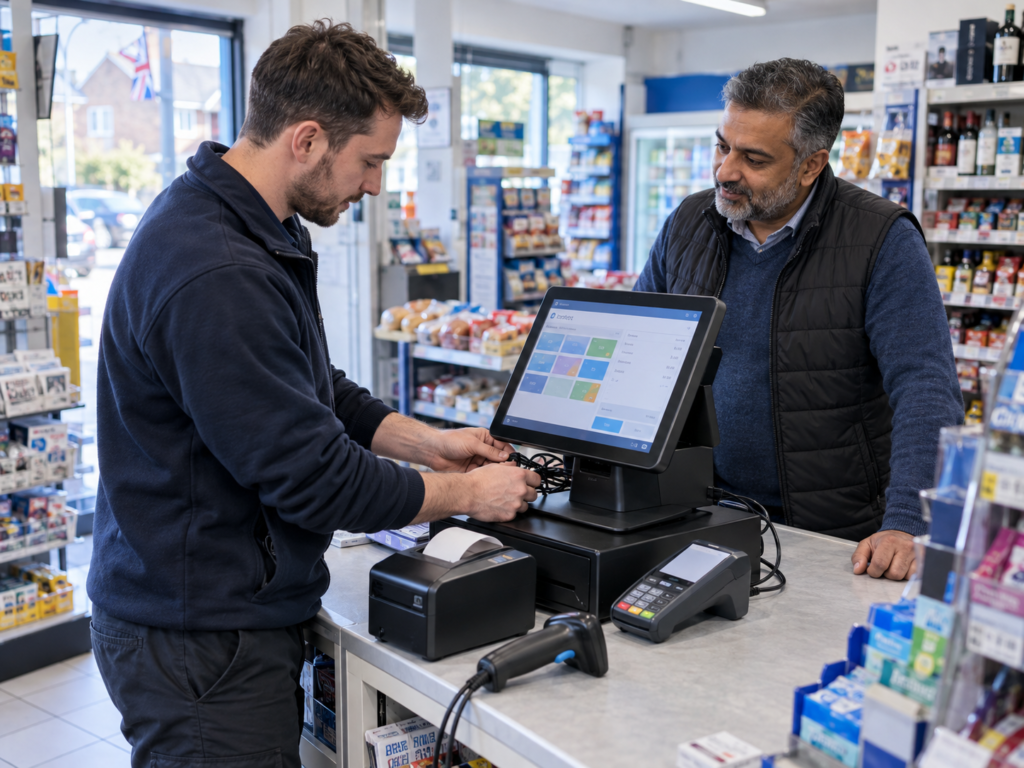
For most small UK businesses, installing a new EPOS system takes a few hours to one working day at the premises.
A straightforward single-till setup may be ready in two to four hours. A restaurant, busy takeaway or multi-till shop may need one to three days for installation, testing and staff training.
The full process can take several days or a few weeks when you include planning, product setup, data transfer, card payment approval and hardware delivery.
The quickest installations aren’t simply rushed. They’re prepared properly. If your products, menu, prices, VAT settings, internet connection and payment requirements are ready before installation day, you can start using your new EPOS system with very little disruption.
Key Takeaways
| Question | Short answer |
|---|---|
| How long does a simple EPOS installation take? | Often two to four hours for one till when everything is ready. |
| How long does a larger setup take? | One to three days may be needed for several tills or a complex hospitality setup. |
| What can delay installation? | Poor product data, menu changes, weak internet, cabling issues and third-party integrations. |
| Will staff need training? | Yes. Staff should practise sales, refunds, discounts, payments and cashing up. |
| Can the business stay open? | Often yes, using a staged installation or completing the work outside peak hours. |
| What makes installation faster? | Preparing accurate product or menu information before the appointment. |
How Long Does an EPOS Installation Usually Take?
There are two timelines to consider:
- The overall setup period
- The physical installation at your premises
The overall setup period may take several days or longer. It can include choosing your equipment, configuring the software, adding products and arranging card payments.
The physical installation is normally much quicker. A single countertop EPOS system may be installed and tested in half a day. Several tills, kitchen printers, card terminals or customer displays will take longer.
The final timeline depends on your business. A small café with 40 menu items is very different from a grocery shop with thousands of barcoded products.
What Happens During an EPOS Installation?
A proper installation involves more than placing a touchscreen on the counter. The system needs to match how your business operates.
1. Business and Site Review
The provider will check where each till will be positioned, whether there are enough power sockets and how the devices will connect to the internet.
For hospitality businesses, this may include table service, takeaway orders, menu modifiers and kitchen printing.
For retailers, the focus may be on barcode scanning, stock control, label printing and weighing scales.
2. Software Configuration
The software is configured with your:
- Business information
- Products or menu items
- Selling prices
- VAT rates
- Staff accounts
- User permissions
- Receipt details
- Payment methods
It’s better to complete most of this work before installation day. The installer can then concentrate on connecting equipment, testing transactions and training your staff.
3. Hardware Connection
Depending on your setup, the touchscreen or tablet may be connected to:
- A receipt printer
- A cash drawer
- A barcode scanner
- A weighing scale
- A card machine
- A kitchen or bar printer
- A customer-facing display
Not every business needs every device. The right EPOS system should be built around the way your business works.
4. Card Payment Setup and Testing
If your card machine is integrated, the EPOS system sends the transaction amount directly to the terminal. Your staff don’t need to enter the amount manually.
So, what happens when a customer taps their card?
The terminal processes the payment and sends the result back to the till. Approved, declined and cancelled transactions should all be tested. Refunds should also be tested where appropriate.
You can learn more about card machines for UK businesses before deciding whether an integrated or standalone terminal is right for you.
5. Staff Training and Final Checks
Your staff should practise the tasks they’ll use every day, including:
- Starting a sale
- Applying a discount
- Taking cash and card payments
- Printing receipts
- Correcting mistakes
- Processing refunds
- Closing the till
Managers may also need training on reports, staff permissions, stock adjustments and product changes.
Before the installer leaves, your team should complete several realistic test transactions from start to finish.
What Affects the Installation Time?
Several factors can make an EPOS installation faster or slower.
Number of Tills and Devices
Installing one till is usually faster than installing four. Every printer, scanner, cash drawer, card terminal and customer display needs to be connected and tested.
Devices installed in different areas may also require additional network or cabling work.
Product or Menu Data
Preparing your product or menu information can take longer than installing the hardware.
A café with a small menu can be configured fairly quickly. A convenience store may have thousands of products, barcodes, prices and VAT settings.
If you’re changing from another EPOS provider, ask whether your existing information can be exported. Before importing the data, check for:
- Duplicate products
- Missing barcodes
- Incorrect prices
- Old or discontinued items
- Incorrect VAT settings
Clean and accurate data can significantly reduce the setup time.
Type of Business
A basic retail transaction may only involve scanning a product, taking payment and printing a receipt.
Hospitality systems are often more complex. They may include:
- Table plans
- Split payments
- Menu modifiers
- Kitchen printing
- Bar printing
- Service charges
- Collection and delivery orders
For example, a restaurant may want food orders to print in the kitchen while drinks print at the bar. Both routes must be tested before a busy service begins.
Internet and Cabling
Your EPOS system may need internet access for cloud features, card payments, software updates and remote reporting.
Weak Wi-Fi, missing network points or restricted router settings can delay installation. Check internet coverage at every till, kitchen printer and handheld ordering area.
If a wired internet connection is required, arrange it before installation day.
Third-Party Integrations
Accounting software, online ordering, delivery platforms and payment services can add more time to the setup.
Some services require account approval, login details or configuration by a separate provider. Confirm what information is needed before the installation appointment.
Staff Availability
Training is more effective when the right people are present. Ideally, the owner or manager and at least one confident team member should attend.
Avoid training your team while they’re serving a busy lunchtime queue. Choose a quieter period when everyone can practise without pressure.
Typical EPOS Installation Times for Different Businesses
These examples are practical estimates rather than fixed promises. Your final installation time will depend on your equipment, information and business requirements.
Independent Café With One Till
A café with a compact menu, one receipt printer and one card terminal may take two to four hours.
Allow more time if you need kitchen printing, online ordering or detailed menu modifiers.
Milk choices, extra shots, takeaway options and meal deals should all be tested before the system goes live.
Convenience or Grocery Shop
The physical hardware may be installed in half a day. However, preparing a large barcode database, stock levels, weighed products and label printing may take longer.
Most of this work should happen before the site visit. The installer can then concentrate on testing product scanning, prices, receipts and payments.
Restaurant, Bar or Takeaway
A hospitality EPOS system may take a full day or more to install and test.
Table plans, menu modifiers, split payments and kitchen or bar printers create more scenarios that need checking.
A restaurant should run a complete mock order. The order should travel from the till or table to the correct preparation printer, then through payment and bill closure.
Multi-Till or Multi-Site Business
Several tills can be installed in stages. The provider may configure one till or location first, confirm that everything works and then repeat the setup elsewhere.
The complete project may take several days or weeks. Product information, staff permissions, reporting and training must remain consistent across every location.
How to Prepare for Installation Day
The good news is that most delays can be avoided.
Before your appointment:
- Confirm your final product list or menu.
- Check selling prices and VAT settings.
- Provide your business information and logo.
- Decide which staff members need manager access.
- Confirm where each device will be placed.
- Test your power sockets and internet connection.
- Check Wi-Fi coverage around the premises.
- Make counters and cable routes accessible.
- Have payment and integration login details ready.
- Choose which staff members will attend training.
If you’re buying new equipment, review the available EPOS hardware and systems early. This helps you avoid last-minute changes to printers, scanners or stands.
Choose a sensible date for going live. Avoid your busiest Saturday, an important promotion or the first day of a new menu.
Can You Keep Trading During the Changeover?
In many cases, yes.
You may be able to keep your old till running while the new system is installed beside it. Alternatively, the installation can take place before opening, after closing or during a quiet trading period.
A multi-till shop can change one till at a time. A restaurant may configure and test the system outside service hours, with a simple backup process available during the first live session.
You should also agree how the following will be handled:
- Existing sales records
- Open customer tabs
- Gift vouchers
- Loyalty balances
- Current stock figures
- Outstanding orders
Choose a clear point when the old till stops being the main system and the new EPOS system takes over. This makes reports and payment reconciliation much easier.
What Happens After Installation?
Your team may notice a few things they want to adjust once real customers start using the new system.
You might want to move a popular product button, rename a menu modifier or change the message printed on receipts.
These small adjustments are normal. Keep a list during the first week and make changes in a controlled way. Don’t change several important settings during a busy shift.
You should also check the first end-of-day report carefully. Compare:
- Cash received
- Card payment totals
- Refunds
- Discounts
- Other payment methods
- Expected till balance
If something doesn’t look right, raise it promptly while the transactions are still fresh.
Switch & Save helps UK retail and hospitality businesses plan their EPOS software, card payments and supporting hardware around the way they trade.
You can also read Switch & Save customer reviews when comparing your options.
Choose an EPOS Installation That Fits Your Business
Installing a new EPOS system doesn’t need to cause days of disruption.
A simple setup may take only a few hours. A restaurant, large retail shop or multi-site business may need more time for configuration, testing and training.
The key is to agree on the workflow, prepare accurate information, check the premises and allow enough time for your staff to practise.
A quick installation is useful. A reliable installation that your team understands is much more valuable.
Switch & Save helps UK businesses reduce costs with AI-powered EPOS systems, card payment solutions and business finance.
Frequently Asked Questions
Can an EPOS system be installed in one day?
Yes. Many single-till retail and café systems can be installed, tested and explained within one working day when the product or menu information is ready.
More complex installations involving several tills, kitchen printers or third-party integrations may take longer.
How long does it take to transfer products to a new EPOS system?
It depends on the number and quality of your records.
A clean and correctly organised product file can be imported much faster than one containing duplicate products, missing prices or incorrect VAT settings.
Ask your provider to review a sample of the data before confirming the installation schedule.
Do I need internet access to install an EPOS system?
Most modern systems need internet access for initial setup and cloud-connected features.
Card payments, software updates and remote reporting may also depend on your connection. Ask the provider what will continue to work if the internet becomes unavailable.
Will the installer train my staff?
Staff training should be included in the installation plan or clearly quoted separately.
Confirm who will receive training, how long the session will last and whether follow-up help is available.
Can my existing barcode scanner, printer or cash drawer be reused?
Possibly, but compatibility must be checked before installation.
A device may have the correct connector but still require a particular driver or communication method. Give the provider the exact make and model of every device you want to reuse.
When is the best time to switch to a new EPOS system?
Choose a quiet trading period when a manager is available.
Complete testing before taking the first live payment. Avoid switching during a major event, stocktake or peak service. It’s also sensible to keep a simple backup process for the first day.