
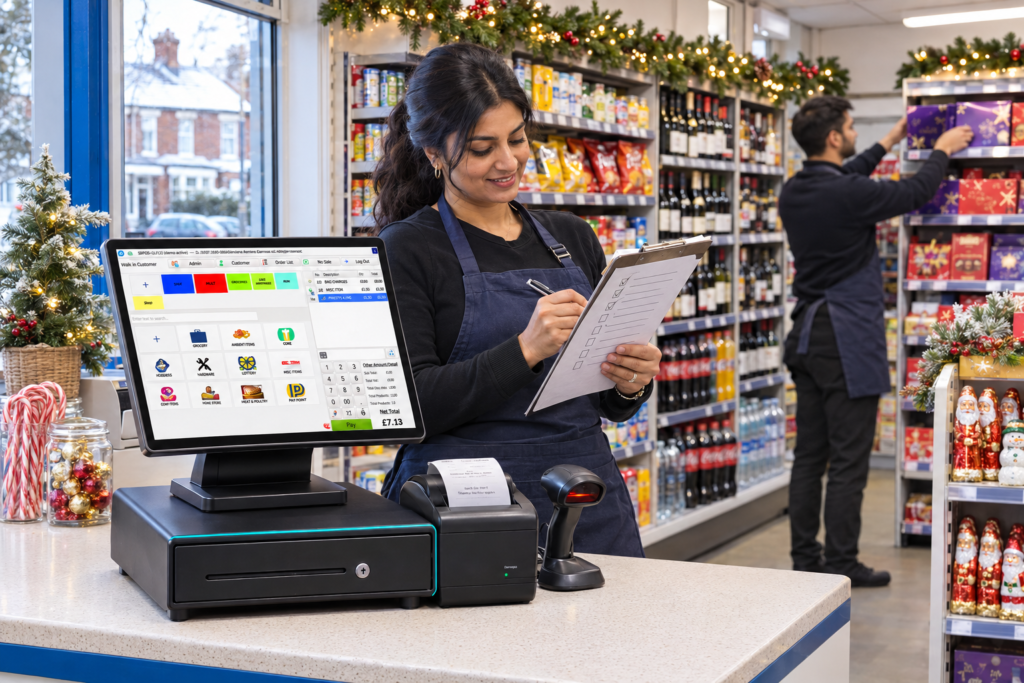
A Christmas checklist for convenience stores and off-licences should cover stock, supplier deliveries, prices, staffing, age checks and checkout equipment. Start with your own sales records, confirm festive delivery dates and test the till before your busiest trading days. Keep checking stock and cash through December so you can adjust orders without leaving money tied up in January leftovers.
Christmas preparation doesn’t have to mean filling every spare shelf. It means having the right products available, clear prices and a team that knows what to do when the queue reaches the door.
Whether you run a neighbourhood shop in Birmingham or an independent off-licence elsewhere in the UK, this guide gives you a practical plan.
What should your Christmas checklist include?
Give every task an owner and a completion date. “Check the printer” is useful only when someone is responsible for checking it.
| Area | Main action | Why it matters |
|---|---|---|
| Stock | Count key lines and review previous sales | Gives you a sound starting point for orders |
| Deliveries | Confirm order deadlines and holiday schedules | Helps you plan around gaps in supply |
| Prices | Match shelf labels with till prices | Reduces disputes at checkout |
| Equipment | Test scanning, printing and payments | Finds problems before busy shifts |
| Staff | Practise sales, refunds and age checks | Makes everyday decisions easier |
| Food dates | Assign daily checks and stock rotation | Supports food safety and reduces avoidable waste |
| Cash | Plan supplier payments and January bills | Keeps festive buying within your budget |
Keep the checklist somewhere staff can use it. A printed sheet in the stockroom can work just as well as a shared document, provided it stays current.
How much Christmas stock should you order?
Start with what your customers actually bought, rather than what a wholesaler’s festive display suggests you might sell.
Review last December’s sales by product and week, if you have the records. Look at everyday essentials alongside seasonal lines. Milk, bread and soft drinks still need shelf space when gift packs arrive.
Compare those figures with recent trading. Have you changed opening hours? Has a nearby competitor opened? Are particular brands selling differently?
What if you don’t have last year’s figures?
Use recent sales as a starting point and keep initial seasonal orders manageable. Ask suppliers whether you can replenish popular lines before committing to larger quantities.
Separate your buying list into:
- Core essentials: products your customers buy throughout the year.
- Seasonal additions: products with a shorter Christmas selling window.
- Trial lines: unfamiliar products you want to test in small quantities.
For example, a neighbourhood shop might keep its usual bread order under close review while testing a limited range of boxed chocolates. That gives the owner room to respond when one line sells quickly and another barely moves.
Count existing stock before placing orders. Include the stockroom, display ends and any unopened cases.
Which supplier dates should you confirm?
Ask each supplier for its Christmas and New Year schedule early enough to change your buying plan.
Confirm:
- The last order date before Christmas.
- Expected delivery dates over the festive period.
- The first deliveries after Christmas and New Year.
- Arrangements for shortages, damaged goods and returns.
- Payment dates and any changes to normal terms.
Write the answers on one calendar. Staff should be able to see when the next delivery is expected without searching through messages.
Pay particular attention to products with short shelf lives. A larger delivery may cover a longer gap, but it also creates more stock to store, rotate and sell.
When goods arrive, check quantities and dates against the order before putting them away. Record discrepancies while the delivery details are still clear.
How should you prepare prices and promotions?
Check the shelf edge, promotional sign and till together. Customers should see the same price throughout the purchase.
Seasonal products can arrive with different pack sizes or barcodes from the everyday version. Scan each new line before placing it on sale.
For each promotion, confirm:
- Which exact products qualify.
- When the offer starts and ends.
- Whether the selling price leaves an acceptable margin.
- Whether shelf signs explain the offer clearly.
- Whether the promotion is permitted for that product and location.
Alcohol and some food promotions have specific rules, so check the requirements that apply to your shop before launching them.
Run a sample transaction to test the result. Try the qualifying items, then a similar item that should be excluded.
Give temporary staff a short explanation of current offers. A clear offer is easier to sell and easier to resolve if a customer queries the receipt.
What should you check on your EPOS and card machine?
Test a complete sale from scanning to receipt. Then test the actions staff use when something goes wrong.
Your pre-Christmas equipment check should include:
- Scanning everyday and seasonal barcodes.
- Checking products with similar names or different pack sizes.
- Printing a readable receipt.
- Opening the cash drawer through the correct process.
- Taking a card payment.
- Completing an authorised refund.
- Running an end-of-day report.
- Checking access to support details.
Keep spare receipt rolls where staff can find them. Check cables, power connections and the space around the scanner.
A suitable convenience store EPOS system can bring scanning, stock records and sales reporting into the same workflow. Switch&Save EPOS (Retail) also supports age-check prompts and refusal logging, helping staff follow the shop’s procedures. Off-Licence & Newsagent
If you’re considering a change, arrange setup and training with enough time to practise before peak trading.
Switch&Save’s Complete Package is £349 upfront, followed by a monthly service plan of £79 for months 1–12 and £39 from month 13. The Upfront Package is £899 upfront plus £25 a month. All prices exclude VAT, both have a 12-month minimum term, and card processing fees are separate. A card machine is included, subject to approval. See the full EPOS prices before choosing. Cheap EPOS, Clear Monthly Costs
How can staff handle Christmas queues and age checks?
Practise common situations before the busy shifts begin. Staff need to know how to find an unrecognised product, correct an entry, request a manager and deal with a failed payment.
Give each shift a clear lead person. Agree who will replenish shelves, help at the counter and respond to a price query.
How should you prepare for age-restricted sales?
A busy queue must never become a reason to skip an age check.
For alcohol, selling to someone under 18 is illegal. Challenge 25 means asking for acceptable proof of age when a customer looks under 25; it does not change the purchase age to 25. GOV.UK
Refresh staff training on your age-verification policy, accepted identification, refusal recording and escalation process. Check the requirements and conditions that apply to your premises.
Use a short practice scenario: a customer buying wine appears under 25 and has no acceptable ID. Ask the member of staff to explain what they would say, how they would record the refusal and when they would call a manager.
Till prompts support the process. Staff still need to carry out the check.
How should you manage short-date stock?
Assign someone to inspect dated products each day. Include chilled cabinets, promotional displays and stock waiting in the back room.
Bring earlier-dated products forward and avoid placing new deliveries in front of older stock without checking dates.
Use-by dates concern safety. Food must not be sold after its use-by date. Best-before dates concern quality, and food past that date still needs to be safe before it can be sold. GOV.UK
Plan reductions while products are still suitable for sale. Waiting until closing time can leave little opportunity to clear them.
For example, if festive chilled desserts are moving slowly, review the remaining dates and quantities before accepting another delivery. Keep following the product’s storage instructions throughout.
Record waste and its reason. “Damaged”, “out of date” and “overordered” point to different problems and different changes for next year.
What should you review each day?
Keep the daily review short enough to maintain during a busy week.
Check:
- Which important products are running low.
- Which seasonal lines are selling slowly.
- Whether deliveries arrived as expected.
- Whether shelf and till prices need correcting.
- Whether refunds, voids or discounts need investigation.
- Whether cash and card totals reconcile.
Sales totals alone won’t explain everything. A popular product may disappear from the report because it sold out early.
Ask staff what customers requested but couldn’t buy. Keep a simple list beside the ordering notes.
Use that information to make small changes: replenish a proven seller, reduce the next order for a slow line or move a useful product to a clearer display.
How can you prepare for January?
Include January in the Christmas buying decision.
Set aside money for supplier invoices, wages, utilities and other bills before committing to extra seasonal stock. Avoid treating every pound of December takings as available spending money.
Agree when festive displays will come down and who will check the remaining stock. Review supplier return terms rather than assuming unopened goods can go back.
After the rush, record what worked:
- Products that needed more stock.
- Products that were overordered.
- Delivery arrangements that caused problems.
- Checkout issues that slowed staff down.
- Training that would have helped.
Keep those notes with your sales reports. They give next year’s checklist a much better starting point.
Want help preparing your checkout? Ask Switch&Save to demonstrate your everyday convenience-store tasks, including scanning, stock checks and age-check prompts. Call 0333 0389707 or email hello@switch-and-save.uk. The UK support team in Erdington, Birmingham is available Monday–Friday, 9am–5:30pm, by phone, WhatsApp and email. Cheap EPOS, Clear Monthly Costs
What else do shop owners ask about Christmas preparation?
When should I start preparing my convenience store for Christmas?
Start early enough to review sales, confirm supplier deadlines and train staff before your busiest period. Use November to resolve setup issues and December for regular stock and trading checks.
How can I avoid ordering too much Christmas stock?
Count existing stock, use previous sales where available and separate everyday essentials from seasonal trials. Confirm whether suppliers can replenish successful lines.
Can EPOS help with Christmas stock planning?
EPOS reports can show recorded sales and stock movements. Combine them with physical counts, supplier schedules and staff feedback about unavailable products.
Does a till age-check prompt replace staff training?
No. Staff must understand your policy, check acceptable identification and follow the refusal process. A prompt helps remind them to act.
Should I replace my till just before Christmas?
Allow time for product setup, testing and staff practice. Agree a realistic installation date with your provider before committing to a change.