
Switch on role-based permissions, unique logins, daily exception reports and CCTV-linked review, then act today: remove shared logins, turn on full transaction logs and schedule a daily report of voids, refunds and no-sales. Organisations lose an estimated 5% of annual revenue to occupational fraud, so a prompt fix is worth making.
TL;DR:
- Asset misappropriation, including cash theft and false voids, accounts for 89% of fraud cases; repeated patterns warrant review, but no single anomaly proves theft.
- Set approval thresholds low at first, review a week of legitimate requests, then raise them only if manager approvals are slowing service.
- Managers should review cash variances, top voids, unsupported refunds, no sales, and overrides daily, then compare staff risk rates per 1,000 transactions weekly.
- Link video to specific transaction events rather than monitoring continuously; notify staff, restrict access, set deletion schedules, and complete a DPIA when monitoring poses high risk.
Table of Contents
- How big is the risk, and what does it look like at the till?
- Which POS settings stop staff theft in practice?
- How do you set up exception reports that find real problems?
- Can you link POS events to CCTV and use AI lawfully?
- What policies and investigation steps keep you fair and lawful?
- A 30 to 90 day checklist to harden your tills
- A note on catching problems without breaking trust
- How our EPOS bundles support these controls
- FAQ
- Sources
How big is the risk, and what does it look like at the till?
Internal loss is not a rounding error. The 2024 ACFE Report to the Nations, summarised by Selden Fox, found that asset misappropriation, which covers cash theft and false voids, makes up 89% of fraud cases. Customer theft grabs the headlines, but staff theft hides inside the same tills and stock records you already own.
Context: The 2025 BRC retail crime survey puts the total cost of retail crime at £4.2 billion once prevention spending is included, and notes that internal theft remains a persistent part of store-level loss.
The BRC survey also points to “transparency of oversight” as a strong deterrent: when staff know logs are reviewed, fewer try anything. Signs worth watching in your POS data and on the shop floor:
- One user with repeated voids, especially after the total is shown
- Refund spikes, or refunds with no original tender
- Excessive discounts applied by the same few people
- Frequent no-sales that open the drawer without a sale
- Cash drawer variances that cluster on one person’s shifts
- Stock adjustments with no matching delivery or damage record
None of these proves theft on its own. Together, and repeated, they give you a reason to look closer.
Which POS settings stop staff theft in practice?
Start with permissions. Restrict voids, refunds and discounts to managers, and set an approval threshold so a cashier can handle a small price correction but needs a second person for anything larger. Industry guidance backs role-based access with manager-only approval for high-risk transactions. Our walkthrough on fixing POS staff permissions in one shift shows the steps in order.
The settings that earn their keep:
- Unique logins for everyone. A shared login destroys your audit trail, because nobody can be tied to a sale.
- Time-stamped audit logs. Every void, refund and override should record who, when and on which terminal, and staff should not be able to edit it.
- Real-time dashboards. Show voids, refunds, no-sales and overrides by user, so a pattern is visible before the end of the week.
- Cash-handling controls. Use cash-count templates at shift start and end, track drawer-open events, and give each cashier their own drawer.
- Stock adjustment limits. Make manager approval mandatory, in line with how an EPOS system helps prevent stock theft and shrinkage.
Pro Tip: Set your first approval threshold low, watch a week of data, then raise it only where the volume of legitimate approvals is slowing the queue.
Think about thresholds as a trade-off. Too tight and managers rubber-stamp requests to keep customers moving. Too loose and the control does nothing. Real data tells you where the line should sit for your trade.
How do you set up exception reports that find real problems?
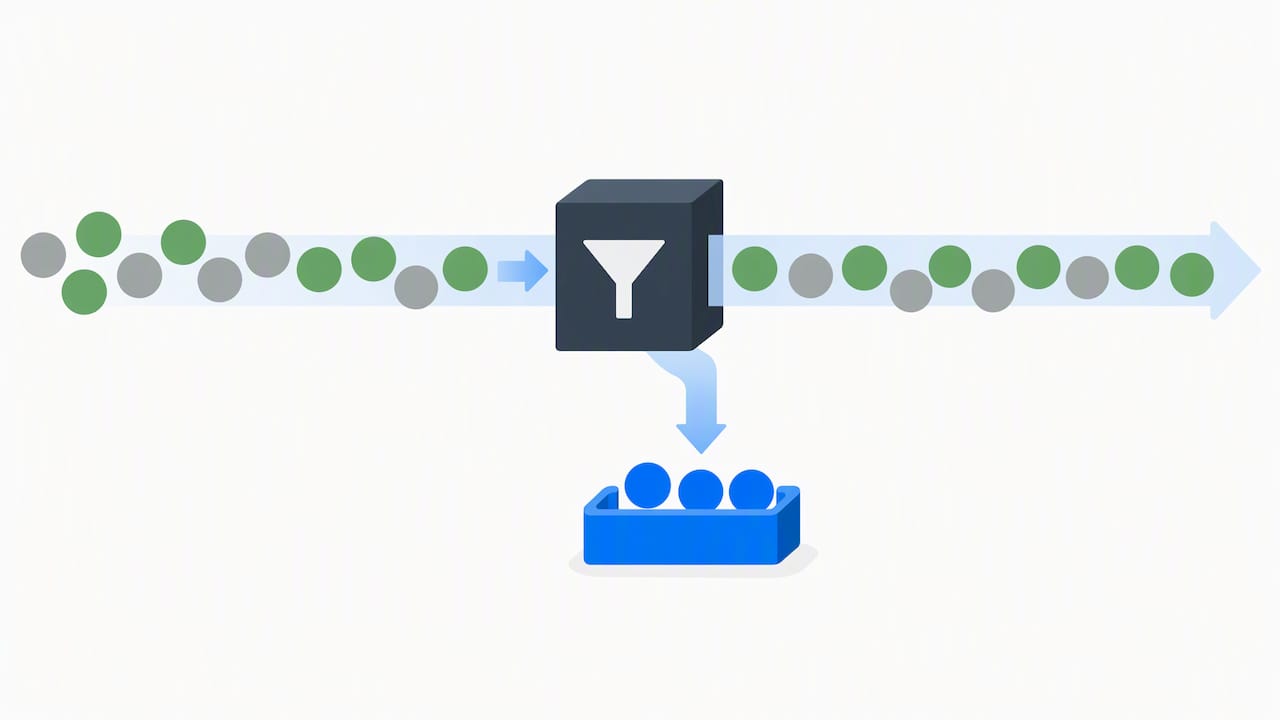
Reports only work if someone reads them on a fixed rhythm. Decide who reviews, when, and what happens next. For most shops and restaurants, the manager on duty owns the daily check and the owner or area manager owns the weekly one.
Run these in order each day:
- Compare each till’s cash variance against the expected float.
- Review the top voids by user and by value.
- Check refunds that have no original tender attached.
- Count no-sales and manager overrides per person.
- Flag anything unusual for a closer look, rather than acting on a single event.
Weekly and monthly, step back and look at trends. Rank staff by the rate of risky events per 1,000 transactions, and compare stores or shifts against each other. A single high number can be a busy Saturday; a person who repeatedly sits in the top tier may indicate a pattern.
| Check | Cadence | Reviewer |
|---|---|---|
| Till cash variance | Daily | Manager on duty |
| Voids, refunds, no-sales by user | Daily | Manager on duty |
| Staff-level risk ranking | Weekly | Owner or area manager |
| Store and shift comparison | Monthly | Owner or area manager |
Triage by frequency, value and link to scheduling data. Cross-checking sales against the rota and time clock can reveal ghost hours, where someone is clocked in but not at the register, or ringing sales when they were not on shift. Send only the top few cases for video review, so you do not drown in footage.
Can you link POS events to CCTV and use AI lawfully?
Yes, if you are open about it and keep it proportionate. Practitioner guidance reports that linking transactions to time-synchronised video, with analytics that flag anomalies such as post-total voids and unusual refund patterns, cuts investigation time and improves detection of sweethearting. Instead of scrubbing hours of footage, you jump to the clip attached to the suspicious event.
Why it matters: The ICO says CCTV that monitors staff needs clear notification, proportionate scope, secure access and a DPIA where the monitoring creates high risk.
Practical points for doing this well:
- Generate clips only from specific transaction events, not continuous review of staff.
- Use AI at scan points and self-checkouts for misscans and item substitution, and keep thresholds conservative so honest customers are not stopped.
- Tell staff what is monitored and why, display signs, protect footage with passwords and delete it on a set schedule.
- Consult staff before intrusive monitoring and point cameras at low-privacy areas, as the ICO advises on surveillance data protection principles.
- Pilot in your highest-risk store, tune thresholds and measure false positives before rolling out wider.
Monitoring staff without warning is generally unfair and risks breaching data-protection law, so get the paperwork right first. The ICO’s employee monitoring guidance explains that monitoring should be justified, access restricted and staff informed of the purpose.
What policies and investigation steps keep you fair and lawful?
Controls spot problems; policy decides what happens next. Write down that theft and fraud count as gross misconduct, give examples, and share the rules with every employee. The ACAS code of practice says disciplinary rules should give examples of gross misconduct, and theft or fraud may be among them.
Build these habits into the business:
- Audit permissions regularly and retrain staff whenever access changes. Our guide to training staff on a new POS system is a good starting point.
- Offer a confidential way to raise concerns. The ACFE report finds tips are the most common way fraud is first detected, and formal channels increase them.
- Screen new hires properly. Background checks, such as DBS checks for vetted staff, are a sensible part of recruitment.
When something looks wrong, follow a repeatable plan:
- Prepare a plan covering what you are investigating, who leads, who to interview and the timeframe, as ACAS recommends for preparing an investigation.
- Gather evidence: transaction logs, receipts, rotas and CCTV, noting that CCTV may be deleted on a schedule, so secure it early.
- Keep the matter confidential and let the person respond before you decide anything.
- Consider involving the police where the evidence supports it.
A 30 to 90 day checklist to harden your tills
Work through it in order. Each stage builds on the one before.
- Today: remove shared logins, switch on per-user logging and make high-risk events manager-only.
- Weeks 1 to 4: enable daily exception reports, connect POS events to CCTV where you can, and complete a DPIA if you will monitor staff.
- Weeks 4 to 12: run a full permissions audit, give staff refresher training, agree your KPIs and report them to whoever oversees the business.
- Ongoing: track risky events per 1,000 transactions, the share of events with video evidence and the average time to resolve a case.
For daily-to-annual routines, our POS security checklist lists the recurring tasks so nothing slips.
Pro Tip: Pick one KPI to improve first, such as risky events per 1,000 transactions, and share the trend with your team. People behave better when they can see the numbers are watched.
A note on catching problems without breaking trust
I have seen the same mistake repeatedly: owners treat every anomaly as a crime and the team feels watched, not supported. The better path is evidence first, conversation second. A void pattern may be a training gap or a till layout problem, and coaching fixes that without losing a good employee.
Deterrence works best when it is visible and fair. Customers should not feel hassled, and staff should know the rules. If you want help configuring any of this, we are happy to talk it through.
— Amir
How our EPOS bundles support these controls
We offer UK-based support to help you set up your system and run a pilot. Here is what that includes:
- Permissions and logins: configure access for your staff.
- Audit logs: review activity during investigations.
- Dashboard reporting: review your business data from our cloud dashboard.
- Stock controls: manage your stock.
Our Hospitality EPOS Bundle costs £549 one-off, with AI-powered cloud software at £20 per month. Retail businesses can look at our retail EPOS system. We can walk you through either in a free demo, so book yours today and see the reports on your own trade.

FAQ
What is the best way to prevent employee theft?
Combine unique logins, manager-only approval for voids and refunds, and a daily exception report that someone actually reads. Visible oversight deters staff, and the audit trail gives you evidence if something does happen.
What is the most effective tool to prevent shoplifting?
For customer theft, visible CCTV, good shop layout and trained staff work together. For staff theft, POS controls and time-synced video do more, because they tie each event to a named person.
What to do if a staff member is stealing?
Secure the evidence first, including logs, rotas and CCTV, then follow a fair process. ACAS guidance covers planning, confidentiality and giving the person a chance to respond before any decision.
What are some ways to prevent employee theft in the workplace?
Remove shared logins, limit permissions by role, audit access every few months and offer a confidential reporting route. Clear written rules that name theft as gross misconduct also help.



