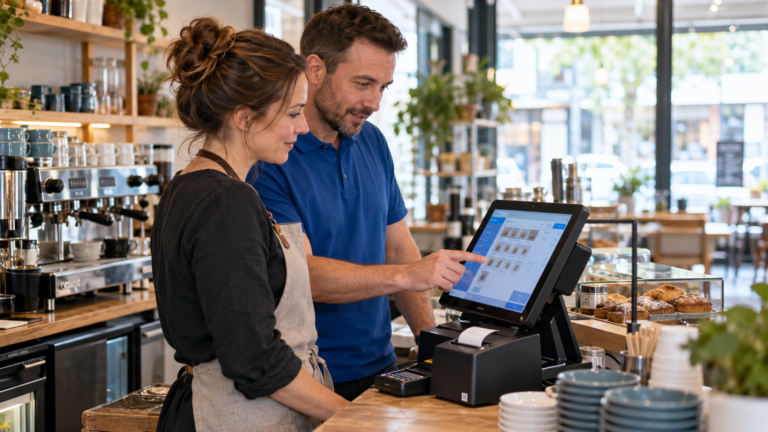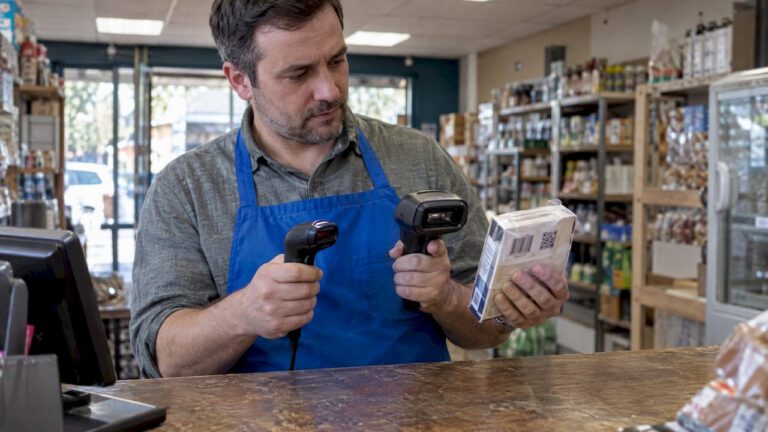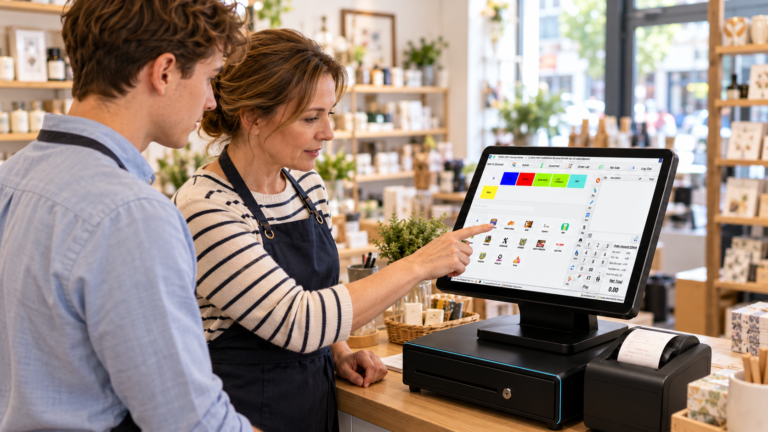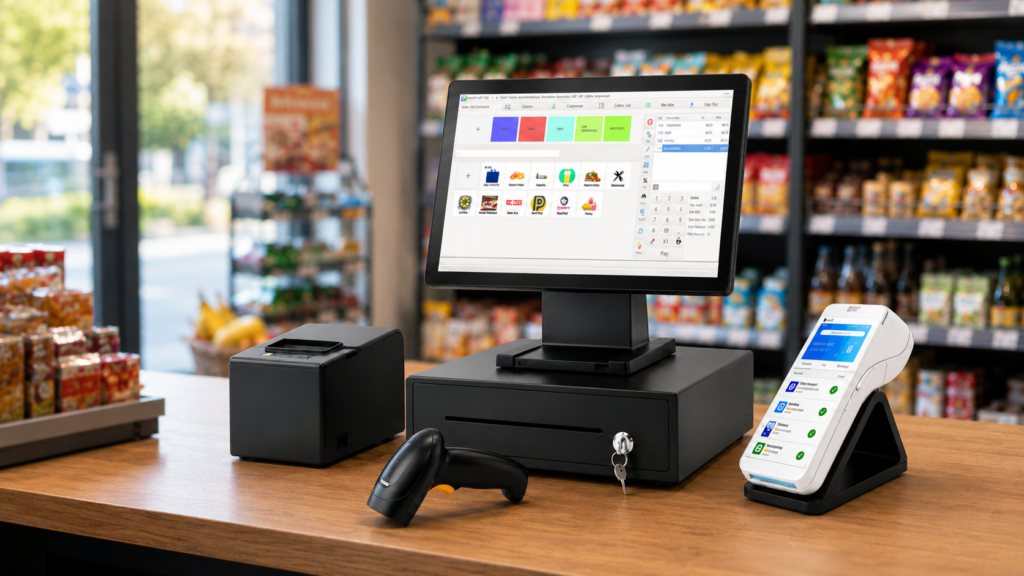
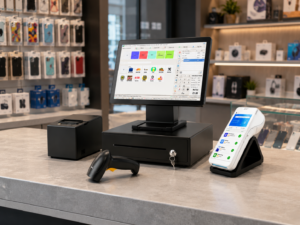
An EPOS bundle usually includes the main till screen or touchscreen terminal, receipt printer, cash drawer, barcode scanner, card payment device, customer display, and the EPOS software needed to manage sales, products, payments, stock, reports, staff, and customer orders. For UK small businesses, the exact bundle depends on the business type. A retail shop may need barcode scanning and stock control, while a restaurant, takeaway, café, or bar may need table management, kitchen printing, split payments, and order tracking.
For many UK businesses, buying an EPOS bundle is easier than buying separate hardware and software because the system is designed to work together from day one. Switch & Save provides AI-powered EPOS systems, card payment solutions, business finance, and utility switching services to help small businesses reduce costs and improve efficiency.
Check out the epos bundle available here
Key Takeaways
| Question | Answer |
|---|---|
| What is usually included in an EPOS bundle? | A touchscreen terminal, receipt printer, cash drawer, barcode scanner, card machine, customer display, and EPOS software. |
| Does every business need the same EPOS bundle? | No. Retail, hospitality, takeaways, cafés, restaurants, bars, and mobile shops need different hardware and software features. |
| Is EPOS software included? | In most modern bundles, yes. The software manages sales, stock, payments, reports, products, staff, and customer orders. |
| Do EPOS bundles include card payments? | Many bundles include or support card payment solutions, but the card machine and payment provider should be checked before buying. |
| Why buy a bundle instead of separate items? | A bundle is easier to install, usually more reliable, and reduces compatibility issues between hardware and software. |
What Is an EPOS Bundle?
An EPOS bundle is a complete point of sale package that combines the physical equipment and software a business needs to take payments, process sales, manage orders, and track performance.
A typical EPOS bundle may include:
- Touchscreen EPOS terminal
- Receipt printer
- Cash drawer
- Barcode scanner
- Card machine or integrated payment device
- Customer-facing display
- EPOS software
- Stock control tools
- Sales reporting dashboard
- Staff login and permissions
- Cloud access or back-office portal
For small UK businesses, an EPOS bundle can save time because the core parts are already selected to work together. Instead of buying a till, printer, scanner, card terminal, and software separately, the business gets a more complete setup.
You can view EPOS options on the Switch & Save EPOS bundles page
What Hardware Is Usually Included in an EPOS Bundle?
The hardware is the physical equipment your staff use at the counter, till point, bar, serving area, or takeaway desk. The exact setup depends on your sector, but most EPOS bundles include the following core items.
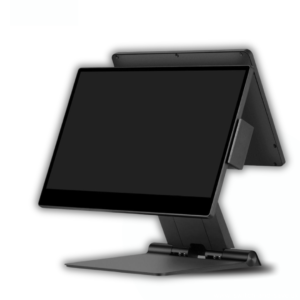
1. Touchscreen EPOS Terminal
The touchscreen terminal is the main device your staff use to process sales. It replaces the old-style cash register and gives your team access to products, prices, categories, orders, discounts, payment options, and reports.
A touchscreen EPOS terminal is useful because it allows staff to:
- Add items quickly
- Search products
- Apply discounts
- Select payment methods
- Send orders to the kitchen
- Open and close cash shifts
- Print receipts
- Manage customer orders
For example, a takeaway may use the terminal to take walk-in orders, phone orders, and collection orders. A grocery shop may use it to scan products and manage fast checkout queues.
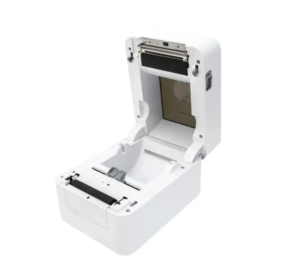
2. Receipt Printer
A receipt printer is usually included in an EPOS bundle. It prints customer receipts, kitchen receipts, order tickets, and shift reports.
Common receipt printer types include:
- USB receipt printers
- LAN or Ethernet receipt printers
- Bluetooth receipt printers
- Wi-Fi receipt printers
For hospitality businesses, kitchen printing is especially important. A restaurant may need one printer at the main counter and another in the kitchen. A bar may need a printer near the service area. A takeaway may need printed order tickets for food preparation.
Receipt printers help reduce mistakes because staff do not need to manually write orders down.
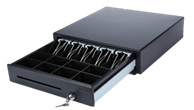
3. Cash Drawer
Even though card payments are now common, many UK businesses still handle cash. A cash drawer stores notes, coins, vouchers, and petty cash.
In an EPOS setup, the cash drawer usually connects to the receipt printer or EPOS terminal. When a cash sale is completed, the drawer can open automatically.
A cash drawer is especially useful for:
- Convenience stores
- Grocery shops
- Cafés
- Takeaways
- Bars
- Mobile phone shops
- Dry cleaners
- Small retail counters
The EPOS software can also help track cash sales, expected cash, and end-of-day totals.
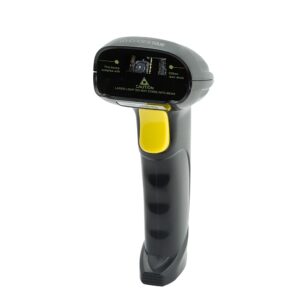
4. Barcode Scanner
A barcode scanner is commonly included in retail EPOS bundles. It allows staff to scan product barcodes instead of manually searching for items.
Barcode scanning is useful for:
- Grocery shops
- Convenience stores
- Vape shops
- Mobile accessory shops
- Clothing shops
- Hardware shops
- Beauty and cosmetics stores
A barcode scanner helps speed up checkout and reduce pricing errors. For example, if a shop sells hundreds or thousands of products, scanning is much faster than typing product names manually.
Hospitality businesses may not always need barcode scanners unless they also sell packaged products, drinks, retail items, or stock with barcodes.
5. Card Machine or Payment Terminal
Many EPOS bundles include, support, or connect with a card payment device. This allows customers to pay by debit card, credit card, contactless, Apple Pay, or Google Pay.
A card payment solution may work in two ways:
Integrated Payments
With integrated payments, the EPOS sends the transaction amount directly to the card machine. This reduces manual typing and helps avoid staff entering the wrong amount.
For example, if the EPOS sale total is £18.40, the card machine receives £18.40 automatically.
Non-Integrated Payments
With non-integrated payments, the staff member enters the amount manually into the card machine, then records the sale as a card payment in the EPOS.
This can still work well for small businesses, but integrated payments are usually faster and cleaner for busy shops, restaurants, cafés, and takeaways.
6. Customer-Facing Display
Some EPOS bundles include a customer-facing display. This is a second screen that shows the customer their order, item prices, total amount, discounts, and payment status.
A customer display helps improve transparency because customers can see what is being added to the sale.
It is useful for:
- Retail shops
- Grocery shops
- Takeaways
- Cafés
- Quick-service restaurants
- Mobile shops
For example, in a convenience store, the customer can see each scanned item and the final total before paying.
7. Kitchen Printer or Order Printer
Hospitality EPOS bundles may include kitchen printers. These are used to send food and drink orders directly to the kitchen, bar, or preparation area.
A restaurant may have:
- Main receipt printer at the counter
- Kitchen printer for food orders
- Bar printer for drink orders
This helps teams work faster and reduces the risk of missed or unclear orders.
For hospitality businesses, this type of setup can be more important than barcode scanning.
8. Optional Hardware Add-Ons
Depending on the business, an EPOS bundle may also include optional hardware such as:
- Label printer
- Kitchen display screen
- Self-ordering kiosk
- Handheld ordering device
- Caller ID device for takeaways
- Weighing scale integration
- Tablet ordering device
- Drawer insert
- Router or network hardware
- Wall-mounted customer screen
Not every business needs these extras. A small café may only need one terminal, one receipt printer, one cash drawer, and one card machine. A busy restaurant may need multiple printers, handheld ordering, table management, and kitchen display screens.
What Software Is Usually Included in an EPOS Bundle?
The software is what makes the hardware useful. It controls how sales are processed, how products are managed, how reports are generated, and how business data is stored.
A good EPOS bundle should include software that fits your business type.
1. Sales and Checkout Software
Sales and checkout software is the core part of an EPOS system. It allows staff to process orders and take payments quickly.
Typical features include:
- Product search
- Category buttons
- Barcode scanning
- Discounts
- Refunds
- Cash payments
- Card payments
- Split payments
- Receipt printing
- End-of-day reports
For a retail shop, the checkout needs to be fast and accurate. For a restaurant, the checkout may also need to handle tables, service charges, tips, and split bills.
2. Product and Menu Management
EPOS software usually includes product or menu management tools. These allow you to add, edit, and organise products.
Retail businesses may use this to manage:
- Product names
- Barcodes
- Prices
- VAT rates
- Departments
- Categories
- Suppliers
- Stock levels
Hospitality businesses may use it to manage:
- Food items
- Drinks
- Menu categories
- Modifiers
- Add-ons
- Meal deals
- Product notes
- Kitchen order routing
For example, a takeaway can create categories such as pizzas, burgers, kebabs, drinks, desserts, and meal deals. A grocery shop can create categories such as fruit, vegetables, snacks, drinks, household items, and tobacco alternatives.
3. Stock Control Software
Stock control is one of the most valuable parts of an EPOS bundle for retail businesses. It helps business owners understand what is selling, what is running low, and what needs to be reordered.
Stock control software may include:
- Live stock levels
- Low-stock alerts
- Purchase tracking
- Supplier records
- Stock adjustments
- Product movement reports
- Waste or damage tracking
- Inventory valuation
For example, a grocery shop can use stock reports to see which products sell quickly and which products are slow-moving. A mobile accessories shop can track phone cases, chargers, cables, and screen protectors by barcode.
4. Sales Reporting and Business Dashboard
EPOS software normally includes reporting tools. These help owners understand business performance without manually checking every receipt.
Useful reports include:
- Daily sales
- Weekly sales
- Monthly sales
- Product sales
- Category sales
- Staff sales
- Payment type reports
- Refund reports
- VAT reports
- End-of-day reports
- Profit-focused reports
A cloud-based dashboard can be especially useful because business owners can check performance away from the shop.
5. Staff Management
Many EPOS bundles include staff management features. These help control who can access certain functions in the system.
Staff tools may include:
- Staff login
- PIN access
- Role-based permissions
- Sales by staff member
- Cash drawer tracking
- Refund permissions
- Discount permissions
- Shift open and close
For example, a shop owner may allow senior staff to process refunds but restrict new staff from applying large discounts.
6. Table and Floor Management
For restaurants, cafés, bars, and eat-in takeaways, table management is an important software feature.
Table management can include:
- Floor plan view
- Table status
- Open orders
- Move table
- Merge table
- Split bill
- Split by item
- Split by person
- Send order to kitchen
- Reprint kitchen tickets
This is not always needed in retail, but it is very useful for hospitality.
For a more detailed hospitality setup guide, read
7. Customer Management and Loyalty
Some EPOS bundles include customer management features. These help businesses build repeat sales and improve customer service.
Customer tools may include:
- Customer profiles
- Purchase history
- Loyalty points
- Customer notes
- Phone number lookup
- Email receipts
- Special discounts
- Customer groups
This can be useful for cafés, mobile shops, salons, beauty stores, and local convenience shops that have regular customers.
8. Cloud Back Office
A cloud back office allows business owners to view and manage their EPOS data from another device, such as a laptop, tablet, or mobile phone.
Cloud tools may include:
- Remote sales reports
- Product updates
- Multi-site access
- Stock visibility
- Staff performance
- Business analytics
- Menu or product changes
For example, if a business owner has two convenience stores, cloud access can help compare sales from both locations.
EPOS Bundle Examples by Business Type
Different businesses need different EPOS bundle setups. Here are practical UK examples.
Retail Shop EPOS Bundle
A small retail shop may need:
- Touchscreen EPOS terminal
- Barcode scanner
- Receipt printer
- Cash drawer
- Card machine
- Customer display
- Stock control software
- Product and category management
- Sales reports
This type of bundle is ideal for grocery shops, convenience stores, vape shops, mobile shops, clothing shops, and small supermarkets.
Restaurant EPOS Bundle
A restaurant may need:
- Touchscreen EPOS terminal
- Receipt printer
- Kitchen printer
- Card machine
- Cash drawer
- Customer display
- Table management software
- Split payment tools
- Kitchen order printing
- Staff permissions
- Sales reports
The most important features are table control, kitchen communication, and smooth payment handling.
Takeaway EPOS Bundle
A takeaway may need:
- EPOS terminal
- Receipt printer
- Kitchen printer
- Cash drawer
- Card machine
- Caller ID or customer lookup
- Menu management
- Collection and delivery order tools
- Kitchen tickets
- Sales reports
A takeaway needs speed, accuracy, and clear order handling, especially during peak hours.
Café EPOS Bundle
A café may need:
- Compact EPOS terminal
- Receipt printer
- Cash drawer
- Card machine
- Product buttons
- Loyalty tools
- Staff login
- Sales dashboard
A café setup should be quick and simple because staff often handle fast-moving queues during breakfast and lunch periods.
Bar EPOS Bundle
A bar may need:
- Touchscreen terminal
- Fast product buttons
- Receipt printer
- Cash drawer
- Card machine
- Staff login
- Open tab feature
- Split bills
- Sales by staff reports
Speed matters in a bar environment, especially during busy evenings.
Mobile Shop EPOS Bundle
A mobile phone or accessories shop may need:
- EPOS terminal
- Barcode scanner
- Receipt printer
- Cash drawer
- Card machine
- Stock control
- Customer records
- Product search
- Sales reports
Stock control is important because mobile shops often carry many small accessories with different models, colours, and prices.
What Should UK Businesses Check Before Choosing an EPOS Bundle?
Before choosing an EPOS bundle, UK businesses should check whether the system matches their daily operations.
Important questions include:
- Does the hardware fit your counter space?
A small café may need a compact setup, while a supermarket-style shop may need a larger till point. - Does the software match your business type?
Retail needs stock and barcode tools. Hospitality needs table, kitchen, and order tools. - Does it support card payments?
Check whether the card machine is included, integrated, or supplied separately. - Can it grow with the business?
A business may later need more terminals, printers, users, reports, or locations. - Is training and support available?
Good support matters because staff need to use the system confidently. - Are reports easy to understand?
A good EPOS system should help owners make better decisions, not create more admin. - Are there hidden costs?
Always check software fees, payment charges, support costs, hardware costs, and contract terms.
Why Choose Switch & Save for Your EPOS Bundle?
Switch & Save is a UK-based provider of AI-powered EPOS systems, card payment solutions, business finance, and utility switching services. The goal is to help small businesses reduce costs, improve efficiency, and choose technology that fits how they actually work.
Switch & Save supports businesses across:
- Retail
- Hospitality
- Takeaways
- Cafés
- Restaurants
- Bars
- Grocery shops
- Mobile shops
- Local service businesses
Instead of choosing random hardware and software separately, businesses can speak to Switch & Save about a setup that matches their sector, counter space, payment needs, reporting needs, and growth plans.
An EPOS bundle normally includes both the hardware and software needed to run sales smoothly. The hardware may include a touchscreen terminal, receipt printer, cash drawer, barcode scanner, card machine, and customer display. The software may include checkout, product management, stock control, reports, staff permissions, customer records, table management, kitchen printing, and cloud access.
The right bundle depends on your business type. A retail shop needs strong barcode and stock tools. A restaurant needs table and kitchen order management. A takeaway needs fast order processing. A café needs simple checkout and quick payments.
Switch & Save helps UK businesses reduce costs with AI-powered EPOS systems, card payment solutions and business finance.
FAQs
What is included in a typical EPOS bundle?
A typical EPOS bundle includes a touchscreen till, receipt printer, cash drawer, barcode scanner, card machine, customer display, and EPOS software for sales, products, payments, stock, staff, and reporting.
Does an EPOS bundle include software?
Yes, most modern EPOS bundles include software. The software is used to process sales, manage products, track stock, view reports, manage staff access, and handle customer orders.
Do I need a barcode scanner in my EPOS bundle?
Retail shops usually need a barcode scanner because it makes checkout faster and reduces pricing errors. Restaurants, cafés, and takeaways may not need one unless they sell packaged or barcoded products.
Is a card machine included in an EPOS bundle?
Some EPOS bundles include a card machine, while others support card payment integration separately. Businesses should always check whether the payment device is included, integrated, or provided through a payment partner.
What EPOS hardware does a restaurant need?
A restaurant usually needs a touchscreen EPOS terminal, receipt printer, kitchen printer, card machine, cash drawer, and table management software. Some restaurants may also need handheld ordering or kitchen display screens.
What EPOS hardware does a retail shop need?
A retail shop usually needs a touchscreen terminal, barcode scanner, receipt printer, cash drawer, card machine, customer display, product management software, stock control, and sales reporting.
Can an EPOS bundle help with stock control?
Yes. EPOS software can track product sales, update stock levels, show low-stock alerts, and help business owners understand which products are selling well.
Is cloud EPOS useful for small businesses?
Yes. Cloud EPOS can help business owners check sales, reports, stock, and staff performance remotely. This is useful for owners who manage multiple sites or want access outside the shop.
Are EPOS bundles suitable for takeaways?
Yes. A takeaway EPOS bundle can help manage walk-in orders, phone orders, collection orders, kitchen printing, customer details, and card payments.
How do I choose the right EPOS bundle?
Choose an EPOS bundle based on your business type, payment needs, hardware requirements, software features, support, reporting tools, and future growth plans.