Getting your payment systems to work together properly is one of those problems that looks small on paper but costs real money in practice. Fragmented setups, where your till, online store, and accounting software all operate separately, create manual work, reconciliation errors, and slower service at exactly the wrong moments. This integrated payments setup guide walks you through every stage: from auditing your current infrastructure to running your first live transactions with confidence. Whether you run a busy restaurant, a multi-site retail shop, or a café with online orders, this is your practical payment processing setup guide from start to finish.
Table of Contents
- Key takeaways
- What integrated payments actually mean for your business
- Preparing for your integrated payments setup
- Step-by-step payment setup: executing the integration
- Verifying and monitoring your setup after launch
- Common mistakes to avoid in payment integration
- My honest take on getting this right
- How Switch-and-save supports your payment integration
- FAQ
Key takeaways
| Point | Details |
|---|---|
| Audit before you act | Review your existing POS, e-commerce, and accounting systems before selecting any payment gateway. |
| Security starts with your SDK | Use your provider’s pre-built tools so raw card data never touches your own servers. |
| Create the order first | Always generate an internal order record before initiating a payment to avoid untracked charges. |
| Monitor the first 48 hours | Watch closely for decline rates and webhook errors immediately after going live. |
| Test beyond the sandbox | Include real-world failure scenarios like refunds and network timeouts in your testing plan. |
What integrated payments actually mean for your business
Let’s be clear about what we mean. Integrated payments connect your payment gateway, payment processor, and point-of-sale or e-commerce platform so they share data automatically. Instead of three separate systems producing three separate reports, you get one consistent picture of every transaction.
For a retail or hospitality business, that matters in very practical ways:
- Faster checkout. No manual card total entry. The till communicates directly with the terminal.
- Accurate stock control. Every sale updates your inventory in real time.
- Automatic reconciliation. Integrated payments synchronise data automatically, removing the need to manually reconcile your accounting ledger at the end of every shift.
- Omnichannel consistency. In-store and online sales feed into the same reporting dashboard, which is essential when you need a single view of performance across channels.
- Stronger security. Tokenisation replaces sensitive card details with a unique identifier, reducing your exposure to fraud.
The omnichannel piece is worth emphasising. If you sell both in-store and online, the benefits of ecommerce and POS integration go well beyond convenience. You get accurate stock levels across both channels, which means fewer disappointed customers and fewer manual corrections.
Preparing for your integrated payments setup

The most common reason integrations go wrong is skipping this stage. Buying tools without auditing your infrastructure risks ending up with a fragmented stack that creates more problems than it solves. Before you look at any gateway provider, take stock of what you already have.
Here is a quick reference for the components you need to assess:
| Component | What to check | Why it matters |
|---|---|---|
| POS or EPOS system | Software version, API availability | Gateway must be able to connect |
| E-commerce platform | Plugin support, payment API compatibility | Needed for omnichannel integration |
| Accounting software | Auto-import capability | Avoids manual data entry |
| Merchant account | Processing fees, contract terms | Affects overall cost of integration |
| Network infrastructure | Broadband reliability, backup connection | Downtime kills payment processing |
Once you have mapped your current setup, focus on three non-negotiables when shortlisting payment providers:
PCI DSS compliance. Your provider must be certified. This protects your customers and limits your own liability.
Tokenisation support. This ensures sensitive card data is replaced before it ever sits in your system.
Omnichannel capability. If you accept payments in-store and online, your gateway needs to handle both without you managing two separate integrations.
If you are unsure whether your current EPOS system is ready, it is worth running through a checklist for EPOS upgrades before committing to any gateway selection.
Pro Tip: Ask your potential payment provider for a full list of compatible POS systems before signing any contract. Compatibility gaps discovered after sign-up are expensive and time-consuming to fix.
Step-by-step payment setup: executing the integration
Implementation timelines typically run from a few weeks depending on how many channels you are connecting and the complexity of your existing infrastructure. Here is how to work through it systematically.
- Choose your payment gateway and integration approach.
Select a gateway that supports your POS hardware, your e-commerce platform, and your accounting software. Decide whether you need a hosted payment page, a direct API integration, or a pre-built plugin. For most retail and hospitality businesses, a hosted or semi-hosted solution reduces technical burden considerably. - Set up your merchant account and obtain your API credentials.
Your payment provider will issue API keys once your merchant account is approved. Keep these secure. Store them in environment variables rather than hardcoding them into your software. This is basic practice that many smaller businesses overlook. - Implement client-side integration using your provider’s SDK or hosted components.
This is a critical step. Use your provider’s pre-built SDK or iframe so raw card data never touches your own servers. This keeps you out of PCI scope and removes enormous compliance responsibility from your shoulders. Do not attempt to build custom card input forms unless you have a dedicated compliance team. - Create the order record before initiating payment.
Always generate the internal order record first before you trigger the payment request. This ties every charge to a specific transaction in your system. Skipping this step leads to orphaned payments that cannot be matched to an order, which becomes a serious problem during reconciliation. - Configure your backend server to handle payment processing securely.
Your server communicates with the gateway API to create payment intents, capture funds, and handle responses. Keep all sensitive logic server-side. The client-side code only collects card details through the provider’s hosted tools and passes a token to your backend. - Set up webhooks for asynchronous event handling.
Webhooks are how your gateway tells your system that a payment succeeded, failed, or was refunded. Do not rely on the redirect URL alone after a transaction. Networks drop. Redirects fail. Webhooks fire independently and are far more reliable for confirming payment status. Configure your webhook endpoint, verify the signature on every incoming event, and log each one. - Test the full payment lifecycle.
Run through every scenario before going live. Successful payments, card declines, partial refunds, and network timeouts all need to be tested. Testing beyond the sandbox with real-world failure scenarios is what separates a stable integration from one that breaks under pressure.
Pro Tip: With modern development tools, a multi-provider integration supporting more than one gateway can be set up in one to two hours. If your developer is estimating weeks for a basic integration, question whether the approach is right.
Verifying and monitoring your setup after launch
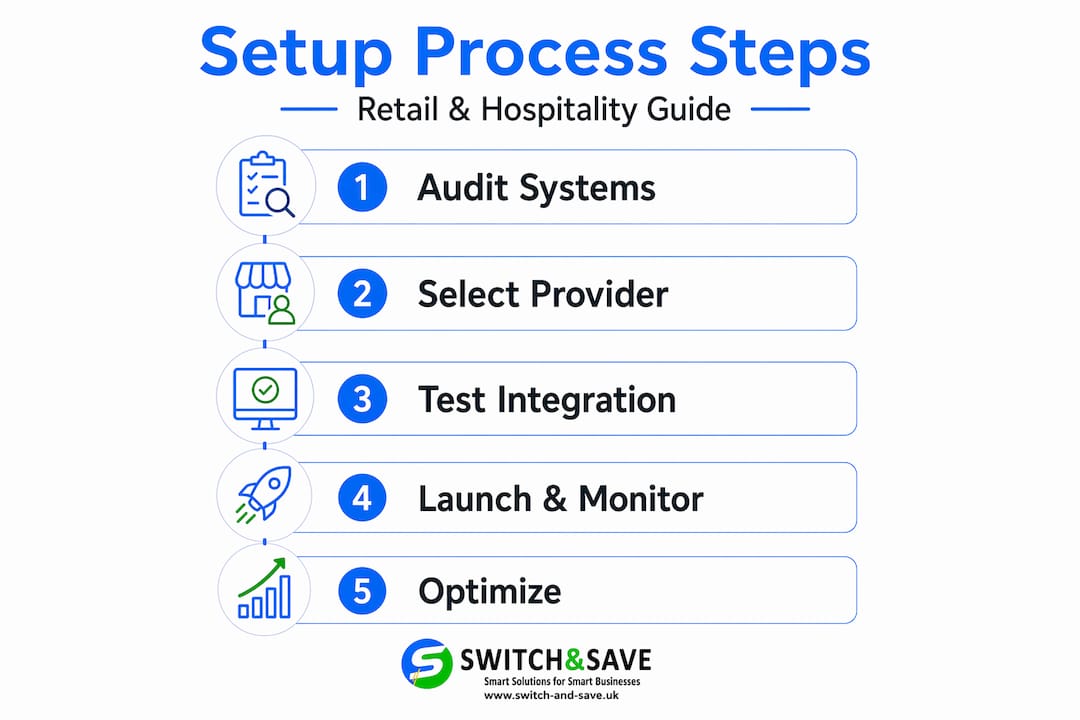
Going live is not the finish line. The period immediately after launch is when configuration errors surface and small problems can turn into revenue losses.
Here is what to monitor closely:
- Transaction decline rates. A sudden spike in declines usually points to a misconfigured gateway setting or an authentication step that is failing silently.
- Webhook delivery logs. Check that your webhook endpoint is receiving and acknowledging events correctly. A failed webhook means your system may not update order status, leaving customers in limbo.
- Error logs on your server. Any unhandled exception in your payment processing code needs to be flagged and investigated immediately.
- Reconciliation accuracy. Run a manual check of your first day’s transactions against your accounting system to confirm data is flowing correctly.
Why this matters: Businesses should closely monitor new payment systems during the first 48 hours to catch configuration errors or high decline rates before they compound into larger problems.
After the initial monitoring period, set up regular checks. Review your payment error rates weekly. Update your integration when your provider releases security patches or API version changes. Outdated integrations are a common source of compliance failures and unexpected downtime.
For ongoing performance tracking, look at metrics like authorisation rate, average transaction time, and chargeback frequency. These numbers tell you whether your payment system is performing well or quietly costing you money through failed transactions.
Common mistakes to avoid in payment integration
Even well-planned setups hit problems. Most of them are avoidable if you know what to look for.
- Trusting the redirect URL as payment confirmation. Never mark an order as paid based solely on a customer landing on your thank-you page. Redirects can be manipulated. Use webhook confirmation only.
- Ignoring webhook signature verification. Always verify the signature on incoming webhook events using your provider’s secret key. Unverified webhooks are a security risk.
- Failing to handle idempotency. Unique event ID checks in webhook handlers prevent duplicate order fulfilments when a network glitch causes the same event to be delivered twice. Build this in from the start, not as an afterthought.
- Skipping failure scenario testing. Test what happens when a card is declined, when a refund is issued mid-shift, and when the network drops during a transaction. Each of these edge cases including chargebacks and timeouts must have a defined behaviour in your system.
- Not having a fallback payment method. If your integrated terminal goes offline, your staff need a clear process. A backup card machine or a manual override procedure can save a busy Saturday service.
My honest take on getting this right
I have seen more integrated payment projects than I can count, and the ones that go smoothly share one thing: the business owner took the audit stage seriously. Not just a quick look at their till system, but a real examination of every touchpoint where money moves through the business.
The insight that surprised me most is how much value sits in the data synchronisation side of a payment integration. Most people focus on the transaction speed, which is fair. But the real long-term gain is that your accounting records update themselves. Your stock levels reflect every sale. Your reports are accurate without anyone manually entering figures. That saves hours every week and removes a significant source of human error from your accounts.
I have also learned that the client-side versus backend distinction in payment flows confuses a lot of business owners who are not technical. The simplest way to think about it: your customers interact with the provider’s secure tools, not your own code. Your server only handles the confirmation and the record-keeping. This separation is why using provider SDKs rather than custom card forms is non-negotiable from a security standpoint.
Finally, do not underestimate testing. Sandbox testing is good for building confidence, but real-world testing with actual failure conditions is what tells you whether your integration holds up. The first time your system encounters a network timeout should not be during a lunch rush with a queue at the till.
— Amir
How Switch-and-save supports your payment integration
If you are ready to move from fragmented systems to a fully connected payment setup, Switch-and-save makes the process straightforward for UK retail and hospitality businesses.
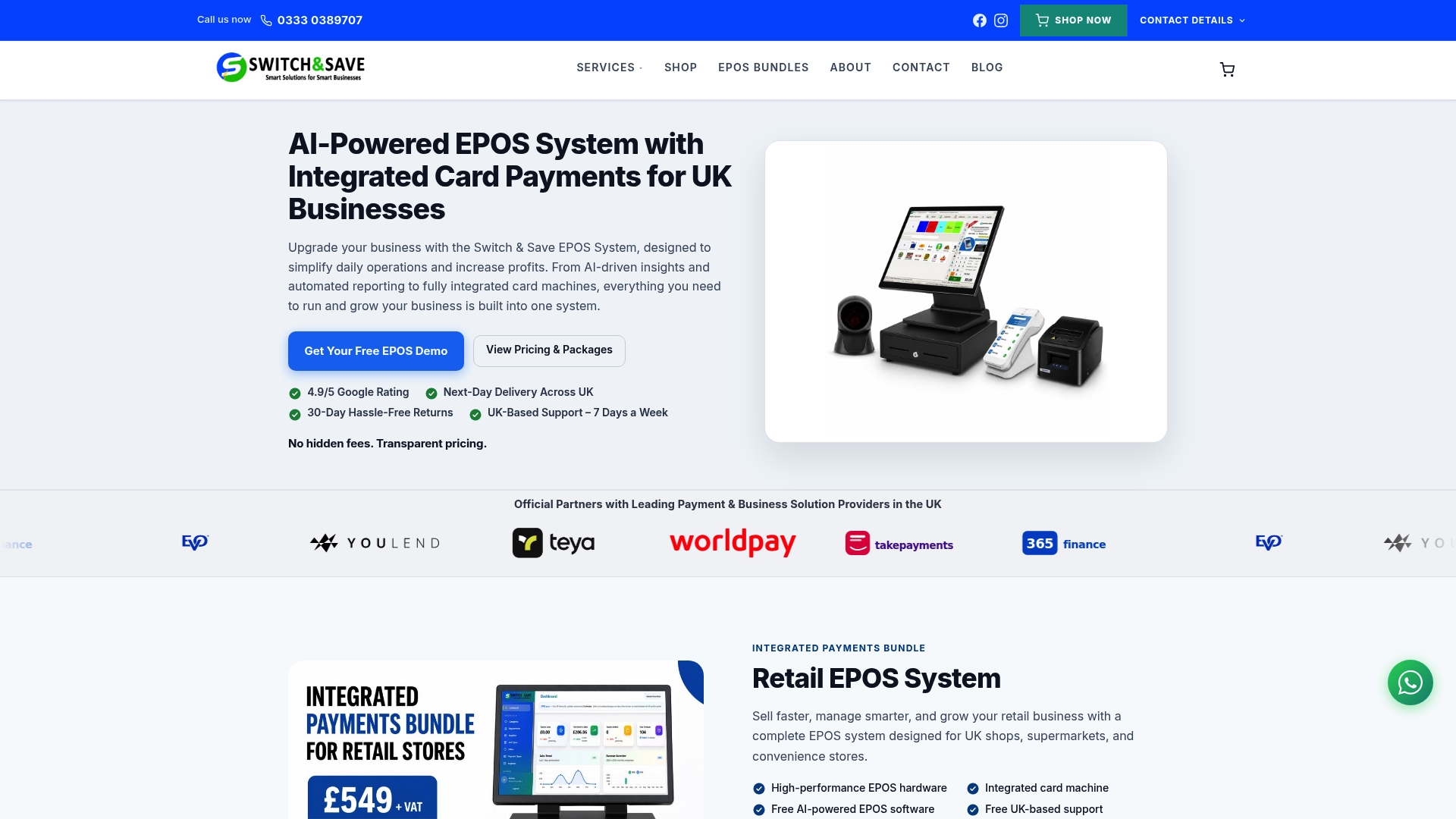
Switch-and-save EPOS systems are built to support integrated payment processing out of the box, with hardware and software designed to work together from day one. The retail EPOS system handles real-time inventory updates, cloud-based reporting, and connected payment terminals without the headaches of a DIY integration. For hospitality businesses, the same approach covers table management, split bills, and fast checkout at the counter. Book a free demo or speak to the Switch-and-save team to find the right package for your setup. UK-based support is available to guide you through every stage.
FAQ
What is an integrated payment system?
An integrated payment system connects your payment gateway, processor, and point-of-sale or e-commerce platform so transaction data flows automatically between them, removing the need for manual entry.
How long does a payment system integration take?
Implementation typically takes a few weeks, depending on the number of channels you are connecting and the complexity of your existing systems.
Do I need technical staff to set up integrated payments?
Not necessarily. Many providers offer hosted solutions and pre-built plugins that require minimal technical knowledge. However, any backend configuration and webhook setup benefits from developer involvement, even briefly.
How do I keep my customer payment data secure?
Use your payment provider’s SDK or iframe tools so raw card data never passes through your own servers. This significantly reduces your PCI compliance obligations and protects your customers.
What should I check before choosing a payment gateway?
Review compatibility with your existing EPOS, e-commerce platform, and accounting software. Also confirm PCI DSS certification, tokenisation support, and omnichannel capability before committing to any provider. Our guide to choosing a card machine provider covers the key checks in detail.