A table management system is a digital platform that organises restaurant seating, reservations, waitlists, and guest flow to maximise covers and improve service. Also known in the industry as a reservations management tool or guest management system, it replaces paper floor plans and manual booking sheets with live, colour-coded layouts your whole team can act on instantly. Restaurants switching from manual to digital table management see 12–18% more covers during peak hours. That figure alone makes the case for any venue turning away guests at the door. The core components are floor plan visualisation, automated waitlist management, guest communication, and two-way POS integration.
How does a table management system optimise seating and service?
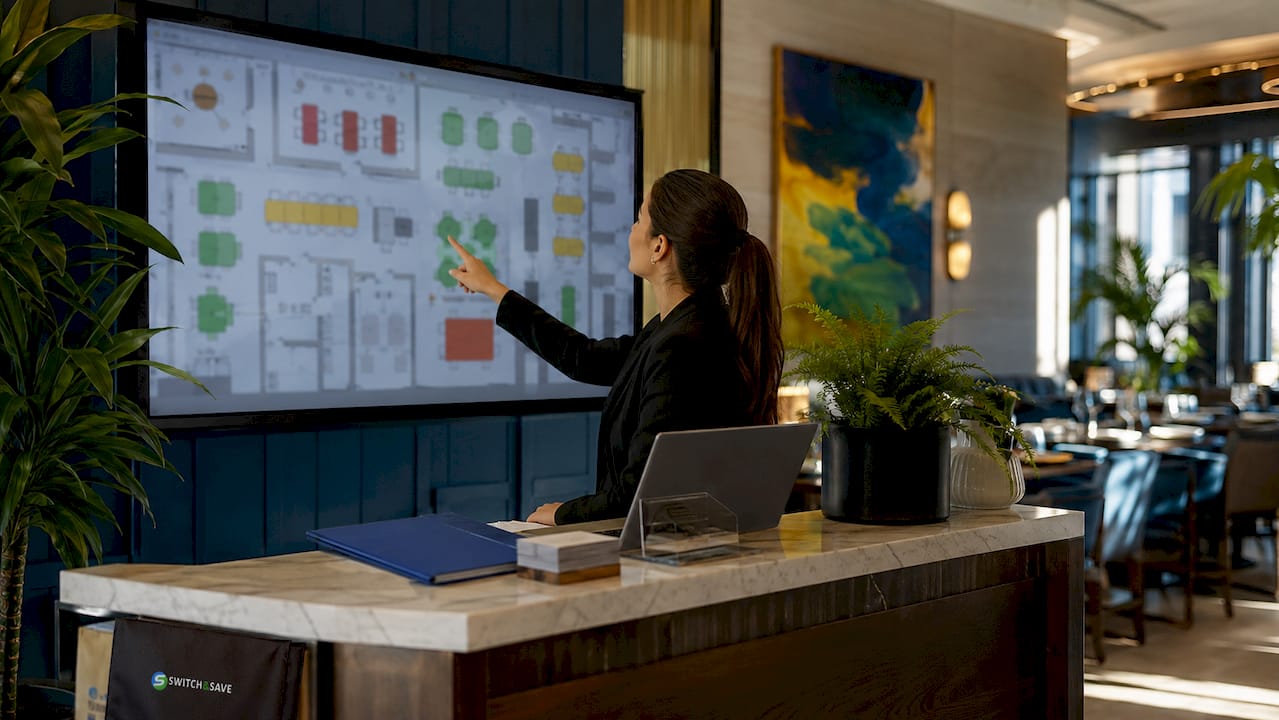
Real-time floor plan visibility is the foundation of efficient restaurant table management. A digital floor plan mirrors your actual layout and updates table status automatically as guests are seated, eating, or paying. Colour-coded floor plans reduce cognitive load on floor staff compared to list-based systems, which means faster decisions and fewer seating errors during a busy Friday service.
Waitlist management is where the operational gains become very tangible. Accurate digital waitlists with automated time estimates reduce customer walk-aways by 25–35% compared to manual methods. Manual stand management can require 30–50 calls daily just to manage a queue. Automation removes that burden entirely and frees your team to focus on guests already in the room.
Key features that drive seating efficiency include:
- Real-time table status indicators showing available, occupied, and cleaning states at a glance
- Automated waitlist notifications alerting the next guest within minutes of a table becoming free, cutting idle table time significantly
- Multi-device access so hosts, floor managers, and supervisors can view and update seating from any point in the venue
- Two-way POS sync that updates covers and revenue data correctly when party sizes change mid-service
- Kitchen display system (KDS) integration that routes orders digitally and accelerates table turns by 15–20% during busy services
Pro Tip: Set your table turn time targets inside the system before your first live service. The software will flag tables approaching their time limit automatically, giving your team a gentle prompt without any awkward hovering.
Two-way synchronisation between your dining table planner and your POS is particularly underrated. When a party of four becomes a party of six, the cover count must update in both systems simultaneously. Without that sync, your revenue reporting drifts and your kitchen gets the wrong picture. Understanding POS software basics before you choose a table seating software package will save you a great deal of frustration later.
What role does AI play in modern table management?
AI has moved table management well beyond simple booking calendars. Modern AI-driven systems use demand forecasting to predict busy periods and allocate tables dynamically, filling gaps that a human scheduler would miss. The financial stakes are real: even medium-sized venues can lose £62,000 annually due to inefficient turn times and no-shows, a problem AI-integrated systems address directly.
No-show management is one of the clearest wins AI delivers. Automated multi-touch confirmation sequences, combining SMS and email reminders, reduce no-show rates by 45–60%. Adding a deposit requirement at booking pushes that reduction to 70%. SMS reminders alone cut no-shows by 20% compared to email-only systems. Each percentage point recovered is a table that generates revenue instead of sitting empty.
AI also handles the administrative side of reservations:
- Multi-channel reservation sync pulls bookings from your website widget, phone calls, and third-party platforms into one live view, eliminating double bookings
- Intelligent no-show prediction flags high-risk bookings in advance so your team can follow up proactively
- Deposit management automation sends payment requests and processes them without manual intervention
- Voice AI booking agents handle multilingual reservation calls outside opening hours, capturing bookings your team would otherwise miss
AI-enabled systems provide faster operational insights than manual processes, directly boosting covers and revenue. The speed advantage compounds over a busy weekend: faster decisions at the host stand mean more sittings, shorter waits, and guests who leave satisfied rather than frustrated.
What should you consider when choosing a table management system?
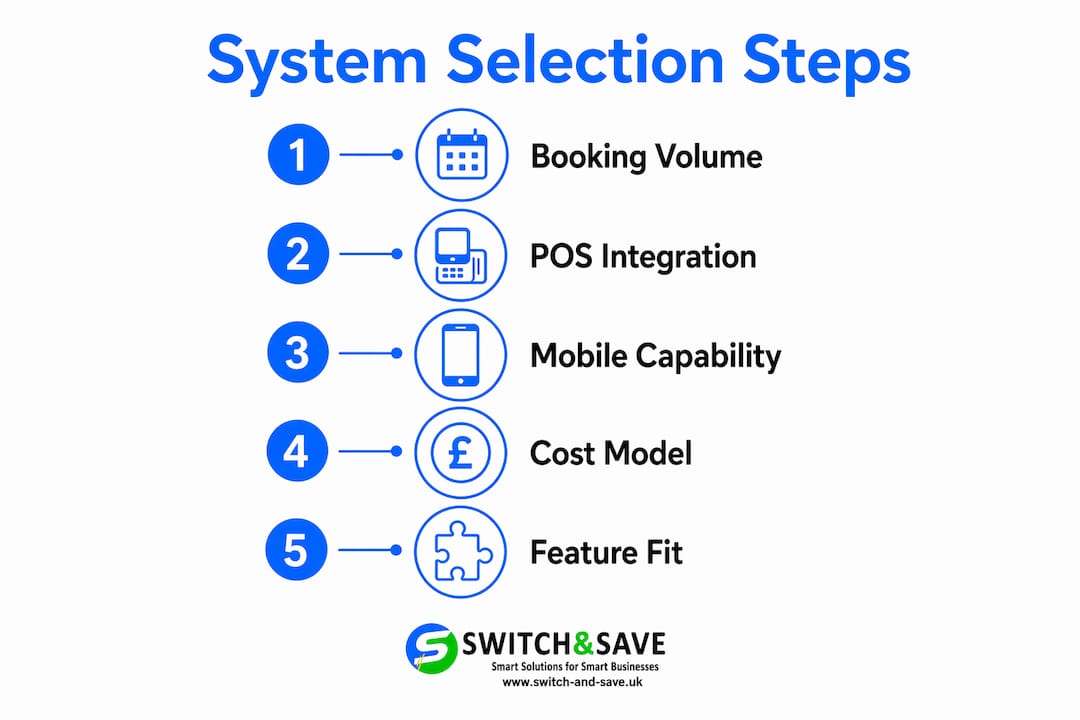
The right system depends on your booking volume and venue style. A café doing fewer than 20 covers a day can manage with a simple online form. A restaurant handling 30 or more bookings daily needs dedicated table seating software to maintain efficiency. Getting that match right from the start prevents paying for features you will never use.
Integration with your existing tools
POS integration is non-negotiable. Your table management platform must talk to your EPOS in real time. If it does not, your front-of-house and back-of-house operate on different information, which creates errors in billing, stock, and labour planning. The benefits of an integrated POS solution extend well beyond table management, touching inventory, reporting, and end-of-day reconciliation.
Accounting software compatibility matters too. A system that exports covers and revenue data directly to your accounts package saves hours of manual entry each week.
Reliability and mobile capability
Mobile-responsive booking pages capture 70% of reservations. A system without a mobile-friendly booking widget loses a significant share of potential covers before a guest even picks up the phone. Your online booking interface must load quickly and work cleanly on a smartphone screen.
Offline capability is equally critical. A high-quality system maintains cached floor plan and booking data during internet outages. Losing access to your bookings mid-service because the broadband drops is not a risk worth taking.
Cost model and feature fit
| Consideration | What to look for |
|---|---|
| Booking volume | Under 20 daily: basic tools. Over 30: dedicated software |
| POS integration | Two-way sync with your existing EPOS |
| Mobile booking | Responsive widget capturing smartphone reservations |
| Offline mode | Cached data access during connectivity loss |
| Cost model | Subscription fee vs per-cover commission |
| Feature scope | Core features only for single-location venues |
Avoid paying for multi-location tools if you run a single site. Those features add cost and complexity without benefit. Focus on the core fundamentals: reservations, floor plan, waitlist, and POS sync.
Pro Tip: Ask any vendor for a live demo using your actual floor plan. A system that looks clean in a generic demo may feel clunky when mapped to your specific layout. Test it with your real table configuration before you commit.
How does good table management increase revenue and guest satisfaction?
Faster table turns are the most direct revenue benefit. When your team knows exactly which tables are clearing and which guests are waiting, they seat the next party within minutes rather than guessing. Restaurants using table management software report faster table turns, increased covers, and better guest repeat rates. Each additional sitting during a peak service adds directly to your weekly takings.
Guest communication improves the experience before anyone walks through the door. Automated confirmation messages, reminders, and post-visit follow-ups keep guests informed and reduce the anxiety of “did my booking go through?” Personalised guest profiles, storing dietary preferences and visit history, give your team the context to make regulars feel genuinely recognised.
The revenue benefits compound across several areas:
- Reduced no-shows through deposits and automated reminders protect revenue that would otherwise disappear
- Shorter wait times from accurate waitlist estimates keep guests in the building rather than walking to a competitor
- Better labour scheduling using real-time booking data to match staffing levels to actual demand, cutting unnecessary wage costs
- Inventory planning informed by confirmed cover counts, reducing over-ordering and food waste
“Real-time information empowers hosts and accelerates decisions without replacing human judgement. The best table management setups give your team the data they need to act confidently, not a system that acts for them.”
The guest experience improvement feeds directly into repeat visits. A guest who waited the right amount of time, received a reminder, and was greeted by name is far more likely to book again. That loyalty compounds over months and years into a measurable revenue stream. Pairing your guest management system with a reliable EPOS system for restaurants closes the loop between front-of-house experience and back-of-house performance.
Key takeaways
A table management system delivers the greatest return when it integrates directly with your EPOS, uses automated guest communication, and matches the actual scale and style of your venue.
| Point | Details |
|---|---|
| Digital floor plans reduce errors | Colour-coded layouts cut cognitive load and speed up seating decisions during busy services. |
| No-show management protects revenue | Deposits and automated reminders can reduce no-shows by up to 70%, recovering significant lost income. |
| POS integration is non-negotiable | Two-way sync keeps covers, billing, and kitchen data accurate when party sizes change mid-service. |
| Mobile booking captures most reservations | 70% of reservations come through mobile devices, so a responsive booking widget is a core requirement. |
| Match features to your venue size | Single-location restaurants should prioritise core tools and avoid paying for multi-site complexity. |
My honest view on table management after years in hospitality tech
The most common mistake I see restaurant managers make is treating a table management system as a replacement for a well-trained host. It is not. The best systems I have worked with give your host real-time, high-fidelity information so they can make faster, more confident decisions. The host still reads the room. The system just removes the guesswork.
Setup speed surprises most operators. A well-designed system, mapped to your floor plan and connected to your EPOS, can be live within a day. Staff adaptation is faster than most managers expect, particularly when the interface uses visual floor plans rather than lists. The learning curve is genuinely short.
Where I have seen implementations struggle is integration. A system that does not talk cleanly to your EPOS creates more work, not less. Before you sign anything, confirm the exact integration method with your current POS provider. Ask whether it is a native connection or a third-party bridge. Native is always preferable.
My practical advice: start with the core features, get your team comfortable, and add complexity only when you have a specific problem to solve. A restaurant running 60 covers a night does not need voice AI on day one. It needs a reliable floor plan, a working waitlist, and a POS that stays in sync. Get those right first.
— Amir
Switch-and-save EPOS systems and restaurant table management
Running a tight front-of-house operation depends on your EPOS keeping pace with your floor. Switch-and-save builds EPOS systems specifically for UK hospitality businesses, with real-time POS sync, integrated payment processing, and cloud reporting that connects directly to your table management workflow.
Whether you are setting up a new venue or replacing a system that no longer fits, Switch-and-save offers a free demo so you can see the integration in action before you commit. Browse the full range of EPOS systems for restaurants or explore the complete EPOS systems catalogue to find the right fit for your operation. UK-based support is included as standard.
FAQ
What is a table management system in a restaurant?
A table management system is software that manages reservations, seating assignments, waitlists, and guest flow in real time. It replaces manual floor plans and paper booking sheets with a live digital layout accessible across multiple devices.
How much does a table management system cost?
Pricing varies by provider and is typically structured as either a monthly subscription or a per-cover commission model. Single-location restaurants should compare both models against their average monthly cover count to identify the lower-cost option.
Can a table management system reduce no-shows?
Yes. Automated multi-touch confirmation sequences reduce no-show rates by 45–60%, and adding a deposit requirement at booking can push that figure to 70%. SMS reminders outperform email-only systems by a significant margin.
Does a table management system need to integrate with my EPOS?
Two-way EPOS integration is a core requirement, not an optional extra. Without it, cover counts, billing, and kitchen data fall out of sync whenever party sizes change during service, creating errors across your operation.
What happens if my internet goes down during service?
A reliable system caches your floor plan and booking data locally so your team retains access during an outage. Always confirm offline mode availability with any vendor before purchasing, as not all systems offer this protection.