

Staff performance analytics means using the data your till already records, such as sales, transaction times, voids and refunds, to see how your team is doing and where to help them. Used well, it shows you who needs training and who deserves a thank-you. Used badly, it feels like surveillance and drives good people away. This guide shows what to measure, how to read it, and what UK law expects of you.
It is written for owners and managers of retail shops and restaurants, including those in Birmingham and Coventry, who want a cashier performance report they can trust and act on.
TL;DR
- Pick a handful of metrics tied to a clear goal: average transaction time, average basket value, voids and refunds, and sales per staff hour.
- Tell your team what you track and why. UK GDPR requires monitoring to be lawful, fair and proportionate.
- Never let the system decide discipline on its own. A manager must review the data and talk to the person first.
- Use the numbers for frequent, informal one-to-ones, not just the annual appraisal.
- Compare people against fair benchmarks: the same shift, the same till, the same trading conditions.
Table of Contents
- What staff performance analytics actually covers
- The metrics worth watching (and what each one really tells you)
- Set a goal before you look at a number
- Be fair: compare like with like
- The legal side: what UK employers must do
- Turn the data into coaching, not surveillance
- Our view: what we have seen work
- What to look for in an EPOS system if staff reporting matters
- Ready to see your team’s numbers clearly?
- Common mistakes to avoid
- FAQ
- Sources
What staff performance analytics actually covers
Search for this topic and you will mostly find HR software guides about office workers: engagement surveys, absenteeism, remote productivity. That is a different job. In a shop, café or restaurant, the most useful performance data comes from the point of sale, because every sale is logged against a person, a time and a till.
A good EPOS system can typically show you:
- Speed: how long a transaction takes from first scan to payment.
- Value: the average spend per customer served by each person.
- Accuracy: voids, refunds, discounts and till differences by user.
- Output over time: sales per hour worked, by shift and by day of the week.
The exact reports depend on the system you buy, so check this before you commit. Ask for a demo and look for per-user filtering, date ranges and the ability to export.
If you are choosing a system, our guide to top POS solutions for retail covers what to compare.
The metrics worth watching (and what each one really tells you)
A number on its own proves nothing. Here is how to read the common ones.
| Metric | What it can show | What it can hide |
|---|---|---|
| Average transaction time | Training gaps, unfamiliar menu or product codes | A careful cashier helping an elderly customer is not slow |
| Average basket value | Who suggests extras and add-ons | A weekday-morning shift naturally sells less than a Saturday |
| Voids and refunds | Keying errors, confusing screens, possible misuse | Honest corrections at busy times |
| Discounts applied | Who is giving money away and why | Approved promotions |
| Sales per staff hour | Whether your rota matches demand | Quiet shifts you overstaffed through no fault of the team |
| Upsell or add-on rate | Confidence with the offer | Product mix that differs by counter |
Start with three. Most owners we speak to try to track ten things and end up acting on none. If you want a broader view of which numbers matter for the business as a whole, see our piece on 8 POS analytics metrics, and for the reports that guide staffing, five EPOS sales reports.
Set a goal before you look at a number
Acas recommends managing performance around SMART objectives: specific, measurable, achievable, relevant and time-bound. Its own example is the difference between a vague aim to sell more and an objective such as cutting transaction time by 30 seconds to improve customer service, reviewed in three months. That is exactly the kind of goal EPOS data can measure.
Here is how that looks in a real business:
- Pick the problem. Queues build up at lunchtime in your Coventry café.
- Find the data. Average transaction time is highest on Tuesday and Thursday lunchtimes, when newer staff are on the till.
- Set the target. Bring average time down by an agreed amount within three months.
- Support it. Short refresher training on the menu screen and payment steps.
- Review. Look at the report together at your next one-to-one.
Notice what is missing: no one is named and shamed in a team chat. The data points to a process problem first, and a people problem only if the process is fine.
Training matters more than most owners expect. Our practical guide to training staff on EPOS is a good place to start before you judge anyone’s speed.
Be fair: compare like with like
The fastest way to lose your team’s trust is an unfair league table. Before you compare two people, check:
- Same shift pattern. A Friday night and a Tuesday morning are different jobs.
- Same role. A cashier who also handles returns will have longer average times than one who only takes payments.
- Same till set-up. Different terminals, card readers or layouts affect speed.
- Enough data. One week is noise. Look at four to eight weeks before drawing a conclusion.
- Seasonality. December in the Bullring area of Birmingham is not February.
Local context matters too when you judge the business as a whole. According to the Office for National Statistics, the Coventry and Warwickshire area saw 16% productivity growth between 2010 and 2018, alongside 34% growth in gross value added. That is a reminder that productivity varies a lot by place, so measure your team against your own history first, and against industry figures second.
The legal side: what UK employers must do
Performance analytics involves personal data about your workers, so UK GDPR applies. This is not a reason to avoid it. It is a reason to do it properly.
Be open about what you track
The ICO says employers must make sure workers know how and what personal information is collected during any monitoring. In practice, put it in writing: what the EPOS records, why you look at it, who sees it and how long you keep it. Mention it in staff handbooks and at induction.
The ICO also expects monitoring to be lawful, fair and proportionate. Tracking till accuracy to cut losses is easy to justify. Recording more than you need is not.
Consider a DPIA
If the monitoring is high-risk or intrusive, the ICO expects a Data Protection Impact Assessment, and consulting workers is part of showing it is proportionate. See the ICO’s guidance on monitoring workers to judge whether your set-up needs one. Basic till reports usually sit at the lower end, but if you add more detailed tracking, assess it first.
Keep a human in the decision
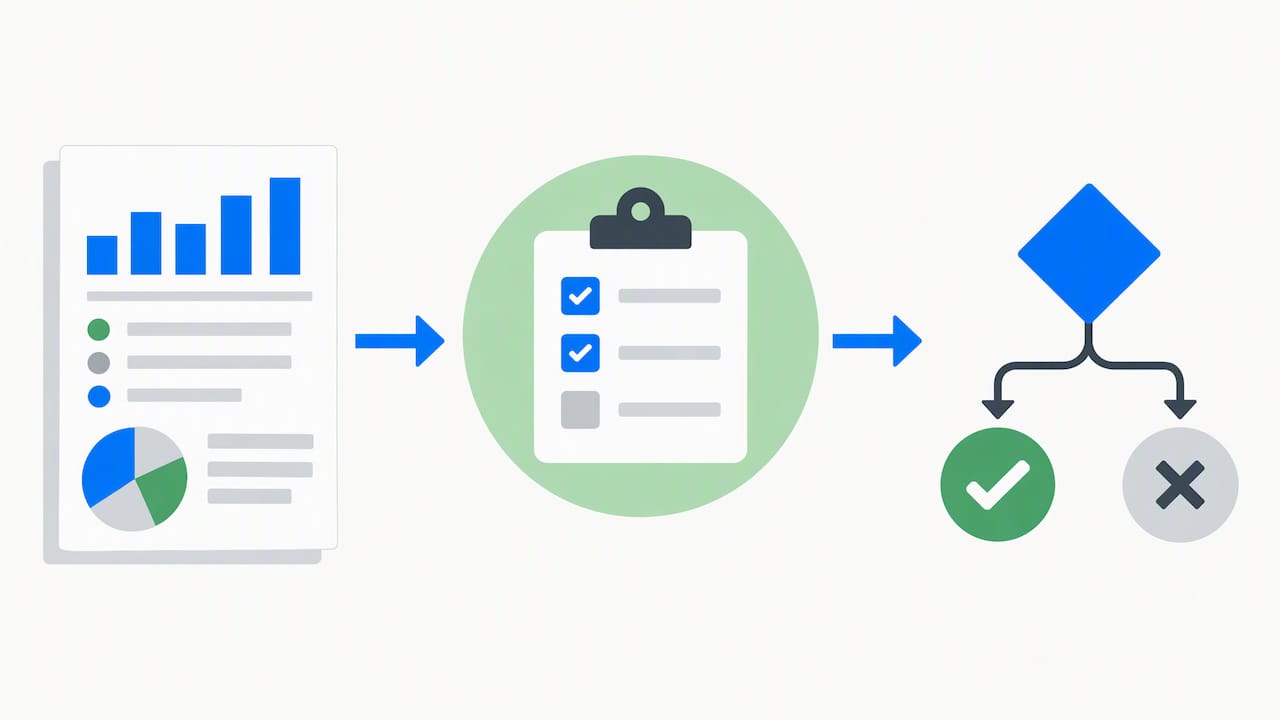
Many owners assume they can let the system flag a problem and act on it automatically. Solely automated decisions with legal or similarly significant effects, such as a pay cut or dismissal, are restricted under UK GDPR. The ICO’s guidance on monitoring tools that use solely automated processes explains this, including what you must tell workers when profiling is involved. The simple rule: the report is a prompt for a conversation, never a verdict.
The government has also consulted on workplace monitoring technologies as part of its Make Work Pay plans, so rules may tighten. Check the ICO and Acas pages before you change your approach. For wider EPOS data protection steps, read our five POS GDPR actions.
If you are unsure about a specific situation, such as a grievance or a dismissal, call the Acas helpline or speak to an employment law adviser before acting.
Turn the data into coaching, not surveillance
Acas advises that managers often avoid difficult conversations until the annual appraisal. Its guidance points the other way: use performance information for frequent, informal check-ins. That keeps analytics from feeling like surveillance and makes it a chance to help.
A simple monthly one-to-one using EPOS data might run like this:
- Start with what went well. A strong basket value, a quiet month for voids.
- Share one number, not ten. Ask what they think is behind it.
- Listen. There is often a reason the data cannot see, such as a faulty card reader or a new product range.
- Agree one action. Training, a layout change, a buddy for a busy shift.
- Write it down and revisit it next month.
Acas also separates performance from capability and conduct. A slow average transaction time is usually a training matter. A pattern of suspicious voids is a conduct matter and needs a fair, documented process. Mixing the two makes people disengage, however accurate your data is.
If the conversation is awkward, Acas has a useful guide to managing challenging conversations.
Allow for different ways of working
Acas guidance on performance, conduct and capability for neurodivergent employees points out that one-size-fits-all targets can be unfair, and that reasonable adjustments may be needed. If someone’s numbers differ from the team’s, ask how they work best before you decide anything. A person who is careful and accurate may be a real asset even with a longer average transaction time.
Our view: what we have seen work
We sell EPOS systems to UK retail and hospitality businesses, and the pattern we see is simple. The owners who get value from staff reporting treat it as a mirror for the business, not a weapon for the manager.
Three habits stand out:
- They start with the process. If three people are slow on the same screen, the screen is the problem. A tidier layout beats a telling-off.
- They share the numbers with the team. When staff can see their own figures, many improve without being asked.
- They keep the human in charge. The system shows you where to look. You decide what it means, after you have spoken to the person.
We also think a performance report is only as good as the data going in. If staff share logins, or there is no clean way to tell cashiers apart, the reports are worthless. Give every team member their own login from day one and explain why.
For a shop or restaurant in Birmingham or Coventry, we would begin with one question: what is the single thing that costs you most each week, queues, errors or overstaffing? Pick the metric that answers that, and ignore the rest for now.
— Amir
What to look for in an EPOS system if staff reporting matters
Before you buy or switch, check these points in a demo:
- Individual logins for every member of staff.
- Reports by user, by shift and by date range, with an export option.
- Voids, refunds and discounts recorded against the person who made them.
- Sales and stock in one place, so you see the whole picture, including through a cloud dashboard when you are off site.
- Multi-terminal and multi-store support if you plan to grow.
- UK-based support when something does not look right.
Our article on retail POS analytics for UK shops shows how these reports fit into wider stock and staffing decisions, and how POS analytics supports better business decisions goes deeper on reading the numbers.
Ready to see your team’s numbers clearly?
If you run a restaurant, café or takeaway, our Hospitality EPOS Bundle costs £549 one-off, with AI-powered cloud software at £20 per month. If you want one device for the till and the card payment, take a look at the Integrated Payments Bundle, where the EPOS software subscription is £30 per month. Retail shops can compare the Standard and Premium retail bundles. Not sure which fits? 👉 Ask for a free demo and we will show you the reports on a live system.
Common mistakes to avoid
- Tracking everything. More metrics means less action.
- Public leaderboards. They reward speed over accuracy and embarrass the people who need help most.
- Judging on a single bad week. Small errors add up, but so do small good habits.
- Skipping the explanation. If staff hear about monitoring from a colleague rather than from you, trust suffers.
- Saving it all for the appraisal. Small, regular chats work better than one big one.
- Acting on the system alone. Always check the facts with the person first.
FAQ
How do I track staff performance in a shop or restaurant?
Use your EPOS to look at a few metrics per person, such as transaction time, average basket value, voids and sales per staff hour. Set a clear goal first, tell your team what you are measuring, and review the numbers in regular one-to-ones. Compare people on the same shifts and over several weeks.
What should a cashier performance report include?
At minimum: the cashier’s name or login, number of transactions, average transaction value, average transaction time, voids, refunds and discounts, for a chosen date range. Whether your system reports all of these depends on the product, so ask during a demo. Add sales per staff hour if you want to link results to your rota.
Is it legal to monitor employees with EPOS data in the UK?
Yes, if it is lawful, fair and proportionate under UK GDPR, and you tell workers clearly what you collect and why. The ICO expects you to consider a DPIA where monitoring is high-risk or intrusive. You should not take significant decisions, such as dismissal, on solely automated processing.
Can I discipline someone based on EPOS data alone?
No, not safely. The data can raise a question, but a manager should review it, speak to the employee and decide fairly. For conduct or capability issues, follow a documented process and take advice from Acas or an employment law adviser.
Sources
- Acas: Reviews and appraisals, performance management
- Acas: Leading people guidance
- Acas: Challenging conversations and how to manage them
- Acas: Performance, conduct and capability for neurodivergent employees
- ICO: Data protection and monitoring workers
- ICO: Monitoring tools that use solely automated processes
- Office for National Statistics: Subregional productivity in the UK
- GOV.UK: Workplace monitoring technologies consultation



