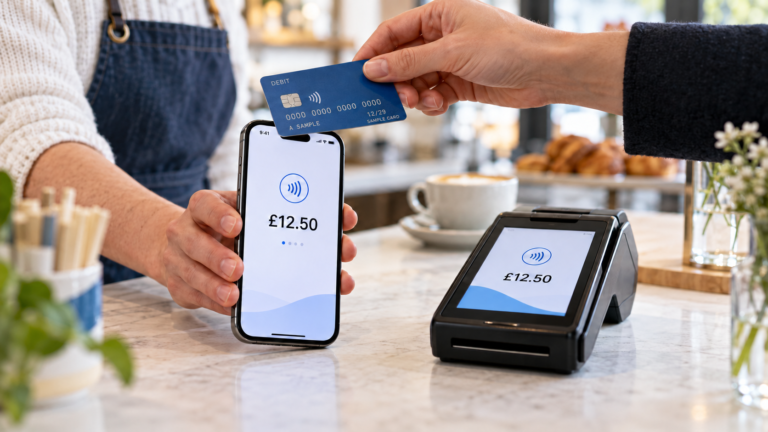
Card payment reconciliation means comparing the card sales recorded in your EPOS system with the transactions shown by your card payment provider. The totals should match after you account for refunds, tips, split payments, failed transactions and settlement timing.
The simplest daily process is to run your EPOS end-of-day report, collect the card terminal or payment portal totals, compare the figures and investigate any difference before closing the day. Don’t compare the money arriving in your bank with gross sales without checking fees and settlement dates first.
When your EPOS and card machine are integrated, much of this information can be connected automatically. That makes errors easier to prevent and discrepancies quicker to find.
Key Takeaways
| Question | Direct answer |
|---|---|
| What is card payment reconciliation? | It’s the process of matching card sales in your EPOS with card terminal or payment-provider records. |
| How often should it be completed? | Daily reconciliation is usually the easiest way to spot and investigate errors quickly. |
| Should card sales equal the bank deposit? | Not always. Fees, refunds, settlement timing and adjustments may change the amount deposited. |
| What should you compare first? | Compare gross EPOS card sales with the payment provider’s gross processed total for the same trading period. |
| What causes most differences? | Manual keying errors, incorrect payment types, refunds, tips, split payments and transactions recorded on different dates. |
| Can an EPOS system help? | Yes. Integrated payments can automatically send the total to the terminal and record the result against the sale. |
What Is Card Payment Reconciliation?
Card payment reconciliation is the process of checking that the card payments recorded by your business match the transactions processed by your payment provider.
Imagine your EPOS end-of-day report shows £2,350 in card sales. Your card payment portal shows £2,350 processed during the same period. If there are no unexplained refunds, failed payments or other adjustments, the figures reconcile.
If the provider shows £2,325, you have a £25 difference to investigate.
Reconciliation normally involves three sets of records:
- Your EPOS or till sales report
- Your card terminal or payment-provider report
- The settlement reaching your business bank account
These records represent different stages of the payment journey. That’s why they shouldn’t always be expected to show exactly the same number at exactly the same time.
Why Should You Reconcile Card Payments Daily?
Daily card payment reconciliation helps you identify problems while the transactions are still recent.
If you wait until the end of the month, a £12 discrepancy could be connected to any of hundreds or thousands of payments. When you check the figures at the end of each shift or trading day, there are fewer transactions to review.
Regular reconciliation can help you find:
- Amounts entered incorrectly on a standalone terminal
- Card sales recorded as cash in the EPOS
- Refunds missing from one system
- Declined payments treated as completed sales
- Duplicate charges
- Missing tips or service charges
- Transactions included in the wrong trading period
- Unexpected card processing deductions
It also gives you cleaner information for bookkeeping. Your accountant needs to understand your gross sales, refunds, payment charges and net bank deposits. A single unexplained bank figure doesn’t provide that detail.
What Records Do You Need?
Before starting, collect reports covering the same till, location and trading period.
Your EPOS end-of-day report
Your EPOS report should show total sales divided by payment method. Depending on your setup, that may include:
- Cash
- Debit and credit cards
- Vouchers
- Online payments
- Gift cards
- Loyalty redemptions
- Split payments
- Other tender types
You need the card total, but you should also review the wider payment breakdown. A card transaction accidentally recorded as cash can make both totals wrong.
Your card payment report
This may come from the terminal, a merchant portal or your provider’s app.
Look for the gross transaction total, number of approved payments, refunds and any reversals. If you operate several terminals, check whether the report covers one device or the whole merchant account.
Your settlement report
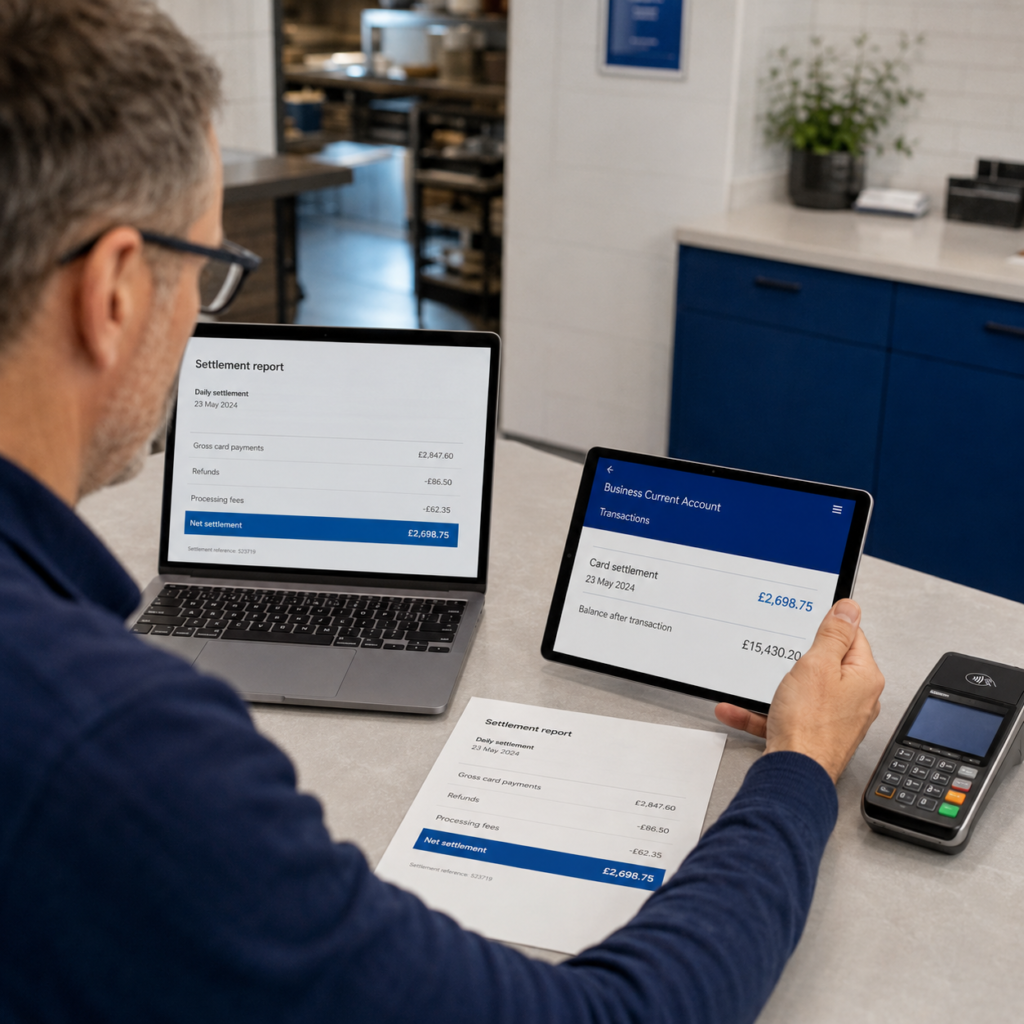
A settlement report explains how processed payments become a bank deposit.
It may show:
- Gross card payments
- Refunds
- Processing charges
- Chargebacks
- Other adjustments
- Net amount deposited
- Settlement date
This report is more useful than looking at the bank deposit alone because it explains how the final figure was calculated.
How to Reconcile Card Payments Step by Step
Step 1: Choose a consistent cut-off time
Decide exactly when your trading day ends. For many shops, this will be closing time. A restaurant or takeaway trading after midnight may use a later business-day cut-off.
Use the same time range in your EPOS and payment reports. Comparing midnight-to-midnight card data with a restaurant EPOS report ending at 2am will create a difference even when every transaction is correct.
Step 2: Close outstanding orders
Check for open tables, parked sales, unpaid tabs or suspended transactions before running your final report.
An open restaurant table may have been paid at the card terminal but not completed in the EPOS. Alternatively, the order may appear as a sale even though the customer hasn’t paid yet.
Closing or clearly recording these orders keeps the daily figures easier to understand.
Step 3: Run the EPOS payment report
Record the gross card sales shown by the EPOS.
For example:
| EPOS payment type | Amount |
|---|---|
| Card | £2,180.00 |
| Cash | £640.00 |
| Voucher | £50.00 |
| Total sales | £2,870.00 |
Your first reconciliation target is the £2,180 card total.
Step 4: Run the card payment report
Now check the gross approved card transactions for the same period.
Don’t use the net bank deposit at this stage. You’re comparing sales activity, so start with gross figures before fees and other settlement deductions.
If the card provider also shows £2,180, the transaction totals agree.
Step 5: Compare refunds and adjustments
Refunds should be treated consistently.
Suppose the EPOS shows £2,180 in card sales and a separate £40 card refund. The provider might display £2,180 of payments and £40 of refunds, producing net processed activity of £2,140.
Compare gross sales with gross sales and refunds with refunds. Comparing a gross figure in one system with a net figure in another will create a false discrepancy.
Step 6: Investigate any difference
Calculate the difference:
EPOS card total − provider card total = reconciliation difference
If your EPOS shows £2,180 and the provider shows £2,150:
£2,180 − £2,150 = £30 difference
Review transactions around that amount. Check payment times, staff activity, refunds, declined payments and any manually entered terminal transactions.
A transaction-level report is more useful here than repeatedly checking the daily totals.
Step 7: Match the settlement to your bank
Once the processed card activity is correct, match the provider’s settlement report with the deposit appearing in your bank.
For example:
| Settlement item | Amount |
|---|---|
| Gross card payments | £2,180.00 |
| Card refunds | -£40.00 |
| Processing fees | -£26.00 |
| Net bank settlement | £2,114.00 |
The £2,114 bank deposit doesn’t mean £66 of sales are missing. The settlement report explains the difference.
Step 8: Record and approve the reconciliation
Keep a simple daily record showing:
- Trading date
- EPOS card total
- Provider card total
- Refunds
- Difference
- Reason for any difference
- Bank settlement amount
- Person completing the check
If a difference can’t be resolved immediately, don’t silently change a figure to make the totals match. Record the discrepancy and investigate it.
Why Card Sales May Not Match Your Bank Deposit
This is one of the most common areas of confusion.
Your EPOS may record a £100 card sale today, but the money might reach your bank on a later settlement date. The deposit may also be lower if your provider deducts fees before paying you.
Weekend and bank holiday trading can affect when settlements appear. Your provider may also combine several trading days into one deposit or split activity across separate batches.
This means you should perform two related checks:
- Match EPOS card sales to processed card transactions.
- Match payment-provider settlements to bank deposits.
Trying to complete both checks using only the EPOS total and bank statement can make normal timing differences look like missing money.
For a clearer view of processing costs, read our guide to card payment fees for small businesses.
Common Causes of Reconciliation Differences
Manual card terminal errors
With a standalone terminal, staff enter the amount into the EPOS and then type it into the card machine.
A £25.80 sale could accidentally be entered as £28.50. The customer may pay the wrong amount while the EPOS still records the original sale.
Incorrect payment methods
A staff member may complete a card payment but select cash on the EPOS. Total sales remain correct, but the payment breakdown doesn’t.
The card report will be higher than the EPOS card figure, while the expected cash total will also be wrong.
Declined or cancelled transactions
A transaction can appear to start at the terminal without being successfully approved.
Staff should confirm the final payment status before completing the order or handing over goods. Training employees to recognise approved, declined and cancelled payments can prevent many discrepancies.
Refund timing
A refund may be recorded in the EPOS on Monday but processed through the payment provider on Tuesday.
Both records may be correct, but the daily totals won’t match until the timing difference is documented.
Tips and service charges
Restaurants, cafés and bars need to check how tips are recorded.
If the EPOS bill is £60 but the customer pays £66 after adding a £6 terminal tip, the card provider will show more than the original EPOS sale unless the tip is recorded separately.
Split payments
A customer may pay a £50 bill using £30 on a card and £20 in cash. Your EPOS card report should include only £30.
If the full £50 is sent to the card terminal or recorded under one payment type, reconciliation will fail.
Multiple terminals or locations
Make sure you haven’t compared one terminal’s total with the combined EPOS sales for several tills.
Businesses with more than one branch should reconcile each location separately before reviewing the combined business total. Our guide to running multiple shops from one EPOS system explains how location-based reporting can help.
Let’ say, the EPOS shows £4,620 in card sales. The provider report shows £4,600.
The owner finds a £20 sale recorded as card in the EPOS, but the customer actually paid cash after their card was declined. Correcting the payment method resolves the difference and also fixes the expected cash total.
The EPOS shows £1,480 in card-paid orders, while the terminal shows £1,532.
The £52 difference comes from customer tips added at the terminal. Once tips are separated in the daily record, the figures reconcile.
The takeaway’s EPOS business day runs from 4am to 4am, but the card report uses calendar days.
Payments taken between midnight and 4am appear on different report dates. Changing the report filters to use the same cut-off period removes the apparent difference.
How Integrated Payments Make Reconciliation Easier
Integrated card payments connect your card machine with your EPOS system.
So, what actually happens when a customer taps their card? The EPOS sends the correct total to the terminal. The terminal processes the payment and returns the result to the EPOS, where it can be linked to the sale.
This removes the need for staff to type the amount twice. It can also prevent an order from being recorded as paid when the transaction was declined.
Integrated payments don’t remove the need for financial controls. You should still review daily totals, refunds, settlements and bank deposits. However, integration gives you a cleaner transaction trail and fewer manual steps.
This is especially useful for busy cafés, grocery shops, takeaways and restaurants handling hundreds of payments. You can learn more in our guide to integrated card payments for restaurants or explore our AI-powered retail EPOS system.
A Simple Daily Reconciliation Checklist
Before completing your cash-up, confirm that:
- All open orders have been reviewed
- The EPOS and payment reports use the same time period
- Gross card totals have been compared
- Refunds and voids have been checked separately
- Tips and service charges have been accounted for
- Split payments use the correct payment types
- Declined transactions weren’t recorded as completed
- Any difference has a written explanation
- The settlement has been matched to the correct bank deposit
Keep the process consistent. A short daily check is usually easier than reconstructing several weeks of transactions later.
How Switch & Save Can Help
Switch & Save provides AI-powered EPOS systems and card payment solutions for UK retail and hospitality businesses.
Our integrated approach can help connect checkout, payment records and reporting, making daily reconciliation clearer. You can also review sales, refunds and payment methods without relying entirely on handwritten totals or separate systems.
Whether you run a grocery shop, café, restaurant, takeaway, bar or mobile shop, the right setup should make it easier to see what you sold, how the customer paid and what reached your bank.
Check Your Potential Savings
Switch & Save helps UK businesses reduce costs with AI-powered EPOS systems, card payment solutions and business finance.
Frequently Asked Questions
What does card payment reconciliation mean?
Card payment reconciliation means matching the card sales recorded in your till or EPOS with the transactions processed by your card payment provider. You should then match provider settlements with the deposits reaching your bank.
How do you reconcile card payments at the end of the day?
Run your EPOS payment report and your card provider’s transaction report for the same period. Compare gross card sales, check refunds and adjustments, investigate differences and then match the settlement report to your bank deposit.
Should card terminal totals match EPOS card sales?
They normally should when both reports cover the same period and use the same gross or net basis. Differences may be caused by refunds, tips, split payments, failed transactions or incorrect payment methods.
Why is my card settlement lower than my EPOS sales?
Your settlement may be lower because of processing fees, refunds, chargebacks or other adjustments. It may also cover a different trading period. Check the provider’s settlement breakdown before treating the difference as missing money.
How often should a small business reconcile card payments?
Daily reconciliation is a practical approach for most retailers and hospitality businesses. It keeps the number of transactions manageable and allows staff to investigate differences while the trading day is still fresh.
How should card processing fees be recorded?
Record gross card sales as business revenue and processing fees as a separate expense. Don’t record only the net bank deposit as sales, because this hides the true sales value and payment cost. Confirm the correct accounting treatment with your bookkeeper or accountant.
Can integrated card payments prevent reconciliation errors?
They can reduce errors by sending the payment amount directly from the EPOS to the terminal and recording the result against the sale. Differences can still occur, so daily review remains useful.
What should I do if the totals don’t match?
Start by checking report dates, cut-off times, refunds, tips, split payments and declined transactions. Then compare individual transactions. Record any unresolved difference and ask your payment provider or EPOS support team for help if necessary.