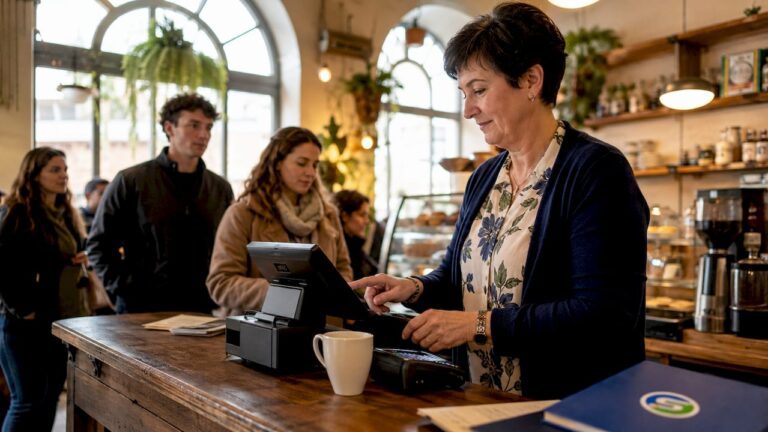
A POS system is the software and hardware that processes sales, tracks stock, and captures customer data at the point of purchase. For small businesses, it replaces the manual processes that quietly drain time and money every single day. Whether you run a boutique, a café, or a multi-site retail operation, understanding why POS for small businesses matters is the first step to running a tighter, more profitable shop. The industry term is EPOS, short for Electronic Point of Sale, and it covers everything from the till screen and card reader to the cloud dashboard you check from home.
Why do small businesses need a POS system?
A POS system solves two problems that hurt small businesses most: slow checkouts and inaccurate data. Without one, you are relying on manual counts, paper receipts, and end-of-day guesswork. That approach works when you serve ten customers a day. It breaks down fast when you are busy.
The core functions of a modern EPOS system cover sales processing, real-time inventory management, and customer relationship data. Platforms like Zoho, Square, and Salesforce have each built their products around these three pillars because they represent the daily pain points every small business owner recognises. When all three are handled automatically, your team spends less time on admin and more time serving customers.

Manual inventory and sales management cause errors and inefficiencies that erode profit margins as a business grows. Small errors add up. A missed stock count leads to an out-of-stock situation. An out-of-stock situation means a lost sale and a frustrated customer.
The benefits of POS systems go beyond the till. They give you a live view of what is selling, what is sitting on shelves, and who your best customers are. That information used to require a dedicated accountant or hours of spreadsheet work. A good EPOS system delivers it in seconds.
How do POS systems improve daily business operations?
Speed is the most immediate gain. A POS system reduces checkout times by around 83%, cutting a three-minute manual process down to roughly 30 seconds. During a Saturday afternoon rush, that difference determines whether customers queue patiently or walk out.
The operational advantages of POS for retailers extend well beyond the counter:
- Barcode scanning removes the need to key in prices manually, cutting input errors at the till.
- Automated payment processing handles card, contactless, and mobile payments without staff intervention.
- End-of-day reconciliation runs automatically, replacing a 30-minute manual task with a single report.
- Real-time stock alerts notify you when a product falls below a set threshold, so you reorder before you run out.
- Cloud dashboards let you monitor sales from any device, anywhere, which is particularly useful if you manage more than one location.
- Multi-location management unifies data from every site into one view, removing the need to chase figures from individual managers.
Pro Tip: Always confirm that your EPOS system includes a reliable offline mode. A cloud-based POS without offline capability can fail completely during an internet outage, leaving you unable to process sales. Look for a system that stores transactions locally and syncs them once connectivity is restored.
A POS system also shifts management from reactive to proactive. Instead of discovering a stock problem at the end of the week, you see it the moment it develops. That kind of visibility changes how you make decisions.
What are the financial advantages of using a POS system?
The financial case for small business payment systems is stronger than most owners expect. The upfront cost of an EPOS system is visible. The ongoing savings are less obvious but add up considerably over a year.
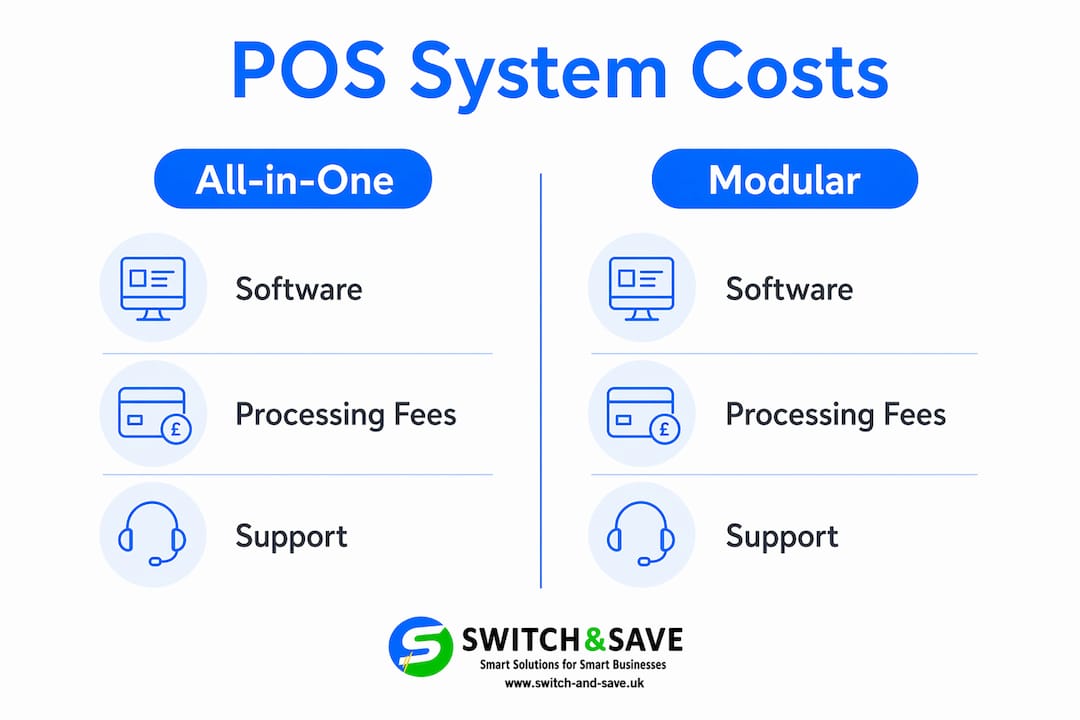
Payment processing fees are one of the biggest hidden costs in retail. All-in-one POS packages often bundle software with a fixed card processing rate, which sounds convenient but can be expensive. Small businesses processing between £10,000 and £25,000 in monthly card sales can save £100–£200 per month by choosing a modular POS that allows them to negotiate card rates independently. That is a saving of up to £2,400 per year from one decision alone.
Beware of “free” POS software that charges elevated card processing fees. These products lock you into a vendor ecosystem where the software is subsidised by your transaction costs. A software-only POS that lets you choose your own payment processor is often cheaper over the long term.
| Cost factor | All-in-one POS package | Modular POS system |
|---|---|---|
| Monthly software fee | Often included or low | Separate, typically transparent |
| Card processing rate | Fixed, often higher | Negotiable with your processor |
| Accounting integration | May require add-on | Usually open integration |
| Flexibility to switch | Low | High |
| Estimated monthly saving | Baseline | Up to £200 for mid-volume businesses |
Reduced labour costs are the second financial benefit. Automated reconciliation, stock alerts, and sales reporting remove hours of manual work each week. Fewer manual steps also mean fewer errors. EPOS systems reduce human errors in retail at every stage, from pricing to stock counts, which protects your margins without requiring extra staff.
How do integrated POS and CRM systems improve customer experience?
A POS system connected to a CRM (Customer Relationship Management) tool does something a standalone till cannot: it remembers your customers. Every purchase is logged, every preference noted, and every loyalty point tracked automatically.
Integrated POS and CRM systems automate customer data collection, improving inventory management, marketing targeting, and personalised loyalty programmes for small businesses. Salesforce, for example, builds this integration into its commerce tools because the data connection between what customers buy and how you market to them is where growth happens.
The practical benefits for your team and your customers include:
- Loyalty programmes that run without manual tracking, rewarding repeat customers automatically.
- Personalised promotions sent to customers based on their actual purchase history, not guesswork.
- Staff recognition of repeat customers at the till, improving the in-store experience.
- Omnichannel sales that unify your physical shop, online store, and mobile sales into one inventory and one customer record.
- Sales analytics that show which products drive repeat visits, helping you make smarter buying decisions.
Combining POS data with customer feedback collection gives you a complete picture of what customers value, not just what they buy. That combination is what separates businesses that grow from those that plateau.
Pro Tip: Training your team to use CRM features is just as important as installing them. Staff who understand loyalty programme features and real-time stock tools deliver a noticeably better customer experience. Schedule a proper training session before go-live, not after.
What should you consider when choosing a POS system?
Choosing the right POS solution for your small business requires more than picking the cheapest option. The wrong system costs more in lost time and missed features than a well-chosen one ever would.
- Assess your hardware needs first. Decide whether you need a fixed till, a tablet-based system, or a mobile setup. Most modern EPOS systems run on standard hardware, but compatibility varies. Check that your preferred software works with the devices you already own or plan to buy.
- Understand payment processing fees in detail. Ask every provider for a full breakdown of card processing costs, not just the headline rate. Monthly fees, transaction fees, and chargeback fees all affect your real cost. The right retail POS system for your business is the one where total cost of ownership is clear from day one.
- Plan for growth from the start. A system that works for one location should also support two or three without requiring a full replacement. Look for multi-site capability and user permission controls so you can add locations without rebuilding your setup.
- Integrate with your accounting software immediately. One of the biggest pitfalls in POS adoption is failing to connect the system to accounting software from day one. Without that link, you end up doing manual data entry every evening, which defeats the purpose of automation.
- Verify offline mode before you commit. Ask for a live demonstration of what happens when the internet goes down. A reliable system stores transactions locally and syncs them when connectivity returns. Any provider who cannot demonstrate this clearly is worth questioning.
- Budget for staff training. Owners often realise POS benefits only after fully adopting features like real-time stock adjustments and loyalty programmes. A system that is only half-used delivers half the value. Factor training time into your implementation plan.
Key takeaways
A POS system is the single most effective tool a small business can adopt to reduce errors, speed up sales, and build a clearer picture of its own performance.
| Point | Details |
|---|---|
| Speed at the till | EPOS systems cut checkout times by around 83%, from three minutes to roughly 30 seconds. |
| Payment cost savings | Modular POS with independent card processing can save up to £200 per month for mid-volume businesses. |
| Integrated customer data | Connecting POS with CRM automates loyalty programmes and personalises marketing without extra admin. |
| Avoid integration gaps | Link your POS to accounting software from day one to prevent manual end-of-day data entry. |
| Offline mode is non-negotiable | Always verify your system stores transactions locally during outages and syncs automatically afterwards. |
POS systems are more than a digital till: my honest view
Most small business owners I speak with underestimate what a POS system actually does. They picture a faster version of their old cash register. What they get, when they implement it properly, is a live business intelligence tool.
The shift I find most significant is the move from reactive to proactive management. Before EPOS, you discovered problems after they happened. A product ran out on a Friday afternoon. A pricing error went unnoticed for a week. With a properly configured system, those problems surface in real time, before they cost you money.
The misconception that frustrates me most is treating POS as purely a checkout tool. The checkout is the front door. The real value is in the data that flows through it: which products move, which customers return, which promotions actually work. That data is what lets a small business compete with larger retailers who have entire analytics teams.
My advice is straightforward. Do not buy on price alone. Buy on integration capability, offline reliability, and the quality of the reporting tools. A cheap system that requires manual workarounds will cost you more in staff time than a well-specified one ever would. View it as an investment in your ability to make better decisions, not just a faster way to take payment.
— Amir
Switch-and-save EPOS systems for UK small businesses
Switch-and-save offers a range of EPOS systems built specifically for UK retail and hospitality businesses. Whether you run a single shop or a growing multi-site operation, the packages cover real-time stock management, integrated payment processing, and a cloud dashboard you can access from anywhere.

The retail and hospitality EPOS bundles include AI-powered software, UK-based support, and transparent pricing with no hidden fees. Switch-and-save also offers free demos so you can see the system working in a setup that mirrors your own before you commit. Browse the full range at switch-and-save.uk and find the right fit for your business.
FAQ
What does a POS system actually do for a small business?
A POS system processes sales, tracks stock in real time, and records customer data automatically. It replaces manual till processes and end-of-day spreadsheet work with live, accurate reporting.
Is a POS system worth the cost for a very small business?
Yes. Even small businesses processing modest card volumes benefit from faster checkouts, fewer pricing errors, and automated stock alerts. The time saved on admin alone typically justifies the monthly cost.
What is the difference between POS and EPOS?
POS stands for Point of Sale and refers to the general concept of processing a transaction. EPOS stands for Electronic Point of Sale and specifically describes a digital system combining hardware and software, which is the standard for modern retail and hospitality businesses.
Can a POS system work without an internet connection?
A reliable EPOS system includes an offline mode that stores transactions locally during an outage and syncs them automatically once connectivity is restored. Always confirm this feature before purchasing.
How do I choose between an all-in-one POS and a modular system?
All-in-one systems are simpler to set up but often include fixed card processing rates that can be costly. Modular systems require more setup but let you negotiate payment fees independently, which can save up to £200 per month for businesses with mid-range card volumes.
Recommended
- The must have EPOS features every small business should look for in 2026 – Switch&Save
- The Must Have EPOS Features Every Small Business Should Look For in 2025 – Switch&Save
- A complete POS installation guide for UK retail and hospitality
- POS software basics for retail and hospitality owners | Switch & Save UK