
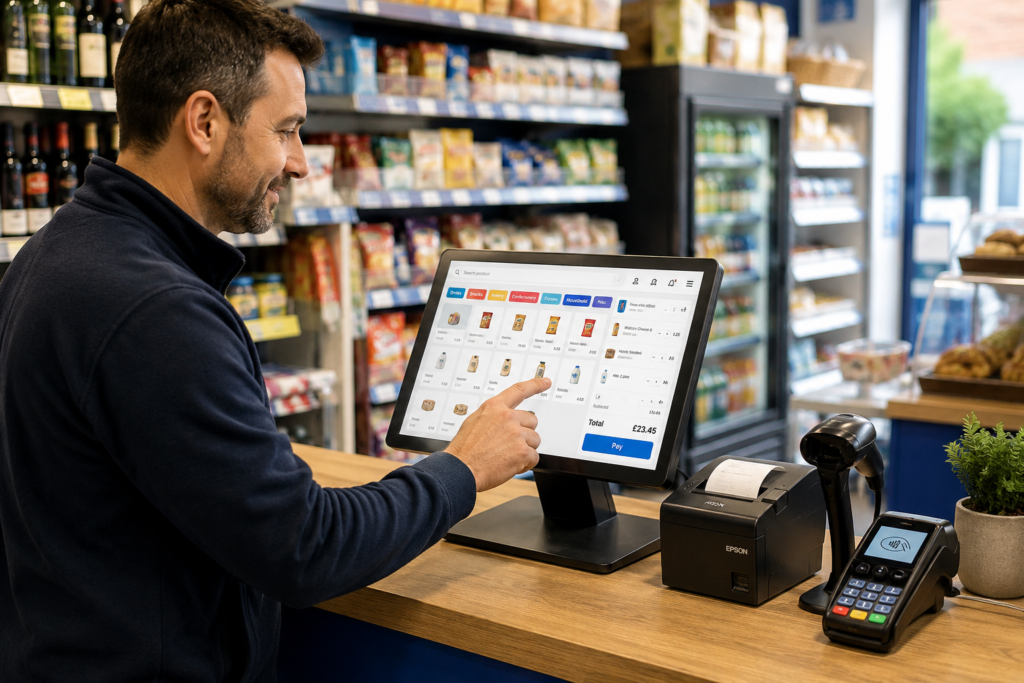
If your EPOS system is slowing down service, crashing regularly, creating extra admin or failing to give you the information you need, it may be time to upgrade.
You don’t necessarily need a new EPOS system just because your current one is a few years old. The better question is whether it still supports the way your business operates today.
A reliable system should make selling, taking payments, managing stock and reviewing performance easier. If staff are constantly working around limitations, manually entering information or waiting for the till to catch up, those small problems can quickly become everyday costs.
For UK retailers, cafés, restaurants, takeaways, bars and grocery shops, upgrading an EPOS system often makes the most sense when the existing setup starts restricting the business rather than supporting it.
Key Takeaways
| Sign | What it could mean |
|---|---|
| Slow checkout | Your EPOS hardware or software may no longer cope with normal trading |
| Frequent freezes | Reliability is becoming a business risk |
| Separate card machine | Integrated payments could reduce manual entry |
| Poor stock visibility | You may need real-time inventory management |
| Limited reporting | Your system isn’t giving you enough information to make decisions |
| More branches or tills | You’ve outgrown the original setup |
| Ageing hardware | Repairs and downtime may become increasingly disruptive |
| Too much manual admin | Your EPOS isn’t automating enough of the daily workload |
| No remote access | A modern cloud or hybrid system may give you better control |
How Do You Know When to Upgrade Your EPOS System?
The clearest sign is simple: your EPOS starts creating more problems than it solves.
An upgrade doesn’t have to be triggered by one major failure. More often, several small frustrations build up.
Maybe transactions take longer than they used to. Staff have to check stock manually. Your card machine isn’t connected to the till. Sales reports have to be exported and reorganised before they’re useful.
None of those issues alone may seem serious.
Together, they can tell you that your business has outgrown its current setup.

Here are the main signs to look for.
1. Your EPOS System Is Becoming Slow
Speed matters when customers are waiting.
If adding products, searching for items or completing transactions takes noticeably longer than it should, your EPOS can start affecting the customer experience.
Imagine a busy convenience shop in Birmingham at 5.30 pm. There’s a queue at the counter and every barcode takes several seconds to appear on the screen.
That delay gets repeated across every transaction.
The same problem can happen in hospitality. A café shouldn’t have to wait for a slow till while customers are trying to order during the morning rush.
Before replacing everything, check whether the problem can be solved through maintenance, software updates or hardware improvements.
If slow performance keeps returning, however, an upgrade may be more economical than continually working around it.
2. Your System Crashes or Freezes Regularly
An occasional technical problem doesn’t necessarily mean you need a new EPOS system.
Regular crashes are different.
If your staff have developed a routine of restarting the till several times each week, something isn’t working properly.
Downtime can create:
- Longer queues
- Delayed orders
- Confused staff
- Missed sales
- Manual transaction records
- Problems reconciling payments later
Reliability becomes particularly important during your busiest trading periods.
A takeaway that loses access to its order screen on a Friday evening has a much bigger problem than a system simply being inconvenient.
When reliability starts affecting trading, upgrading your EPOS system deserves serious consideration.
3. Your Card Payments Aren’t Integrated
Many businesses still use one system for the till and another for card payments.
The cashier enters the amount into the EPOS, then types the same figure into the card terminal.
It works, but there’s an obvious weakness.
Someone can enter the wrong amount.
For example, the EPOS says £36.50 but £63.50 gets entered into the terminal. Now you’ve got a customer issue to resolve and a mismatch between the till and payment records.
With integrated card payments, the EPOS sends the transaction amount directly to the card terminal.
Your customer taps or inserts their card, the payment is completed and the transaction is recorded against the sale.
If you’re processing a significant number of card payments manually every day, upgrading to an EPOS system with integrated payments can simplify checkout and reconciliation.
4. Stock Management Is Becoming Difficult
Stock management is another common reason to replace an outdated EPOS system.
A basic till may be perfectly adequate when you’re selling a small range of products.
But what happens when you have hundreds or thousands?
You need to know what’s selling, what’s sitting on the shelf and what needs ordering.
A modern EPOS system can connect sales with inventory, so stock quantities change as products are sold.
For example, imagine you run a grocery shop.
Instead of checking shelves before ordering more drinks, snacks or household products, your EPOS can help you see stock levels and product performance from your records.
That doesn’t remove the need for physical stock checks completely. It gives you a much clearer starting point.
If you’re still relying heavily on spreadsheets, notebooks or visual checks alongside your till, your business may have outgrown its current EPOS.
5. Your Reports Don’t Tell You Enough
Your EPOS shouldn’t only tell you how much money went through the till.
It should help you understand what happened.
Useful reporting might include:
- Daily and weekly sales
- Best-selling products
- Sales by category
- Staff performance
- Payment types
- Refund activity
- Stock movement
- Busy trading periods
Suppose your café had a strong Saturday.
That’s useful information, but you probably want to know more.
Which products generated the sales? What time was busiest? Were customers buying meals or mainly drinks? Did certain items perform much better than others?
Better reporting helps turn transaction data into useful business information.
If your current EPOS makes it difficult to answer basic questions about your own sales, upgrading could give you much better visibility.
6. Your Business Has Grown Beyond Your Current EPOS
Sometimes there’s nothing technically wrong with the existing system.
The business has simply changed.
You might have:
- Opened another branch
- Added more tills
- Increased your product range
- Taken on more staff
- Started delivery or collection
- Added new sales channels
- Introduced more complex stock management
A system designed for one small counter might not be suitable once you have several locations.
For example, if you operate three convenience stores, you probably don’t want to check each branch separately just to understand today’s sales or stock position.
Growth is therefore one of the better reasons to upgrade. You’re not replacing the system because it failed. You’re replacing it because your requirements have changed.
7. Your EPOS Hardware Is Becoming Unreliable
Software isn’t always the problem.
Sometimes the hardware is simply wearing out.
Watch for issues such as:
- Touchscreens becoming unresponsive
- Receipt printers regularly jamming
- Scanners struggling to read barcodes
- Till drawers failing
- Loose connections
- Terminals shutting down unexpectedly
Replacing one peripheral is normal.
Replacing different pieces of hardware repeatedly can be a sign that the complete setup is approaching the end of its practical working life.
You should also consider compatibility.
New software, payment integrations or accessories may not work properly with much older EPOS hardware.
At that point, investing in a modern setup can make more sense than continuing to repair individual components.
8. Your EPOS Creates Too Much Manual Work
One of the easiest ways to judge your EPOS is to watch what staff do around it.
How many separate processes exist because the system can’t do something?
Maybe employees are:
- Re-entering card payments
- Updating stock spreadsheets
- Writing orders down separately
- Calculating information manually
- Checking several systems for the same transaction
- Creating reports outside the EPOS
A little manual work is normal in any business.
The problem starts when workarounds become part of your daily operating procedure.
Every additional step takes time and creates another opportunity for mistakes.
A better EPOS system should remove unnecessary duplication wherever practical.
9. You Can’t Manage the Business Remotely
You won’t always be standing beside the till.
That becomes especially obvious when you manage staff or multiple locations.
A modern EPOS system with an online dashboard can allow you to review important information without physically visiting the shop.
You might want to check today’s sales from home, review performance from another branch or see what’s happening while you’re meeting a supplier.
For a single small shop where the owner is always present, remote access may not be essential.
For a growing business, it can become increasingly useful.
If your current setup keeps all your information trapped inside one till, that’s another reason to consider an upgrade.
10. Your Current System Isn’t Keeping Up With Your Customers
Customer expectations change too.
People increasingly expect checkout to be simple.
They want to tap their card, pay with their phone, collect their receipt and move on.
Hospitality businesses may need different workflows for dine-in, takeaway and collection orders. Retailers may need faster product searches, barcode scanning and more organised inventory management.
Your EPOS should match how customers actually buy from you.
You don’t need every new feature available.
You do need the features that remove friction from your particular business.
Should You Repair or Replace Your EPOS System?
Not every problem requires a complete replacement.
Start by looking at the cause.
If one receipt printer has failed, replace the printer.
If the software needs an update, update it.
If one configuration setting is creating problems, fix the configuration.
An EPOS upgrade becomes more worthwhile when several problems exist at the same time.
For example, your till is slow, the hardware is old, card payments aren’t integrated and your reporting is limited.
At that point, spending money repairing individual problems may still leave you with an outdated system.
Think about the overall cost rather than the purchase price alone.
Ask yourself:
What does keeping the existing system cost your business in staff time, mistakes, downtime and lost visibility?
That’s the comparison that matters.
What Should You Look for in a New EPOS System?
Don’t upgrade simply because another system has a longer features list.
Choose the features that match your operation.
For retail businesses
Look for strong barcode scanning, product management, inventory tracking, sales reporting, integrated card payments and straightforward staff controls.
For cafés, restaurants and takeaways
Consider order management, table or takeaway workflows, kitchen printing, integrated payments, menu management and clear reporting.
For growing businesses
Think about scalability.
Can the same system support additional tills, locations, employees and products without forcing you to start again?
Also check support.
Your EPOS is used throughout the trading day, so you need to know what happens when something goes wrong.
How Switch & Save Can Help You Upgrade Your EPOS
Changing EPOS systems can feel like a big job, especially when your current setup contains years of products, prices and operating habits.
The key is choosing a system around how your business actually works.
Switch & Save provides AI-powered EPOS systems for UK retail and hospitality businesses, alongside integrated card payment solutions and business finance.
Whether you’re replacing an old till, improving stock management or preparing to operate multiple locations, the goal is the same: give your business a system that reduces unnecessary work and gives you clearer control.
You can explore our EPOS systems, learn more about integrated card payments, or book a free EPOS demo to discuss your current setup.
Switch & Save helps UK businesses reduce costs with AI-powered EPOS systems, card payment solutions and business finance.
Frequently Asked Questions
How often should an EPOS system be upgraded?
There’s no fixed number of years after which every EPOS system must be replaced. Upgrade when performance, reliability, compatibility or functionality no longer meets your business requirements.
A well-maintained system that still does everything you need may remain useful for years.
How do I know if my EPOS system is outdated?
Common signs include slow performance, frequent freezing, unreliable hardware, limited reports, no integrated payments, poor inventory management and difficulty supporting additional tills or locations.
Is upgrading an EPOS system expensive?
Costs depend on the hardware, software, number of tills, payment setup and features your business needs.
Instead of comparing only the upfront price, consider the total cost of operating your existing system compared with upgrading.
Can I move my products to a new EPOS system?
In many cases, product information can be imported or migrated, but the exact process depends on your old system and the format in which its data can be exported.
Ask the new EPOS provider about data migration before changing systems.
Should a small shop use a modern EPOS system?
It depends on the complexity of the shop.
Even a small retailer can benefit from features such as barcode scanning, automatic stock updates, sales reporting and integrated card payments if those features save enough time or reduce manual work.
Can an EPOS system help manage more than one shop?
Yes. EPOS systems designed for multi-location businesses can centralise information such as sales, stock and reporting while allowing individual branches to operate separately.
Can I integrate my card machine with my EPOS?
Many modern EPOS systems support integrated card terminals. Instead of manually typing the transaction value into the terminal, the EPOS sends the amount directly to the payment device.
When is the best time to change EPOS systems?
Ideally, plan the change before your existing system becomes unreliable.
If your business is seasonal, choosing a quieter trading period can also give staff more time to learn the new system before your busiest weeks.



