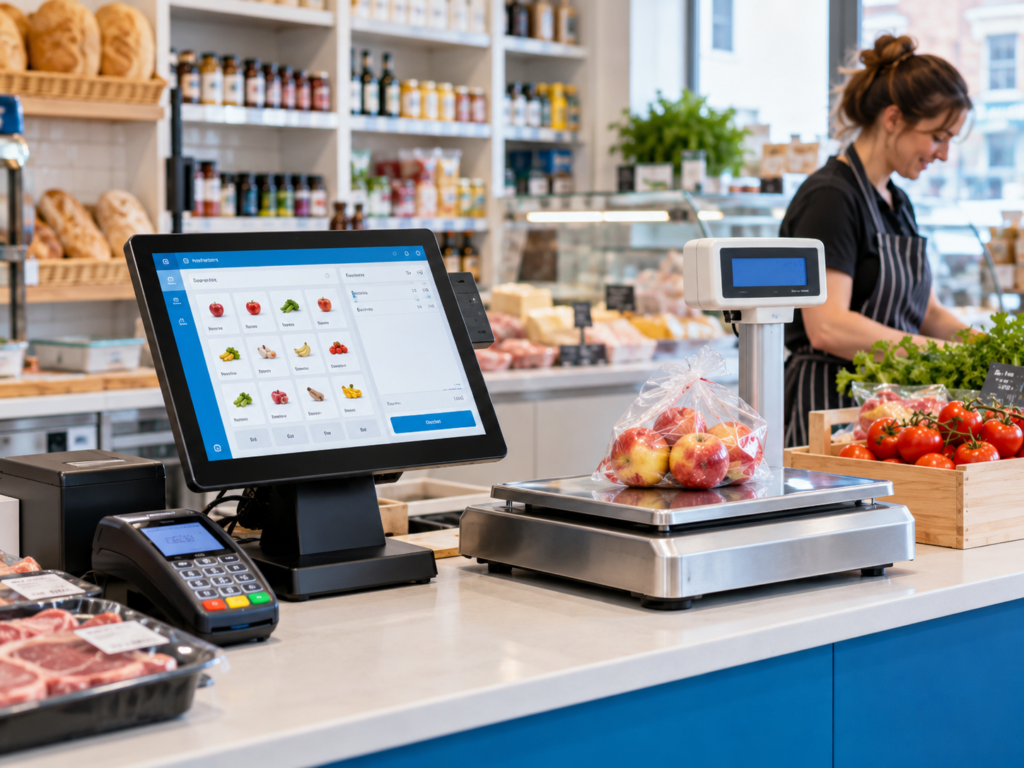
The easiest way to manage products sold by weight is to use a retail EPOS system that supports weighted items, scale integration, barcode labels, decimal quantities and accurate stock tracking. Instead of typing prices manually or guessing weights at the till, your EPOS can calculate the selling price from the weight, update stock, record sales and reduce mistakes at checkout.
This matters for butchers, grocery shops, convenience stores, greengrocers, delis, sweet shops, refill stores, cafés and restaurants that sell items by kg, grams, litres or portions.
With the right setup, you can sell 0.750kg of chicken, 1.2kg of apples or 350g of pick-and-mix sweets without slowing down the queue. Your staff scan, weigh or select the product, and the system does the maths.
Key Takeaways
| Point | What it means for your business |
|---|---|
| Weighted products need decimal quantities | Your EPOS should support kg, grams, litres and other units, not only whole numbers. |
| Scale integration saves time | Staff don’t need to type the weight manually, which helps reduce errors. |
| Barcode labels improve speed | Pre-packed items can be weighed, labelled and scanned at the till. |
| Stock control becomes more accurate | You can track stock by weight instead of guessing what has been sold. |
| Clear product setup matters | Each product needs the right unit, price per kg and VAT setting. |
| A retail EPOS system keeps sales organised | Sales, stock, reports and payments stay connected in one place. |
What Does Selling by Weight Mean?
Selling by weight means the customer pays based on how much of a product they buy.
For example, instead of selling “one chicken breast” at a fixed price, a butcher may sell chicken breast at £8.99 per kg. If the customer buys 0.650kg, the final price is calculated from that weight.
The same idea applies to many products:
- Fruit and vegetables sold per kg
- Meat sold by weight
- Cheese, olives or deli items sold by grams
- Pick-and-mix sweets sold by weight
- Coffee beans sold in custom quantities
- Loose rice, lentils, flour or spices
- Refill products such as detergent or oil
It sounds simple, but at the till it can become messy if the system isn’t set up properly. Staff may type prices incorrectly. Stock may not reduce correctly. Reports may show sales, but not the quantity sold.
That’s where a proper retail EPOS system helps.
Why Weighted Products Need a Proper EPOS Setup
If you only sell fixed items, checkout is fairly straightforward. A bottle of water is one item. A sandwich is one item. A packet of crisps is one item.
Weighted products are different because the quantity changes every time.
One customer may buy 0.300kg of mince. Another may buy 1.750kg. The price has to be calculated quickly and accurately.
A good EPOS setup helps you avoid:
- Manual price mistakes
- Slow checkout queues
- Stock reports that don’t match reality
- Staff confusion over kg and grams
- Wrong VAT settings
- Incorrect barcode label scans
- Poor profit tracking
In practice, even small mistakes can add up. If a product is regularly undercharged by a few pence or stock is recorded incorrectly, you may not notice straight away. But over time, it affects your margin.
How a Retail EPOS System Handles Weighted Products
A retail EPOS system should let you create products with different unit types.
For weighted products, that usually means setting the item as kg, grams, litres or another measurable unit. You then enter the price per unit.
For example:
| Product | Unit | Price |
|---|---|---|
| Chicken breast | Per kg | £8.99 |
| Apples | Per kg | £2.49 |
| Coffee beans | Per kg | £16.00 |
| Pick-and-mix sweets | Per 100g or kg | £1.50 / 100g |
| Olive oil refill | Per litre | £6.99 |
At checkout, the EPOS uses the weight to calculate the total.
So if apples are £2.49 per kg and the customer buys 1.2kg, the system calculates the price automatically.
The good news is, your staff don’t need to do the maths in their head. They just weigh, scan or enter the amount, depending on your setup.
Common Businesses That Sell Products by Weight
Weighted selling is common across many UK businesses, not just large supermarkets.
Butchers
Butchers often sell meat by kg, while also offering fixed-price packs. A retail EPOS system can handle both. Staff can sell 0.850kg of lamb chops, then scan a fixed-price BBQ meat pack in the same transaction.
Grocery and Convenience Stores
Many grocery shops sell fruit, vegetables, rice, spices, lentils and frozen items by weight. Some shops use weighing scales at the checkout. Others weigh and label products before they go on the shelf.
Greengrocers
Fresh produce changes quickly. Apples, potatoes, onions, bananas and tomatoes may all be sold by kg. EPOS reports can show which products sell well and which create waste.
Delis and Food Counters
Cheese, olives, cooked meats and salads are often sold in grams. Staff need a system that can handle small decimal quantities without rounding problems.
Sweet Shops
Pick-and-mix is a classic example. The customer chooses the amount, the product is weighed, and the price is calculated from the weight.
Refill and Zero-Waste Stores
Refill shops may sell by weight or volume. Customers bring containers and buy exactly what they need. Your EPOS needs flexible units and clear pricing.
How Barcode Scale Labels Work
Many shops use barcode labels for pre-packed weighted items.
Here’s how it works.
A product is weighed on a scale. The scale prints a label with a barcode. That barcode contains product information and either the price or the weight. At the till, staff scan the barcode, and the EPOS reads the details.
For example, a barcode label on a pack of chicken may tell the EPOS:
- Product code: chicken breast
- Weight: 0.750kg
- Price: £6.74
This makes checkout faster because staff don’t need to weigh the item again.
It’s especially useful for:
- Butchers
- Frozen meat sections
- Pre-packed fruit and veg
- Deli counters
- Bakery items
- Grab-and-go food
A good retail EPOS system should support scale barcode formats, so the barcode is read correctly every time.
Managing Stock for Weighted Products
Stock control is one of the biggest reasons to manage weighted products properly.
If you buy 20kg of chicken breast from a supplier and sell it in different amounts all day, your EPOS should reduce stock based on the weight sold.
For example:
| Action | Stock movement |
|---|---|
| Supplier delivery | +20kg |
| Sale to customer | -0.650kg |
| Sale to customer | -1.200kg |
| Waste or adjustment | -0.300kg |
| Remaining stock | 17.850kg |
This gives you a clearer view of what’s actually happening.
Without this, you may only know that “chicken sold today”. You won’t know how much was sold, how much is left or whether stock is going missing.
For UK businesses working with tight margins, this matters. Food, meat and fresh produce can be expensive. Better stock tracking helps you order more carefully and reduce waste.
Pricing, VAT and Promotions
Weighted products need careful pricing.
You’ll usually set the price per kg, per litre or per 100g. Your EPOS should then calculate the final amount based on the quantity sold.
You also need to check VAT settings. Some food items may be zero-rated, while others may have VAT depending on the product and how it’s sold. Your EPOS should let you apply the correct VAT type to each product.
Promotions can also be tricky.
For example:
- 2kg potatoes for a fixed offer price
- 10% off selected meat items
- Reduced-price fresh produce near closing time
- Meal deals that include weighed deli items
The EPOS should make these offers easy to apply without confusing staff or customers.
Don’t rely on handwritten signs and manual discounts if you can avoid it. That’s where mistakes creep in.
Staff Training and Checkout Accuracy
Even the best system needs clear staff training.
Your team should know:
- Which items are sold by weight
- Whether to weigh at the till or scan a label
- How to handle decimal quantities
- What to do if a barcode doesn’t scan
- How to correct a mistake before taking payment
- How to apply discounts properly
Keep the process simple. If staff need five steps to sell one weighed item, the checkout will slow down.
For example, in a butcher shop, the ideal flow may be:
- Select product on screen
- Place item on scale
- EPOS reads the weight
- Price appears automatically
- Customer pays by card or cash
That’s much easier than writing weights down, using a calculator and typing final prices manually.
Common Mistakes to Avoid
Weighted products can cause problems if they’re not set up correctly from the start.
One common mistake is creating weighted items as normal fixed-price products. This means staff have to manually change the price every time. It may work for a few sales, but it’s not reliable.
Another mistake is using the wrong unit. If a product is priced per kg but staff enter grams incorrectly, the customer may be overcharged or undercharged.
Some shops also forget to update cost prices. If your cost per kg changes but your EPOS still uses old costs, your profit reports won’t be useful.
Barcode setup is another area to check carefully. If the barcode format doesn’t match your EPOS settings, the system may read the wrong price or fail to recognise the item.
The best approach is to test a few real products before going live. Sell one weighed item, scan one printed label, check the receipt, then check the stock report.
How Switch & Save Can Help
Switch & Save provides AI-powered EPOS systems, card payment solutions and business finance for UK small businesses.
For businesses that sell by weight, we can help you set up a retail EPOS system that supports:
- Weighted products
- Integrated weighing scales
- Barcode scale labels
- Stock tracking by kg, grams or litres
- Fast checkout
- Product reports
- Supplier and purchase tracking
- Integrated card payments
- Multi-location reporting where needed
This is useful if you run a butcher shop, grocery store, convenience store, deli, takeaway, café or restaurant.
You don’t just need a till that takes payments. You need a system that understands how your business sells.
Switch & Save helps UK businesses reduce costs with AI-powered EPOS systems, card payment solutions and business finance.
FAQs
What is a weighted product in an EPOS system?
A weighted product is an item sold by quantity rather than by a fixed unit. For example, apples sold per kg, cheese sold by grams or oil sold by litre.
Can a retail EPOS system connect to weighing scales?
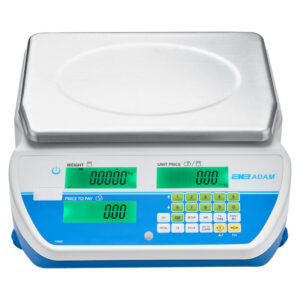
Yes, many retail EPOS systems can connect to compatible weighing scales. This lets the EPOS read the weight and calculate the price automatically.
Do I need barcode labels for products sold by weight?
Not always. If you weigh items at the till, you may not need labels. But barcode labels are useful for pre-packed items because they make checkout faster and reduce manual entry.
Can I track stock by weight?
Yes, if your EPOS supports weighted stock control. For example, if you start with 10kg of a product and sell 0.750kg, the system can reduce the stock correctly.
Is weighted selling useful for small shops?
Yes. Butchers, grocers, delis, sweet shops, refill stores and convenience stores can all benefit from weighted selling. It helps with price accuracy, checkout speed and stock control.
Can I sell both fixed-price and weighted products?
Yes. A good EPOS system should handle both. For example, a butcher can sell meat by kg and also sell fixed-price meal packs or sauces.
What happens if the scale barcode doesn’t scan?
Staff should be able to search for the product manually or reprint the label if needed. The best setup is tested before launch so barcode formats work correctly.