The most useful EPOS reports for a business owner are sales reports, product performance reports, stock reports, profit margin reports, payment reports, staff reports, customer reports, refund reports, VAT reports and end-of-day Z reports. Together, these reports help you understand what’s selling, where money is going, which products need attention, and how your business is performing each day.
For a UK shop, café, restaurant, takeaway, bar or mobile business, EPOS reporting is not just about looking at numbers. It’s about spotting problems early, making better buying decisions, reducing waste, improving staff accountability and protecting your profit.
A good EPOS system should make these reports simple to read. You shouldn’t need to export everything into spreadsheets just to understand what happened yesterday.
Key Takeaways
| Key point | Why it matters |
|---|---|
| EPOS reports show real business performance | You can see sales, stock, payments and staff activity in one place |
| Sales reports help you track busy and quiet periods | Useful for staffing, offers and opening hours |
| Stock reports reduce waste and missed sales | You can reorder faster and avoid overbuying |
| Product reports show what’s actually working | Helps you focus on profitable items |
| Z reports support end-of-day checks | Useful for cashing up and spotting differences |
| Refund and discount reports improve control | Helps reduce mistakes and misuse |
| VAT and payment reports save admin time | Useful for bookkeeping and accountant preparation |
What Are EPOS Reports?
EPOS reports are summaries created by your till system. They show what has happened in your business, such as sales, payments, refunds, stock movement, staff activity and customer spending.
EPOS stands for Electronic Point of Sale. In plain English, it’s the system you use to process sales, take payments, manage products and record transactions.
The reporting side is where the real value often appears. A till can take payment, but an EPOS system should help you understand your business.
For example, a grocery shop owner can see which products sell fastest on weekends. A takeaway can check which menu items are popular after 6pm. A salon can track which services bring in the most revenue. That information helps you make decisions based on facts, not guesswork.
Why EPOS Reports Matter for Small Businesses
Many small business owners know their business well by instinct. You may already know your busiest day, your best-selling product or which staff member is strong on the till.
But instinct can miss details.
Maybe one product sells a lot but has a weak profit margin. Maybe cash refunds are increasing. Maybe you’re running out of one item every Friday but overstocking another. EPOS reports help you catch those patterns.
The good news is, you don’t need to check every report every day. You just need to know which reports matter and when to use them.
10 EPOS Reports Every Business Owner Should Use
1. Sales Summary Report
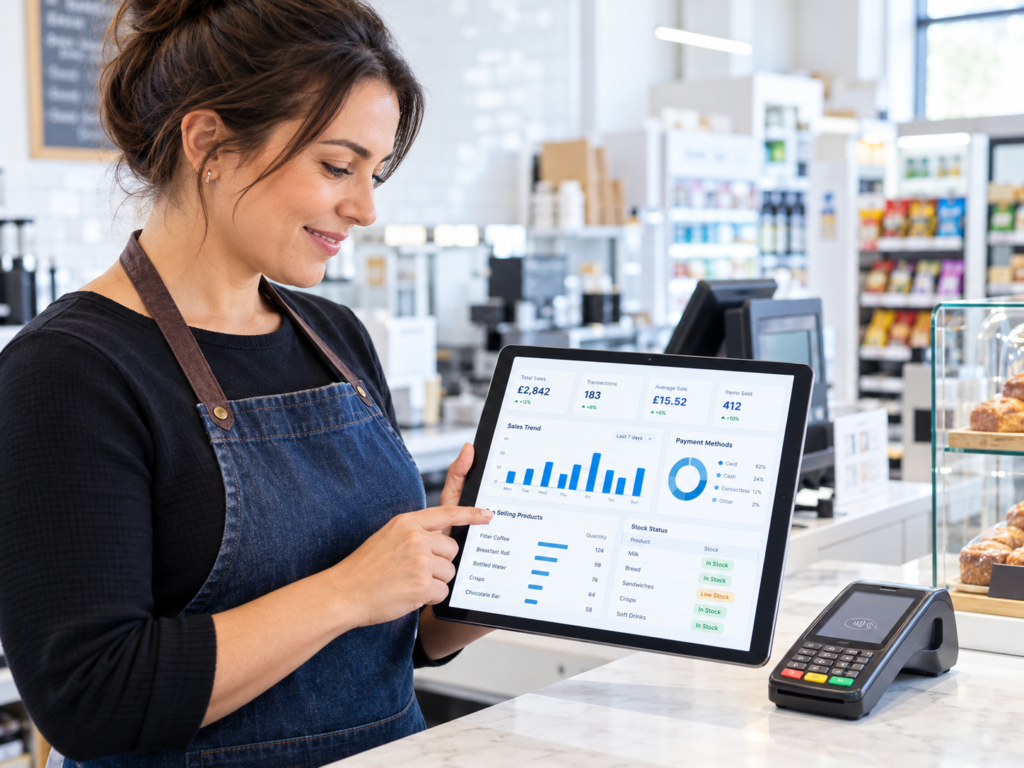
A sales summary report gives you a clear view of total sales over a selected period. This could be daily, weekly, monthly or custom dates.
It normally shows total revenue, number of transactions, average order value and sometimes sales by time or department.
For example, a café owner might check sales between 8am and 11am to see how breakfast is performing. A convenience store might compare Friday evening sales with Monday morning sales. A takeaway might review weekend sales after running a local promotion.
This is one of the most important EPOS reports because it gives you the basic health check of your business.
You can use it to answer:
- Are sales going up or down?
- Which days are strongest?
- Are promotions improving sales?
- Is the average spend increasing?
In practice, this report should be checked daily or weekly.
2. Product Performance Report
A product performance report shows which products or menu items are selling well and which ones are not moving.
This is especially useful for retail, grocery, takeaways, cafés and restaurants. It helps you avoid guessing what customers want.
For example, a corner shop may find that one brand of soft drink sells quickly, while another sits on the shelf for weeks. A restaurant may discover that one starter looks popular but is rarely ordered. A mobile phone shop may see which accessories sell best with new devices.
This report can help you decide what to reorder, remove, promote or reposition.
But don’t only look at sales quantity. A product that sells 100 units may not always be better than a product that sells 30 units with a stronger margin. That’s why this report works best when used alongside profit margin reports.
3. Stock Report
A stock report shows what stock you have, what’s running low and what may need reordering.
For businesses that sell physical products, this report is essential. It helps reduce two common problems: running out of popular items and tying up money in slow-moving stock.
For example, a grocery shop may need to reorder milk, bread and soft drinks more often than household goods. A takeaway may need to monitor packaging, drinks and ingredients. A bar may need to track bottles, kegs and mixers before busy weekends.
A good EPOS stock report can help you see:
- Current stock levels
- Low stock items
- Fast-moving products
- Slow-moving products
- Stock value
- Reorder needs
If your EPOS system supports barcode scanning and inventory tracking, this report becomes even more useful. You’ll spend less time counting manually and more time making the right buying decisions.
4. Profit Margin Report
Sales are useful, but profit is what keeps the business healthy.
A profit margin report helps you understand how much money you’re actually making after product cost. Profit margin means the difference between what an item costs you and what you sell it for.
For example, a café may sell a lot of coffee, but sandwiches may bring a different type of profit. A grocery shop may sell cigarettes or newspapers with lower margins, while household products or snacks may perform better. A restaurant may find that some dishes are popular but expensive to prepare.
This report helps you avoid a common mistake: focusing only on sales volume.
You might use the profit margin report to:
- Review pricing
- Check supplier cost increases
- Identify low-margin items
- Build better offers
- Decide which products deserve more shelf space
If your costs change often, this report becomes even more important.
5. Payment Report
A payment report shows how customers paid. This may include cash, card, vouchers, loyalty points, online payments or split payments.
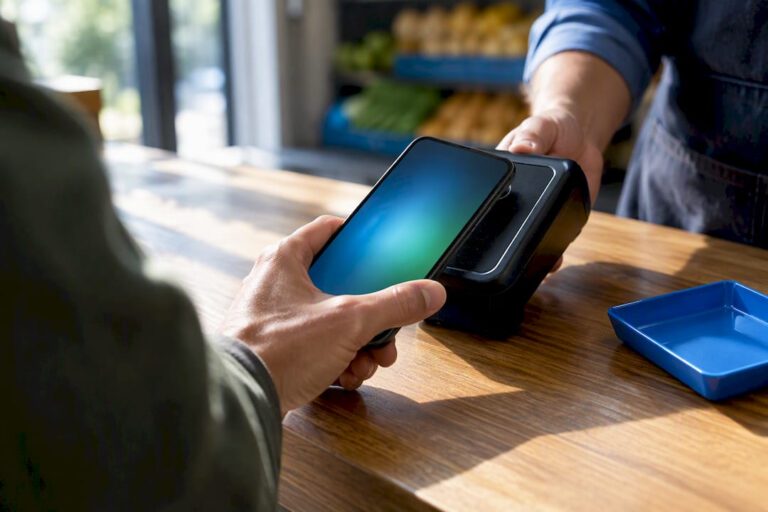
So, what actually happens when a customer taps their card? Your EPOS and card machine should record that payment clearly, so you can match sales against card transactions and cash totals.
For UK businesses, card payments are now a normal part of trading. But cash still matters for many shops, takeaways, barbers, salons and mobile businesses.
A payment report can help you see:
- How much was paid by cash
- How much was paid by card
- Split payments
- Refunds by payment type
- Card machine totals
- Differences between till and payment terminal totals
For example, a takeaway owner may want to compare card machine totals with EPOS sales at the end of the night. A shop owner may want to know whether cash handling is reducing over time.
This report is useful for cashing up, bookkeeping and spotting mistakes.
6. Staff Sales Report
A staff sales report shows sales activity by employee. It can help you understand who processed which transactions, refunds, discounts or voids.
This is not about watching staff unfairly. It’s about having a proper record.
For example, if a refund is questioned, you can check who processed it and when. If a staff member is doing very well with upselling, you can recognise that. If someone needs extra training, the report can help you spot it.
For cafés, restaurants and bars, staff reports may also show table orders, service activity or order handling. For retail, they may show till activity and transaction totals.
A staff report can help with:
- Till accountability
- Training needs
- Refund monitoring
- Discount control
- Shift comparisons
The key is to use this report fairly and consistently.
7. Customer Report
A customer report shows useful information about your customers, especially if your EPOS system includes loyalty, customer accounts or purchase history.
For example, a grocery shop may track regular customers who collect loyalty points. A salon may see who hasn’t visited for a while. A restaurant may understand repeat customer behaviour through booking or order history.
This report can help you answer questions like:
- Who are your repeat customers?
- What do they usually buy?
- Which customers respond to offers?
- Are loyalty points being used?
- Which customers may need follow-up?
You don’t need to make this complicated. Even simple customer reporting can help you build better offers and improve service.
For example, if a customer regularly buys certain products, you can make sure those products are in stock. If your loyalty scheme is growing, you can see whether it’s encouraging repeat visits.
8. Refund, Void and Discount Report
This report shows refunds, cancelled items, voided transactions and discounts.
It’s one of the most useful reports for control.
Mistakes happen in every business. A customer changes their mind. A product is scanned twice. A staff member applies the wrong discount. That’s normal. But if refunds or voids increase suddenly, you need to know why.
For example, a bar may notice regular voids during late shifts. A grocery shop may see discounts being used too often. A restaurant may find that cancelled items are linked to kitchen mistakes or menu confusion.
This report can help you spot:
- Unusual refund patterns
- Frequent voids
- Excessive discounts
- Training issues
- Possible misuse
- Pricing or scanning errors
You don’t need to check it every hour, but it should be part of your weekly review.
9. VAT and Tax Report
A VAT report helps you understand sales by VAT rate. This is useful for bookkeeping, accountant preparation and general financial control.
In the UK, different products and services can have different VAT treatment. For example, some food items may be zero-rated, while hot takeaway food may be standard-rated. Businesses should always check VAT rules with their accountant, but your EPOS system should record the correct VAT setup clearly.
A VAT report may show:
- Net sales
- VAT amount
- Gross sales
- Sales by VAT rate
- VAT by department or product
For example, a café selling both hot food and packaged items may need cleaner VAT records. A retail shop with mixed product categories may need to separate VAT correctly.
This report saves time because your accountant gets clearer data instead of a messy pile of receipts and manual totals.
10. End-of-Day Z Report
The Z report is the end-of-day till report. It normally closes the trading period and summarises the day’s sales, payments, refunds, cash totals and other key figures.
For many business owners, this is the report they check most often.
A Z report is useful because it gives you a daily snapshot of what happened. It helps with cashing up, checking card totals, reviewing refunds and recording the day’s takings.
For example, a takeaway may print or save the Z report at closing time. A shop owner may compare the cash drawer with expected cash. A restaurant manager may review card payments, cash payments and refunds before ending the shift.
A good Z report should be clear enough that you can quickly see:
- Total sales
- Payment breakdown
- Cash expected
- Card total
- Refunds
- Discounts
- Opening and closing cash
- Differences or overs/shorts
If there’s a difference, you can investigate it while the day is still fresh.
How Often Should You Check EPOS Reports?
You don’t need to check every report every day. That can become overwhelming.
Here’s a simple routine that works for many small businesses.
| Report | Suggested frequency |
|---|---|
| Sales summary | Daily or weekly |
| Z report | Daily |
| Payment report | Daily |
| Stock report | Weekly, or more often for fast-moving stock |
| Product performance | Weekly or monthly |
| Profit margin | Monthly |
| Staff sales | Weekly |
| Customer report | Monthly |
| Refund, void and discount report | Weekly |
| VAT report | Monthly or before accountant review |
The aim is to build a habit. A few minutes with the right report can save you hours later.
How Switch & Save Helps With Better EPOS Reporting
Switch & Save helps UK businesses reduce costs with AI-powered EPOS systems, card payment solutions and business finance.
For small business owners, the goal is simple: your EPOS system should help you run the business, not just process sales.
With the right setup, you can track sales, manage stock, monitor payments, review staff activity and prepare cleaner records for your accountant. You can also connect reporting with card payments and business decisions, so you’re not working from scattered information.
Whether you run a convenience store, café, takeaway, restaurant, bar, grocery shop or mobile business, better reporting gives you more control.
Switch & Save helps UK businesses reduce costs with AI-powered EPOS systems, card payment solutions and business finance.
FAQ
What are EPOS reports?
EPOS reports are business reports created by your till system. They show sales, payments, stock, refunds, VAT, staff activity and customer data.
Which EPOS report should I check every day?
Most businesses should check the sales summary, payment report and end-of-day Z report daily. These give you a quick view of sales, takings and cashing-up figures.
Are EPOS reports useful for small shops?
Yes. EPOS reports are especially useful for small shops because they show what sells, what needs reordering and where money may be lost through refunds, discounts or stock issues.
Can EPOS reports help reduce waste?
Yes. Stock and product reports can show slow-moving items, fast-selling items and buying patterns. This helps cafés, restaurants, takeaways and grocery shops avoid overordering.
Do EPOS reports help with VAT?
Yes. VAT reports can separate sales by VAT rate and show net, gross and VAT amounts. You should still check VAT rules with your accountant, but EPOS reports make records easier to manage.
What is a Z report?
A Z report is an end-of-day report that summarises sales, payments, refunds, discounts and cash totals. It’s commonly used for closing the till and checking daily takings.
What is the best EPOS report for stock control?
The stock report is the most useful for stock control. Product performance reports also help because they show which items are selling quickly and which ones are not.
Can staff activity be tracked through EPOS reports?
Yes. Staff reports can show sales, refunds, discounts and till activity by employee. This helps with training, accountability and shift reviews.