Modern POS systems can track individual product serial numbers, and you should switch this on for warranty items, high-value stock and anything a recall might touch. It stops disputes at the till, speeds up repairs and cuts theft-related losses. This guide walks through the configuration choices, a step-by-step rollout checklist and the compliance rules that might change your approach. Specialist providers can help you put it into practice if you would rather not build it alone.
TL;DR:
- Tracking serial numbers at the product level helps confirm specific units for warranty claims, improve recall precision, and trace theft more effectively.
- Most POS systems allow configurable serial tracking modes per product, with options to require, optional, or disable serial entry during sales and stock movements.
- Implementing serial tracking should follow a structured rollout, including SKU selection, barcode strategy, staff training, and error monitoring, starting with high-value or warranty items.
- Adhering to GS1 barcode standards, such as proper field ordering and avoiding overloading barcodes, ensures reliable scanning especially in high-volume environments.
- For regulated products like tobacco, compliance requires registering with authorities, maintaining detailed transaction records, and involving legal teams before enabling serial tracking.
Table of Contents
- What serial number tracking means and why it matters
- How POS systems handle serial numbers and configuration options
- Step-by-step checklist to implement serial number tracking in your POS
- Barcode, GS1 and data-encoding best practices for serialised items
- Operational trade-offs and common pitfalls
- Compliance and regulated supply chains: what to check first
- How Switch&Save helps you put serial tracking into practice
- When to insist on serial tracking and when to hold off
- Ready to set up serial tracking on your POS?
- Sources
- FAQ
What serial number tracking means and why it matters
Serial number tracking assigns a unique ID to a single unit of stock, not just to the product line. That is the key difference from batch or lot tracking, which groups many units together and treats them as one entry. A phone, a bike or a commercial oven usually needs its own serial. A box of teabags does not.
Pairing a serial with a GTIN (the barcode number that identifies the product line) creates what the industry calls an SGTIN: a globally unique combination that means no two items anywhere share an identity. A serial number on its own is not enough, because two different manufacturers could reuse the same digits.
For retail and hospitality businesses, the payoff shows up in a handful of places:
- Returns and warranty claims go faster because you can confirm the exact unit sold, when, and to whom.
- Recalls become manageable: you can isolate the affected units instead of pulling entire batches.
- Theft and shrinkage are easier to trace back to a specific stage in your stock flow.
- Service history builds automatically, useful for repairs, rentals and equipment hire.
Electronics, white goods, bikes, catering equipment, tools and anything sold with a manufacturer’s warranty are the categories where this consistently pays for itself.
How POS systems handle serial numbers and configuration options
Most modern EPOS platforms let you set serial tracking at the product level, not as an all-or-nothing switch for the whole shop. According to Microsoft’s Dynamics 365 Commerce documentation, you typically choose between three modes for each product:
- Required: the till will not complete a sale, receipt or transfer without a valid serial.
- Optional: staff can enter a serial if one exists but the sale still goes through if they skip it.
- Disabled: the product is not tracked by serial at all.
Some systems go further and let you track more than one identifier per product, such as a frame number alongside a separate component serial for something like an e-bike, according to the same Dynamics 365 documentation.
Behind the scenes, serials move through a small number of statuses. A serial-number management screen usually lists entries as “Not registered”, “Registering” or validated, and lets staff scan or type the number in at the point it is needed, according to Microsoft’s Dynamics 365 Supply Chain guidance. You will typically capture serials at four points: goods receiving, internal transfers between stores, the sale itself, and returns.
Two settings worth understanding before you go live are “blank receipt allowed” and “blank issue allowed”. These parameters, described in the Dynamics 365 Commerce documentation, decide whether staff can receive or issue stock without entering a serial at that stage, which matters if your suppliers do not always provide clean serial data on delivery notes.
Step-by-step checklist to implement serial number tracking in your POS
Rolling this out works best as a structured project rather than a single afternoon’s setting change. Here is a practical order:
- Decide which SKUs need tracking. Group products into tracking categories: warranty items, high-value goods, regulated items and everything else that does not need a serial at all.
- Choose when serials get recorded. Sage’s traceability documentation shows you can assign serials at receipt, at allocation or at despatch, and that an unassigned serial cannot be despatched until it is properly recorded. Recording at receipt gives you the cleanest data but adds time at goodsin.
- Sort your barcode and scanner strategy. Test your existing scanners against your chosen barcode format before you commit stock to the new process; our barcode scanner POS buying guide covers the trade-offs between 1D and 2D readers.
- Train staff and run a pilot. Pick one store or one product family first. A small pilot exposes scanning speed problems and staff errors before they spread across every till.
- Set error-monitoring KPIs. Track duplicate scans, blank fields and mismatched receipts weekly during the first month.
- Link serials to customer and service records. Make sure a returned or repaired item’s serial ties back to the original sale, so warranty checks take seconds rather than phone calls.
Pro Tip: Run your pilot on your slowest-moving, highest-value product line first: fewer transactions means fewer chances for a bad habit to become the default.
Barcode, GS1 and data-encoding best practices for serialised items
Barcodes carrying serial numbers follow rules set by GS1, and getting the encoding right avoids scanning headaches at busy tills. The serial number itself sits under Application Identifier (21), and GS1 UK’s guidance notes this field can hold up to 20 alphanumeric characters, always paired with the product’s GTIN rather than standing alone.
A few practical rules make the difference between a barcode that scans cleanly and one that causes queues:
- Fixed-length fields, such as the GTIN, should always come before variable-length fields like the serial, with a separator character between variable-length fields to keep the data readable, according to GS1 UK’s guidance on application identifier order.
- A serial number is only unique when tied to its GTIN. Two different products can legitimately share a serial digit sequence.
- Do not try to cram every attribute into the barcode itself.
Overloading a barcode with extra data increases its size and complexity, which reduces scanning reliability in fast-moving retail environments, according to GS1 UK. It is often better to store the bulk of the data centrally in your POS database and use the barcode purely as a pointer.
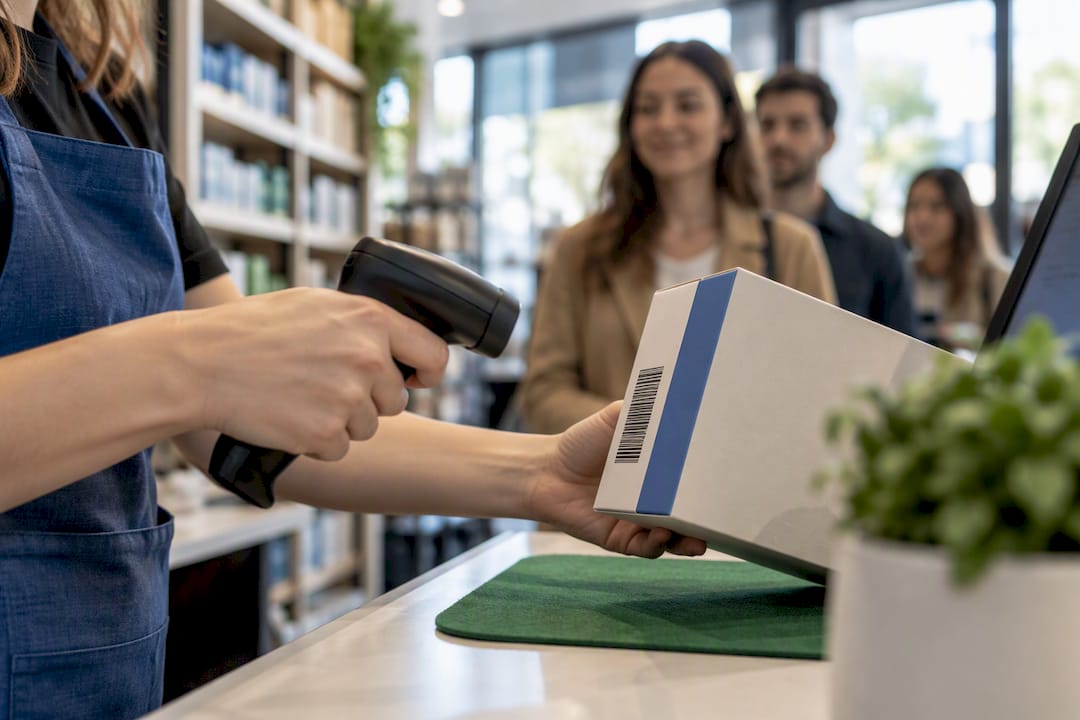
1D barcodes remain the fastest option for a busy till, while 2D or QR formats suit products that need to carry more reference data. Whichever you choose, test scan speed under real queue conditions, not just in a quiet stockroom, and check your hardware against our handheld 1D laser barcode scanner if you need a fast, reliable option at the counter.
Operational trade-offs and common pitfalls
Serial tracking adds a small amount of time to every receiving and sales transaction, and that cost is real. The trade-off usually favours tracking once you weigh it against the hours lost chasing warranty disputes or untangling a recall without clean records.
The most common problems are predictable, and so are the fixes:
- Unreadable labels cause scan failures at the worst moment, usually the till queue: better label stock and scanner maintenance solve most of this.
- Preregistration mismatches, where a supplier’s serial does not match what arrives, need a validation step at goods-in rather than at the point of sale.
- Duplicate serials creep in when staff type numbers manually: scanning rather than keying reduces this sharply.
Pro Tip: Run a duplicate-serial report monthly. Catching a repeated number early is far easier than untangling two customers’ warranty histories after the fact.
Stocktakes, transfers and refurbishment workflows all need the same discipline: a serial should never sit unassigned in your system once the physical item has moved.
Compliance and regulated supply chains: what to check first
Some product categories carry legal traceability obligations that go beyond ordinary business practice, and these can dictate how your POS must be configured rather than leaving it to preference. Tobacco is the clearest example.
Under Gov, businesses in that supply chain must register with a UK ID issuer, apply unique identifiers to products and transmit traceability records covering arrivals, dispatches and trans-loading to the UK gateway within set deadlines as required by the regulations. Certain food of animal origin and medical device categories carry their own traceability rules too.
Before you switch on serial tracking for a regulated category, take these steps:
- Confirm whether your product category has a mandatory scheme and what body administers it.
- Register with the relevant UK ID issuer if your products require one.
- Keep transaction-level records, not just summary stock counts, since regulators often ask for arrival and dispatch detail.
- Loop in your compliance or legal team before changing POS settings for these SKUs, since getting the configuration wrong can mean missed reporting deadlines.
How Switch&Save helps you put serial tracking into practice
Switch&Save’s SSPOS software supports product-level tracking controls through a cloud dashboard, so you can set which SKUs require a serial without touching every till individually. Multi-store support means the same tracking rules apply consistently whether you run one shop or several.
A typical rollout follows the same shape as the checklist above: a pilot on one product line or store, staff training on the scanning workflow, then a wider roll-out once the process is proven. Support and demos are typically available throughout the rollout, so you are not left working through configuration questions alone.
When to insist on serial tracking and when to hold off
If you sell anything with a manufacturer’s warranty, anything expensive enough to attract theft, or anything in a regulated category, switch serial tracking on now rather than later. Retrofitting it after months of untracked sales creates gaps you can never fill in. For low-value, fast-moving stock like groceries or stationery, batch tracking usually does the job at far less operational cost. Watch your return-processing time and shrinkage rate over the first quarter: both should fall if the system is earning its keep.
— Amir
Ready to set up serial tracking on your POS?
If warranty claims or recall risk are eating into your time, an EPOS system built with product-level tracking controls removes the guesswork. Switch&Save’s Hospitality EPOS Bundle and Standard and Premium retail bundles both support this kind of configuration from day one.

Book a free demo and ask about a pilot rollout for your busiest product line before committing across every till.
Sources
- Serial number configurations and management — Microsoft Docs (Dynamics 365 Commerce)
- What additional data can you encode in QR codes powered by GS1 — GS1 UK
- Gov
- Getting started with traceability — Sage 200 documentation
FAQ
Can a serial number be tracked?
Yes, a serial number can be tracked through a product’s entire life, from receiving through sale to return or repair, provided the POS system records it at each stage. Pairing the serial with the product’s GTIN, as GS1 UK recommends, is what makes that number globally unique and traceable.
What is a POS serial number?
A POS serial number is a unique identifier assigned to a single unit of stock rather than to the product line as a whole, entered or scanned into the till system at receiving, sale or return. Systems like Dynamics 365 Commerce let you mark this as required, optional or disabled for each product.
Do companies keep track of serial numbers?
Many retail and hospitality businesses track serial numbers for warranty items, high-value goods and anything covered by regulation, since it speeds up returns and supports recall handling. Some categories, such as tobacco, are legally required to under GOV.UK’s traceability rules.
How do I get a serial number in SAP?
SAP and similar enterprise systems generate or capture serial numbers through dedicated serial number management screens, usually during goods receipt or sales order processing. The exact steps depend on the SAP module in use, so check your system’s own configuration documentation or your implementation partner for the precise workflow.