
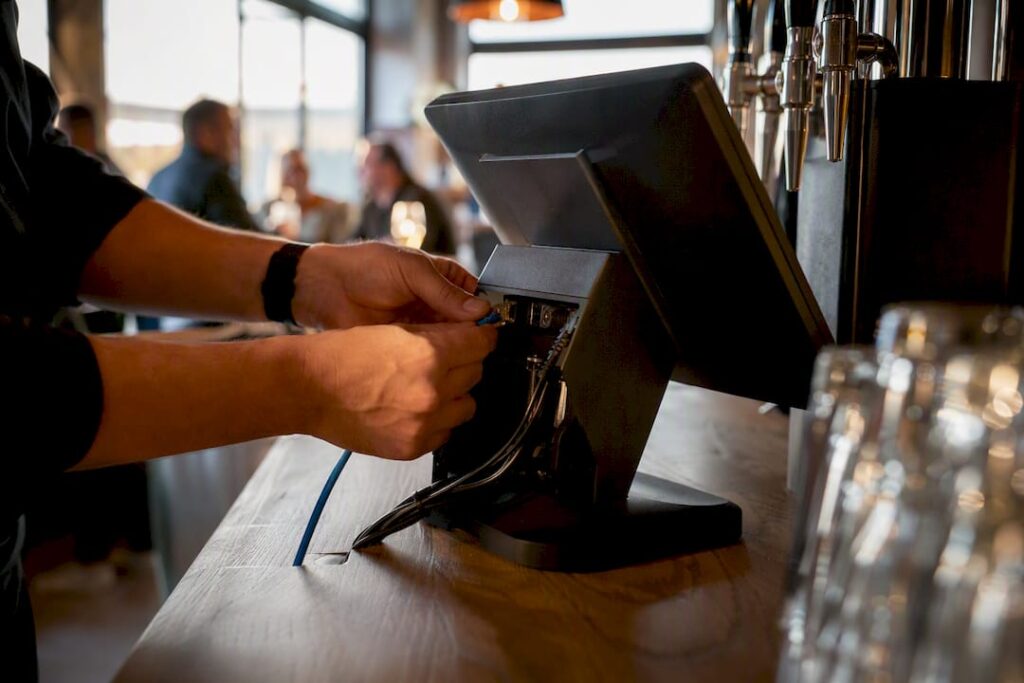
A hospitality EPOS should remove service friction, full stop. If your staff hesitate over splitting a bill, merging tables, or firing a kitchen ticket during a Friday rush, that system is costing you covers and goodwill. Before you sign anything, run three checks in the demo:
- Usability under load — can a new starter split a table of eight without asking for help?
- Offline resilience — does it keep taking orders and payments if the internet drops?
- Payments and KDS integration — are card processing and kitchen tickets built in, not bolted on?
Pro Tip: Book your demo for a Friday or Saturday evening slot where possible, and ask the rep to simulate genuine peak-time load rather than a quiet showroom walkthrough. Then confirm the provider offers UK-based support before you go any further.
Key Takeaways
A hospitality EPOS earns its cost only when it survives peak-time load, keeps taking payments offline, and gives staff a system they can operate without training half the shift.
| Point | Details |
|---|---|
| Test usability first | Watch a new starter split a bill and merge tables in the demo, unscripted. |
| Force an offline test | Disconnect the internet during the demo to confirm local caching genuinely works. |
| Budget the full first year | Expect roughly £3,000 to £5,000 including software, hardware and card processing fees. |
| Match system to service model | Wet-led pubs need speed; food-led kitchens need strong KDS and course timing. |
| Consider Switch-and-save | Its hospitality bundles pair UK-based support with transparent pricing and free peak-time demos. |
Table of Contents
- Why EPOS matters for hospitality: service speed, labour costs and margins
- Essential EPOS features checklist for restaurants, bars, cafés and hotels
- How to choose the right EPOS for your venue: a decision framework
- Implementation checklist and first-year cost expectations
- Scalability and future-proofing your EPOS system
- Customer support and service level considerations
- Cost-benefit analysis: working out your EPOS ROI
- What good EPOS vendor support actually looks like
- Switch&Save: EPOS bundles built for hospitality peak-time reality
- Sources
- FAQ
Why EPOS matters for hospitality: service speed, labour costs and margins
Usability is the single biggest factor separating an EPOS that helps from one that hinders. Staff shouldn’t need a manual to split bills, merge tables, or apply modifiers. Industry commentary in The Caterer’s technology buying guide makes this the first filter any operator should apply, and it’s easy to see why: every extra second a server spends fighting the till is a second not spent on the floor.
That single point cascades into your labour costs. A system with intuitive table management and modifiers cuts training time and reduces order errors, which means fewer comped meals and fewer awkward conversations with guests. Kitchen display systems compound the effect: routing tickets electronically rather than on paper reduces food waste and speeds up service in busy, food-led kitchens.
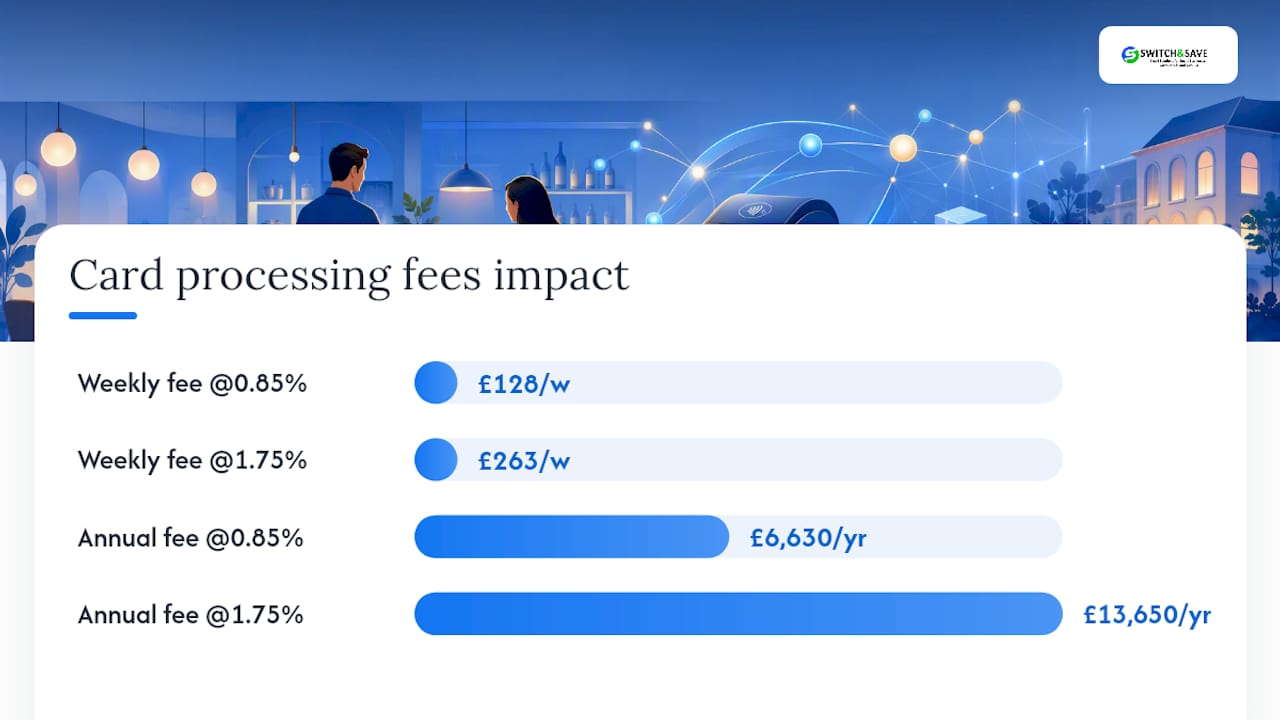
Payment fees deserve the same scrutiny as software features. Card processing rates commonly range between 0.85% and 1.75% per transaction, and that spread matters more than most operators assume. On a venue turning over £15,000 a week in card payments, the gap between the two ends of that range is roughly £135 a week, or over £7,000 a year. Ask any vendor to show you their rate card during the demo, not after you’ve signed.
Going cash-light with integrated payments also simplifies end-of-day cash-up, shrinking reconciliation time and cutting the small errors that add up over a month.
Essential EPOS features checklist for restaurants, bars, cafés and hotels
Run through this list in every demo, and don’t accept “it’s on the roadmap” as an answer for anything on it.
- Table management, split billing and modifiers — staff should merge tables, split by item or by head, and add modifiers without a second screen or a phone call to support.
- Kitchen Display System (KDS) and course ordering — tickets should route automatically to the right prep station, with course timing built in for food-led menus.
- Offline and local transaction caching — the till must keep taking orders and payments during a broadband outage, then sync cleanly once connectivity returns.
- Payment integration — contactless, QR or mobile ordering, and a transparent processing rate quoted upfront, not buried in a contract appendix.
- Stock and cellar management with two-way PMS or reservation sync — especially for hotels and multi-site groups juggling bookings, deliveries and room service.
Wet-led pubs and food-led restaurants need different priorities, so don’t assume one system suits both. A hospitality EPOS review of the UK market makes clear that a busy pub bar lives or dies on transaction speed, while a restaurant kitchen lives or dies on course timing and KDS accuracy.
Pro Tip: Ask to see the offline mode working, not just described. Pull the router cable yourself during the demo and watch what happens to the till screen.
How to choose the right EPOS for your venue: a decision framework
Start by mapping your service model to the right class of system. A wet-led pub prioritises raw transaction speed at the bar. A food-led restaurant needs strong KDS and course-timing tools. A hotel or multi-site group needs two-way integration with reservations, room charging and central reporting across sites. Buying the wrong class of system for your model is the single most common upgrade mistake operators make.
Once you’ve shortlisted candidates, insist on a genuine peak-load test rather than a scripted demo:
- Ask the vendor to simulate a Saturday night with multiple terminals firing kitchen tickets and card payments at once.
- Disconnect the internet mid-demo and watch how the system behaves, not just whether it survives.
- Time how long it takes a till operator unfamiliar with the system to split a six-person bill.
A detailed lesson from operators who’ve been through this is blunt: refuse any system that won’t demonstrate a simulated busy night in front of you. If a vendor hesitates, that’s your answer.
Total cost of ownership goes well beyond the monthly software fee. Add hardware, card processing percentages, staff training days, and the productivity dip while your team learns the new workflow. Before signing, get clear answers on contract notice periods, whether your sales and stock data exports cleanly if you leave, and what it actually costs to exit early.
Pro Tip: Get the notice period and data export terms in writing before you sign, not verbally promised on the sales call. This one detail causes more disputes than any feature gap.
Implementation checklist and first-year cost expectations
Budget realistically before you commit. Software tiers for a decent hospitality EPOS typically run £49 to £299 a month, hardware costs several thousand pounds upfront depending on terminal count, and card processing fees usually sit between 0.85% and 1.75% per transaction. Add it up and a busy independent venue should expect first-year costs in the low thousands, hardware included.
Training is where most rollouts stumble. Plan for:
- A structured training day before go-live, not a five-minute run-through on installation morning.
- A named “super user” on each shift for the first fortnight who can answer questions without calling support.
- A connectivity check in your actual venue, not just the vendor’s showroom, including a deliberate offline test to confirm local caching genuinely works.
- A staged integration sequence: get core sales and payments live first, then connect accounting, reservations, and delivery partners once staff are confident.
Most operators see a productivity dip during the first two weeks as staff adjust to new workflows, but a proper training plan and a clear super-user rota shrink that window considerably. Rushing the sequence, trying to switch on every integration on day one, is the single most reliable way to extend that dip into a month.
Scalability and future-proofing your EPOS system
Buying for today’s site count alone is a false economy if you plan to grow. A single-site café and a five-site group need fundamentally different reporting structures, even if the till hardware on the counter looks identical.
Look for a system built on multi-terminal and multi-site architecture from the ground up, not one where “multi-site” was added as an afterthought to a single-store product. Cloud-based dashboards matter here: they let you check stock levels, sales performance and staff activity across every location from one screen, without visiting each site or waiting for a nightly export.
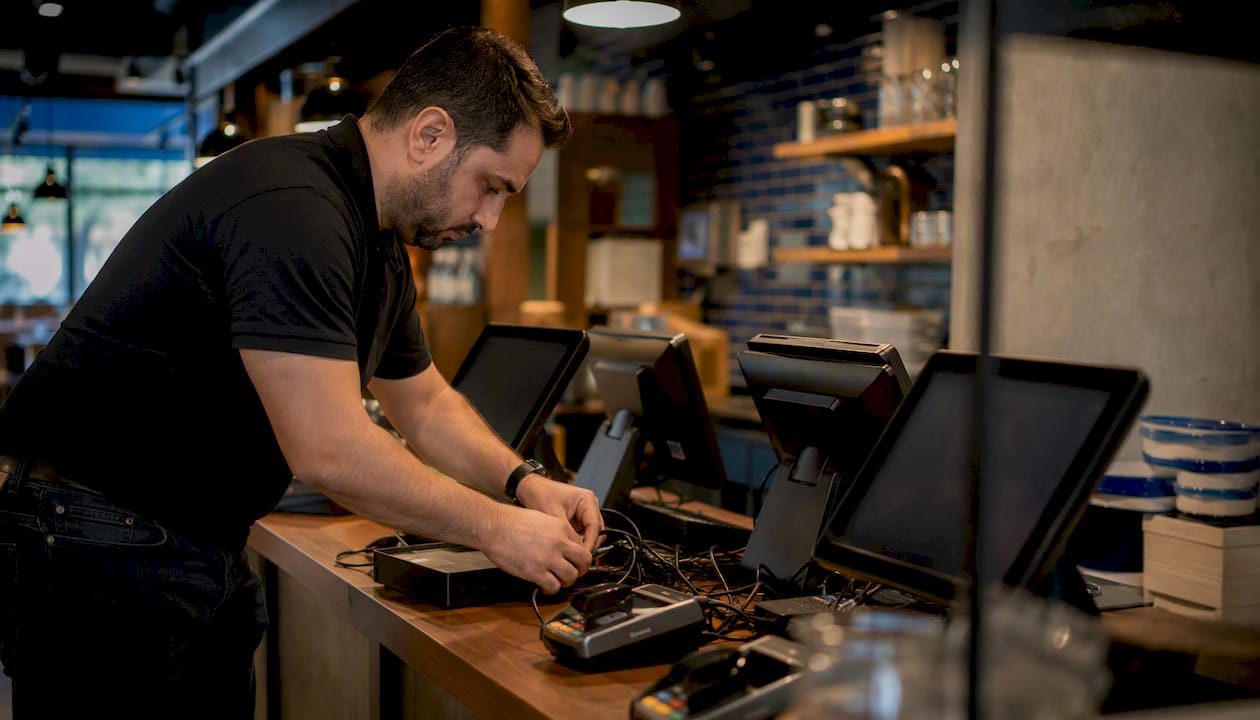
Ask vendors directly how new terminals or new sites get added. A well-built system lets you add a till or a second location without re-platforming or re-training every existing member of staff. Also check how often the software receives feature updates and whether those updates roll out automatically or require a costly re-implementation. A system that can absorb a new payment method, a new delivery partner, or a new site without a forklift upgrade will save you far more over three years than the cheapest quote today.
Customer support and service level considerations
Support quality only gets tested at the worst possible moment: Saturday night, terminal three down, a queue forming. That’s when a support line answered by someone in a different time zone reading from a script becomes a genuine liability.
Ask every shortlisted vendor these questions before you sign:
- What are the actual support hours, and do they extend into evenings and weekends when hospitality venues are busiest?
- Is support UK-based, and can you speak to someone who understands hospitality service patterns rather than generic retail?
- What’s the guaranteed response time for a terminal outage versus a general query?
- Is there a dedicated account contact, or does every call start from scratch with a new agent?
Transparent pricing and clear contract terms tend to travel together with good support: vendors confident in their service rarely need to obscure the numbers. Reading customer reviews for real-world evidence of response times, not just star ratings, tells you more than any sales deck.
Cost-benefit analysis: working out your EPOS ROI
The return on a hospitality EPOS comes from three places: faster service, fewer errors, and tighter stock control. None of these show up as a single line on a bank statement, so you have to build the case yourself.
Start with labour. If a modern till cuts two minutes off average table turn time during peak service, a 40-cover restaurant doing two sittings a night could seat several more tables a week, without adding a single staff hour. Order accuracy matters just as much: fewer kitchen errors means fewer comped dishes and less wasted food, and culinary brand activations and food experiences help enhance menu presentation and guest experience, while KDS-driven kitchens see a measurable improvement here.
A venue that reduces reconciliation errors and food waste, while trimming even a few minutes from average service time, typically recovers its first-year investment through labour and waste savings alone, before counting the value of better stock visibility.
The honest caveat: ROI depends entirely on whether staff actually use the features you paid for. A KDS that nobody bothers to check properly delivers none of its promised savings.
What good EPOS vendor support actually looks like
Most EPOS horror stories don’t start with bad software. They start with a vendor who oversold the demo and disappeared once the contract was signed. The venues that switch systems twice in three years almost always describe the same pattern: a slick sales pitch, a support line that goes quiet after go-live, and hidden fees that surface on the second invoice.
Good UK-based support prevents this by being reachable when it matters, not just during office hours on a quiet Tuesday. Free demos and transparent pricing shorten onboarding risk because you can see exactly what you’re getting, and what it costs, before a single terminal touches your bar.
The practical outcomes worth chasing are unglamorous but real: faster cash-up at the end of a shift, clearer stock visibility so you’re not guessing what’s left in the cellar, and fewer order errors reaching the pass. Those three things, more than any feature list, are what separate a good EPOS switch from a costly one.
Switch&Save: EPOS bundles built for hospitality peak-time reality
Switch-and-save is the practical alternative to gambling on a generic till system: instead of guessing whether a system holds up on a Saturday night, you get UK-based support, transparent pricing, and a free demo where you can stress-test the system yourself before committing a penny.

Cafés running a tight counter service, pubs juggling a busy bar with food orders, and multi-site restaurant groups needing central reporting all need different things from an EPOS, and Switch-and-save’s hospitality EPOS system is built with that variation in mind rather than a one-size-fits-all approach. The SSPOS software covers table management, split billing, KDS routing and integrated payments in one package, and the EPOS systems range lets you match hardware to your terminal count rather than overpaying for capacity you don’t need.
Customer reviews and clear pricing are displayed openly, so you can check real-world performance before you decide. Book a free demo, ask for a genuine peak-time stress test with the internet disconnected mid-service, and request a total-cost estimate covering software, hardware and card processing so there are no surprises on your second invoice.
Sources
- How to find an EPoS to suit your site – InDepth
- Smartpubtools
- Best EPOS for Restaurants, Pubs & Hotels UK 2026
FAQ
What features should a hospitality EPOS have?
At minimum, it needs table management, split billing, modifiers, a kitchen display system, offline transaction caching, and integrated card payments with a transparent processing rate.
How much does a hospitality EPOS cost in the first year?
How do I test an EPOS system before buying?
Ask the vendor to simulate a Saturday night with multiple terminals, kitchen tickets and card payments running simultaneously, then disconnect the internet to check offline behaviour.
Do wet-led pubs and food-led restaurants need different EPOS systems?
Yes. Pubs generally prioritise transaction speed at the bar, while restaurants need stronger kitchen display and course-timing tools, so the same system rarely suits both equally well.
Does Switch-and-save offer a free demo before purchase?
Yes, Switch-and-save provides free demos with transparent pricing, letting you test peak-time performance and offline reliability before committing to a hospitality EPOS bundle.



