Three routes get you to custom receipts: the built-in visual editor for quick branding and layout changes, code-level templates when you need conditional fields or complex logic, and print middleware for consistent output across multiple sites. Whichever you choose, keep a UK VAT lens on it: simplified VAT receipts cover most low-value sales, but you must be ready to issue a full invoice on request. Test everything on your actual printer before rolling it out.
TL;DR:
- The visual editor is the quickest and easiest way for single-site retailers to customize receipts without coding.
- Code templates are ideal when complex logic or detailed tax reporting are needed, but they require developer support.
- Centralized print middleware offers consistent branding across multiple sites, simplifying updates during rebrands or policy changes.
- For UK VAT compliance, receipts below £250 can use simplified format showing business details, while higher-value sales and VAT-registered customers require full invoices.
- Test all receipt templates on the actual printer model and run multiple physical prints to prevent issues with logo quality or garbled characters.
Table of Contents
- Practical methods for custom receipts POS setups
- What must a receipt show for UK VAT?
- Choosing printers, paper widths and print settings
- Implementation checklist from draft to live printing
- Testing and troubleshooting printer and receipt issues
- How Switch-and-save supports your receipt rollout
- Which approach should you actually start with?
- Switch-and-save: practical help with custom receipts POS setup
- Where to check the rules yourself
- Sources
- FAQ
Practical methods for custom receipts POS setups
Most POS platforms give you three ways to build custom print receipts, and each suits a different level of ambition; see what features to check before you buy a POS system to match your needs.
The visual editor is the obvious starting point. Shopify’s POS receipt editor, for example, lets you add a logo, header and footer messages, a barcode or QR code, and save separate templates per location without touching a line of code, according to Shopify’s own documentation. For most single-site retailers, this is the fastest way to a professional-looking receipt.
Code editors and templates come into play when the visual tools run out of road: conditional fields (show a return policy only on certain product lines, say), custom layout logic, or bespoke tax reporting. This usually means bringing in a developer, so weigh the cost against how often you’ll actually change the layout.
Print middleware and print servers solve a different problem: consistency. If you run five sites and a rebrand happens, updating one central template beats editing five terminals by hand. Cloud-based print servers also let you push template updates remotely, which matters for multi-site hospitality groups more than a single café.
For short-term needs, such as a market stall or a pop-up event, an online receipt generator can be enough. It won’t integrate with your sales data or scale past a handful of transactions, but it avoids the setup overhead entirely.
- Visual editor: low skill needed, fastest for logo/header/footer/barcode changes
- Code templates: best for conditional logic and specialist reporting
- Print middleware: central control for multi-terminal or multi-site branding
- Online generators: fine for temporary or one-off setups only
What must a receipt show for UK VAT?
For most everyday sales, a simplified VAT receipt is all that’s legally required. HMRC permits this for transactions of £250 or less, and it must show your business name and address, VAT registration number, the date, a description of the goods or services, and the total including VAT.
If a customer asks for a full VAT invoice, whether because they’re VAT-registered themselves or the sale exceeds that threshold, your POS needs to produce one with a unique sequential invoice number, full supplier details, item descriptions, quantities, and the VAT amounts broken down.
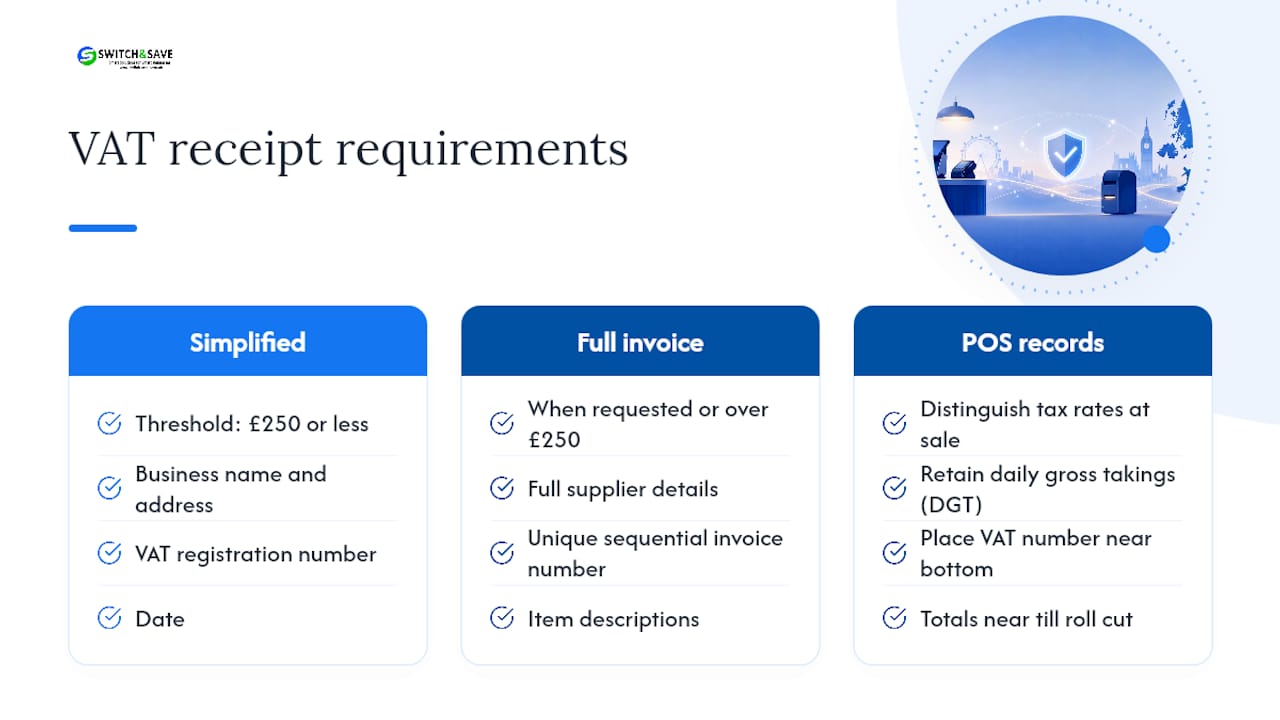
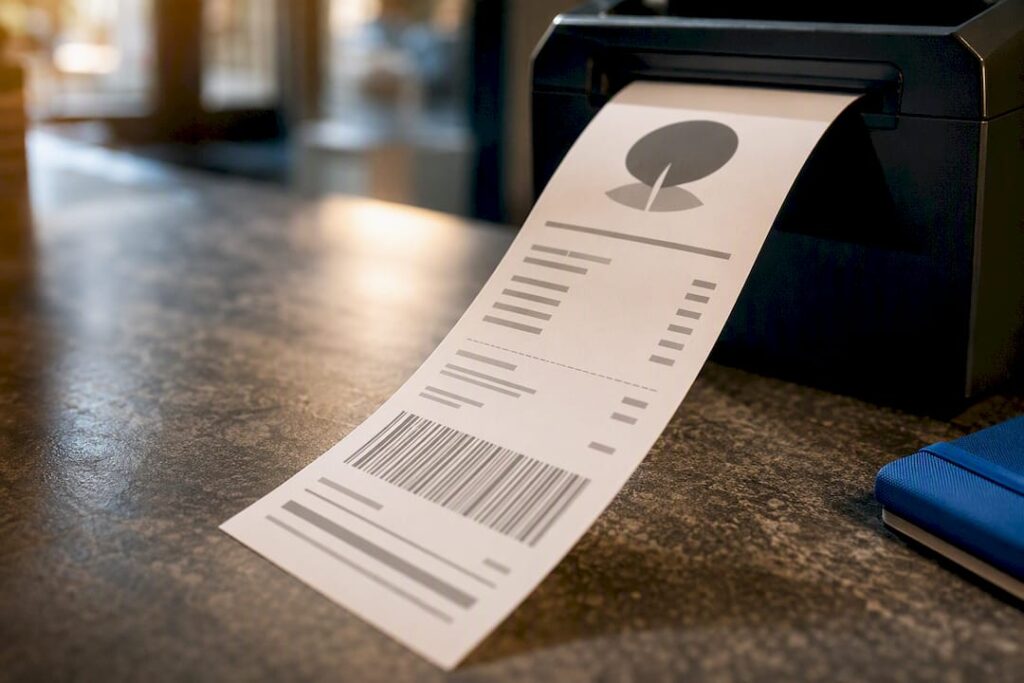
On the record-keeping side: retail schemes require your POS to distinguish between different tax rates at the point of sale and retain daily gross takings (DGT) records. On narrow thermal receipts, keep the VAT number and totals near the bottom, close to the till roll cut, so they survive folding and don’t get lost above the fold.
Choosing printers, paper widths and print settings
Paper width shapes what a receipt can realistically show. 57mm rolls suit quick-service counters where speed matters more than detail. 80mm gives you room for a logo, itemised lines, and a QR code without cramming text, which matters if you’re using the receipt as a marketing touchpoint.
Before buying, check the printer supports:
- Logo and graphics printing, not just text
- Barcode and QR code rendering
- An auto-cutter, if you’re printing high volumes
- The connectivity you actually have (USB, Ethernet, Bluetooth, or cloud)
Font size and margins matter more than people expect. A logo that looks crisp on screen can turn to mush on a thermal printer because of dithering, the way greyscale images get converted to black-and-white dots.
Pro Tip: Always print a physical test receipt on the exact printer model you’ll deploy, not a preview on screen. Thermal printers vary enough between manufacturers that a logo which prints cleanly on one can smear on another.
Browse receipt printers suited to your paper width and connectivity needs, or read up on which printer type fits your setup.
Implementation checklist from draft to live printing
Rolling out custom print receipts across a site, or several, goes more smoothly with a fixed sequence rather than winging it terminal by terminal.
- Draft the required fields and visual elements: VAT number, address, logo, returns policy, loyalty QR code.
- Build or select your template in the visual editor, or brief a developer if you need conditional logic.
- Set tax mappings and location overrides so each site charges and reports the correct rate.
- Upload and optimise your logo for thermal printing, checking it doesn’t dither into an unreadable blob.
- Set margins and run a test print at every site, not just head office.
- Back up your templates, document what changed and why, and train staff on what a correct receipt should look like.
Skipping the backup step is the one businesses regret most; a template overwritten during a rushed update is hard to reconstruct from memory.
Testing and troubleshooting printer and receipt issues
Before going live, preview the template in your admin panel, then run several physical test prints, not just one. Check that the logo renders cleanly and that special characters (accented letters, currency symbols) aren’t garbled by an encoding mismatch.
If VAT totals look wrong, check your tax-rate mapping first. A misassigned rate at one terminal will throw off your daily gross takings records without anything looking obviously broken on the receipt itself.
For connectivity failures:
- Confirm the printer’s network or Bluetooth connection is active
- Restart the print spooler or terminal software
- Collect a screenshot of the error and the receipt template ID before contacting support
Having those details ready cuts support calls down considerably, since most POS help desks ask for exactly that first.
How Switch-and-save supports your receipt rollout
Switch-and-save supplies bundled EPOS hardware, SSPOS software, and receipt printers with UK-based support, so template setup doesn’t have to be a solo project. Free demos let you see the visual editor in action before committing, and the team can help with remote or on-site printer configuration if you’re rolling out across multiple sites.
If you want to see how templates, tax mappings, and printer settings fit together in one system, explore SSPOS software for EPOS systems.
Which approach should you actually start with?
For a single site, the visual editor wins almost every time. It’s fast, it needs no developer, and it covers the vast majority of branding needs, from logo placement to a loyalty QR code. Reach for code templates or middleware only once you’ve got multiple sites, or a genuinely complex tax situation that the editor can’t map cleanly.
Whatever you choose, treat testing and VAT compliance as fixed points, not optional extras. A receipt that looks good but omits your VAT number, or misreports a tax rate, isn’t a design problem. It’s a compliance one.
— Amir
Switch-and-save: practical help with custom receipts POS setup
Switch-and-save is the alternative to piecing together printers, software and support from separate suppliers: one bundle, one UK-based support line, and receipt templates set up as part of the package rather than left to you to figure out alone.

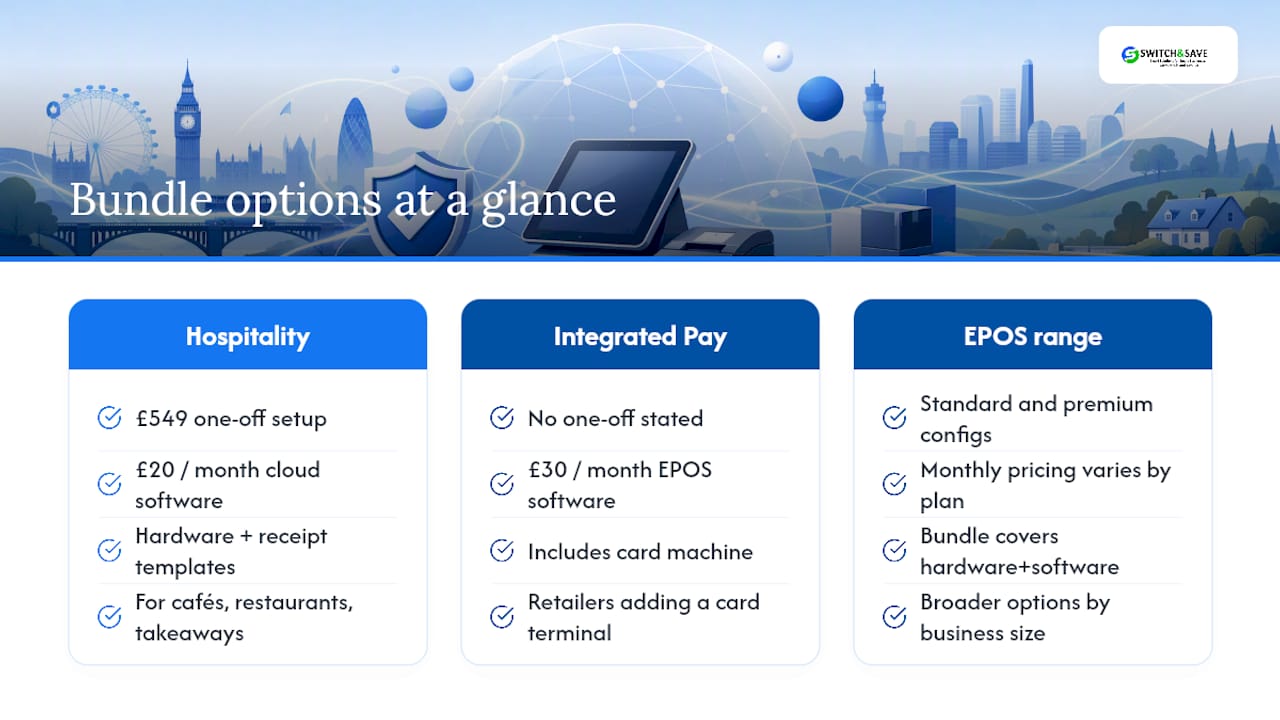
If you’re running a café, restaurant or takeaway, the Hospitality EPOS Bundle at £549 one-off, paired with AI-powered cloud software at £20 per month, gets you hardware and receipt template setup in one purchase. Retailers weighing up a card terminal alongside their till can look at the Integrated Payments Bundle, which combines EPOS software at £30 per month with a card machine. For a broader look at bundle options by business size, the EPOS bundle range covers both standard and premium retail configurations.
Book a free demo to see the receipt editor working on real hardware before you commit to anything.
Where to check the rules yourself
For the legal detail behind every claim in this guide, go straight to the source. HMRC’s record-keeping guidance covers simplified VAT receipts, while the retail scheme notice explains daily gross takings. Shopify’s POS receipt editor documentation is a solid reference for visual-editor capabilities generally.
Sources
FAQ
What is the minimum information a UK receipt must show?
A simplified VAT receipt needs your business name and address, VAT registration number, the date, a description of the goods, and the total including VAT, for sales of £250 or less. Above that, or on request, you’ll need to issue a full VAT invoice with a sequential invoice number and itemised VAT amounts.
Can I customise receipts without hiring a developer?
Yes. Most POS visual editors let you add a logo, header and footer text, barcodes and QR codes, and save different templates per location, all without writing code, as Shopify’s POS documentation shows. Code-level editing is only necessary for conditional layouts or specialist reporting needs.
Are digital or emailed receipts acceptable for VAT records?
Digital copies, including photographs, PDFs and screenshots, are accepted as valid business records provided they’re legible and properly backed up. Under Making Tax Digital, the underlying records used for your VAT return must still be preserved, so check with your software provider on how your system handles this.
Does Switch-and-save help set up receipt templates?
Switch-and-save bundles EPOS hardware, SSPOS software and receipt printers with UK-based support, and can help configure templates remotely or on-site. Pricing for the Hospitality EPOS Bundle starts at £549 one-off plus £20 per month for the cloud software; other bundle prices are available on request.
What paper width should I choose for branded receipts?
57mm suits fast counter service where speed matters more than detail, while 80mm gives enough room for a logo, itemised lines and a QR code. If you’re using the receipt for marketing, such as a loyalty prompt or returns policy, 80mm generally reads more clearly.