
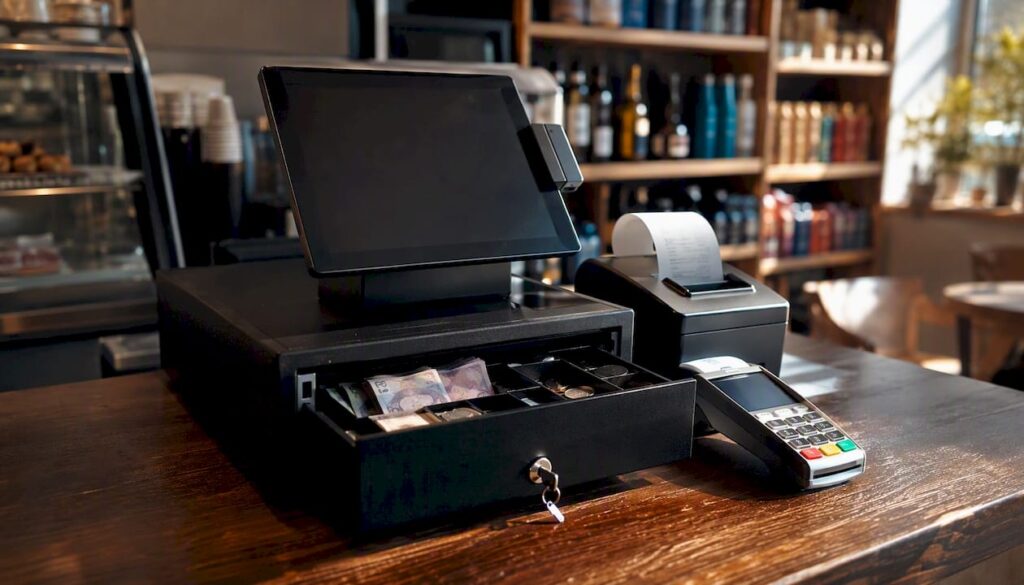
A till is the device or system your business uses to take and record sales at the checkout. Whether you run a corner shop, a café, or a multi-site restaurant, every transaction passes through it, and HMRC expects you to record your daily gross takings (DGT) accurately. This guide covers both traditional cash tills and modern EPOS (Electronic Point of Sale) systems, and includes a step-by-step cashing-up procedure you can use from day one. Switch-and-save provides UK businesses with AI-powered EPOS solutions that handle all of this automatically.
Key takeaways
A till is your business’s primary sales and cash-recording tool, and consistent daily procedures around it are what keep your records HMRC-ready and your cash secure.
| Point | Details |
|---|---|
| Definition of a till | A till records sales and holds cash; modern EPOS systems add inventory, reporting, and card integration. |
| Z report discipline | Print and file a Z report every day; it is the document HMRC uses to verify your daily gross takings. |
| Cash-up procedure | Follow a ten-step cash-up: lock sales, count cash, reconcile card payments, and file records together. |
| Record retention | Retain Z reports and cash-up sheets for at least six years to satisfy HMRC VAT record requirements. |
| Switch-and-save | Switch-and-save provides UK EPOS systems with automatic Z-readings, cloud reporting, and UK-based support. |
Table of Contents
- What a till actually covers and how it differs from an EPOS system
- Key components of a modern till system and what each part does
- How a till processes a sale and what happens to the data
- Step-by-step: how to cash up at the end of a shift
- UK security and record-keeping: what HMRC expects from your till
- How much does a till or EPOS system cost in the UK?
- How to choose the right till system for your business
- Your daily till checklist: open, trade, and close
- What most businesses get wrong about their till
- Switch-and-save: a practical EPOS option for UK retail and hospitality
- Sources
- FAQ
What a till actually covers and how it differs from an EPOS system
The word “till” gets used loosely. To some people it means the cash drawer under the counter; to others it means the whole checkout setup including the screen, card reader, and receipt printer. Both uses are correct, but the distinction between a basic cash register and a full EPOS system matters when you are deciding what to buy or how to train staff.
Traditional cash till (cash register)
A standalone device that records sales, opens a cash drawer, and prints a receipt. It stores no data in the cloud, has no inventory tracking, and cannot integrate with card terminals or accounting software. Common on market stalls, small newsagents, and charity shops where transaction volume is low and card payments are handled separately.
EPOS till system
A full electronic point-of-sale setup combining hardware and software. According to ExpertSure, an EPOS system replaces a traditional cash register by adding inventory management, real-time reporting, and card payment integration. A cloud-enabled EPOS also synchronises sales, inventory, and reporting in real time, giving you access to data from any device. For VAT-registered businesses, EPOS integration with accounting software also makes Making Tax Digital (MTD) compliance considerably easier.
Here is a quick comparison of what each type handles:
- Cash recording: Both types record cash sales; only EPOS links them to stock levels automatically.
- Card payments: Traditional tills require a separate terminal with no data link; EPOS integrates card and cash into one report.
- Inventory tracking: Not available on traditional tills; standard on most EPOS platforms.
- Cloud reporting: EPOS only; traditional tills produce paper rolls at best.
- MTD compatibility: EPOS with accounting integration; traditional tills require manual data entry.
- Typical users: Market stalls and very small shops (traditional); cafés, restaurants, retail chains, and salons (EPOS).
Key components of a modern till system and what each part does
Understanding the hardware and software that make up a till system helps you operate it confidently and spot problems before they become costly.
Hardware
Cash drawer — The lockable tray that holds notes and coins, divided into denominations. It opens automatically when a cash sale is completed and should be locked between transactions.
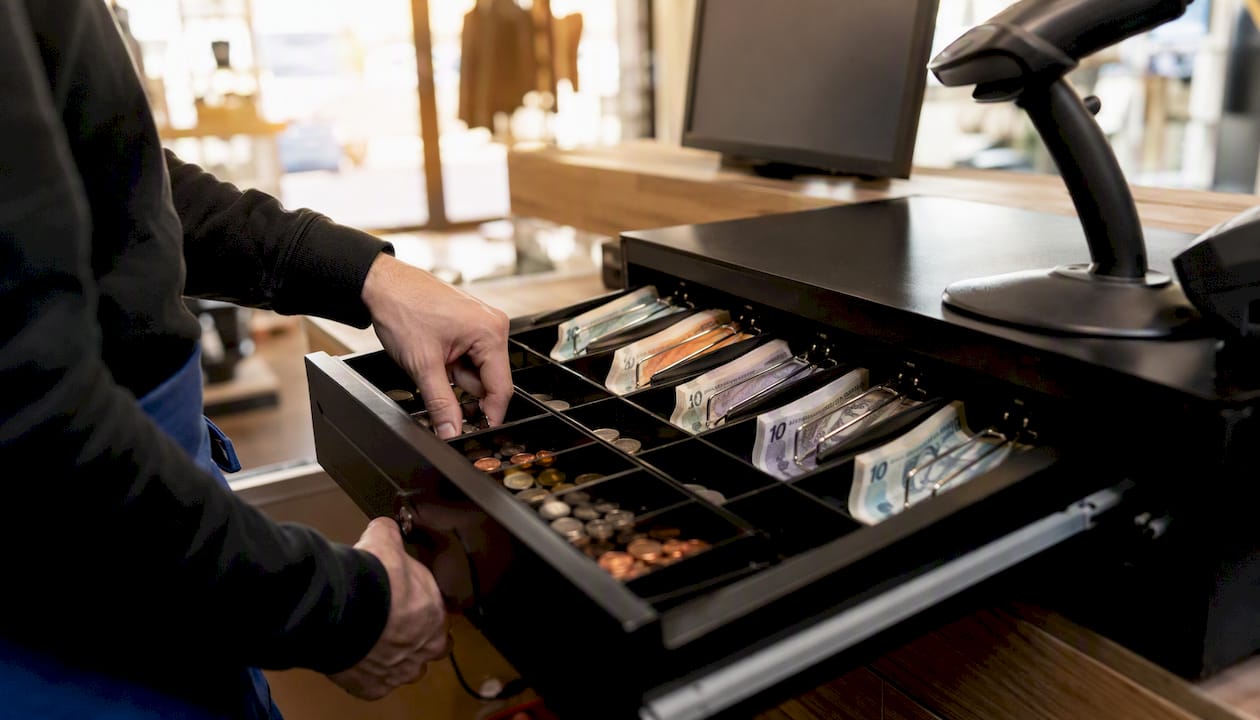
Receipt printer — Prints customer receipts and, critically, your X and Z reports (more on those shortly). Thermal printers are standard; keep spare paper rolls behind the counter.
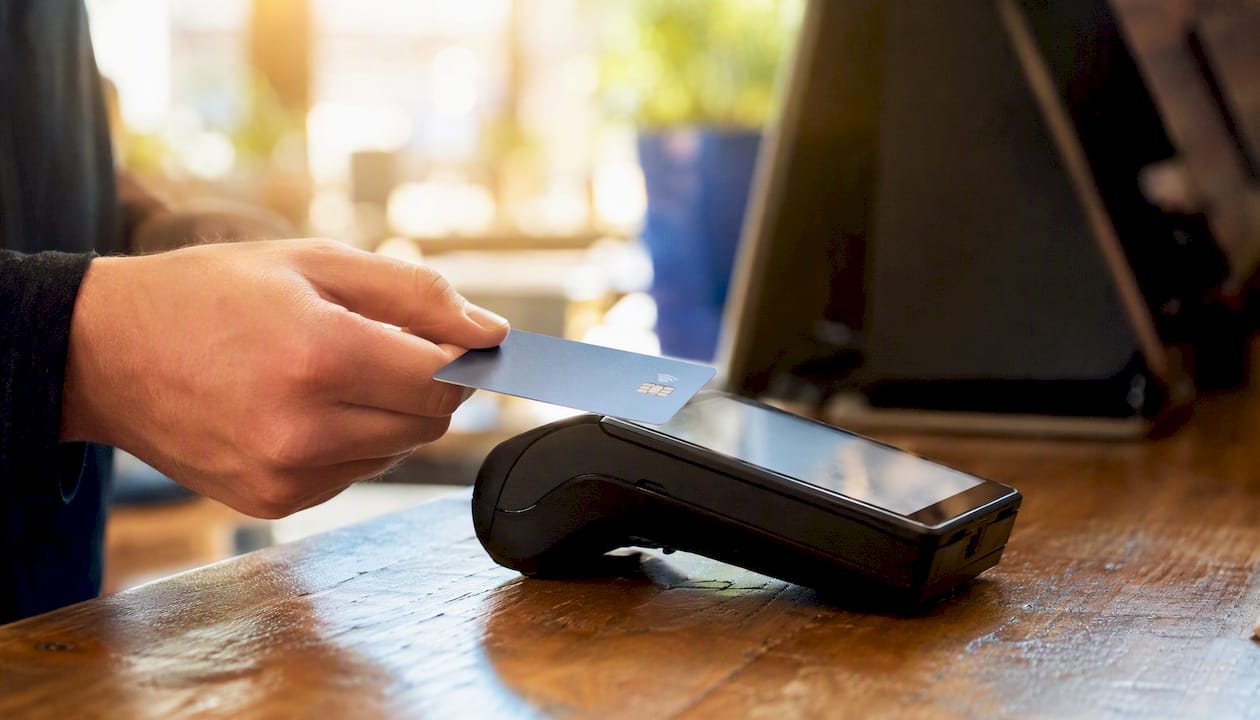
Card reader or payment terminal — Processes debit and credit card payments. On an integrated EPOS, the card total feeds directly into the sales report, removing the need for manual reconciliation.
Barcode scanner — Reads product barcodes to pull up the correct item and price from the product catalogue. Handheld scanners suit most retail counters; fixed scanners work well at high-volume checkouts.
Customer display — A small screen facing the customer that shows the transaction total. Not universal, but useful for reducing disputes and building trust.
Software
Till or EPOS app — The interface your staff use to process sales, apply discounts, and select payment methods. Good software is fast, intuitive, and recovers gracefully from connectivity drops.
Product catalogue — Your list of items with prices, VAT rates, and barcodes. Keeping this accurate is the single biggest factor in clean sales reporting.
VAT and tax settings — Correct VAT codes on each product mean your Z-readings and reports are already tax-ready, saving your accountant time.
Sales reports and dashboards — Where your daily, weekly, and monthly data lives. Accurate till sales data feeds inventory forecasting and helps you avoid stockouts.
User and permission controls — Let you assign roles so a cashier can process sales but cannot issue refunds without a manager code. This is a simple fraud-prevention measure that most businesses overlook.
The till float
The float is the starting cash in the drawer at the beginning of each shift. It is not income; it is working capital for giving change. Keep petty cash in a separate envelope or tin, never mixed with the float, so your cash-up figures stay clean. Nibusinessinfo recommends starting each day with a set float and keeping petty cash entirely separate from till cash.
Pro Tip: Set a fixed float amount (for example, £100 in mixed denominations) and count it at the start of every shift. If it is short before trading begins, you have a problem to investigate before a single sale is made.
How a till processes a sale and what happens to the data
Every transaction follows the same path, whether you are selling a sandwich or a pair of trainers.
A cashier selects the item (by scanning a barcode or tapping a product button), the till retrieves the price from the product catalogue, and the total appears on screen. Discounts or promotions are applied at this stage. The customer pays by cash or card: a cash payment opens the drawer and the system calculates change; a card payment routes through the integrated terminal and returns an approval code. The till then prints or sends a receipt and records the transaction in the sales log.
That sales log is where the reporting begins. Every transaction is timestamped and stored, so at any point during the day you can print an X report: a running total of sales since the last reset, without clearing the data. Think of it as a mid-shift snapshot. At the end of the day, you print a Z report, which produces the same totals but then resets the counter to zero. The Z report is your official end-of-day record. HMRC guidance notes that businesses using a retail VAT scheme must record daily gross takings, and the Z report is the primary document used to verify those figures during a compliance check. Keep every Z-reading; do not discard them.
An EPOS system takes this further by pushing the same data to a cloud dashboard in real time, so you can check today’s takings from your phone while you are off-site.
Step-by-step: how to cash up at the end of a shift
Cashing up is the process of counting physical cash, comparing it to what the till says you should have, and preparing a record that stands up to scrutiny. Follow these steps every time.
- Lock sales. Stop new transactions before you begin counting. On most EPOS systems this means closing the session or switching the till to manager mode.
- Print the Z report. This gives you the official end-of-day totals: cash sales, card sales, refunds, and net takings. File it immediately; do not leave it on the counter.
- Remove the float. Take out the starting float amount and set it aside. You are now counting only today’s takings.
- Count physical cash. Count notes by denomination, then coins. Write down each total. Count twice if the figures are large.
- Record petty cash used. Subtract any cash taken from the drawer during the day for small business expenses (milk, postage, and so on), supported by receipts.
- Calculate expected cash. Take the Z report’s cash sales figure, subtract petty cash used, and that is what should be in the drawer.
- Compare and note any discrepancy. A small variance (a few pence) is usually a counting error. A larger one needs investigation: check for missed voids, incorrect change given, or a missed petty cash entry.
- Reconcile card payments. Your card terminal’s settlement report should match the card sales figure on the Z report. If they differ, check for any transactions that were approved on the terminal but not recorded on the till, or vice versa.
- Prepare the bank deposit. Place takings above your agreed safe-cash limit into a deposit bag. Record the amount on your cash-up sheet.
- Store the Z report and cash-up sheet. File both together. Atlas Tax advises that a completed cash-up sheet matching Z readings and bank deposits creates a strong audit trail for HMRC.
Pro Tip: If two people are present at close, have one count the cash and the other record the figures independently. Comparing results before writing anything down catches errors before they become discrepancies on paper.
Common discrepancy causes include incorrect change given, a voided transaction not recorded, a card payment processed on the terminal but not on the till, or petty cash spent without a receipt. Check these four before escalating.
UK security and record-keeping: what HMRC expects from your till
Cash businesses attract scrutiny. The good news is that consistent daily procedures protect you as much as they satisfy an inspector.
HMRC’s compliance handbook states that businesses operating a retail VAT scheme must record daily gross takings and that cashing up is observed during inspections to verify those records are complete. The Z report is the document an inspector will ask to see. If you cannot produce it, you cannot prove your DGT figure, and HMRC may estimate your liability, often upward.
Beyond compliance, practical security matters. Nibusinessinfo.co.uk recommends removing excess cash from tills overnight, making regular bank deposits (same day or next day where possible), and checking notes for counterfeits. Never count cash in view of customers or near an open door. A safe on the premises for overnight cash storage is worth the investment for any business taking more than a few hundred pounds a day.
For record retention, scanned Z reports stored in a cloud folder are as valid as paper copies, provided they are legible and dated. Six years is the standard retention period for VAT records. Paper cash-up sheets should be stored in a locked filing cabinet or scanned and backed up.
How much does a till or EPOS system cost in the UK?
Costs vary widely depending on what you need. Here is a realistic breakdown.
Software pricing follows two models. Free-tier plans charge no monthly fee but take a higher percentage per transaction, which suits very low-volume businesses. Paid subscriptions charge a fixed monthly fee with lower transaction rates, which becomes cheaper once you pass a certain monthly turnover. ExpertSure notes that pricing ranges from free tiers with transaction fees to premium monthly plans with hardware costs included.
For mobile traders, modern till systems can operate without fixed broadband, using 4G-connected card readers and battery-powered hardware, making them practical for market stalls and pop-ups.
Pro Tip: Calculate your monthly card transaction volume and multiply it by the transaction fee on a free plan. If that figure exceeds the monthly subscription cost of a paid plan, the paid plan saves you money. Most businesses reach that crossover point faster than they expect.
How to choose the right till system for your business
The right system depends on your sector, transaction volume, and growth plans. Work through these questions before speaking to any vendor.
Decision checklist:
- How many transactions do you process per day?
- Do you need stock control, or do you manage inventory separately?
- Do you operate more than one site or till point?
- Do you need table management or kitchen printing (hospitality)?
- What accounting software do you use, and does the till integrate with it?
- What is your budget for hardware upfront and monthly software fees?
- What level of UK-based support do you need?
Sector priorities
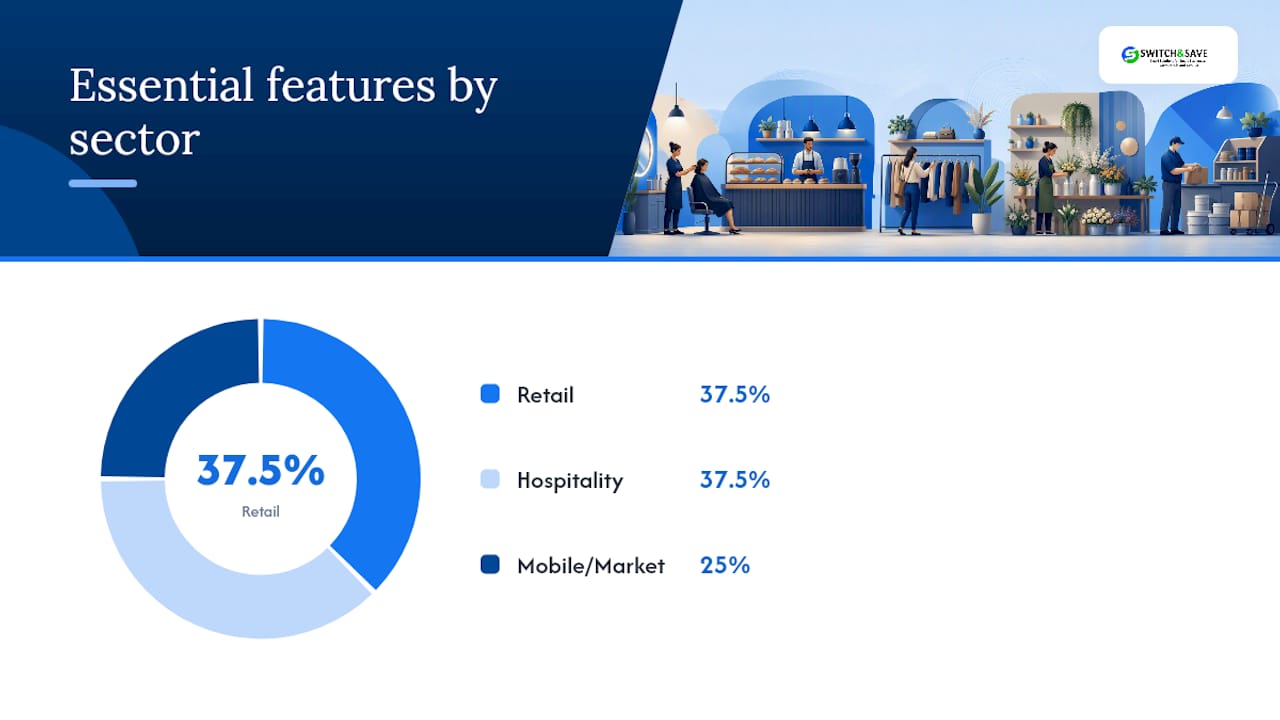
Retail needs barcode scanning, stock control, supplier ordering, and clear sales-by-product reporting. A modern POS system for retail should also handle promotions, multi-buy discounts, and loyalty schemes.
Hospitality (restaurants, cafés, takeaways) needs table management, course-by-course ordering, kitchen display or printer integration, and the ability to split bills quickly. Speed at the point of order matters more than in retail; a slow till during a lunch rush costs you covers.
Mobile and market traders need battery-powered hardware, offline mode (so sales still record when connectivity drops), and a compact footprint. Card reader integration is non-negotiable now that most customers carry no cash.
| Feature | Retail | Hospitality | Mobile/Market |
|---|---|---|---|
| Barcode scanning | Essential | Useful | Optional |
| Stock control | Essential | Useful | Basic |
| Table management | Not needed | Essential | Not needed |
| Kitchen printing | Not needed | Essential | Not needed |
| Offline mode | Useful | Useful | Essential |
| Battery-powered hardware | Optional | Optional | Essential |
| Loyalty/promotions | Useful | Useful | Optional |
| Accounting integration | Essential | Essential | Useful |
When speaking to vendors, ask specifically about UK-based support hours, onboarding training, and whether software updates are included in the subscription. Switch-and-save offers all three as standard, alongside a free demo so you can see the system before committing.
Your daily till checklist: open, trade, and close
Print this and keep it behind the counter.
Morning opening
- Count and confirm the starting float matches your set amount.
- Boot the till system and log in with your user credentials.
- Check the receipt printer has paper loaded.
- Run a test transaction (void it immediately) to confirm the card terminal is connected.
- Check any promotions or price changes are active in the product catalogue.
During the shift
- Issue a receipt for every transaction, cash or card.
- Log every petty cash withdrawal with a receipt and note the amount.
- Avoid letting cash build up in the drawer; do a mid-shift cash drop to the safe if takings are high.
- Where two staff members are present, apply a four-eyes rule on refunds and voids.
- Never leave the till drawer open between transactions.
End of day
- Lock sales and print the Z report.
- Follow the ten-step cashing-up procedure above.
- Prepare and seal the bank deposit bag.
- Scan or file the Z report and cash-up sheet together.
- Log out of the till system and lock the cash drawer.
What most businesses get wrong about their till
Most till errors are not dramatic. They are small, repeated, and entirely avoidable.
The most common pattern is a business that runs a perfectly good till but treats the Z report as optional paperwork. Staff print it, leave it on the counter, and it ends up in the bin. Six months later, an HMRC query arrives and there is nothing to show. The till was working fine; the habit was not.
The second pattern is mixing petty cash with the float. It seems harmless until cashing up produces a £23 discrepancy that nobody can explain, and the manager spends forty minutes retracing the day’s small purchases. Keeping a separate petty cash tin costs nothing and saves real time.
What actually changes things is consistency. A fixed float amount, a Z report filed every night, and a two-minute cash-up check at the start of each shift. Those three habits, done daily, mean your records are always inspection-ready and your discrepancies stay small enough to investigate quickly.
Switch-and-save builds these habits into the system itself: automatic end-of-day prompts, cloud-stored Z-readings, and a dashboard that flags when a till session has not been closed. UK-based support is available when something does not add up.
Switch-and-save: a practical EPOS option for UK retail and hospitality
If your current till cannot produce a Z report, does not integrate with your card terminal, or leaves you manually entering figures into a spreadsheet each night, the cost of staying put is higher than the cost of upgrading.

Switch-and-save’s EPOS systems are built for UK retail and hospitality businesses that want real-time sales data, automatic Z-readings, integrated card payments, and stock control without the complexity. The SSPOS software handles VAT settings, user permissions, and cloud reporting out of the box, and UK-based support is included in every package. Packages cover single-site shops, busy restaurants, and multi-terminal setups.
👉 Book a free demo or get a quote at Switch-and-save and see how quickly your team can be up and running.
Sources
HMRC compliance handbook (CH259100) — The primary source for understanding what HMRC expects when it inspects a cash business. It explains daily gross takings requirements and how cashing up is assessed. Visit gov.uk/hmrc-internal-manuals/compliance-handbook/ch259100.
Nibusinessinfo.co.uk: cash handling in retail — A practical, plain-English guide covering float management, petty cash separation, safe banking, and counterfeit note checks. Useful for training new staff. Visit nibusinessinfo.co.uk/content/cash-handling-retail.
Atlas Tax: hospitality cash handling and HMRC records — Specifically written for restaurants, cafés, and takeaways. Covers Z-reading retention, cash-up sheet format, and what an HMRC inspector looks for. Visit atlastax.co.uk/post/hospitality-cash-handling.
ExpertSure: what is an EPOS system? — A clear explanation of EPOS capabilities, cost ranges, and Making Tax Digital compatibility for UK businesses considering an upgrade. Visit expertsure.com/uk/epos-systems/what-is-epos.
Switch-and-save: EPOS vs cash register — A practical comparison of the two options for UK small businesses, covering costs, features, and when each makes sense. Visit Switch-and-save.
- Nibusinessinfo
- Hospitality cash handling: HMRC’s record requirements | Atlas Tax
- What Is an EPOS System? How It Works, Costs & Who Needs One | ExpertSure
FAQ
What is a till in a cash register?
A till is the cash drawer component of a cash register or checkout system that holds notes and coins during trading. The term is also used to describe the entire checkout setup, including the screen, receipt printer, and card reader.
How much does a till cost in the UK?
A basic cash register costs between £50 and £200. A tablet-based EPOS system typically costs £200–£600 for hardware plus a monthly software subscription of £20–£80, depending on the features you need.
What does it mean to use a till at work?
Using a till at work means processing customer transactions, giving correct change, issuing receipts, and following end-of-day cashing-up procedures to balance cash against the system’s sales records.
What is a Z report and why does it matter?
A Z report is the end-of-day sales summary that resets the till counter to zero. HMRC uses it to verify a business’s daily gross takings, so printing and filing one every day is a legal record-keeping requirement for VAT retail scheme businesses.
Can a till work without an internet connection?
Most modern EPOS systems include an offline mode that records sales locally when connectivity drops, then syncs to the cloud when the connection is restored. Basic cash registers have no connectivity requirement at all.



