
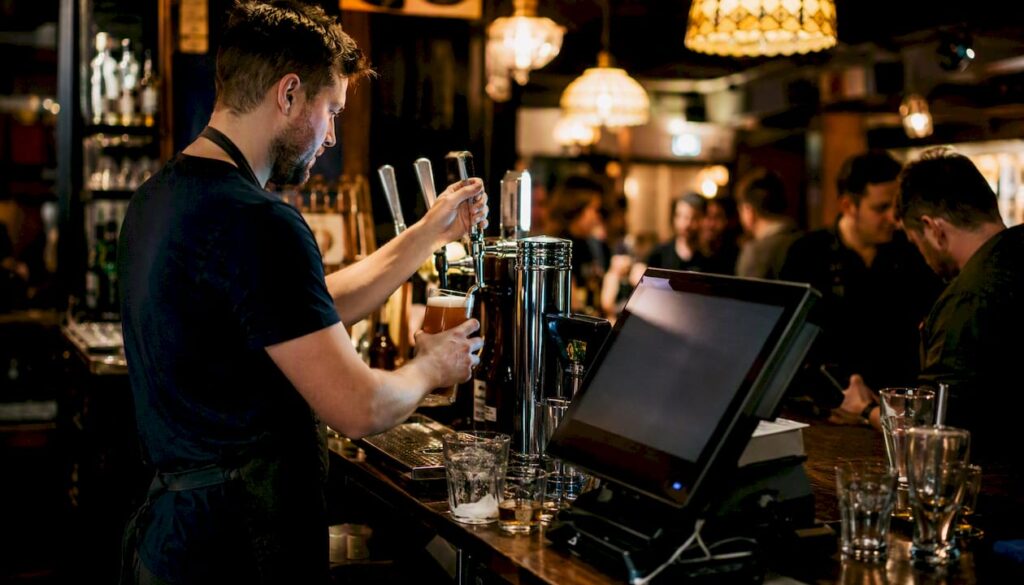
For most UK pubs, an EPOS system is not a luxury upgrade. It is a revenue-protection tool. If you are running manual tabs, losing track of stock variance, or managing more than one site without a central dashboard, the case for switching is clear. A modern EPOS pays for itself through shrinkage reduction, faster service, and the admin hours it gives back every week. The one situation where a basic till still makes sense: a single-bar, low-volume wet pub with no food trade, no stock complexity, and no growth plans. For everyone else, the question is not whether to invest, but which system to choose and when to make the move.
Key takeaways
An EPOS system is a revenue-protection tool for most UK pubs: it reduces shrinkage, cuts admin by 4–6 hours per week, and pays for itself fastest in wet-led, food-led, and multi-site venues.
| Point | Details |
|---|---|
| Shrinkage is recoverable | Drinks shrinkage runs 4–6% and food 8–12%; weekly variance alerts make losses visible before they compound. |
| Admin savings are immediate | Integrated EPOS cuts manual admin by several hours monthly to under 2 hours by connecting till, stock and accounting. |
| Switching has a cost window | Expect 10–14 days of reduced transaction speed and potential lost turnover of £1,500–£3,000 during go-live; plan timing carefully. |
| Integration is the make-or-break | Confirm native Xero, Brulines and Vianet compatibility before signing; middleware adds cost and a failure point. |
| Switch-and-save for UK pubs | Switch-and-save’s hospitality EPOS offers tab management, cellar integration, Xero connectivity and UK-based support with a free demo. |
Table of Contents
- Why EPOS for pubs delivers measurable business results
- Core EPOS features pubs must prioritise in demos
- Which pubs benefit most from a full EPOS system?
- How should your EPOS connect to accounting, cellar and workforce systems?
- How is reliability tested for real pub peak conditions?
- What does EPOS really cost, and how long does switching take?
- Disadvantages and red flags to watch for before you commit
- How to choose the right EPOS for your pub
- What operators actually experience: costs, revenue impact and why EPOS projects fail
- When Switch-and-save recommends upgrading now, and when to wait
- Switch-and-save’s EPOS for UK pubs: built for the bar, not the boardroom
- Sources
- FAQ
Why EPOS for pubs delivers measurable business results
The practical gains from an EPOS fall into four areas, and each one has a direct line to your bottom line.
Speed of service is the most visible. Handheld terminals let bar staff take orders and process payments tableside, cutting the time between a customer deciding and a drink being poured. Running tabs mean a round does not require a card machine every time. Split-bill functionality removes the awkward end-of-night scramble that slows your last covers. Faster transactions mean shorter queues, more rounds served per hour, and fewer customers who give up and leave.
Operational efficiency is where the hours add up. Disconnected systems cost the average pub a significant amount annually and many hours monthly in manual data transfers between till, inventory and accounting. An integrated EPOS reduces that admin to under two hours. Automatic reconciliation, real-time sales reporting, and direct accounting connectors eliminate double data entry entirely.
💡 Stat to know: EPOS integration frees up roughly 4–6 hours per week by removing manual transfers between your till, stock system and accounting platform.
Profit protection is where the numbers get serious. Stock shrinkage typically runs 4–6% for drinks and 8–12% for food. Most of that is not theft. It is waste, spillage, and unrecorded staff pours. Weekly variance alerts from an integrated EPOS make those leaks visible before they compound into a year-end shock. Better margin visibility also means faster, more confident pricing decisions.
Customer experience rounds out the picture. Loyalty programmes tied to your EPOS let you reward regulars automatically. Targeted promotions based on purchase history drive return visits. Faster checkout, especially at peak, reduces frustration and increases the chance a customer orders another round rather than heading for the door.
Core EPOS features pubs must prioritise in demos
Not every EPOS is built for a pub environment. Many are designed for retail or casual dining and simply do not handle the concurrency, tab complexity, or cellar requirements that a busy bar demands. Here is what to test before you commit.
- Fast checkout and concurrent users. Your system needs to handle multiple staff logged in simultaneously without slowing down. Test this explicitly during the demo.
- Running tabs. Staff should be able to open, transfer, and close tabs quickly, including mid-shift handovers between team members.
- Handheld and mobile POS. Portable terminals for table service and garden areas are now standard expectations, not add-ons.
- Split payments. Customers splitting a bill between cash and card, or across multiple cards, should take seconds, not minutes.
- Kitchen and bar routing. Food orders need to print or display at the right station without manual intervention.
- Offline mode. If your broadband drops on a Friday night, your EPOS must keep processing payments locally and sync when connectivity returns.
- Pour and cellar integration. Compatibility with cellar management systems such as Brulines or Vianet lets you cross-reference poured volume against sales, catching discrepancies at the source.
- Accounting connectors. A native Xero or Sage connector removes the need for manual exports. Check whether the connector is native or middleware-dependent.
The full feature checklist for pub EPOS buying also covers low-stock alerts, staff login tracking, and integrated payment processing as pass/fail criteria.
Pro Tip: Vendors almost always demo their system under ideal conditions: one user, fast Wi-Fi, no concurrent transactions. Ask them to run the demo with three staff logged in simultaneously, process a tab transfer mid-transaction, and split a bill while a kitchen order is printing. If the system hesitates, that hesitation will happen every Saturday night.
You can also cross-reference your shortlist against the EPOS features checklist for retail and hospitality to make sure nothing critical is missing before you sign anything.
Which pubs benefit most from a full EPOS system?
The ROI from an EPOS varies significantly by pub type. Here is a practical guide to where the investment pays off fastest.
Wet-led pubs gain the most from speed and stock control. High drink volume means shrinkage adds up quickly, and fast tab handling directly affects how many rounds you serve per hour. Cellar integration with Brulines or Vianet is particularly valuable here.
Food-led pubs and gastropubs need kitchen routing, table management, and food stock control on top of the bar features.
Mixed-trade venues (bar plus dining plus events) benefit from the full suite: tabs, table management, split bills, loyalty, and a central reporting dashboard that shows you which revenue stream is performing and which is not.
Multi-site operators get a different kind of value. A centralised EPOS dashboard enables real-time intervention when labour or stock variances appear across venues, moving management from reactive to proactive. Without it, you are relying on end-of-week reports that are already too late.
Single-bar, low-volume wet pubs with simple payment needs and no food trade are the one case where a basic POS app or a standalone card machine may be sufficient, at least until volume or complexity grows.
How should your EPOS connect to accounting, cellar and workforce systems?
The ideal data flow for a pub looks like this: every transaction at the till updates stock levels in real time, those stock movements feed into your cellar management system (Brulines or Vianet), and daily sales totals push automatically to your accounting platform (Xero or Sage). Labour hours from your scheduling tool sit alongside sales data in a central dashboard, so you can see your wage-to-revenue ratio without opening three separate spreadsheets.
Getting there requires the right integration architecture. The main options are:
- Native connectors: built directly into the EPOS software. Xero connectors are the most common. These are the lowest-maintenance option and the fastest to configure.
- Middleware: a third-party tool (such as Zapier or a hospitality-specific connector) that bridges systems that do not talk to each other natively. Adds a dependency and a monthly cost.
- API-based integration: custom-built connections using documented APIs. More flexible, but requires developer input and ongoing maintenance.
For most single-site pubs, a native Xero connector plus a Brulines or Vianet cellar link covers the essentials. Basic integrations can typically be configured in 2–3 days for standard setups; a full multi-system project including cellar hardware, payroll and accounting usually takes 2–8 weeks end to end.
Integration checklist for buying conversations:
- Does the EPOS have a native Xero connector, or does it rely on a CSV export?
- Is Brulines or Vianet compatibility documented and tested, or just claimed?
- What is the API documentation like, and is it publicly available?
- Does the system support real-time stock updates, or batch syncs at end of day?
- Who owns the integration support: the EPOS vendor, the accounting platform, or a third party?
For practical examples of how these connections work in a hospitality setting, the EPOS integration examples for retail and hospitality guide covers common configurations in plain language.
How is reliability tested for real pub peak conditions?
Most EPOS systems look fine in a demo. The problems appear at 10:45 PM on a Saturday when six staff are logged in, the kitchen printer has just jammed, and thirty customers are waiting to pay. Many EPOS systems fail under real pub peak conditions because they are not built for the concurrency a busy bar demands.
Stress tests to run before you commit:
- Log in six staff simultaneously and process transactions on each terminal at the same time.
- Transfer an open tab between two staff members mid-transaction.
- Process a split payment (part cash, part card) while a kitchen order is printing.
- Simulate a broadband outage and confirm the system continues to process payments offline.
- Run a last-orders scenario: rapid sequential card payments from multiple terminals.
Questions to ask vendors directly:
- What is your uptime SLA, and what compensation applies if you breach it?
- How does the system behave when internet connectivity drops? Is offline mode automatic?
- Which payment processors are compatible, and are there restrictions based on pubco agreements?
- Where is your UK support team based, and what are your response time guarantees?
- Can you provide case studies or reference contacts from pubs of a similar size and trading pattern?
Request evidence, not promises. An uptime figure without a documented SLA is marketing copy. A case study from a 20-cover restaurant is not evidence that the system handles a 200-cover pub on a bank holiday weekend.
What does EPOS really cost, and how long does switching take?
The headline software subscription is rarely the biggest number. The true total cost of ownership includes hardware, integration, cellar equipment, training, and the revenue you lose during the implementation window.
The integration, cellar hardware and lost-productivity figures come from operator cost data for UK pub EPOS projects.
Implementation timeline:
- Single site, basic setup: 2–3 weeks from order to go-live.
- Single site with cellar integration and accounting connectors: 4–6 weeks.
- Multi-site rollout: 4–8 weeks, depending on the number of venues and integration complexity.
Risk mitigation steps:
- Schedule the go-live for a quieter trading period, not a bank holiday weekend.
- Run the old and new systems in parallel for at least three days before cutting over fully.
- Brief all staff before go-live, not on the day.
- Confirm payment processor compatibility with your pubco before signing any contract.
Disadvantages and red flags to watch for before you commit
An EPOS is not the right answer in every situation, and even the right system can cause problems if you choose it badly. Here is what to watch for.
Red-flag checklist:
- Incompatible payment processors. Some pubco tenancy agreements restrict which payment processors you can use. An EPOS that does not support your required processor is a non-starter. Check this before the demo, not after.
- Vendor lock-in. Long minimum contract terms (typically 3–5 years), proprietary hardware that only works with one software provider, and high exit fees are all warning signs.
- Missing cellar integration. If the vendor cannot demonstrate a working Brulines or Vianet connection, do not assume it will be added later.
- Poor concurrent user performance. If the demo slows down with multiple users, the live system will too.
- Opaque transaction fees. Some providers charge a percentage of every card transaction on top of the monthly subscription. Get the full fee schedule in writing.
- Long notice periods. A 90-day notice period on a monthly subscription is effectively a quarterly contract. Read the small print.
Data security and compliance: any EPOS handling card payments must be PCI DSS compliant. Ask for the vendor’s current PCI DSS certification level and confirm that your payment terminals are on the approved device list. GDPR applies to any customer data collected through loyalty programmes or email marketing integrations. Confirm where customer data is stored, who has access, and what the data retention policy is.
How to choose the right EPOS for your pub
Use this checklist during demos and contract reviews to convert impressions into a defensible short-list decision.
- Run the concurrency stress test. Six simultaneous users, tab transfers, split payments. If it hesitates, it fails.
- Confirm Xero or Sage connectivity. Native connector or middleware? Who supports it if it breaks?
- Test Brulines or Vianet compatibility. Ask for a documented integration guide, not a verbal assurance.
- Check payment processor compatibility. Confirm against your pubco agreement before you go further.
- Request the SLA in writing. Uptime percentage, response time for critical failures, and compensation terms.
- Ask for the full fee schedule. Monthly subscription, per-terminal fees, transaction fees, integration fees, and exit costs.
- Confirm UK-based support. Where is the support team? What are the hours? Is there a dedicated onboarding contact?
- Ask for a reference from a comparable pub. Similar size, similar trading pattern, similar integration requirements.
- Review the training plan. How many hours? On-site or remote? What happens when a new staff member joins six months later?
- Check the contract length and exit terms. Minimum term, notice period, hardware ownership, and data portability on exit.
Decision matrix: key evaluation criteria
| Criterion | Why it matters | What to ask |
|---|---|---|
| Reliability under concurrency | Pub peak conditions stress most systems | Run the six-user stress test in the demo |
| Speed of tab and payment handling | Directly affects covers served and revenue | Time a tab transfer and a split payment |
| Stock and cellar integration | Shrinkage of 4–6% (drinks) is recoverable with alerts | Confirm Brulines/Vianet compatibility |
| Accounting integration | Saves 4–6 hours per week in manual admin | Confirm native Xero/Sage connector |
| UK support and SLA | Critical for last-orders failures | Request the SLA document |
| Total cost of ownership | Integration and cellar costs often exceed software fees | Get the full written fee schedule |
What operators actually experience: costs, revenue impact and why EPOS projects fail
The gap between a smooth demo and a smooth go-live is where most EPOS projects run into trouble. Based on operator experience across UK pub environments, the pattern is consistent.
The first 1–2 weeks after go-live are the hardest. Staff revert to old habits under pressure, transaction speed drops, and customers notice. For busy pubs, this implementation window can mean observed lost turnover of around £1,500–£3,000 during the 10–14 days it takes for the team to reach full speed. That figure is not a reason to avoid switching. It is a reason to plan the timing carefully and invest in proper training upfront.
Why EPOS projects fail:
- Inadequate training. Staff who are not confident on the system slow down under pressure and make errors that undermine the stock data the EPOS was installed to protect.
- Ignoring concurrency. Choosing a system that was never tested with multiple simultaneous users is the single most common technical failure in pub EPOS deployments.
- Cellar or payment incompatibility. Discovering post-installation that the system does not connect to your cellar management tool or your pubco-approved payment processor is an expensive mistake.
- Fractured data ownership. When the till, the stock system, and the accounting platform are managed by three different people with no shared process, the EPOS becomes another silo rather than a single source of truth.
Practical mitigation:
- Pilot the system on one terminal for two weeks before full rollout.
- Assign a single internal owner for data integrity across all connected systems.
- Schedule training sessions at least one week before go-live, with a refresher in week two.
- Use the EPOS stock theft and shrinkage guide to set up variance alerts from day one, not after the first stock take.
Pro Tip: The operators who get the fastest ROI from an EPOS are not the ones who bought the most expensive system. They are the ones who ran a proper pilot, trained every staff member before go-live, and set up variance alerts in the first week. The technology is only as good as the process around it.
When Switch-and-save recommends upgrading now, and when to wait
The trigger conditions for upgrading are fairly clear. If you are running manual tabs and reconciling them by hand at the end of the night, you are losing money on every shift. If your stock variance is a mystery until the quarterly count, you are absorbing shrinkage that an EPOS would surface weekly. If you manage more than one site and you cannot see real-time sales and labour data across all of them from a single screen, you are making staffing and pricing decisions without the information you need.
Those are the situations where the investment pays back quickly. A single-bar wet pub with low volume, no food, and no stock complexity is a different story. If your current setup is working, your payment processing is simple, and you have no plans to grow, there is no urgent case for a full EPOS. A basic POS app or a quality card machine may be all that you need for now.
The honest advice: if you are unsure which side of that line you fall on, run a stock variance audit this week. If the numbers surprise you, that is your answer.
Switch-and-save’s EPOS for UK pubs: built for the bar, not the boardroom
UK pub owners who want fast checkout, running tabs, real-time stock visibility, and a system that actually connects to Xero and their cellar management tools have a clear option in Switch-and-save’s hospitality EPOS range.

The SSPOS software is built for hospitality environments: concurrent multi-terminal operation, handheld support, tab management, split payments, and native accounting connectors. Every system comes with UK-based onboarding and support, so when something goes wrong at 9 PM on a Saturday, you are not waiting for an overseas call centre to open.
What you get with Switch-and-save:
- ✅ Free demo with a real pub scenario, not a retail walkthrough
- ✅ UK-based onboarding and technical support
- ✅ PCI-compliant payment processing
- ✅ Native integrations: Xero, Brulines, Vianet
- ✅ Multi-site dashboard for operators managing more than one venue
👉 Book a free demo or view the hospitality EPOS bundle to see which package fits your pub. Ask specifically for a proof-of-concept run under your peak trading conditions before you commit.
Sources
Before finalising your shortlist, verify the following directly with each vendor and through these resources:
- Smartpubtools
- Pub EPOS Systems in the UK 2026: Best Providers, Features, Costs & Buying Guide | Compare Your Business Costs
FAQ
What is the purpose of an EPOS system in a pub?
An EPOS (Electronic Point of Sale) system manages transactions, stock control, staff logins, and reporting from a single platform. For pubs, the core purpose is faster service, real-time stock visibility, and automatic reconciliation with accounting software such as Xero.
What are the main disadvantages of EPOS for pubs?
The main risks are upfront cost, a 10–14 day implementation window where transaction speed drops, potential incompatibility with pubco-approved payment processors, and vendor lock-in through long contracts or proprietary hardware. Thorough demos and written SLAs reduce most of these risks before you commit.
What are the benefits of using EPOS in a pub now?
An integrated EPOS reduces stock shrinkage by making variance visible weekly rather than at year-end, cuts admin by 4–6 hours per week, and speeds up service through tab handling, handheld terminals, and split-bill functionality. Disconnected systems cost the average pub a notable amount annually in wasted admin alone.
What is the best EPOS for a UK pub?
The best system depends on your pub type: wet-led venues need strong tab handling and cellar integration (Brulines or Vianet); food-led pubs need kitchen routing and food stock control on top. Switch-and-save’s hospitality EPOS covers both, with native Xero connectivity, UK-based support, and a free demo tailored to pub environments.
How long does it take to switch to a new EPOS system?
A single-site pub with basic integration typically takes 2–3 weeks from order to go-live. Add cellar integration and accounting connectors and allow 4–6 weeks. Multi-site rollouts generally run 4–8 weeks depending on the number of venues and the complexity of the integration requirements.



