
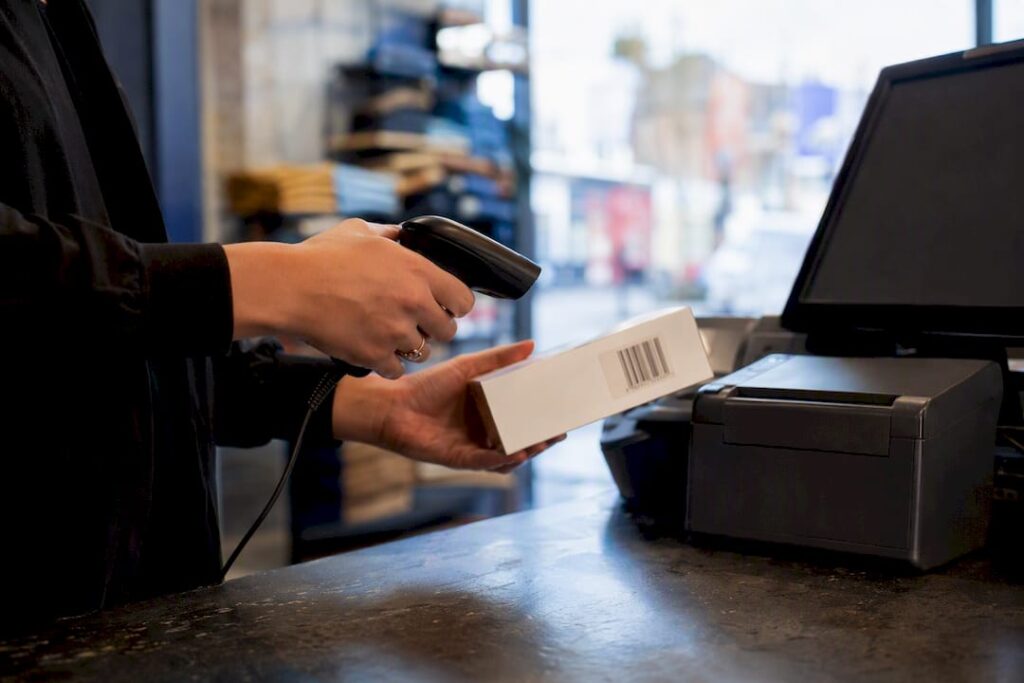
An EPOS system earns its keep by saving time at the till, cutting stock errors, and turning daily sales into decisions you can actually act on. For a Birmingham shop juggling foot traffic on the high street with online or click‑and‑collect orders, that’s not a luxury. It’s the difference between guessing what to reorder and knowing.
Three things happen almost immediately once a proper EPOS is running: stock levels update the moment an item is scanned, queues move faster because staff aren’t hunting for prices, and sales reporting lands on one screen instead of three spreadsheets.
Within the first 30 to 90 days, most shop owners notice:
- Shorter queues during Saturday rushes and lunchtime peaks
- Fewer pricing disputes at the till
- A clear picture of best and worst sellers by the end of week one
- Less time spent on manual stocktakes and end‑of‑day cashing up
The sections below walk through the features that make this possible, what it actually costs, and how to choose a supplier without getting caught by a bad contract.
Key Takeaways
An EPOS system pays for itself through faster checkouts, fewer pricing errors, and stock data that turns guesswork into a plan.
| Point | Details |
|---|---|
| Speed shows up fast | Most shops notice shorter queues and fewer pricing disputes within 30 to 90 days. |
| Integration beats a patchwork | A single system for sales, stock, and reporting reduces manual reconciliation and errors. |
| Deployment can be days, not months | A single tablet till can go live within days; multi-site rollouts take a few weeks. |
| Choose fit over features first | Confirm the system handles your product range and payment mix before comparing extras. |
| Switch&Save offers a low-risk start | A free demo with your own stock list, UK-based support, and onsite training come as standard. |
Table of Contents
- What does a modern EPOS system actually do?
- How does EPOS improve day-to-day shop operations?
- What does an EPOS system cost and how long does setup take?
- How do I choose the right EPOS system for my shop?
- How does Switch&Save support Birmingham retailers?
- What Birmingham retailers get wrong about EPOS
- Ready to see it running in your own shop?
- Sources
- FAQ
What does a modern EPOS system actually do?
A checkout that just takes payment is not an EPOS system, it’s a till. The difference matters because integrated EPOS systems unify sales, inventory, and analytics into one dashboard, which is what actually reduces the daily admin grind.
Here’s what to expect from a system worth paying for:
- Cloud or remote access — check sales and stock from your phone, not just the shop floor
- Real‑time inventory — every sale adjusts stock counts instantly, no end‑of‑day guesswork
- Reporting and analytics — see which lines are moving and which are dead weight
- Integrated card payments — one system for cash, card, and contactless, no separate terminal reconciliation
- User accounts and permissions — control who can issue refunds or apply discounts
- Loyalty and marketing tools — capture repeat customers automatically
- Multi‑site support — one dashboard across several shops if you’re expanding
- Offline mode — keeps taking payments if your connection drops
On hardware, most Birmingham retailers choose between a tablet till for a compact counter, a fixed till for a busy checkout, plus a barcode scanner and a card terminal that talks directly to the till software rather than sitting alongside it as a separate box.
Integrations matter more than people expect. If you sell in‑store and online, or you’re linked to a delivery platform, EPOS solutions with proper integrations keep your accounting software, e-commerce store, and delivery orders synced automatically, rather than three separate systems that never quite agree on stock levels.
How does EPOS improve day-to-day shop operations?
Time savings show up first at the till, then in the back office. End‑of‑day reconciliation, which used to mean matching till rolls against a spreadsheet, becomes a report you glance at for two minutes. Automated stocktakes replace the Sunday afternoon spent counting boxes by hand.
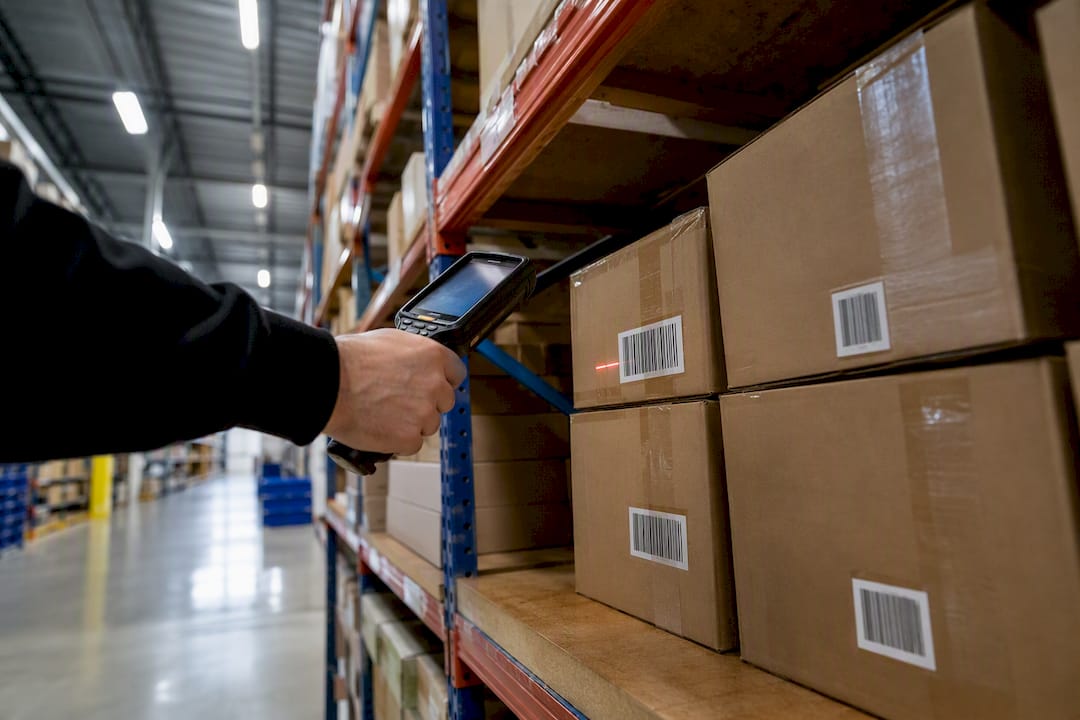
Errors drop because the system, not a tired member of staff, controls pricing. A central product catalogue with barcode scanning and role‑based permissions means a junior staff member can’t accidentally apply the wrong discount, and every void or return leaves a trace you can actually audit.
Practical scenarios where this pays off on a Birmingham high street:
- Queues at Bullring‑adjacent shops during Saturday footfall drop when staff use mobile POS to serve customers on the floor rather than funnelling everyone to one till
- Split‑tender payments (part card, part cash, part gift voucher) get handled without a manual workaround
- Sales tracked by staff member make rotas smarter, built around who actually sells well at what time of day
Pro Tip: Run a report on your busiest 90 minutes of the week and staff it with your strongest till operator. Most shops never check this and just default to the same rota every week.
Mobile POS in particular has a measurable effect on peak trading. Freeing staff from a fixed till location so they can process sales anywhere on the shop floor removes the single biggest bottleneck during a rush, which is customers queuing rather than customers buying.
What does an EPOS system cost and how long does setup take?
Pricing usually falls into three shapes: a basic app with a paid card reader (cheapest entry point, limited reporting), a monthly subscription covering software, support, and updates, or an outright purchase of the hardware with a lower ongoing fee. None of these is automatically “the cheap option” once you add up a year of use, so ask for the full annual cost, not just the headline price.
Budget for these extras beyond the sticker price:
- Card processing fees (charged per transaction, varies by provider)
- Hardware (tablets, scanners, card terminals)
- Installation and staff training
- Optional integrations (accounting, e‑commerce)
- Support contracts beyond the basic package
Deployment timelines vary by size. A single tablet till for a small shop can be live within days. A multi‑site rollout with data import, staff training across locations, and a proper go‑live plan typically takes several weeks.
Pro Tip: Run a parallel system for your first week, old till alongside new, rather than switching everything overnight. A weekend go‑live with a staged rollout across departments avoids the nightmare scenario of a dead till on a Saturday.
If your shop has patchy internet, ask specifically about offline mode. A cloud EPOS system should keep taking payments and queue the data to sync once you’re back online, not freeze the till entirely.
How do I choose the right EPOS system for my shop?
Use this checklist before signing anything:
- Business fit — does it handle your product range (fashion, food, mixed retail) without workarounds?
- Integrations — does it connect to your accounting software and any e-commerce platform you already use?
- Hardware compatibility — can you keep existing scanners or card machines, or is everything replaced?
- Offline functionality — what happens during a connection drop?
- Support hours — is help available during your actual trading hours, including weekends?
- Contract terms — monthly rolling or locked in for years?
- Data export and ownership — can you take your sales history with you if you switch providers?
On the demo call, ask how the system handles returns, seasonal promotions, and loyalty points, and push for a demo using your own product list rather than a generic sample catalogue. A system that looks slick with dummy data can behave very differently once it’s loaded with your actual 400 SKUs.
Watch for these red flags: pricing that’s vague until you’re mid‑signup, a multi‑year contract with no trial period, support that’s only reachable by email, or no clear answer on what happens if your connection goes down.
Trust signals worth insisting on: UK‑based support you can actually reach by phone, a free demo before you commit, genuine customer reviews rather than curated quotes, transparent pricing that shows outright and subscription options side by side, and onsite installation with proper staff training included, not bolted on as an extra.
How does Switch&Save support Birmingham retailers?
Switch&Save works with retail and hospitality shops across the UK, and Birmingham’s high street shops get the same local installation, UK‑based support, and staff training that larger operators expect as standard.
Picture a small independent gift shop switching from a cash‑only till to a proper EPOS setup. Day one typically brings full stock visibility for the first time, meaning the owner can see exactly what’s low without walking the shop floor with a clipboard. Queuing at the counter drops because card payments and barcode scanning cut transaction time. This is an illustrative example, not a specific case study, but it reflects the pattern most new EPOS shops report early on.
A shop that can see its stock levels in real time, from a phone, without walking the floor, has already solved half its Monday morning problem.
What Switch&Save makes available:
- A free demo before you commit to anything
- UK‑based, Birmingham‑reachable support
- Multi‑site management if you’re planning to expand
- Clear pricing shown as outright purchase or monthly subscription, not hidden behind a sales call
What Birmingham retailers get wrong about EPOS
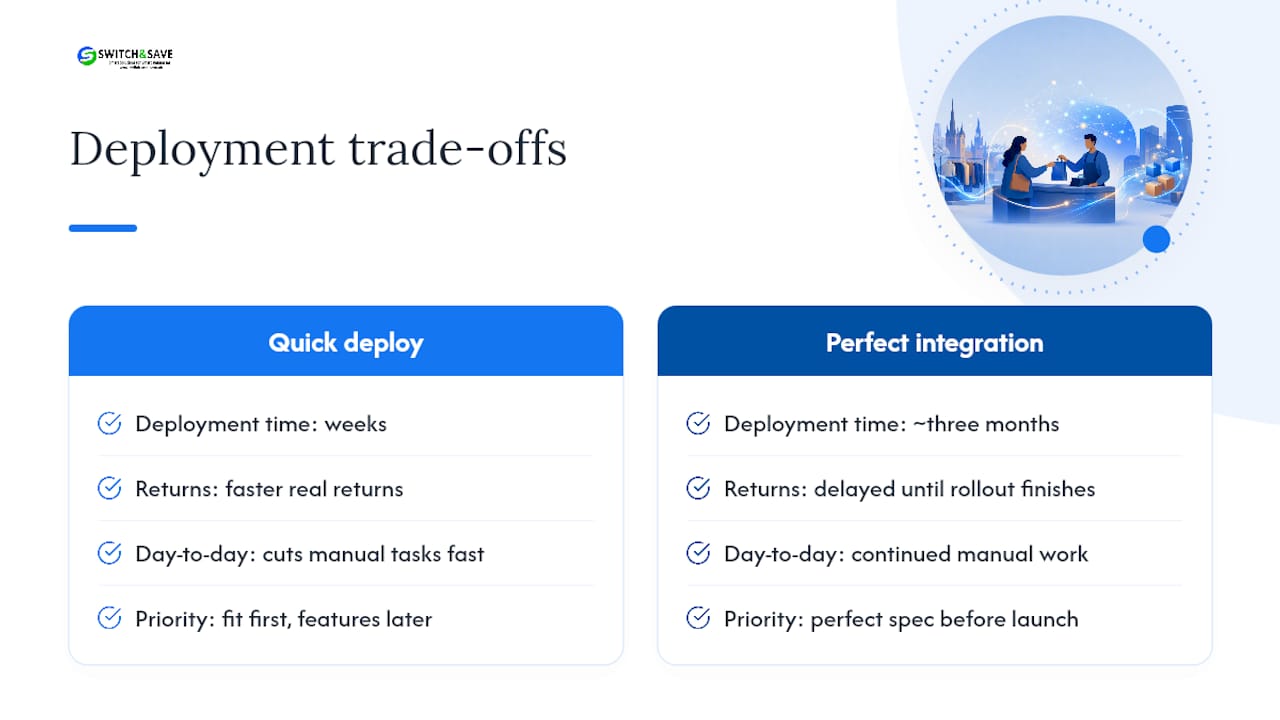
Most advice on choosing an EPOS system focuses on features, comparing loyalty modules and reporting dashboards as if the spec sheet were the whole story. It isn’t. The retailers who get real value fastest are usually the ones who prioritised speed of deployment over chasing a perfect, fully integrated setup that takes three months to configure properly.
There’s a genuine trade‑off here that most guides gloss over. A workable system deployed quickly often delivers faster returns than a theoretically ideal one still sitting in a setup queue. Birmingham’s high street doesn’t pause for a perfect rollout, and every week spent finalising an integration is a week of manual stocktakes and till errors that a basic system would have already fixed.
The other overrated factor is price comparison shopping between headline monthly fees. Card processing rates, hardware costs, and support contracts vary so much that two “£29 a month” offers can end up hundreds of pounds apart annually. What should come first is fit: does the system handle your actual product range and payment mix without you working around its limitations? Everything else, loyalty schemes, fancy dashboards, comes second.
Ready to see it running in your own shop?
The fastest way to judge whether an EPOS fits your shop is to see it working with your own products, not a sales deck. Switch&Save offers a free demo where you can test the till against your real stock list, ask about split‑tender payments, and see the reporting dashboard populated with your own sales patterns rather than sample data.

There’s no long tie‑in required to find out if it works for you. Pricing is shown clearly as either an outright purchase or a monthly subscription, installation is handled onsite, and staff training is included so your team isn’t left guessing on launch day. Browse the current EPOS system packages or check local installation and support coverage for Birmingham, then book a demo to see the SSPOS software running with your own stock list before you commit to anything.
Sources
- Retail POS benefits: streamline your UK business in 2026
- Top 5 advantages of EPOS systems for UK businesses (2026)
- EPOS benefits — why choose an EPOS system?
FAQ
What does EPOS mean in retail?
EPOS stands for Electronic Point of Sale, a till system that combines payment processing with real‑time stock tracking, sales reporting, and staff management in one platform.
Who typically uses EPOS software?
Independent retailers, cafés, salons, and multi‑site chains use EPOS software, ranging from single‑shop setups to businesses managing several locations from one dashboard, including systems like Switch&Save’s SSPOS.
What are the disadvantages of EPOS systems?
Upfront hardware costs, staff training time, and reliance on internet connectivity are the main drawbacks, though cloud EPOS systems with offline mode reduce the connectivity risk significantly.
What are the main benefits of using an EPOS system?
The core benefits are faster checkouts, real‑time stock visibility, fewer pricing errors, and customer loyalty tools that support repeat business.
How long does it take to set up an EPOS system?
A single tablet till can be running within days, while a full multi-site rollout with staff training across locations typically takes a few weeks.



