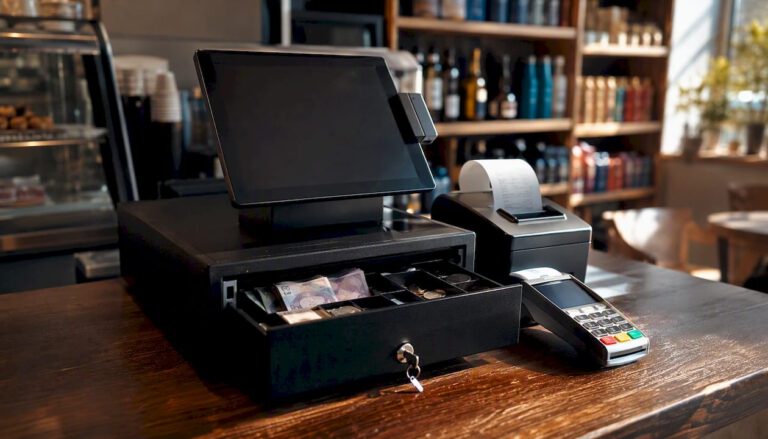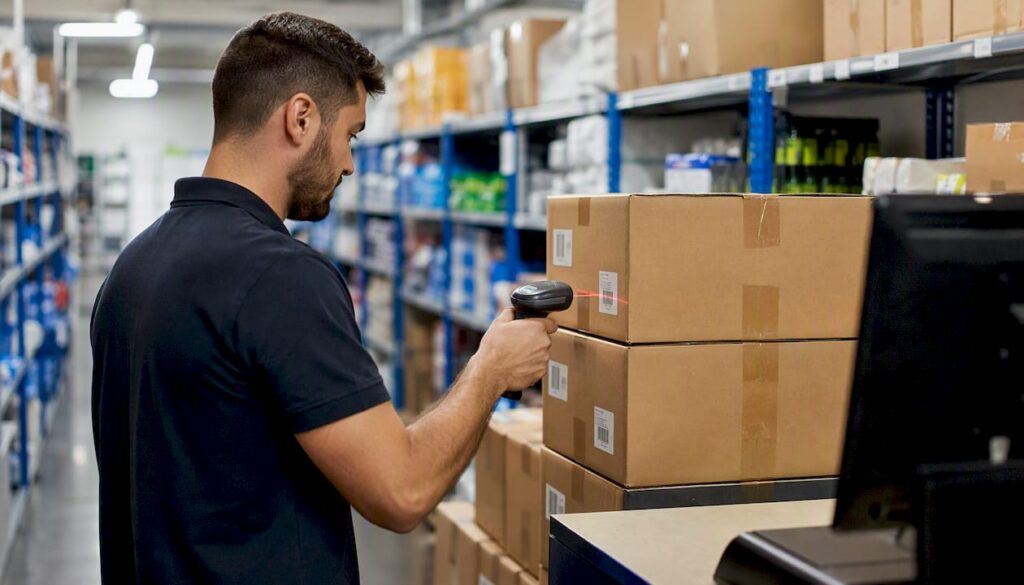
Automating inventory tracking improves stock accuracy, cuts wasted labour, and reduces stockouts, and most small businesses see the investment pay for itself within months, not years. If you’re still counting stock on a clipboard or reconciling a spreadsheet at midnight, the case for change is not really about technology. It’s about what manual tracking is quietly costing you.
Here’s what automation typically delivers once it’s up and running:
- Accuracy gains that compound. Manual counts drift over time; automated systems catch discrepancies as they happen rather than at month-end.
- Labour hours reclaimed. Small businesses running basic automation typically save 15 to 20 hours a week on manual stock tasks.
- Fewer stockouts and less excess stock. UK retailers using AI-enhanced inventory systems report roughly 20% fewer stockouts and 15% less excess inventory in some deployments.
- Faster payback than most owners expect. Many small operators recover their investment in three to four months, and some warehouse deployments report payback in under six months.
If you take one action after reading this, make it a two-week audit of your current stock process. Time how long a full count takes, tally how often you run out of a bestseller, and use those numbers as your baseline before you commit to anything.
Key Takeaways
Automating inventory tracking improves stock accuracy, cuts manual labour, and reduces stockouts, with most small businesses recovering their investment within months.
| Point | Details |
|---|---|
| Start with an audit | Time your current count process and log error rates before choosing any system. |
| Pilot before scaling | Test on one site or SKU category for two to four weeks before full rollout. |
| Prioritise integration | Connect inventory tracking to your EPOS and accounting software before adding advanced features. |
| Track a small KPI set | Monitor accuracy, stockout rate, turnover, and shrinkage rather than every metric available. |
| Switch-and-save fits retail and hospitality | Its EPOS platform combines real-time stock tracking, automated reorder rules, and multi-site reporting in one system. |
Table of Contents
- Why automate inventory tracking instead of tracking stock manually?
- How does automated inventory tracking actually work?
- What are the key benefits of automating inventory?
- Which businesses benefit most from automating stock management?
- What features should you look for in a system?
- How do you implement automated inventory tracking?
- Which KPIs prove automated inventory tracking is working?
- What can go wrong when you automate inventory, and how do you avoid it?
- Where is inventory automation heading next?
- What I’d prioritise if I were choosing a system today
- See how Switch-and-save handles inventory tracking for your business
- Sources
- FAQ
Why automate inventory tracking instead of tracking stock manually?
Automated inventory tracking uses barcode scanners, RFID tags, connected sensors, and EPOS software working together to record stock movements the moment they happen, rather than relying on someone writing numbers down later. Manual tracking depends on a person counting, transcribing, and reconciling, usually well after the sale or delivery has already occurred. That lag is where the trouble starts.
Think about what a manual system actually asks of your staff. Someone counts shelves or storeroom stock, types the figures into a spreadsheet, cross checks them against sales records, and then chases up any mismatch. Every one of those steps introduces a chance for human error, and every hour spent doing it is an hour not spent serving customers or managing the shop floor. Automated systems replace that chain with a live feed: a barcode scan or an EPOS sale automatically deducts stock, and the record updates in real time. There’s no lag, no re-keying, and no guesswork about what’s actually left on the shelf.
The scalability gap matters just as much as the accuracy gap. A spreadsheet that works for 200 SKUs in one shop becomes unmanageable at 2,000 SKUs across three sites. Industry analysts at Gartner now frame automation primarily as an operational visibility and scalability issue rather than a pure cost-cutting exercise, because the real value is having one accurate, real-time picture of stock across every location.
Business owners tend to notice a handful of changes almost immediately after switching:
- Discrepancies between recorded stock and physical stock shrink sharply within the first few weeks.
- Reorder decisions stop being guesswork and start following actual sell-through data.
- Order fulfilment speeds up because staff aren’t hunting for stock that the system claims exists but the shelf doesn’t have.
- Month-end stocktakes go from a dreaded all-hands exercise to a routine check.
How does automated inventory tracking actually work?
Automation is best understood as a stack, not a single gadget. Each layer does a specific job: identifying an item, capturing its movement, storing that data, connecting it to other systems, and triggering the right workflow when stock hits a threshold. Miss a layer and the whole chain weakens.
The technologies that make up that stack are fairly standard across retail and hospitality, though the mix varies by business type:
- Barcode scanning for fast, low-cost identification at checkout or during goods-in.
- RFID tags for bulk or high-value stock where line-of-sight scanning is impractical.
- Fixed and mobile scanners for warehouse receiving, picking, and cycle counts.
- EPOS integration so every sale automatically updates stock levels without manual entry.
- Sensors and scales for weighed goods, particularly in grocery and butchery settings.
- APIs and cloud inventory platforms that tie all of the above into one dashboard accessible from anywhere.
Here’s how the main technologies stack up on cost and complexity:
| Technology | Primary role | Typical cost/complexity |
|---|---|---|
| Barcode scanning | Identify and log items at point of sale or goods-in | Low cost, low complexity |
| RFID tagging | Track bulk or high-value stock without manual scanning | Medium to high cost, moderate complexity |
| Mobile scanners | Cycle counts, picking, and stock transfers | Low to medium cost, low complexity |
| EPOS integration | Real-time stock deduction from sales | Medium cost, moderate complexity |
| Weighing scale integration | Automatic stock and pricing for weighed goods | Medium cost, moderate complexity |
| Cloud inventory platform | Central dashboard, reporting, multi-site visibility | Medium to high cost, higher complexity |
Integration is where most of the real work happens. Linking your inventory system to an ERP platform like NetSuite, or to your EPOS software, is what turns raw sales data into a trustworthy stock record rather than an isolated dataset nobody trusts. A well-built connection between POS and inventory management avoids the classic overselling problem, where a product shows as available online while the shelf is already empty. The most common pitfall during integration isn’t the technology itself, it’s mismatched product data. If your SKU codes, units, or pricing structures don’t line up cleanly between systems, you’ll spend weeks firefighting instead of enjoying the benefits.
What are the key benefits of automating inventory?
1. Improved inventory accuracy. Automated systems remove the transcription errors that plague manual counts. One hospitality-focused ROI model found automation reduced typical inventory error rates from around 18% down to 2%, a shift that changes how confidently you can promise stock to a customer or plan next week’s order.
2. Reduced labour on routine tasks. Counting stock by hand doesn’t scale well, and it pulls staff away from higher-value work. Small businesses using basic automation report saving 15 to 20 hours a week that would otherwise go into manual counts and reconciliation.
3. Lower carrying costs. Holding too much stock ties up cash and storage space. UK retailers using AI-enhanced inventory tools report roughly 15% less excess inventory once forecasting is driven by real sales data rather than habit.

4. Fewer stockouts. Automated reorder triggers catch low stock before it becomes an empty shelf. The same UK retail data points to roughly 20% fewer stockouts after adoption, which translates directly into fewer lost sales and fewer disappointed regulars.
5. Better forecasting and turnover. With clean, real-time data, reordering becomes predictive rather than reactive. Some implementations report roughly 30% higher inventory turnover, meaning stock moves faster and cash isn’t sitting idle on a shelf.
6. Faster audits and stocktakes. A UK distribution business that replaced paper processes with a connected scanning platform and daily cycle counts reported annual savings of roughly £150,000 to £200,000, largely from cutting stock loss and discrepancy value by around 88%.
7. Stronger traceability. Every scan creates a timestamped record, which matters enormously for recalls, warranty claims, or simply proving what happened when a customer disputes an order.

8. A better customer experience. None of the above matters much if the customer never notices, but they do. Accurate stock levels mean fewer “sorry, that’s actually out of stock” moments at the till or on your online store, and that consistency is what keeps people coming back.
Which businesses benefit most from automating stock management?
Not every business needs the same depth of automation, but very few businesses gain nothing from it. The size of the win depends on how many locations you run, how perishable your stock is, and how many channels you sell through.
- Single-site retail shops see the fastest wins in reduced shrinkage and simpler reordering, since one location means one clean dataset to manage.
- Multi-store retail groups benefit most from centralised visibility, letting a manager see stock across every branch from one dashboard instead of phoning each site.
- Hospitality kitchens and back-of-house operations cut food waste sharply once portion tracking and supplier ordering are tied to actual usage rather than habit.
- Ecommerce fulfilment businesses avoid the costly problem of overselling across marketplaces when stock levels sync automatically between channels.
- Wholesale distribution operations gain the most from faster picking and cycle counts, since warehouse labour costs scale directly with SKU volume.
- Manufacturers and stockrooms benefit from tighter raw material tracking, reducing the risk of a production line stalling because nobody noticed a component had run low.
A busy café group running three sites, for example, typically sees its fastest return in stock waste reduction, because hospitality inventory tracking directly ties ingredient usage to sales, catching over-ordering before it spoils in a chiller. A wholesale distributor, by contrast, tends to see its biggest gain in picking speed, since automated location tracking removes the walking-and-searching time that eats into warehouse productivity.
Smaller teams generally see the quickest relief in time saved on manual counts. Medium-sized businesses tend to gain most from forecasting accuracy once they have enough sales history for the system to spot patterns. Enterprise operations typically get the most value from multi-site visibility and integration with existing ERP infrastructure, since their biggest cost driver is usually duplicated effort across locations rather than any single stockroom.
What features should you look for in a system?
Not every EPOS or inventory platform on the market does the same job well, so it pays to know what actually moves the needle before you sit through a sales demo. Here’s the checklist worth working from:
- Real-time stock updates tied directly to sales, so the number on screen matches the shelf.
- Automated reorder rules that trigger purchase orders when stock hits a defined threshold.
- Multi-location support if you run more than one site or plan to.
- Barcode and RFID compatibility matched to your actual stock types.
- Integrations with EPOS, ERP, and accounting software, so data doesn’t need re-entering across systems.
- Reporting and audit trails that let you trace any stock movement back to its source.
- User roles and permissions, so staff only see and edit what’s relevant to their job.
- Offline mode and mobile apps, because a system that stops working when the internet drops is a liability, not a solution.
Pro Tip: For most small and medium businesses, automated reorder rules deliver the fastest return of any single feature. They’re the difference between a manager noticing a stockout after the fact and the system quietly placing the order before the shelf ever empties.
On hardware, don’t assume you need to buy everything outright. Renting scanners or weighing scales during a pilot phase lets you validate the workflow before committing capital, and many EPOS providers bundle hardware into the software subscription anyway, which keeps upfront costs predictable.
How do you implement automated inventory tracking?
A rushed rollout is the single most common reason automation projects underdeliver. The sequence below keeps risk low and gives you clear checkpoints to judge progress against.
- Audit your current process. Time a full stock count, log your current error rate, and note where stockouts happen most often.
- Define scope and KPIs. Decide what “success” looks like in numbers before you touch any software, not after.
- Choose a pilot area or SKU range. Start with one product category or one till, not your entire catalogue.
- Select technology and integrate it. Connect your chosen platform to your existing EPOS or accounting software early, since integration problems are easier to fix at small scale.
- Train staff properly. A system is only as good as the people entering and trusting its data.
- Run in shadow mode. Keep your old process running alongside the new one for two to four weeks to catch discrepancies before you switch off manual tracking entirely.
- Roll out fully. Expand site by site or category by category once the pilot data holds up.
Timelines vary by scale. A single-site small business can typically go from audit to full rollout in four to six weeks. A multi-site medium business should budget eight to twelve weeks, mostly for staff training across locations. Larger, multi-warehouse operations often need three to six months, particularly where ERP integration is involved.
Here’s a conservative worked example. A small retailer spending 15 hours a week on manual stock tasks, at an average staff cost of £13 an hour, spends roughly £780 a month on that labour alone. Cutting that time in half through automation saves around £390 a month. Add in a modest reduction in stock loss from better accuracy, and many small operators find the subscription cost, often in the range of $50 to $200 a month for basic platforms, pays for itself well within a single quarter.
On procurement, ask vendors about phased buying rather than a single upfront contract, request a genuine trial period rather than a scripted demo, and set clear acceptance criteria (accuracy rate, staff usability, integration reliability) before you sign anything long-term.
Which KPIs prove automated inventory tracking is working?
Numbers settle arguments faster than opinions do, so track a small, consistent set of KPIs rather than drowning in dashboards nobody checks.
- Inventory accuracy rate, the percentage match between recorded and physical stock.
- Stockout rate, how often a customer or order hits an empty shelf.
- Inventory carrying cost, what it costs to hold stock across storage, insurance, and capital tied up.
- Inventory turnover, how many times stock sells through and gets replenished in a given period.
- Order accuracy, the rate at which fulfilled orders match what was actually requested.
- Cycle count time, how long a partial stock check takes compared with a full manual count.
- Fulfilment lead time, the gap between an order being placed and it being ready to ship or serve.
- Shrinkage, stock lost to error, damage, or theft as a percentage of total inventory value.
A simple ROI formula works well here: ROI = (labour savings + reduced stock loss + carrying cost savings − system cost) ÷ system cost.
Reported KPI improvements vary by sector, but the pattern is consistent enough to plan around:
| KPI | Reported improvement | Source context |
|---|---|---|
| Inventory error rate | From ~18% down to ~2% | Hospitality ROI model |
| Inventory turnover | Roughly 30% increase | UK retail AI adoption report |
| Stockout rate | Roughly 20% reduction | UK retail AI adoption report |
| Excess inventory | Roughly 15% reduction | UK retail AI adoption report |
| Stock loss/discrepancy value | Roughly 88% reduction | UK distribution case study |
What can go wrong when you automate inventory, and how do you avoid it?
Automation projects rarely fail because the technology doesn’t work. They fail because of the groundwork around it. Here are the pitfalls worth planning for before they cost you a week of firefighting:
- Poor data hygiene. Migrating messy or duplicate SKU data into a new system just automates the mess. Clean your product data before go-live, not after.
- Inadequate process mapping. If you don’t know exactly how stock currently moves through your business, you can’t automate it accurately. Map the real process, not the one written in the staff handbook.
- Weak EPOS/ERP integration. A system that doesn’t talk properly to your till or accounting software creates two conflicting versions of the truth. Test integration thoroughly during the pilot phase.
- Lack of staff training. Staff who don’t trust or understand the new system will quietly revert to old habits. Budget real training time, not a fifteen-minute walkthrough.
- Ignoring edge-case SKUs. Oddly sized, bundled, or rarely sold items often get overlooked in setup and cause disproportionate confusion later. Review them specifically before rollout.
- Cybersecurity risks. A cloud-based inventory system is a target like any other connected business tool. Confirm your provider’s data protection standards and backup procedures before signing up.
On governance, assign one person, not a committee, to own inventory data accuracy during rollout. Change management works best when there’s a single accountable owner fielding questions and making calls, rather than decisions getting lost between departments.
Where is inventory automation heading next?
The direction of travel is fairly clear, and it’s worth planning your architecture with it in mind rather than treating today’s setup as the finished product.
- AI-led forecasting is moving from a premium feature to a standard one, predicting reorder needs based on seasonality and sales patterns rather than fixed thresholds.
- Robotics and autonomous scanning are already reshaping warehouse operations, with some deployments scanning up to 10,000 locations an hour, a scale no manual team could match.
- Wider RFID adoption is bringing tag costs down, making bulk tagging viable for smaller retailers, not just large distributors.
- Tighter POS-ERP integration continues to close the gap between a sale happening and stock records updating everywhere at once.
- Predictive replenishment is starting to factor in supplier lead times automatically, not just current stock levels.
- Real-time shelf monitoring, via sensors or camera systems, is edging into mainstream retail rather than staying a large-chain novelty.
If you’re choosing a system now, favour modular platforms with open APIs over closed, all-in-one systems that lock you into one vendor’s roadmap. The businesses that struggle most in five years’ time won’t be the ones who automated too early, they’ll be the ones who automated into a dead end they can’t easily connect to whatever comes next. For ecommerce operators specifically, keeping product data synchronised across channels is worth solving early, and guidance on automated ecommerce workflows is a useful place to start thinking about that layer.
What I’d prioritise if I were choosing a system today
If you’re weighing up where to spend a modest budget, put integration ahead of features. A system with fewer bells and whistles that talks properly to your EPOS and accounting software will outperform a feature-rich platform that sits in isolation, because isolated data is where discrepancies and duplicate work creep back in. I’d rather see a business spend its first pound on a clean connection between till and stock records than on an advanced forecasting module it won’t trust yet.
Ask any vendor three questions before you sign anything: where is support based, and what are the actual response times? Who owns the data once it’s in their system, and can you export it freely if you leave? And can you get proper access to a working demo with your own product data, rather than a generic sales walkthrough? A vendor who hesitates on any of those three is telling you something.
Bespoke builds are rarely justified for single or dual-site retail and hospitality businesses. The cost and maintenance burden usually outweighs the marginal benefit over a well-configured standard platform. Bespoke solutions earn their keep when a business has genuinely unusual stock behaviour, think manufacturers with complex bill-of-materials tracking, or distributors managing thousands of SKUs across multiple warehouses with unique regulatory requirements. For most retail and hospitality operators, the smarter money goes into configuring a proven platform well rather than building something from scratch.
See how Switch-and-save handles inventory tracking for your business
Switch-and-save gives you real-time stock visibility, automated reorder triggers, and multi-site reporting built into the same EPOS system you’re already using to take payments, so there’s no separate platform to manage or reconcile.

A demo is the fastest way to see whether it fits your operation, and it costs nothing to book one. Bring your current SKU count, your typical monthly order volumes, and details of whatever EPOS or accounting software you’re using now, so the team can show you exactly how the integration would work for your setup. Browse the EPOS systems range if you want to see hardware options first, or take a closer look at the hospitality EPOS system if you’re running a kitchen or bar operation specifically. Either way, the next step is simple: request a demo and bring your real numbers, so what you see reflects your business, not a generic pitch.
Sources
- Supply chain automation strategy
- Forrester study reveals big wins with warehouse automation – CILT
- How A&A Electrical cut warehouse costs by up to £200,000 a year with TransLution Software | TransLution™ Software
- Small business inventory automation: complete guide – GegoSoft
FAQ
Why should inventory be tracked regularly?
Regular tracking catches discrepancies while they’re small and easy to trace, rather than letting errors compound until a stocktake reveals a large, hard-to-explain gap. It also keeps reorder decisions grounded in real sell-through data instead of guesswork.
What is the 80/20 rule in inventory?
It’s used to prioritise which products deserve the tightest stock control and the most attention during automation setup.
What are the benefits of automation in a business?
Automation typically improves accuracy, cuts routine labour, speeds up processes, reduces human error, and provides consistent data for decision-making. In inventory specifically, it also reduces stockouts, lowers carrying costs, and shortens audit time.
What are the main benefits of inventory management?
Effective inventory management improves stock accuracy, reduces both stockouts and excess stock, lowers carrying costs, speeds up order fulfilment, and gives managers reliable data for forecasting and purchasing decisions.
Is automated inventory tracking worth it for a small single-site shop?
Yes, for most small shops the labour saved on manual counts alone, often 15 to 20 hours a week, covers the cost of a basic platform within a few months. A system like Switch-and-save’s EPOS software also bundles stock tracking with payment processing, so there’s no separate tool to pay for or manage.