
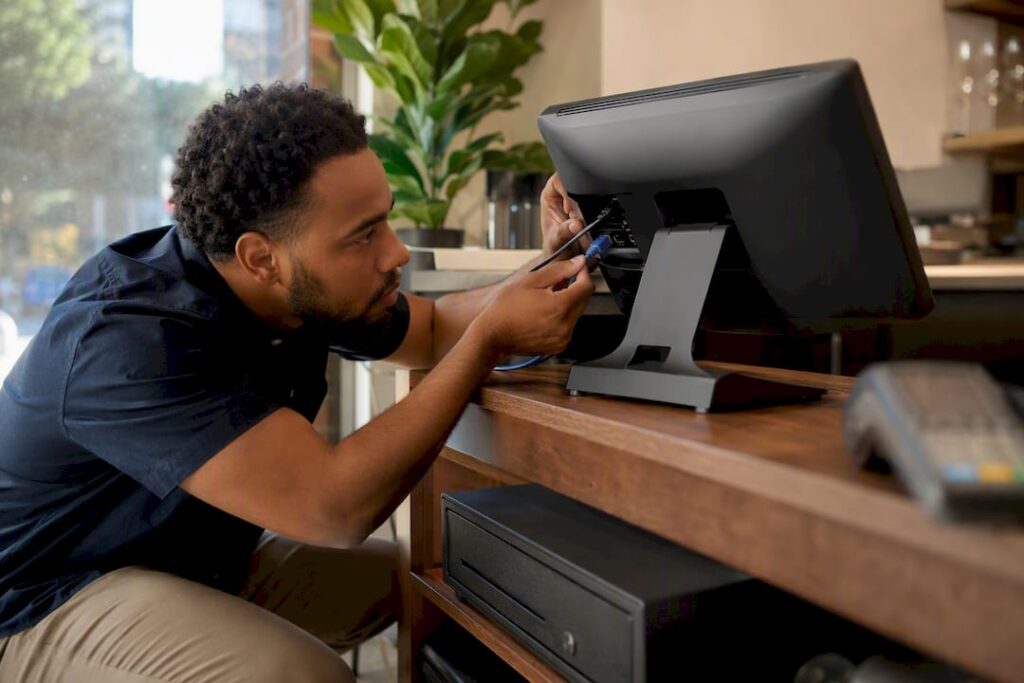
A remote POS setup gives authorised staff secure access to your till system, sales data, and admin tools from anywhere with an internet connection. Instead of being tied to a single terminal in one shop, you can check takings, adjust stock, or fix a pricing error from home, a second site, or your phone.
For most retail and hospitality owners, that means:
- Managing tills and menus without being physically on-site
- Cutting downtime because problems get fixed remotely instead of waiting for a callout
- Getting centralised reporting across multiple stores or terminals in real time
- Letting your EPOS provider troubleshoot issues without an engineer visit
If you’re weighing this up right now, the practical first step is simple: run a quick check of your current hardware and internet connection, or ask your EPOS provider what remote options your system already supports.
Key Takeaways
A secure remote POS setup depends on choosing the right access method, enforcing MFA and TLS 1.3, and reducing PCI scope through tokenisation and P2PE.
| Point | Details |
|---|---|
| Match the method to your needs | Use a cloud dashboard for simplicity, a VPN for on-premise control, or vendor-managed access for hands-off support. |
| Enforce MFA everywhere | PCI DSS 4.0 requires multi-factor authentication for all cardholder data environment access. |
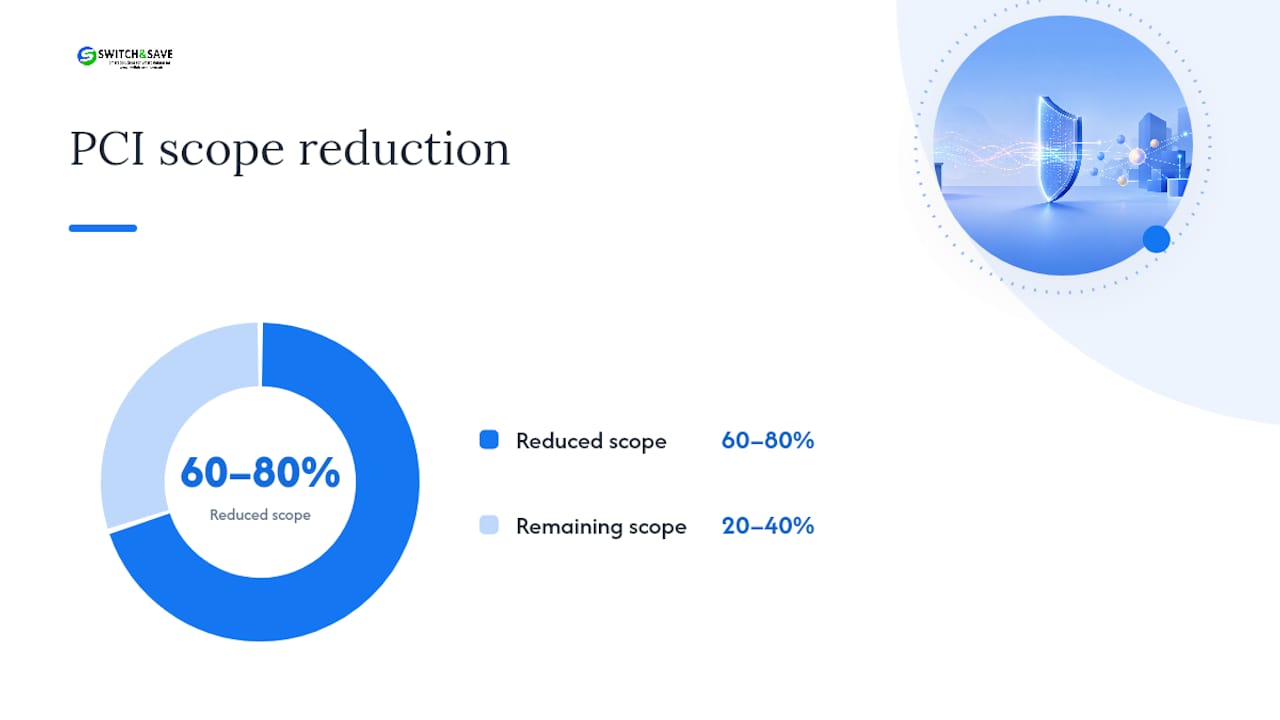
| Cut compliance scope early | Tokenisation and P2PE can reduce Cardholder Data Environment scope by 60 to 80%. |
| Document and test before relying on it | Record configurations, test failover, and write an outage playbook before go-live. |
| Consider a managed route | Switch-and-save builds MFA, encryption, and centralised reporting into its EPOS packages from setup. |
Table of Contents
- What is remote POS setup and how does the technology work?
- When does a small business actually need remote access?
- Step-by-step checklist for setting up remote POS access
- Security and compliance checklist for remote POS access
- Troubleshooting a remote POS connection
- What we see going wrong with remote POS setups
- Get remote access set up properly with Switch-and-save
- Sources
- FAQ
What is remote POS setup and how does the technology work?
Remote access to a point of sale system isn’t one single technology. It’s a handful of different approaches, each with trade offs in cost, complexity, and how much control you keep in-house.
- Cloud-hosted dashboard: your EPOS software runs on remote servers (AWS, Azure, or similar), and terminals connect over HTTPS. Managers log into a dashboard from any device, and the vendor handles updates and backups.
- Site-to-site VPN: connects your store network to a head office or home network directly, useful if you’re running custom on-premise software that wasn’t built for the cloud.
- Remote-desktop or VNC tools: let a specific person log into a specific terminal as if sitting in front of it, which is ideal for support and troubleshooting rather than daily management.
- Overlay VPN networks (like ZeroTier): create a private mesh between devices without complex firewall configuration, a good middle ground for smaller multi-site operators.
- Vendor-managed remote support: your EPOS provider handles the remote connection entirely, often bundled into a support contract.
Each option shifts where your data lives and what has to be reachable over the internet. A cloud dashboard keeps everything with the vendor. A VPN keeps your network private but adds setup work. Remote-access tools such as VNC are excellent for fixing a single till fast but need tight access controls, since anyone with credentials can effectively take over a terminal.
Pro Tip: Start with the least complex option that still meets your security and uptime needs. A single-site café rarely needs a full VPN when a cloud dashboard with multi-factor authentication does the same job for a fraction of the setup time.
When does a small business actually need remote access?
Not every shop needs this on day one. The trigger is usually operational, not aspirational.
Watch for these signals:
- You’re running two or more sites and want one view of sales and stock
- You’re fielding regular calls about till issues you could fix yourself remotely
- You need centralised reporting for accounting or supplier ordering
- Transaction volumes are climbing past the point where manual checks are workable
As a rough guide, EPOS becomes worth the investment once a business is processing 30 to 50 transactions a day, and remote access tends to follow soon after multi-site or multi-terminal growth. Before switching on, check three things: your broadband speed handles simultaneous remote sessions, your existing hardware supports remote software, and you know exactly who needs admin access versus basic till access.
Step-by-step checklist for setting up remote POS access
Moving from an on-site-only till to remote access works best as a structured project, not a weekend tweak. Here’s the order that avoids the usual headaches.
1. Pre-checks
- Audit existing hardware for compatibility with remote software or cloud connections
- Confirm your payment terminal supports P2PE (point-to-point encryption) or tokenisation
- Measure your actual broadband speed and stability, not just the advertised figure
- List every person who needs remote access and what role they should have
2. Choose your architecture
Decide between a fully cloud-hosted system or an on-premise setup with VPN or remote software layered on top. Cloud is simpler to maintain and puts patching in the vendor’s hands. On-premise with VPN gives you more control but means your own network security carries more of the weight.
3. Installation
- Select your hosting route (cloud dashboard or on-site server plus VPN)
- Update firewall rules and, ideally, separate your POS traffic onto its own VLAN
- Install the remote client or activate the cloud dashboard
- Enforce multi-factor authentication for every remote login
- Register each device that will connect
- Test failover and offline mode before going live
4. After installation
- [ ] Document the full configuration, including IP ranges and access roles
- [ ] Schedule access control list reviews every quarter
- [ ] Back up configuration files somewhere separate from the live system
- [ ] Write a short outage playbook so staff know what to do if the connection drops
Pro Tip: Test your offline mode before you need it. Most systems keep basic sales running during an outage, but functions like multi-site inventory sync or card refunds often pause until the connection returns, and staff need to know that in advance, not mid-shift.
If you want a hardware-specific version of this checklist, Switch-and-save’s POS hardware setup guide covers device compatibility in more detail.
Security and compliance checklist for remote POS access
Remote access widens your attack surface, so the controls need to be non-negotiable, not optional extras.
The essentials:
- Multi-factor authentication on every admin and remote login, no exceptions
- TLS 1.3 for all connections carrying payment or customer data
- AES-256 encryption for data at rest
- Device registration so only known hardware can connect
- Endpoint hygiene: patched operating systems, no shared logins
PCI DSS 4.0 makes MFA mandatory for anyone accessing a cardholder data environment, and it recommends TLS 1.3 alongside strong cryptography like AES-256 for data in transit and at rest. That’s not guidance you can quietly skip if you’re processing card payments remotely.
The single most effective step for shrinking your compliance burden is scope reduction. Tokenisation and point-to-point encryption at the terminal, combined with network segmentation that keeps your POS traffic on its own VLAN away from general office systems, often reduces your Cardholder Data Environment scope by 60 to 80%. Fewer systems touching raw card data means less to audit and less to secure.
Beyond that, build in firewall access control lists, test them quarterly, and centralise your logs so unusual access patterns stand out rather than getting buried across five different terminals. A tamper-proof audit trail matters more than most owners realise until an auditor or an insurer asks for one.
Pro Tip: Treat tokenisation and P2PE rollout as a project with a start and end date, not a checkbox. Scope it, test it, and document the reduction so you can prove it during an audit rather than arguing it after the fact.
Troubleshooting a remote POS connection
Most remote access problems fall into a handful of predictable categories, and working through them in order saves time.
Start broad, then narrow:
- Check connectivity first: ping the server or gateway, run a traceroute if the connection is slow or intermittent
- Verify the remote login itself: is the VPN tunnel up, is the remote client actually connected
- Run a test transaction against a sandbox or gateway to confirm the payment path works end to end
- Check logs for TLS or certificate errors, which often explain a connection that “looks” fine but silently fails
- Isolate the layer: network issue, application issue, or payment processor issue, in that order
Blocked ports and expired VPN tunnels cause more outages than actual hardware failure. If a test transaction fails but connectivity checks out, the problem usually sits with the terminal’s P2PE configuration rather than the network, and that’s the point to call your provider’s support line rather than keep guessing.
What we see going wrong with remote POS setups
Most SME remote access problems don’t come from bad technology. They come from businesses treating remote access as an afterthought bolted onto an existing till, rather than something planned properly from the start.
The most common pitfall is skipping documentation. A shop sets up remote access, it works, and nobody writes down which devices are registered or who has admin rights. Six months later, staff turnover means access is a mess. A provider that insists on testing, documenting, and offering a proper support SLA saves that headache before it starts. Preconfigured security templates and remote onboarding can turn a multi-week project into a matter of days.
Get remote access set up properly with Switch-and-save
If you’d rather not piece this together yourself, Switch-and-save builds remote access into its EPOS packages from the start, so you’re not retrofitting security controls onto a system that wasn’t designed for them.

Whether you run a single café or several retail sites, Switch-and-save’s SSPOS software comes with preconfigured MFA, encrypted connections, and centralised reporting out of the box, and businesses with table service or online ordering can look at the hospitality EPOS system for features built around that workflow. Choosing an integrated vendor over a DIY VPN setup means:
- Security settings configured correctly from day one, not patched together later
- UK-based support when something goes wrong, not an overseas call queue
- A free demo before you commit to anything
- Transparent pricing with no hidden setup fees
If you’re processing enough transactions that manual checks are slowing you down, book a demo through Switch-and-save’s EPOS systems range and get a straight answer on what remote setup would look like for your shop.
Sources
- What Is an EPOS System? How It Works, Costs & Who Needs One
- PCI-DSS 4.0 UK survival guide 2026 | Servnet UK
- Remote POS Device Access
- POS on the cloud: guide for retail and hospitality multi-site operators
FAQ
What is POS setup?
POS setup is the process of installing and configuring the hardware, software, and payment processing needed to run transactions in a shop or venue, from terminals to receipt printers.
What does “remote setup” mean for a POS system?
Remote setup means configuring your point of sale so authorised users can access sales data, admin tools, or troubleshooting functions from outside the physical premises, typically via a cloud dashboard, VPN, or remote-access software.
What are the main types of POS systems?
The main categories are traditional on-premise systems, cloud-based systems, mobile POS on tablets or phones, self-service kiosks, and hybrid systems that combine on-site hardware with cloud reporting, such as those offered through Switch-and-save’s EPOS range.
What are the disadvantages of a POS system?
Disadvantages can include upfront hardware costs, reliance on internet connectivity for cloud features, and limited functionality during outages such as delayed inventory sync or refunds until connection is restored.
Is remote POS access secure enough for card payments?
It can be, provided you enforce multi-factor authentication, use TLS 1.3 for connections, and apply tokenisation or P2PE to reduce how much cardholder data your systems ever touch directly.



