
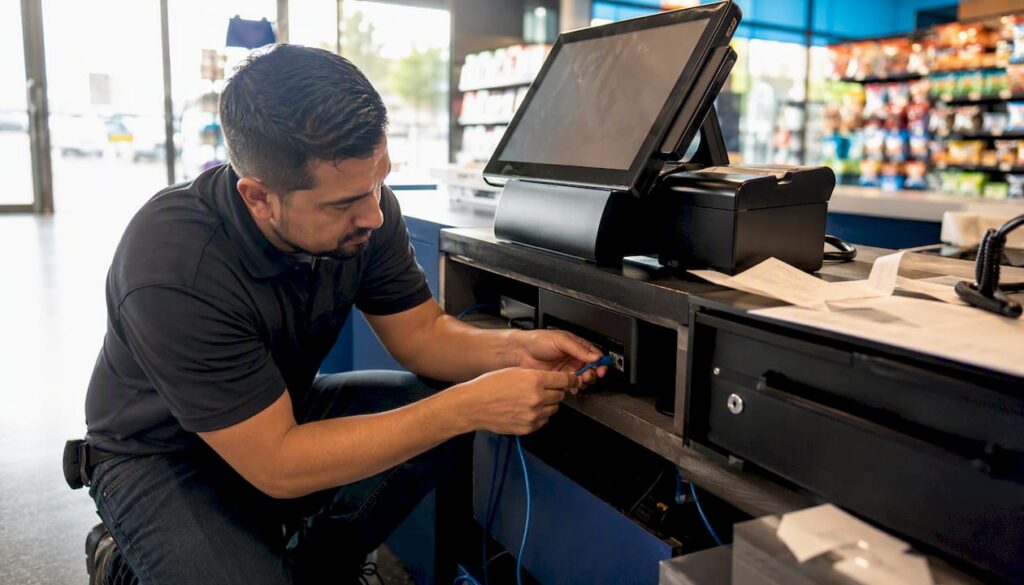
POS uptime is the percentage of time your point-of-sale system is fully operational and able to take payments. You calculate it with a simple formula: uptime % = available time ÷ total time.
Three quick wins protect that number starting today:
- Check that your terminals have a local offline mode enabled, so card payments can still be taken if the internet drops.
- Write down a one-page staff runbook for “what to do when the till goes down” and stick it near the counter.
- Ask your current provider (or your own logs) what your uptime has actually been over the last three months.
Every hour of downtime during trading is an hour of lost sales, frustrated staff, and queuing customers who may simply walk out. A single unplanned outage during a Saturday lunch rush can cost more than a whole month of preventable IT problems combined.
Key Takeaways
POS uptime measures the percentage of time your till system is fully operational, and improving it depends on redundant connectivity, offline payment modes, and proactive monitoring rather than reactive fixes.
| Point | Details |
|---|---|
| Day 1 to 2 | Enable offline payment caching and write a one-page staff fallback runbook. |
| Day 3 to 4 | Check your uptime history with your current provider and review SLA exclusions. |
| Day 5 to 7 | Test your backup connectivity, schedule updates outside trading hours, and price up a UPS for critical terminals. |
| Peak-hour exposure drives real cost | Use the cost-calculation template above with your own hourly revenue and peak multiplier. |
| Managed support reduces downtime | A proactively monitored service from Switch-and-save cuts outage frequency and shortens recovery time versus a reactive contract. |
Table of Contents
- Why POS uptime matters for revenue and reputation
- How POS uptime is measured and what SLAs actually mean
- What causes POS downtime, and which causes are preventable
- Warning signs your POS uptime is at risk
- Practical steps to improve POS uptime
- How third-party integrations affect your POS uptime
- Monitoring your system and responding when it fails
- How to calculate the real cost of POS downtime for your business
- Choosing managed EPOS support: what to look for
- What operators get wrong about uptime, and what actually works
- Get a free POS uptime health check from Switch-and-save
- Sources
- FAQ
Why POS uptime matters for revenue and reputation
Downtime isn’t an abstract IT metric. It’s cash walking out the door. If your shop or restaurant takes a significant amount per hour, a 90-minute outage during a busy service could mean hundreds of pounds in lost sales, as customers rarely wait around once queues stall.
The direct loss is only the headline figure. The true cost of EPOS downtime also includes manual fallback labour (someone scribbling orders on paper while trying to keep queues moving), guest churn from customers who don’t come back, staff time lost to reconciling till discrepancies afterwards, and the back-office hours spent chasing missing transactions. Add those together and the real cost of an outage is often two to three times higher than the number on the till roll.
Work out your own at-risk figure now: take your average hourly takings during your busiest trading slot and multiply by the number of hours you’d realistically lose in a bad outage. That’s the number that should be driving how much you’re willing to spend on preventing downtime in the first place, not a vague sense that “it probably won’t happen to us.”
How POS uptime is measured and what SLAs actually mean
Uptime is always expressed as a percentage of total time, and the industry tends to talk in terms of “nines”. The more nines, the tighter the guarantee, but the difference between them is bigger than it looks on paper.
A commonly cited benchmark is 99.9% uptime, which sounds close to perfect until you convert it into real hours of potential downtime across a year.
| Uptime Percentage | Downtime Per Year | Downtime Per Month |
|---|---|---|
| 99% | several days | several hours |
| 99.9% | less than half a day | under an hour |
| 99.9% | under an hour | a few minutes |
That might be fine spread thinly, or it might land entirely during your busiest trading week.
Read the small print on any service-level agreement (SLA) before you take the headline percentage at face value. Many SLAs exclude scheduled maintenance windows, force majeure events, or issues caused by your own internet connection, none of which count against the vendor’s stated figure even though they still cost you trading time. Understanding these exclusions before you sign anything saves a lot of frustration later.
What causes POS downtime, and which causes are preventable
Most POS outages trace back to a handful of recurring culprits, and understanding which ones you can fix yourself versus which need vendor support changes how you prioritise your time.
- Internet and connectivity failure is the single most common cause of downtime for cloud-based POS systems. A dropped broadband line, a failing router, or a congested network during peak hours can take your whole till offline in seconds.
- Hardware faults such as ageing card readers, failing receipt printers, or a tablet battery that won’t hold charge tend to build up gradually rather than strike without warning.
- Software and update issues happen when a scheduled update runs mid-service, or a bug in a new release causes the till to freeze or crash.
- Third-party integrations, including payment gateways, online ordering platforms, and loyalty schemes, add extra points where a failure elsewhere in the chain can drag your own system down.
- Power and environmental problems, from a tripped circuit to a poorly ventilated back-office server, cause outages that have nothing to do with your software at all.
Connectivity and power issues are usually the most preventable, often solved with backup hardware and better cabling. Software bugs and integration failures, by contrast, typically need your vendor or a managed support provider to resolve properly, which is why choosing the right system at the outset matters so much.
Warning signs your POS uptime is at risk
Outages rarely happen without warning. The system usually tells you something is wrong well before it fails completely, if you know what to look for.
Slow response times when ringing up a sale are often the first sign. If a transaction that used to take two seconds now takes eight, something upstream is struggling, whether that’s your network, your card processor, or the till software itself. Intermittent card authorisation errors, especially ones that clear themselves on a second attempt, point to a flaky connection rather than a one-off glitch. And if your router or network logs show repeated reconnection events throughout the day, that’s a pattern worth investigating before it becomes a full outage during your busiest hour.
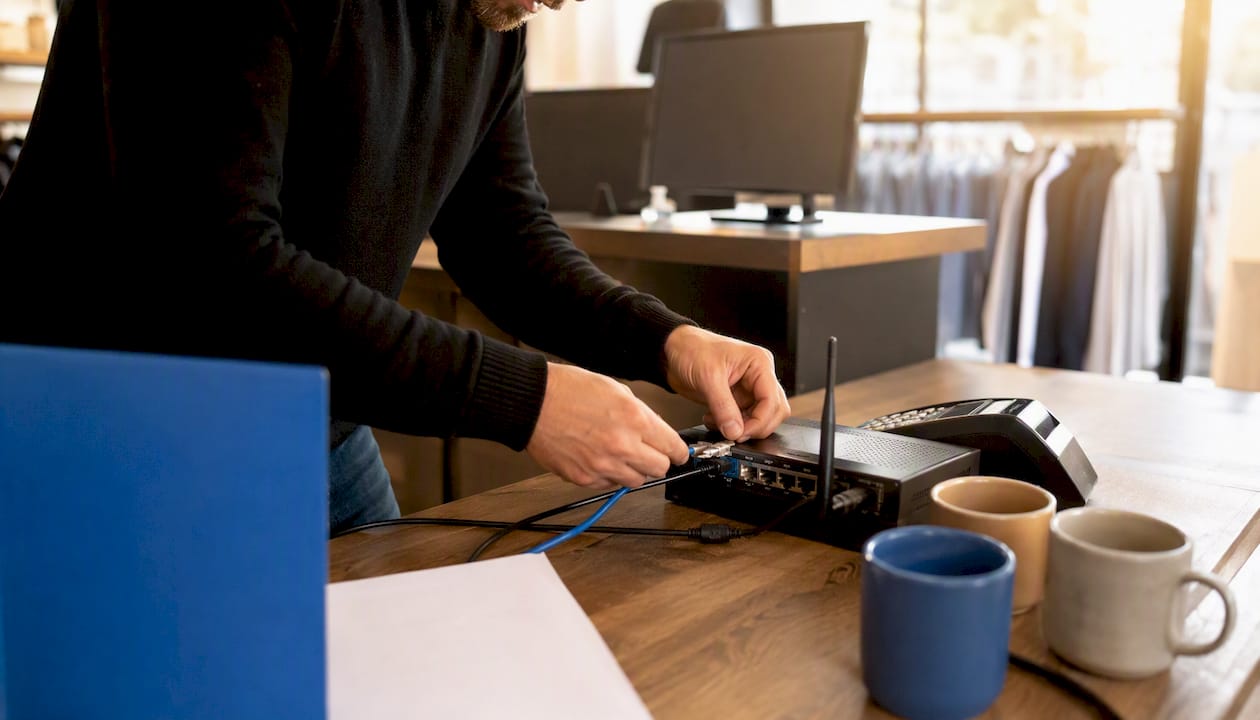
Staff reports matter just as much as technical logs. If more than one team member mentions the till “being a bit slow today” within the same week, treat that as data, not grumbling.
Pro Tip: Start by tracking one metric consistently: the number of card authorisation failures per day. A sudden spike almost always precedes a bigger connectivity or gateway problem, and it’s the earliest reliable indicator most businesses have access to without extra monitoring tools.
Practical steps to improve POS uptime
Improving uptime works best as a layered plan, starting with what you can fix this week and building towards infrastructure changes that prevent the same problem recurring.
- Today: confirm every terminal has offline payment caching enabled, so a brief connectivity drop doesn’t stop you taking payments entirely.
- Today: write a one-page staff runbook covering restart steps and a manual fallback process (paper order pads, a backup card reader on a mobile data connection).
- This month: move software updates to outside trading hours, ideally overnight or during your quietest weekday slot.
- This month: replace any consumer-grade router or switch with proper business networking kit, and add an uninterruptible power supply (UPS) to your main till and network equipment.
- This quarter: install a dual-WAN setup with automatic failover, so a second connection (often a 4G or 5G backup) takes over the moment your primary line drops.
- This quarter: set up proactive monitoring that alerts you or your provider the moment a terminal goes offline, rather than waiting for a customer complaint.
- Ongoing: build a lifecycle replacement policy for hardware, replacing terminals and network kit every three to five years rather than running them until they fail.
A basic dual-WAN setup pairs your existing broadband with a mobile backup line, typically switching over within 30 to 60 seconds of a fault being detected. An active-active SD-WAN configuration runs both connections simultaneously and fails over in under five seconds, which suits busier sites where even a brief pause at the till is costly. Ask your ISP or managed provider directly which option they support and what the actual tested failover time is, not just the number on the brochure.
Pro Tip: Test your failover deliberately, at least twice a year, by unplugging the primary connection during a quiet period. Many sites only discover their backup link was never properly configured when a real outage hits and it fails to kick in.
How third-party integrations affect your POS uptime
Every connection your POS system relies on, whether that’s a card payment gateway, an online ordering platform, or a loyalty and rewards app, is a potential point of failure that sits partly outside your control. The more integrations you add, the more places a small hiccup elsewhere can ripple back into your own till going quiet.
Payment gateways are the most consequential because a slow or failed authorisation response can freeze the checkout process entirely, even if your own hardware and network are working perfectly. Online-ordering integrations add a second failure path: if the platform pushing orders into your kitchen or till goes down, orders either vanish or double up. A well-built POS platform handles these connections gracefully rather than letting one failing service take the whole system down with it.
Hardening these connections comes down to a few technical disciplines your vendor should already be applying: sensible timeouts so a slow response doesn’t hang the whole transaction, retry logic that attempts a failed call again before giving up, circuit breakers that stop hammering a failing service and instead fall back gracefully, and monitoring that flags integration failures separately from core system outages.
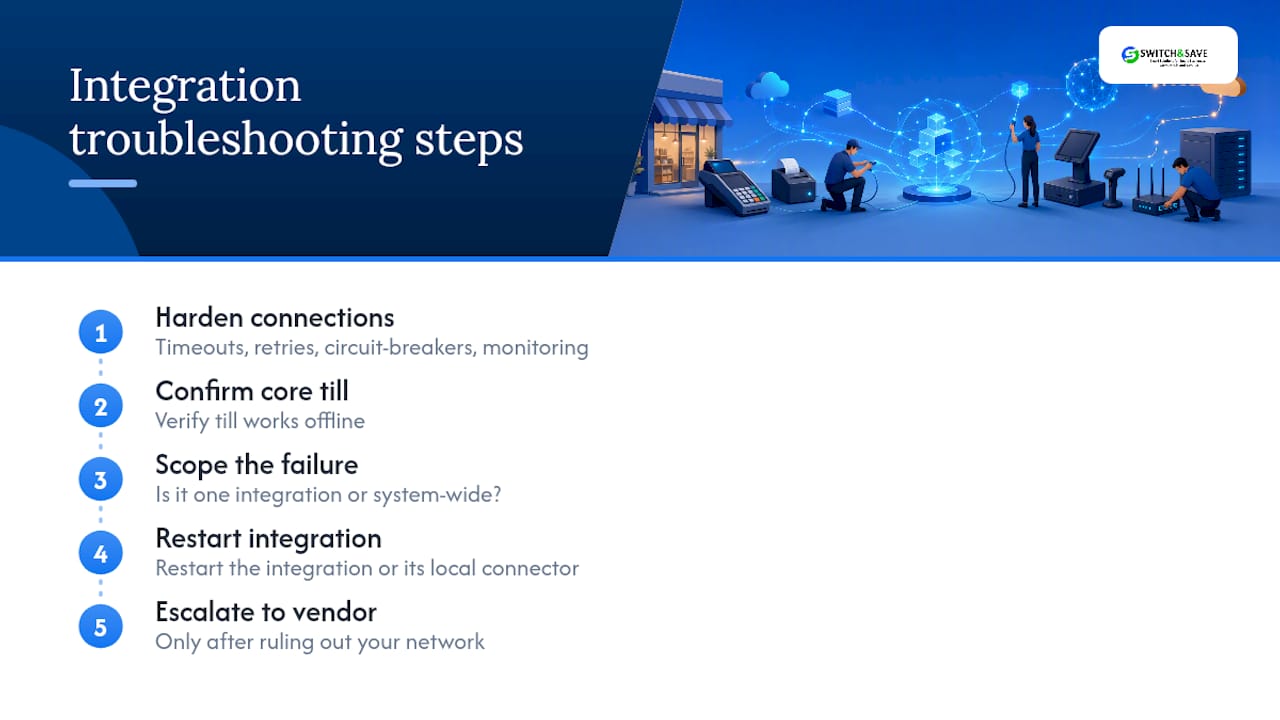
When something does go wrong, the troubleshooting sequence is usually the same regardless of which integration is at fault: confirm the core till still works offline, check whether the issue is isolated to one integration or affecting everything, restart the specific integration or its local connector, and only escalate to the vendor once you’ve ruled out your own network as the cause.
Monitoring your system and responding when it fails
Watching the right signals turns a potential full outage into a five-minute fix. At minimum, track your internet connectivity status, a heartbeat signal from each terminal confirming it’s online, queue lengths building up at busy tills, and the rate of payment authorisation failures across the day.
An effective incident-response flow follows five stages:
- Detection: an alert fires, or a staff member flags a problem, ideally before a customer notices.
- Triage: someone checks whether it’s an isolated terminal, a site-wide network issue, or a wider vendor outage.
- Communication: staff on the floor are told what’s happening and given the fallback process to use immediately.
- Recovery: the fault is fixed, whether that’s a restart, a failover to backup connectivity, or a vendor support call.
- Post-mortem: a short review afterwards asks what caused it and what would prevent a repeat.
Your runbook should also include an escalation ladder: who gets called first (usually the duty manager), who gets notified if the fault isn’t resolved within a set time (your IT contact or managed provider), and who needs telling if the outage runs long enough to affect the day’s trading figures (the owner or area manager). Writing this down before you need it is the difference between a calm five-minute fix and a panicked half hour of nobody knowing who to call.
How to calculate the real cost of POS downtime for your business
A reproducible method turns a vague worry about downtime into a number you can use to justify spending on prevention. Start with four inputs: your average hourly revenue, a peak-hour multiplier, an estimated percentage of sales lost during the outage, and an indirect cost factor covering everything downtime causes beyond the till roll.
That worked example shows how a single hour of downtime during a genuinely busy period can cost several times more than the raw sales figure suggests, because outages during peak trading represent a disproportionate share of the day’s revenue, and the true cost of downtime always runs higher once fallback labour, guest churn, and reconciliation time are factored in.
Either way, plug in your own figures rather than the example numbers here. That’s what turns this from a hypothetical exercise into a genuine investment decision.
Choosing managed EPOS support: what to look for
Not every business needs the same level of support, but every business should know what “good” looks like before signing a contract. Reliable providers are built around a few non-negotiables: 24/7 monitoring that catches problems before customers do, named engineers who know your setup rather than a rotating helpdesk queue, clear SLA response targets in writing, and integrated support that covers your network and payment processing, not just the till software.
| Support Level | Typical Coverage | Best Suited To |
|---|---|---|
| Entry-level reactive | Support ticket raised after a fault is reported; response within agreed hours | Very small, single-terminal sites with low transaction volume |
| Managed with proactive monitoring | 24/7 system monitoring, alerts before failure, scheduled maintenance, dedicated support contact | Multi-terminal retail and hospitality sites where downtime has real trading impact |
Moving from a reactive break/fix arrangement to a proactively managed service can cut EPOS-related downtime by 70 to 85% and shorten how long each outage lasts once it does happen.
When you’re evaluating a prospective provider, ask them directly: what’s your actual average response time, not the SLA ceiling? Do you monitor connectivity as well as the till software? What happens if the fault is with my internet provider rather than your system? And can I speak to an existing customer with a similar setup to mine? A provider who hesitates on any of those questions, or who can’t explain what happens during scheduled maintenance windows, is worth treating with caution.
What operators get wrong about uptime, and what actually works
The most common mistake isn’t a lack of technical knowledge. It’s running critical equipment until it fails, then treating the resulting outage as bad luck rather than a predictable outcome of deferred maintenance. Weak SLAs get signed because the headline percentage looks reassuring, and nobody converts it into actual hours until an outage during a Saturday rush makes the maths uncomfortably clear. Missing runbooks are the quieter version of the same problem: staff know something is wrong but nobody has written down what to do about it, so five minutes of confusion becomes twenty.
Three changes tend to produce outsized results relative to the effort involved. Writing a one-page fallback runbook costs nothing but an afternoon and often halves how long a minor outage actually disrupts trading, because staff stop improvising under pressure. Enabling offline payment caching on every terminal, a setting many businesses never turn on, keeps card payments running through short connectivity blips that would otherwise stop sales dead. And moving to a genuinely managed support arrangement, rather than a reactive one, shifts problem detection from “a customer complained” to “we caught it before anyone noticed.”
Beyond a certain point, the spend required to shave the last fraction of a percentage off your downtime outstrips what that improvement is actually worth in prevented losses.
Get a free POS uptime health check from Switch-and-save
Switch-and-save gives you a single point of contact for hardware, software, and connectivity, instead of juggling separate vendors when something goes wrong at 1pm on a Saturday. That matters because most of the downtime causes covered above (connectivity, integrations, ageing hardware) get harder to fix quickly when three different suppliers each blame each other.

A managed EPOS support arrangement from Switch-and-save is built around reducing exactly the kind of downtime this article has walked through: proactive monitoring that catches faults before customers do, faster recovery when something does go wrong, and patching scheduled outside your trading hours rather than in the middle of service. Our free health check looks at your current uptime record, reviews your connectivity setup for single points of failure, and checks whether your staff have a working fallback runbook in place.
If you’re not sure how your current system stacks up, browse our EPOS systems range or take a closer look at SSPOS software built for real-time reliability. Book a no-obligation demo or site health check, and we’ll tell you plainly where your setup is strong and where it’s leaving revenue on the table.
Sources
For a plain-language grounding in what uptime means as a reliability metric, the Wikipedia entry on uptime covers the formula and its use across IT systems generally. For the financial side, CloudMatters’ breakdown of EPOS downtime costs walks through the five cost components worth including in your own calculation. On networking and failover specifically, Vivant’s analysis of POS downtime costs for restaurants explains dual-WAN options in more technical detail, while Netfor’s guide to retail IT downtime covers lifecycle replacement and proactive monitoring practices.
Whichever provider you use, ask them directly for their SLA wording and their annual uptime calculation methodology before signing anything. A vendor confident in their reliability record will share both without hesitation.
- Uptime – Wikipedia
- POS System Downtime Costs for Restaurants: What the numbers actually look like – Vivant Business Phone Systems
- The Real Cost of EPOS Downtime | CloudMatters
- Retail IT Downtime: The True Cost & How to Prevent It – Netfor
FAQ
What is uptime used for?
Uptime is used to measure how reliably a system stays operational, letting businesses compare vendors, hold providers accountable through SLAs, and calculate the financial risk of relying on that system during trading hours.
What does POS mean on my router?
On a router or network device, POS usually refers to point-of-sale traffic being prioritised or routed, ensuring till transactions get bandwidth priority over less time-sensitive traffic like background updates.
What does POS data stand for?
POS data refers to the transaction and sales information captured at the point of sale, including items sold, prices, payment methods, and timestamps, which feeds into inventory and reporting systems.
What does POS mean in hotels?
In hotels, POS refers to the point-of-sale systems used across restaurants, bars, and room service to process guest charges, often integrated with the property management system so charges post directly to a guest’s room account.



