EPOS stands for Electronic Point of Sale. It’s a computerised till system that records sales and can connect payments, stock control and business reporting. Instead of simply adding up a purchase, an EPOS system keeps a record of what you’ve sold, how the customer paid and, where configured, how much stock remains.
For a grocery shop, that might mean scanning a loaf of bread and updating its stock quantity. In a café, it could mean sending a breakfast order straight to the kitchen.
The exact features depend on your software, hardware and integrations. Here’s what EPOS means in practice, how it works and what to look for before choosing a system.
Key takeaways
| Question | Plain-English answer |
|---|---|
| What does EPOS stand for? | Electronic Point of Sale. |
| What does it do? | Records sales and can manage stock, orders, payments and reports. |
| Is EPOS a card machine? | No. A compatible card machine can connect to the EPOS system. |
| Who uses it? | Shops, cafés, restaurants, takeaways, bars and other customer-facing businesses. |
| Does it need the internet? | This depends on the system and the task. Offline till functions and card payment availability can differ. |
| What should you compare? | Everyday usability, relevant features, support and the full ongoing cost. |
What does EPOS mean?
An Electronic Point of Sale system combines hardware, the equipment you use, with software, the programme that runs your till.
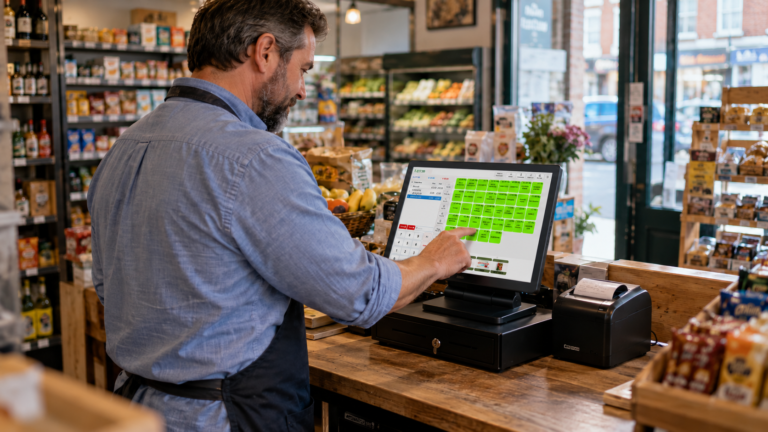
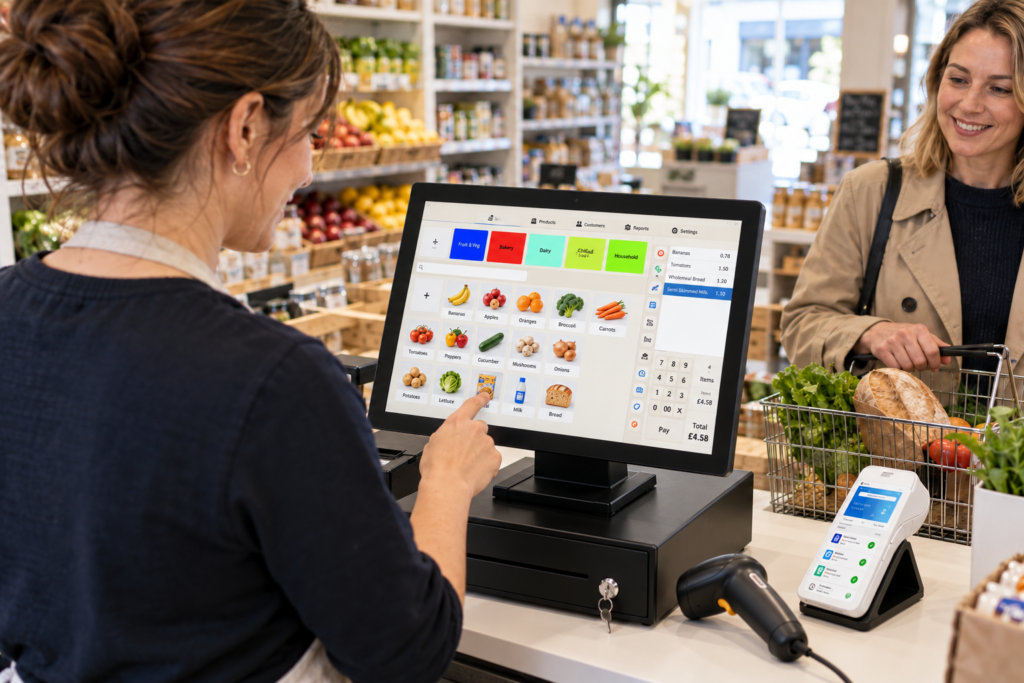
The hardware might be a touchscreen terminal, tablet, barcode scanner or receipt printer. The software holds your products, prices, sales records and settings.
Think of a convenience shop selling milk, snacks and household goods. A basic till can record the amount charged. An EPOS system can also identify the products sold and organise those sales into useful reports.
That gives you information you can act on. You can see which products sell regularly, which lines are moving slowly and when your shop is busiest.
How does an EPOS system work?
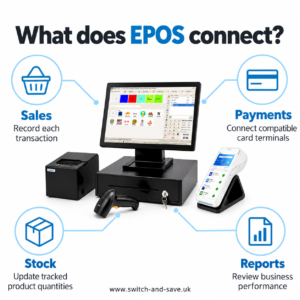
An EPOS system takes a transaction from product selection through to a completed sales record.
Here’s how it works during an ordinary checkout.
1. Your staff add the items
A cashier scans a barcode, searches for a product or taps an item on the screen.
In hospitality, staff might select a meal and add options such as extra cheese or a different side. Those options need to be set up in the software first.
2. The system calculates the total
The software applies the saved prices, relevant discounts and configured VAT treatment.
Accurate setup matters. If a product has the wrong price or tax setting, the system will use that incorrect information until someone fixes it.
3. The customer pays
Your customer pays using an available payment method, such as cash or card.
With integrated card payments, the EPOS sends the amount to a compatible terminal and receives the payment result. With a separate terminal, staff usually enter the amount themselves and record the payment on the till.
4. The sale is recorded
Once completed, the transaction becomes part of your sales history. The system can produce a receipt and update stock for items configured for inventory tracking.
So, what actually happens when a customer taps their card? The card terminal and payment provider handle authorisation. The EPOS records the sale and, when integrated, receives confirmation of the payment outcome.
What equipment do you need?
Your setup should suit your counter, products and service style.
| Equipment | What it’s used for |
|---|---|
| Touchscreen terminal or tablet | Running the EPOS software |
| Barcode scanner | Adding barcoded products to a sale |
| Receipt printer | Printing customer receipts |
| Cash drawer | Holding cash securely |
| Compatible card terminal | Accepting card and contactless payments |
| Kitchen printer or display | Sending food orders to preparation staff |
You don’t necessarily need every device. A mobile phone accessories shop may prioritise a scanner and receipt printer. A takeaway may need separate printing for the kitchen.
Check compatibility before buying equipment independently. Having the right connection port doesn’t always mean a device will work with your chosen software.
EPOS, POS and traditional tills: what’s the difference?
POS means Point of Sale, which can describe the place or system where a sale happens. EPOS specifically refers to an electronic system.
In everyday conversation, suppliers often use POS and EPOS to describe similar products. The feature list tells you more than the label.
| System | Typical role |
|---|---|
| Traditional cash register | Taking payments and recording basic transaction totals |
| EPOS system | Managing itemised sales, with additional stock, reporting and operational features |
| Standalone card machine | Processing card payments, usually separately from the till |
A card machine alone won’t necessarily maintain your product catalogue or update stock. Equally, an EPOS system doesn’t automatically include card processing.
If you want the two connected, ask about supported providers and terminals. Switch & Save’s card payment solutions are a useful starting point for that discussion.
What can EPOS help your business do?
Keep a clearer view of stock
When inventory tracking is enabled, sales can reduce the recorded quantity of each product.
For example, a grocery shop starts with 30 bottles of juice and sells eight. The system should show 22 remaining, provided deliveries, breakages and other adjustments have also been recorded correctly.
You’ll still need physical stock checks. EPOS makes the records easier to maintain, but it can’t detect every damaged or missing item by itself.
Understand what’s selling
Sales reports can show performance by product, category, time period or staff member, depending on the software.
A café owner might notice that breakfast rolls sell well before 10 am while pastries remain unsold. That information can help them adjust tomorrow’s preparation quantities.
Revenue and profit are different, though. Useful margin reporting also needs accurate product costs.
Control sensitive till actions
Staff permissions can restrict actions such as refunds, price changes and discounts.
For example, a temporary cashier might process normal sales while a supervisor approves refunds. Individual logins can also make it easier to investigate a transaction later.
Make closing time more organised
An end-of-day report brings recorded sales and payment totals together.
Your team can compare counted cash with the expected cash balance and investigate differences. Card sales may also need reconciling against payment provider records, particularly where fees, refunds or settlement timings affect bank deposits.
How different UK businesses use EPOS
Retail and grocery shops
Retailers commonly need barcode scanning, product search, pricing, promotions and stock control.
A small supermarket selling loose fruit may also need support for weighed products. Check the precise weighing workflow and equipment compatibility during a demonstration.
Cafés, restaurants and takeaways
Hospitality businesses often need menu options, order notes, table management and kitchen routing.
For example, a takeaway can send food items to a kitchen printer while keeping drinks at the front counter. A restaurant may need to keep a table’s bill open and split it when customers are ready to pay.
Switch & Save’s hospitality EPOS system includes features for ordering, kitchen communication and reporting. Confirm which functions and integrations are included in your proposed setup. Restaurant & Takeaway POS UK
Bars and mobile phone shops
A bar may prioritise tabs, quick product selection and tightly controlled discounts.
A mobile phone shop may care more about finding accessories, printing clear receipts and reviewing product margins. If you need serial number tracking or repair jobs, ask specifically; those aren’t universal EPOS features.
What is cloud EPOS?
Cloud EPOS stores or synchronises business information through online servers. Depending on the system, you can access reports or manage settings through a web dashboard.
That can help when you’re away from the premises. You might check your shop’s sales without asking staff to send a photograph of the till report.
Some systems run locally and synchronise with the cloud. Others depend more heavily on a live connection.
Ask what happens during an internet outage. Taking a cash sale, opening the drawer, printing kitchen orders and accepting a card payment may each have different requirements.
How to choose an EPOS system
Start with the work your team does every day. A useful demonstration should follow your actual checkout or ordering process.
Test an ordinary sale and a difficult one
Ask the supplier to demonstrate a normal sale, a refund, a discount and a product search.
For hospitality, include a modified order and a split bill. Watch how many steps each task takes and whether your staff can follow the process.
Compare the complete cost
Look beyond the headline hardware price. Ask for a written breakdown covering:
- Hardware, installation and training.
- Software subscriptions and additional devices.
- Card processing charges and terminal rental.
- Optional integrations, support and replacement equipment.
- Contract length and cancellation terms.
You can browse Switch & Save’s EPOS bundles before requesting a quote based on your business requirements.
Ask what “AI-powered” means
AI-powered EPOS may offer tools that analyse trading patterns or generate suggestions. The practical capabilities vary between products.
Ask to see the feature working with a realistic example. What information does it use? What does it recommend? Can you check the reasoning against your sales data?
A useful tool should help you make a clearer decision. It still needs accurate records and your judgement.
Find an EPOS setup that fits your business
The right EPOS system should make everyday selling easier and give you records you can use. Your starting point is a clear list of the jobs it needs to handle.
Switch & Save provides AI-powered EPOS systems for UK businesses, alongside card payment solutions and business finance. Switch&Save
Switch & Save helps UK businesses reduce costs with AI-powered EPOS systems, card payment solutions and business finance. Check your savings today.
Contact Switch & Save to discuss your setup or arrange a demonstration. Call 0333 0389707.
Frequently asked questions
What does EPOS stand for?
EPOS stands for Electronic Point of Sale. It’s a computerised system used to record sales and, depending on its features, manage stock, orders, payments and reports.
Is EPOS the same as a card machine?
No. A card machine processes card payments. An EPOS system manages the sale itself. Compatible systems can connect so payment amounts and results pass between them.
Can a small shop use EPOS?
Yes. A small shop can use EPOS for product lookup, checkout, receipts and stock records. Choose features that match your operation and budget.
Does EPOS work without Wi-Fi?
Some systems support offline till functions or use wired internet. Card processing and cloud features may have separate connectivity requirements, so confirm exactly what remains available.
Can EPOS help with VAT records?
EPOS can record configured VAT amounts and produce reports. Accurate tax settings are essential, and you should confirm any accounting integration or filing capability separately.