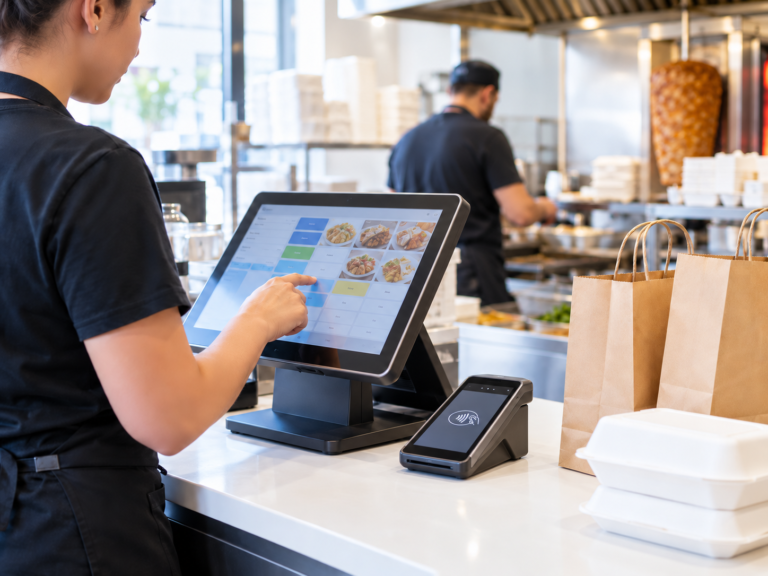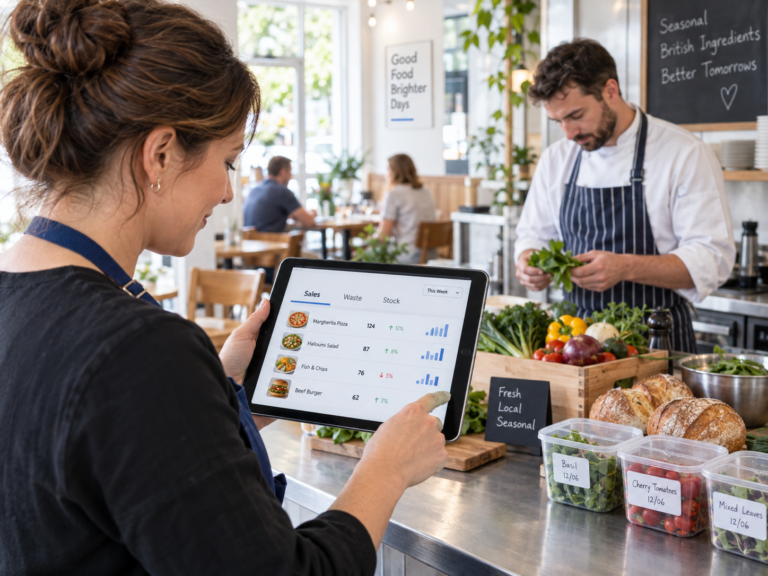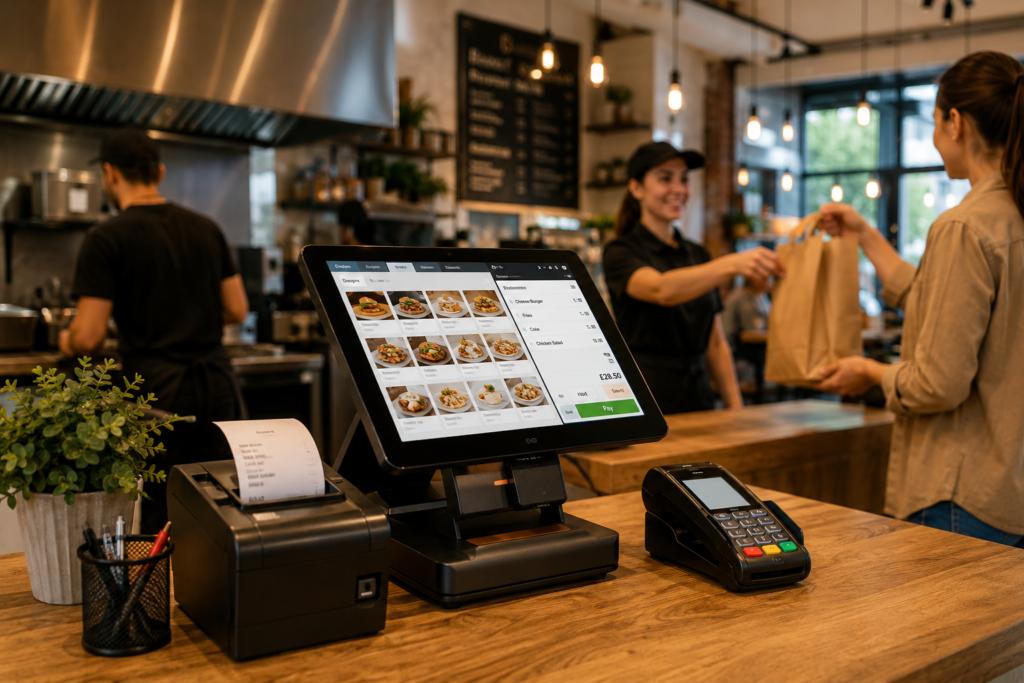
A hospitality point of sale system is the till, ordering, payment, reporting and management system used by restaurants, cafés, takeaways, pubs, bars and food businesses to run daily service. A good hospitality POS system should do more than take payments. It should help staff take orders quickly, send items to the kitchen, manage tables, process card and cash payments, handle online orders, track sales, manage menus, control staff access and give business owners clear reports.
For UK hospitality businesses, the right hospitality till system can reduce order mistakes, speed up service, improve kitchen communication and give owners better control over costs. Switch & Save provides AI-powered EPOS systems, card payment solutions and business finance to help UK businesses work smarter and reduce unnecessary costs.
Key Takeaways
| Question | Answer |
|---|---|
| What is a hospitality point of sale system? | It is a specialist till and management system for restaurants, cafés, takeaways, pubs, bars and food businesses. |
| What should it include? | Order taking, payments, kitchen printing, table management, online ordering, reporting, staff permissions and menu control. |
| Is it different from a normal retail till? | Yes. Hospitality POS systems are built for food service, modifiers, tables, split bills, kitchen orders and delivery channels. |
| Who needs one? | Restaurants, cafés, takeaways, dessert shops, food trucks, pubs, bars and hospitality venues. |
| What is the main benefit? | Faster service, fewer mistakes, better reporting and smoother daily operations. |
| Does Switch & Save offer hospitality EPOS? | Yes. Switch & Save offers hospitality EPOS systems with Android POS, web dashboard, integrated card payments, kitchen printing, online ordering and reporting. |
What Is a Hospitality Point of Sale System?
A hospitality point of sale system is a digital till system designed specifically for food and drink businesses. It allows staff to take orders, send them to the kitchen or bar, accept payments and manage the full customer journey from order to receipt.
Unlike a basic cash register, a hospitality POS system connects multiple parts of the business. For example, when a waiter takes an order at the till, the food items can be sent directly to the kitchen printer or kitchen display screen. Drinks can go to the bar, delivery orders can appear on the POS, and the owner can check sales from a web dashboard.
In simple terms, a hospitality till system is the control centre of a food business.
It can support:
- Restaurant table service
- Takeaway orders
- Delivery orders
- Collection orders
- Café counter service
- Bar tabs
- Kitchen printing
- Online ordering
- Card payments
- Sales reporting
- Staff permissions
- Menu management
For a busy UK restaurant, café or takeaway, this is much more efficient than writing orders manually, retyping delivery orders or checking sales from separate systems.
How Does a Hospitality POS System Work?
A hospitality POS system works by connecting the front of house, kitchen, payment process and back-office reporting.
Here is a typical flow:
- A customer places an order at the counter, table, online website, QR code or delivery channel.
- The order appears in the POS.
- Food items are sent to the correct kitchen printer or kitchen display.
- Staff take payment by cash, card, split bill or another supported method.
- The system records the sale, VAT, payment type and staff member.
- The owner can view reports from the till or cloud dashboard.
For example, a takeaway in Birmingham may receive an order from its branded ordering website. Instead of staff retyping that order into the till, the order can come directly into the POS, alert the team and print in the kitchen. This saves time and reduces human error.
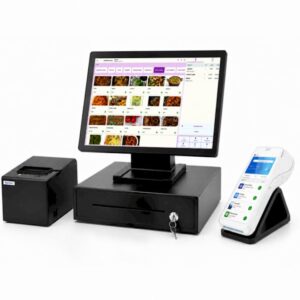
Switch & Save’s hospitality EPOS is built around this kind of connected workflow, with Android POS on the floor and a web dashboard for managing sales, menus, staff, stock and reporting.
What Should a Hospitality Till System Include?
A strong hospitality till system should include the features your team needs during service and the tools you need to manage the business afterwards.
1. Fast Order Taking
Speed matters in hospitality. Staff should be able to add items, change quantities, apply notes and complete orders quickly.
Your hospitality POS system should support:
- Eat-in orders
- Takeaway orders
- Delivery orders
- Collection orders
- Customer notes
- Cooking instructions
- Item modifiers
- Add-ons
- Variants
- Combo deals
For example, a burger restaurant may need options such as “no onion”, “extra cheese”, “meal deal”, “large fries” or “well done”. A basic till may struggle with these details, but a proper hospitality EPOS should handle them clearly.
2. Menu and Product Management
A hospitality point of sale system should make it easy to manage your menu. You should be able to add products, categories, prices, modifiers and offers without depending on manual spreadsheets.
Look for:
- Product categories
- Multiple price tiers
- Menu variants
- Modifiers and add-ons
- Combo deals
- Cooking notes
- Channel-based availability
- Promotional pricing
This is especially useful for restaurants and takeaways that sell complex products. A pizza shop, for example, may need different sizes, crusts, toppings, dips and meal deals. A café may need milk alternatives, syrup add-ons and different cup sizes.
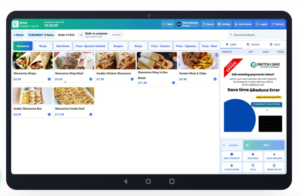
3. Kitchen Printing or Kitchen Display
Kitchen communication is one of the biggest reasons hospitality businesses move from a basic till to a proper hospitality POS system.
Your system should be able to send orders to the correct preparation area. For example:
- Burgers and chips go to the kitchen
- Coffees go to the drinks station
- Desserts go to the dessert counter
- Bar drinks go to the bar printer
Switch & Save’s hospitality EPOS includes kitchen printing and kitchen display options, helping teams reduce missed orders and improve service speed.
4. Integrated Card Payments
A modern hospitality till system should support smooth card payments. Integrated card payments are especially useful because the payment amount is sent from the till to the card machine automatically.
This helps avoid:
- Staff typing the wrong amount
- Payment delays
- Receipt mismatches
- Manual reconciliation issues
Switch & Save supports integrated card payment options, including Teya and takepayments, with the ability to discuss suitable card machine solutions for your business.
5. Cash, Card, Split Bills and Tips
Hospitality payments are not always simple. A table may want to split the bill by person, amount or item. A customer may pay partly by cash and partly by card. A restaurant may need to add tips or service charges.
A good hospitality POS system should support:
- Cash payments
- Card payments
- Split bills
- Tips
- Service charges
- Refunds
- Voids
- Discounts
- Receipt printing
- End-of-day reconciliation
This is important for restaurants, cafés, pubs and bars where payment flexibility directly affects customer experience.
6. Table and Floor Plan Management
Restaurants, cafés and pubs often need table management. A hospitality point of sale system should let staff open tables, move orders, split bills and track which tables are active.
Useful table features include:
- Floor plans
- Table numbers
- Seat management
- Open orders
- Table transfers
- Booking and reservation tools
- Split payment by table or item
For example, a restaurant with 20 tables needs to know which tables are waiting, served, paid or ready to clear. A table management system makes this easier for both front-of-house staff and owners.
7. Online Ordering Website
Online ordering is now a major part of hospitality. A good POS should connect with your own branded ordering website so orders flow directly into the system.
This is useful for:
- Takeaway collection
- Local delivery
- Pay-on-collection
- Card payments online
- Promo codes
- Delivery zones
- Minimum order settings
- Preparation times
- Live order tracking
Switch & Save offers hospitality EPOS with a branded online ordering website that connects with the POS, helping businesses reduce manual order entry and keep menu details in sync.
8. Delivery Platform Integrations
Many UK food businesses use delivery platforms such as Uber Eats, Just Eat and Deliveroo. Without integration, staff may have to manage multiple tablets and retype orders into the till.
A good hospitality POS system should bring delivery orders into one place where possible.
Benefits include:
- Fewer tablets on the counter
- Less retyping
- Lower risk of missed orders
- Kitchen printing from delivery orders
- Easier reporting by channel
Switch & Save’s hospitality EPOS supports delivery app integrations, helping takeaways and restaurants manage orders from multiple channels more efficiently.
9. QR Ordering and Self-Service Kiosk Support
Some hospitality businesses also benefit from QR ordering or self-service kiosk workflows. QR ordering allows customers to scan a table code, browse the menu and place an order from their own phone.
This can help with:
- Faster table ordering
- Reduced pressure on staff
- Better order accuracy
- Optional “call waiter” functionality
- More convenient customer experience
Self-service kiosk ordering can also help high-footfall venues manage queues. Switch & Save positions its hospitality EPOS to work across POS, online, QR and kiosk ordering workflows.
10. Staff Management and Permissions
Your hospitality POS system should help you control what staff can access. Not every team member needs permission to apply discounts, issue refunds or view reports.
Important staff features include:
- PIN login
- Staff roles
- Permissions
- Clock in/out
- Shift information
- Per-staff sales reports
- Audit trail
For example, a cashier may only need access to order taking and payments, while a manager may need access to refunds, discounts, reports and end-of-day checks.
11. Reporting and Live Dashboard
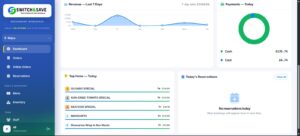
Good reporting helps business owners understand what is happening every day.
A hospitality till system should show:
- Daily sales
- Payment reports
- VAT reports
- Product sales
- Category sales
- Staff sales
- Refunds
- Voids
- Discounts
- Hourly sales
- Top-selling items
- X and Z reports
Switch & Save includes a web dashboard so owners can view sales, orders, VAT, expenses, profit and performance from a browser.
12. Stock, Suppliers and Expenses
For growing hospitality businesses, stock control becomes important. Your POS should help track stock movement, suppliers, purchase orders and low-stock alerts where supported.
This is useful for:
- Cafés managing ingredients
- Takeaways tracking drinks and packaging
- Restaurants monitoring best-selling items
- Grocery and food businesses controlling inventory
- Multi-site businesses comparing stock usage
Even if you do not use full stock control from day one, choosing a scalable system helps protect your business as it grows.
Hospitality POS System vs Basic Till
| Feature | Basic Till | Hospitality POS System |
|---|---|---|
| Takes payments | Yes | Yes |
| Kitchen printing | Usually no | Yes |
| Table management | No | Yes |
| Modifiers and cooking notes | Limited | Yes |
| Online ordering | No | Yes, if supported |
| Delivery integrations | No | Yes, if supported |
| Staff permissions | Limited | Yes |
| Reports | Basic | Detailed |
| Split bills | Limited | Yes |
| Suitable for restaurants and takeaways | Not ideal | Yes |
A basic till may be enough for very simple sales, but hospitality businesses usually need more flexibility. If you sell food, manage tables, accept delivery orders or need kitchen printing, a hospitality point of sale system is usually the better choice.
Why Choose Switch & Save for Hospitality EPOS?
Switch & Save is a UK-based provider helping small businesses reduce costs and improve efficiency with AI-powered EPOS systems, card payment solutions, business finance and utility switching services.
For hospitality businesses, Switch & Save offers a complete EPOS setup designed for restaurants, takeaways and cafés. Features include:
- Android POS terminal
- Web dashboard
- Kitchen printing
- Kitchen display support
- Integrated card payments
- Online ordering website
- QR and kiosk ordering workflows
- Delivery app integrations
- Staff management
- Menu migration
- Reporting
- UK support and training
- Finance and pay-monthly options
You can view the main hospitality solution here: Hospitality EPOS System

Final Checklist: What Should Your Hospitality POS Include?
Before choosing a hospitality POS system, check whether it includes:
- Fast order screen
- Restaurant, takeaway, delivery and collection modes
- Menu categories, variants and modifiers
- Kitchen printer or kitchen display support
- Integrated card payments
- Cash, card, tips and split bills
- Table and floor plan management
- Online ordering website
- Delivery app integrations
- QR ordering support
- Staff PINs and permissions
- X and Z reports
- VAT and payment reports
- Product and category reports
- Refund, void and discount tracking
- Cloud dashboard
- UK support and training
- Clear pricing with no hidden surprises
The best hospitality epos system is not always the cheapest or the most complicated. It is the one that fits how your business actually serves customers.
A hospitality point of sale system is the digital centre of a restaurant, takeaway, café, pub or bar. It should help you take orders faster, send clear instructions to the kitchen, accept payments smoothly, manage online and delivery orders, control staff access and understand your sales through clear reporting.
For UK hospitality businesses, choosing the right hospitality POS system can save time, reduce errors and make daily service easier to manage.
Switch & Save helps UK businesses reduce costs with AI-powered EPOS systems, card payment solutions and business finance.
FAQs
What is a hospitality point of sale system?
A hospitality point of sale system is a specialist till and management system for food and drink businesses. It helps staff take orders, process payments, send orders to the kitchen and manage sales reports.
What is the difference between a hospitality POS system and a normal till?
A normal till mainly records sales and payments. A hospitality POS system also supports food orders, modifiers, table service, kitchen printing, split bills, online ordering, delivery integrations and detailed reporting.
What businesses need a hospitality till system?
Restaurants, cafés, takeaways, bars, pubs, dessert shops, food trucks, bakeries and other food service businesses can benefit from a hospitality till system.
Should a hospitality POS system include kitchen printing?
Yes. Kitchen printing or kitchen display support is important for food businesses because it sends orders directly to the preparation area and reduces the risk of missed or unclear orders.
Can a hospitality POS system handle online orders?
Yes, if the system includes online ordering. Switch & Save offers hospitality EPOS with a branded online ordering website connected to the POS.
Can I use one POS for dine-in, takeaway and delivery?
Yes. A good hospitality POS system should support dine-in, takeaway, delivery and collection from one system.
Does Switch & Save support card payments?
Yes. Switch & Save offers card payment solutions and supports integrated card payment options for hospitality businesses.
Does a hospitality POS help with VAT reports?
Yes. A good system should provide sales, payment and VAT reporting to help owners understand business performance and prepare records more easily.
Is a hospitality POS suitable for small cafés?
Yes. Even a small café can benefit from faster order taking, modifiers, card payments, staff controls and daily reports.
How do I choose the best hospitality POS system?
Choose a system that matches your service style, supports your menu complexity, integrates with your payment and ordering channels, provides useful reports and offers reliable UK support.