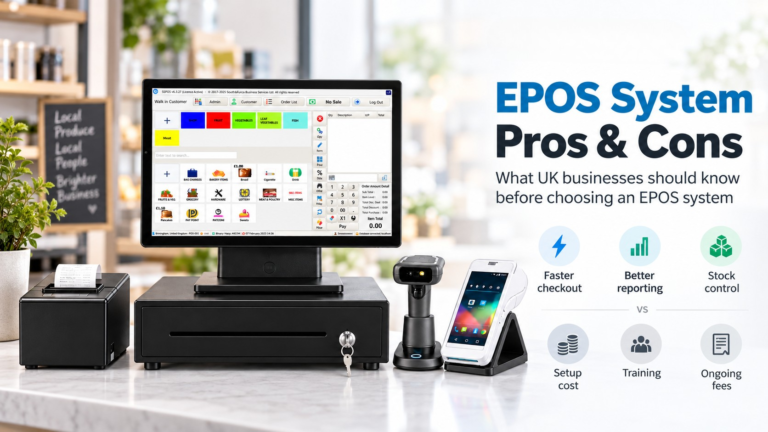
Yes, transparent EPOS pricing is realistic, but only when a vendor hands you an itemised written quote with payment fees shown separately. Before you agree to anything, stop the sales call and ask for that document along with a written service-level agreement. Bodies like the Payment Systems Regulator and HMRC both play a part in what you end up paying, and providers like Switch&Save build their packages around that clarity.
TL;DR:
- Itemised quotes must clearly separate hardware, software modules, payment fees, setup, and support costs, and be supported by a written service-level agreement.
- Hardware costs vary based on device type, with rental options increasing long-term expenses, making comparison crucial.
- Payment processing fees often lack transparency, so calculating total ownership over 12 to 36 months is necessary for accurate comparison.
- Watch for hidden costs such as installation, add-on modules, volume penalties, support tiers, early termination, and indirect expenses like downtime or training.
- Credible vendors provide detailed breakdowns, live billing demonstrations, and published packages aligned with what they quote, ensuring genuine transparency.
Table of Contents
- What an EPOS package actually includes
- Typical cost ranges and how to read them
- Hidden costs to watch for
- How to get genuinely transparent pricing
- Tax and accounting: capital allowances and AIA
- Perspective: how Switch&Save approaches transparent pricing
- What the research actually tells us about pricing claims
- Why choose Switch&Save for a transparent EPOS quote
- FAQ
- Sources
What an EPOS package actually includes
An EPOS quote is really five separate cost lines bundled together, and knowing them helps you read any quote correctly.
- Hardware: tills, card readers, receipt printers and barcode scanners, either bought outright or rented through a hardware-as-a-service model.
- Software: a subscription tier covering sales, stock and reporting, often with extra modules charged on top.
- Payment processing: the terminal and transaction fees tied to taking card payments, usually quoted separately from the software.
- Services: setup, data migration from your old system, staff training and any custom configuration work.
- Support: a response-time tier, with some providers charging more for evenings, weekends or emergency call-outs.
Renting hardware lowers your upfront spend but raises the long-term total, so it’s worth comparing both routes before deciding. Software tiers usually scale with the number of terminals or the modules you switch on, things like loyalty schemes, advanced reporting or multi-store syncing. A breakdown of what’s included in an EPOS price is worth reading in full before you compare quotes side by side, because two providers rarely itemise the same way.
Typical cost ranges and how to read them
Prices vary by business type, but the shape of the cost is consistent: an upfront or weekly hardware cost, a monthly software fee, and a per-transaction payment charge that moves with your sales volume.
- Tablet-based tills tend to have lower hardware costs, while rugged, hospitality-grade tills generally involve higher upfront or rental prices.
- Software subscriptions climb once you add modules like table management, multi-site reporting or advanced stock forecasting.
- Setup fees can differ considerably between providers, with some charging more for custom integration compared to standard installations.
- Payment processing rates depend on transaction volume and value; businesses with high-value, low-frequency sales experience different effective rates from those with many small transactions.
The Payment Systems Regulator’s own market review found that card-scheme and processing fees often lack clear, easy-to-understand information for merchants, which pushes costs up without buyers noticing. That’s precisely why comparing the headline monthly fee alone misleads you. The only fair way to compare two quotes is to calculate the total cost of ownership over 12 to 36 months, hardware, software, payment fees and setup combined, rather than judging by the number that looks smallest on page one.
Hidden costs to watch for
A quote can look clean and still hide costs that surface later. Watch for these:
- Installation billed separately, or reclassified as a “self-service” task you’re expected to handle without help.
- Add-on modules that turn a modest base price into a far higher monthly total once you switch on the features you actually need.
- Payment fees bundled vaguely with software costs, so you can’t see the card-scheme, acquirer and processor portions separately.
- Volume or behavioural penalties that raise your effective rate once you cross a transaction threshold.
- Support tiers that cap free help and charge extra for anything outside office hours.
- Early termination clauses, hardware buyback conditions, or upgrade fees that appear only when you try to leave.
- Indirect costs such as downtime, thin training, and sales lost while staff fumble with an unfamiliar system.
Which? Trusted Traders advises getting every contract term, support level and cancellation fee in writing before work begins, which is the simplest way to avoid disputes months down the line. A longer rundown of these traps sits in our piece on hidden costs in EPOS systems.
Pro Tip: Ask the vendor to walk you through their own back-office billing screen during the demo, not just their sales deck.
How to get genuinely transparent pricing
Use this checklist on every call, and don’t sign anything that can’t produce these fields in writing.
- Hardware cost, itemised by component, not bundled as one lump figure.
- Software cost broken down by module, so you know what each feature actually adds.
- Payment fees split into card-scheme, acquirer and processor charges, with a clear answer on whether rates are fixed or variable.
- Setup, training and migration costs listed individually.
- Support response times and what triggers an extra charge.
- Cancellation terms, hardware return conditions and any buyout figure.
| Cost line | What to ask for |
|---|---|
| Hardware | Itemised unit cost or weekly rental figure |
| Software | Price per module, not just a headline tier |
| Payment processing | Scheme, acquirer and processor fees shown separately |
| Setup and training | One-off figures, confirmed in writing |
| Support | Response time and any out-of-hours charge |
| Cancellation | Notice period and hardware buyout terms |
Once you have these figures, add them up across 12, 24 and 36 months, then test what happens if your transaction volume rises by a third. That sensitivity check often reveals which quote actually wins.
Tax and accounting: capital allowances and AIA
Some of what you spend on an EPOS system can be offset against tax, which changes the real cost once you factor it in.
- Hardware, tills, card readers, printers and scanners, usually counts as plant and machinery for tax purposes.
- The Annual Investment Allowance lets qualifying businesses deduct the full cost of that equipment from taxable profit in the year of purchase, subject to eligibility.
- Software licensing can be treated differently from hardware, so check the specific treatment before assuming the same relief applies.
- Selling or scrapping old equipment can trigger a balancing charge, so keep every invoice and tag which assets you’ve claimed against.
Talk to your accountant before filing anything. AIA eligibility depends on your business structure and how the asset is classified, and getting that wrong costs more than the relief saves.
Perspective: how Switch&Save approaches transparent pricing
A credible EPOS vendor should be able to produce four things without hesitation: an itemised contract, sample invoices, a written SLA and a published bundle page you can check against what you’re being quoted. Some EPOS vendors list packages like Hospitality EPOS Bundles and Integrated Payments Bundles with their components visible rather than hidden behind a “request a quote” wall.
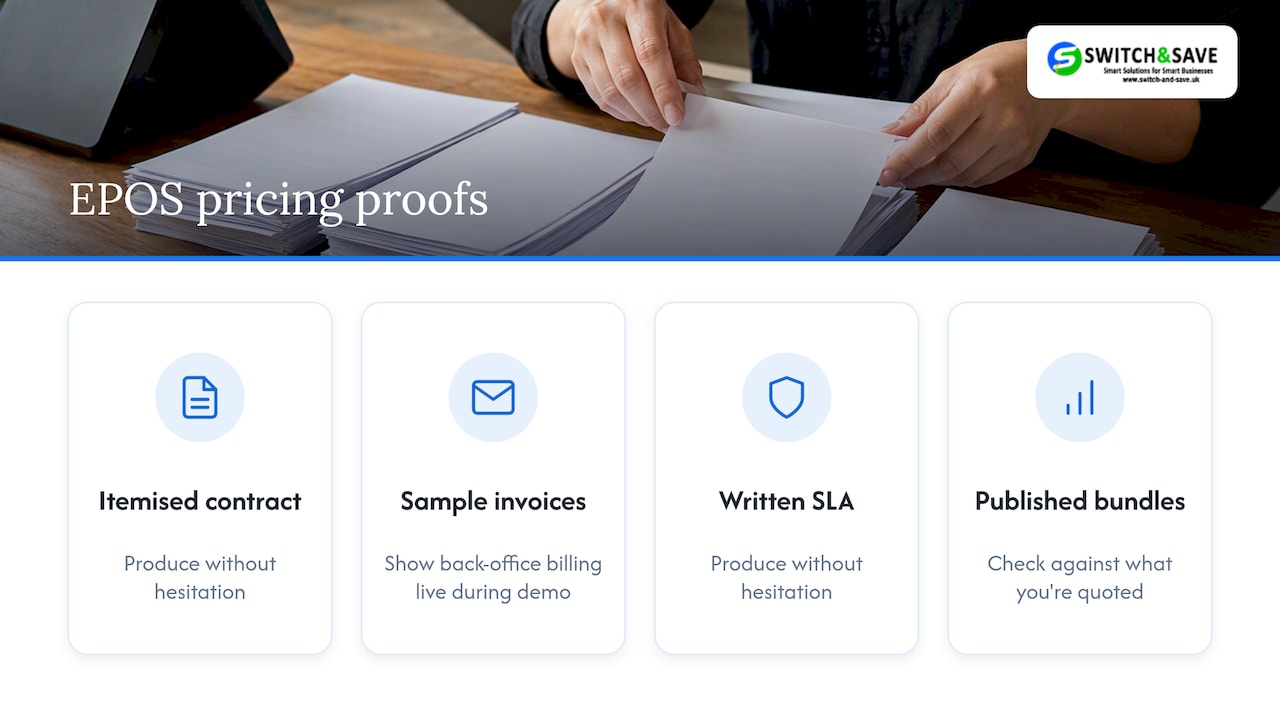
Ask any provider for references from similar businesses, and ask to see the back-office billing screen live during the demo rather than a screenshot in a slide deck. If a vendor hesitates to show you how transaction fees appear on their own dashboard, treat that as a warning sign rather than an oversight. Bundled EPOS and payments, UK-based support and a published price list aren’t marketing flourishes, they’re the minimum proof a buyer should expect before signing a multi-year contract.
What the research actually tells us about pricing claims
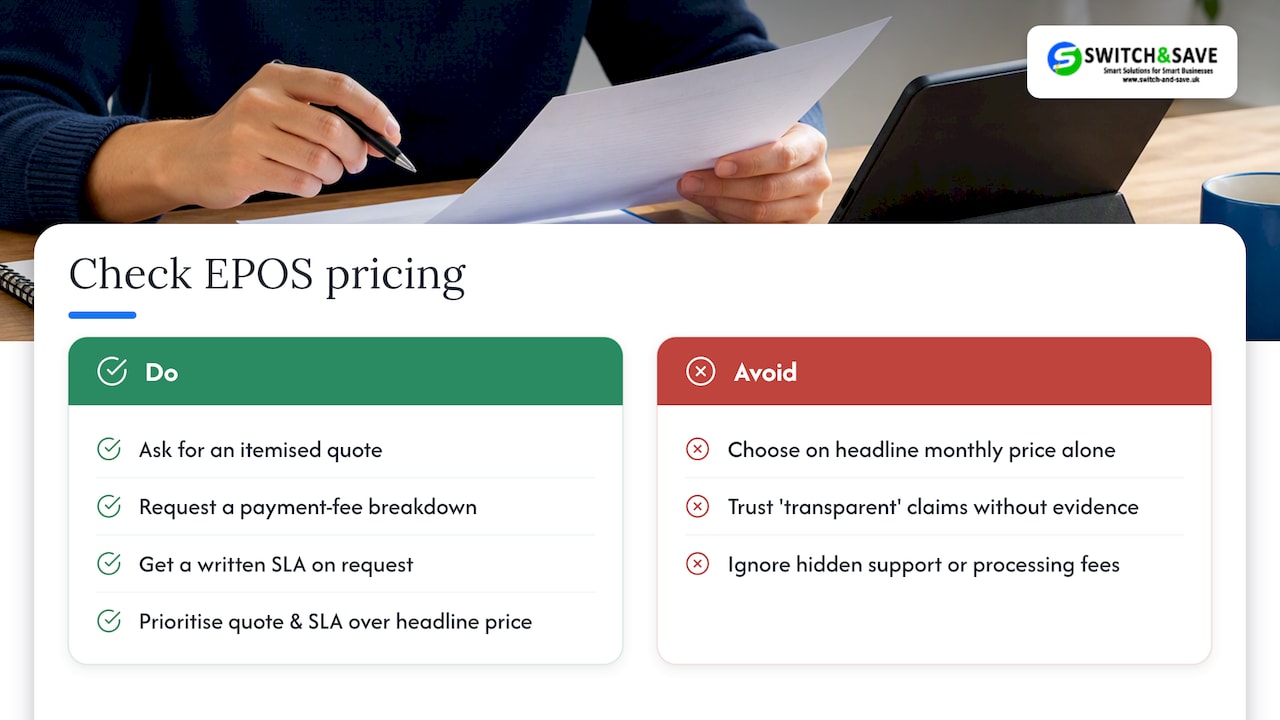
Most advice on EPOS pricing treats “transparency” as a marketing adjective rather than something you can check. That’s the gap worth closing. A provider that calls its pricing transparent but can’t produce an itemised quote, a payment-fee breakdown and a written SLA on request hasn’t earned the word, no matter how clean its website looks.
The conventional advice, compare monthly fees, read some reviews, pick the cheapest, misses the part that actually costs businesses money: payment processing charges that scale with volume and hidden support tiers that only bite once something breaks. Prioritise the itemised quote and the SLA before you look at the headline price at all. A slightly higher monthly fee with clear, separated costs beats a lower one that hides a support charge you’ll only discover in month four.
— Amir
Why choose Switch&Save for a transparent EPOS quote
Switch&Save builds its packages, including the Hospitality EPOS Bundle at £549 one-off with AI-powered cloud software at £20 a month, and the Integrated Payments Bundle with its EPOS software subscription at £30 a month, around the same checklist this article sets out: itemised components, UK-based support and no hidden add-ons stitched into the headline price.

If you’re comparing providers right now, ask vendors for the same itemised quote and SLA you’d demand from anyone else, then book a free demo to see the back-office billing before you commit. Browse the full range of EPOS bundles for UK retail and hospitality to compare what’s published against what you’ve been quoted elsewhere.
FAQ
How much does an EPOS system cost?
Costs vary by hardware choice, software tier and payment processing rates, so there’s no single figure that applies across every business. The only reliable way to know your cost is an itemised written quote broken down by hardware, software, setup and payment fees.
What is transparent pricing in an EPOS contract?
Transparent pricing means every cost line, hardware, software modules, payment processing, setup and support, appears separately in writing rather than bundled into one figure. Which? Trusted Traders recommends getting these terms agreed before any work begins.
How much does Switch&Save’s software cost per month?
Switch&Save lists its AI-powered cloud software at £20 a month as part of the Hospitality EPOS Bundle, and a separate EPOS software subscription at £30 a month with the Integrated Payments Bundle. Which applies depends on the bundle you choose.
How are EPOS payment processing fees charged?
Payment processing fees are typically charged per transaction and can include separate card-scheme, acquirer and processor charges that some providers bundle together. The Payment Systems Regulator’s market review found this lack of separation makes true costs harder for merchants to see.
Sources
- Gov
- Market review of card scheme and processing fees: final report – PSR
- Why no contract can mean no payment – Which? Trusted Traders