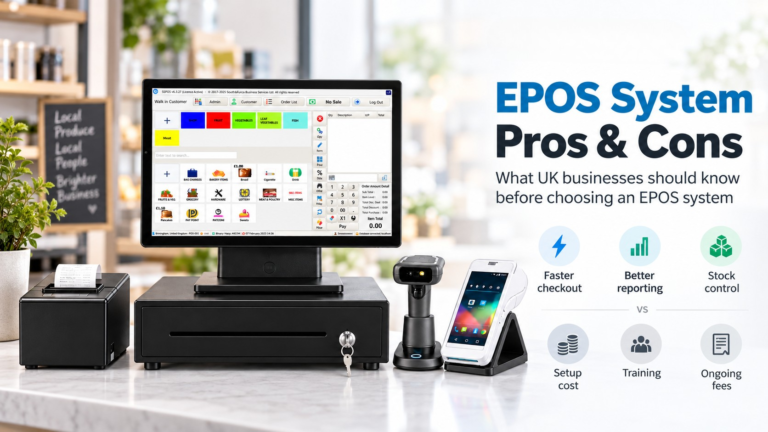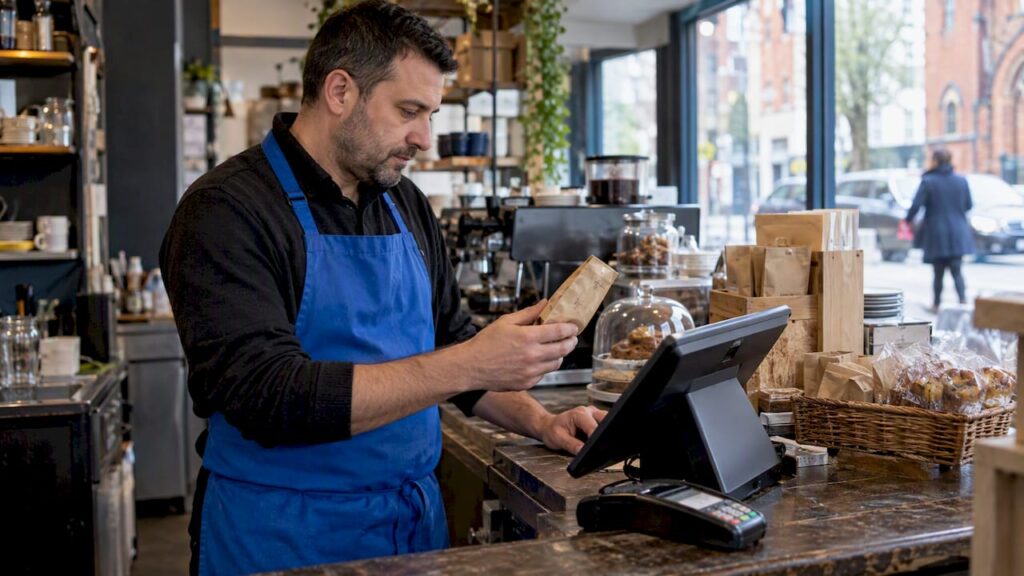
Your point of sale should be the single source of truth for every price decision you make. Start by fixing your cost stack and compliance display rules, then use SKU-level POS data to test small, controlled price moves. Check your total fee stack today, switch on SKU sales and stock cover reports, and keep an eye on the new price display rules landing in 2026.
TL;DR:
- Ensuring all SKUs have consistent base, unit, and promotional prices in the POS system is essential for compliance and accurate marketing claims from April 2026.
- The true cost of POS includes hidden fees such as hardware, setup, analytics, and long-term contracts, which can significantly impact margins.
- Segmenting SKUs into value, margin recovery, seasonal, and trial categories allows smarter price testing and more effective use of automated guardrails.
- Running short, controlled price tests with clear guardrails and holdouts helps avoid margin erosion and supports defensible reference pricing.
- Support for compliance rules, real-time sales data, and multi-store management can be streamlined with EPOS solutions like bundled hardware and AI-powered software.
Table of Contents
- What price management actually means on a POS
- What a POS and its pricing stack really costs
- How to use your POS data to set smarter prices
- Testing price changes without wrecking margin or trust
- Switch&Save: regulatory grounding and how we help you apply it
- Cost transparency goes beyond your POS bill
- My six-step starting checklist
- Switch&Save: how we help and where to get a demo or pilot
- Sources
- FAQ
What price management actually means on a POS
A POS doesn’t just ring up sales. It runs the whole price architecture of your business: base prices, unit prices, promotional offers, loyalty tiers and multibuys all live and execute from the same system.
That matters for two reasons. First, consistent execution: if your till, your website and your till receipts disagree on a price, you’ve got a problem before a customer even complains. Second, your POS keeps the history you need to prove a “was” price is genuine, which backs up any reference pricing claims in your marketing.
From April 2026, this history matters more than ever. The Price Marking (Amendment) Order 2024 updates the rules that govern how goods display their selling price and unit price, and introduces a duty to show multiple selling prices, with their conditions, when a product has more than one price (for example, a loyalty price next to the standard one). The CMA209 guidance sets out what traders need to do to stay compliant.
What your POS should be handling:
- Base and unit prices for every SKU, kept consistent across till, app and website.
- Loyalty or member pricing shown with its conditions, not just a lower number.
- Multibuy and bundle pricing calculated automatically, not worked out at the till.
- A price history log you can pull up if a “was/now” claim is ever questioned.
What a POS and its pricing stack really costs
Before you can manage prices well, you need to know what you’re actually paying for the system that manages them. Hidden fees distort your margin maths more than people think.
- Software subscription: typically £25 to £150 or more a month depending on features and the number of terminals, according to UK cost research.
- Hardware bundles: terminals and peripherals commonly run from around £199 to £1,200 or more per unit, the same research shows.
- Card processing fees: percentages vary between providers and volumes, within a broad typical range described by market research.
- Setup and integration: one-off fees for configuring tills, menus or stock catalogues, often quoted separately from the headline price.
- Analytics add-ons: some providers charge extra for the reporting you’ll need for the tactics later in this guide.
- Contract length: some providers lock you in for 24 to 36 months, while others run month to month, which changes your real cost of switching.
Before signing anything, ask a vendor: what’s included in the headline price, is there a minimum term, what happens if I add a terminal mid contract, is card processing bundled or separate, what’s the cost of exporting my own sales data, and is support included or billed separately? Our own breakdown of what’s included in an EPOS system price and the hidden costs of EPOS systems cover these traps in more detail.
How to use your POS data to set smarter prices
Your till already knows more about your prices than any spreadsheet. The trick is turning sales velocity, margin and stock cover into decisions you can actually act on.
Start by segmenting your SKUs; understanding how to price your eCommerce products better can improve this process.
- Known value items (KVIs): high-visibility products customers price-check against competitors, where you need to stay sharp.
- Margin recovery items: slow movers with healthy margin that can absorb a small increase without hurting footfall.
- Seasonal SKUs: products where demand swings mean price should flex with stock cover, not sit fixed all year.
- Trial SKUs: new lines where you genuinely don’t know the right price yet, so you test cautiously.
Once segmented, apply four rules inside the POS itself:
- Set floors and ceilings for every SKU so no promotion or automated markdown drops below true cost.
- Keep reference price history so every “was/now” claim is backed by a real, defensible prior price, as industry guidance on promotional pricing recommends.
- Test by cohort, holding one store or one till group back as a control before rolling a price change everywhere.
- Automate guarded markdowns, dropping price in small steps rather than one deep cut, which protects margin better during seasonal clearance.
Practically, this shows up as “Was/Now” offers with a genuine prior price, bundle and multibuy pricing calculated at the till, loyalty pricing that displays its conditions clearly, and location-specific pricing where footfall or rent genuinely differs between sites.
Pro Tip: Assign one person to own price changes each week. Price thrashing (changing the same SKU repeatedly) confuses staff and customers more than almost any single bad price decision.
Keep your online and in-store feeds in sync. A mismatch between your website price and your till price is one of the fastest ways to lose customer trust, and it’s entirely avoidable with a POS that pushes updates everywhere at once.
Testing price changes without wrecking margin or trust
Guessing at prices is expensive. A short, structured test tells you whether a change actually helped before you roll it out everywhere.
- Define the slice: pick one category, store or SKU group rather than testing everything at once.
- Set guardrails: a floor, a ceiling and a maximum change frequency, agreed before the test starts.
- Run a holdout: keep a comparable store or till group on the old price for two to four weeks, following a tested repricing framework.
- Measure and decide: compare gross margin after returns, sell-through, stock cover and net revenue after fees and VAT, then scale what worked.
Targeted pricing increases can deliver gross-margin and profit gains that outweigh the risk of a small sales dip, according to retail pricing strategy research, which is why testing on inelastic SKUs tends to beat blanket increases across the board.
Guardrails matter as much as the test itself. Cap how often any single price moves, freeze price changes during live marketing campaigns, and keep an audit trail of every change and its result. That same trail is what lets you justify a reference price claim if a customer or regulator ever asks.
Switch&Save: regulatory grounding and how we help you apply it
Two documents anchor everything above: the Price Marking (Amendment) Order 2024 and the CMA209 price transparency guidance, both covering how you must show selling prices, unit prices and multiple price conditions from April 2026.
Switch&Save’s EPOS systems are built to put those rules into practice without extra admin:
- AI-powered software that tracks real-time sales and inventory, so SKU-level reports are already there when you need them.
- Multi-store support, useful for running the holdout tests described above across more than one site.
- UK-based support and demos, so you can see the reporting in action before committing.
A sensible first step is piloting one store, requesting a demo, and configuring margin floors before you scale.
Cost transparency goes beyond your POS bill
Your subscription and card processing fees are the visible costs. The ones that actually move your pricing decisions often sit elsewhere.
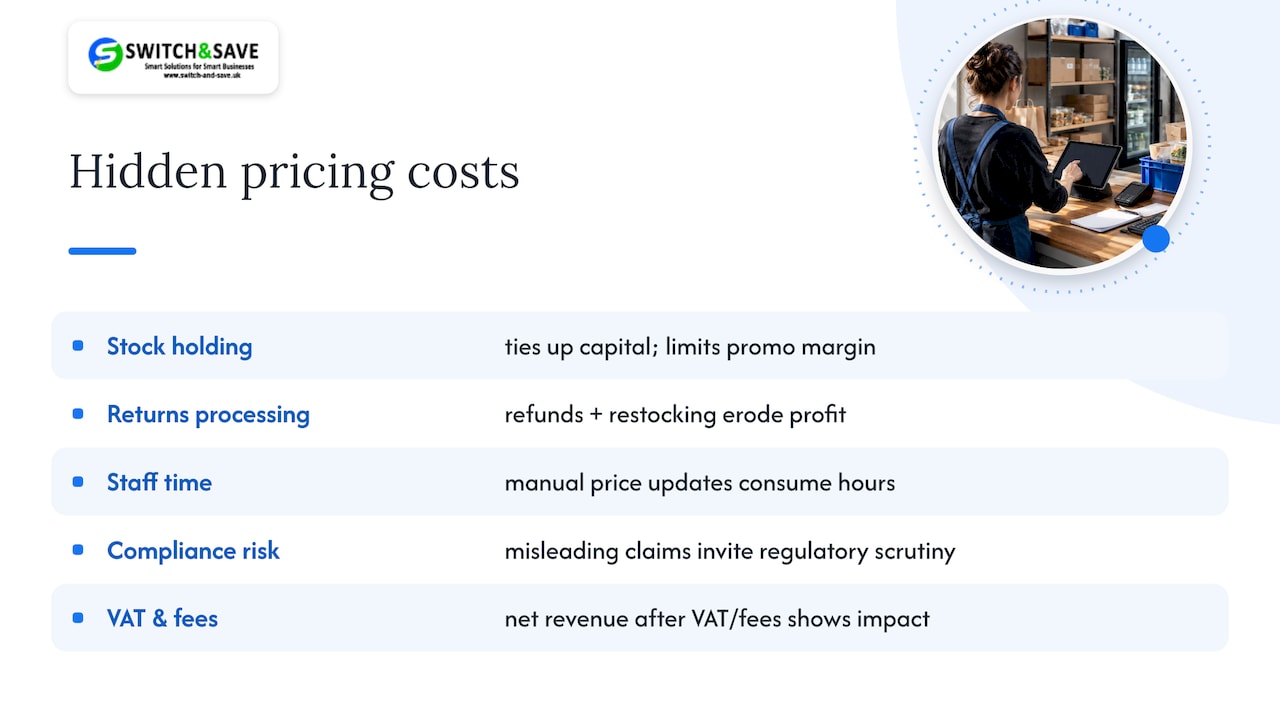
Stock holding cost is one: capital tied up in unsold inventory affects how much margin you can afford to give away in a promotion. Returns processing is another, since a price that looks profitable on paper can erode once you account for the cost of handling refunds and restocking. Staff time spent manually updating prices across channels is a real cost too, and it’s one a synced POS removes almost entirely.
Then there’s the cost of getting pricing wrong in a way that invites scrutiny. A “was/now” claim without a genuine price history, or a loyalty price shown without its conditions, risks more than a customer complaint under the updated Price Marking rules. Factor in VAT treatment as well: net revenue after fees and VAT is the number that tells you whether a price change genuinely helped, not the headline sale price.
None of this needs to be complicated. It just needs to sit in the same place as your sales data, so that when you’re deciding whether a price move worked, you’re looking at the full picture rather than the figure that happens to be easiest to pull up.
My six-step starting checklist
I’ll check my full fee stack first, including hidden charges. I’ll turn on SKU sales and stock cover reports. I’ll segment my top 20 SKUs by margin and velocity. I’ll set floors and ceilings before testing anything. I’ll run one holdout test for two to four weeks. I’ll review the audit trail before scaling. Expect usable signals within two to four weeks for your faster-moving lines.
— Amir
Switch&Save: how we help and where to get a demo or pilot
If you’d rather put this into practice than build it yourself, Bundles are designed to run it for you. The Hospitality EPOS Bundle pairs hardware with AI-powered cloud software at £20 a month, while the Integrated Payments Bundle combines EPOS and card terminal in one system with its own software subscription.

- Real-time sales and inventory data ready for the SKU segmentation described above.
- Support is available to help configure margin floors and holdout tests.
- Retail buyers can compare options on our EPOS bundles page.
Request a demo or start with a single-store pilot through our hospitality bundle page to see how it fits your pricing routine.
Sources
- Price transparency and CMA209 guidance
- The Price Marking (Amendment) Order 2024
- Point-of-sale system costs
- Dynamic repricing for online retailers
- Promotional power: how sales strategies help UK businesses scale
FAQ
Who has the cheapest POS system?
Cost depends heavily on features, contract length and transaction volume, with monthly software fees ranging from roughly £25 to £150 or more, according to UK cost research. Comparing total cost of ownership, including hardware and card fees, matters more than comparing headline subscription prices alone.
What are 5 types of POS systems?
Common types include traditional terminal-based systems, mobile or tablet POS, cloud-based EPOS systems, self-service kiosks and online or integrated ecommerce POS. Most small and medium retail and hospitality businesses now choose cloud-based EPOS for its real-time reporting and remote access.
What is the difference between POS and CRM?
A POS handles transactions, pricing and inventory at the point of sale, while a CRM manages customer relationships, contact history and marketing. Many modern EPOS systems include basic customer data features, but a dedicated CRM goes deeper into customer segmentation and communication.
What is the best POS software available in the UK?
There isn’t one single “best” system, since the right choice depends on business type, size and budget. AI-powered cloud software solutions are built for retail and hospitality businesses that want real-time sales and inventory data alongside transparent pricing.