When a table asks to split the bill, pick the right mode straight away: seat, item, or equal split, then take payments one at a time. Most modern point-of-sale systems support split payment across multiple tenders against the same order, so cash, card, and gift vouchers can all sit against one table. Handle tips per sub-bill unless your venue pools them, print an itemised receipt for each payer, and you’ll clear the table without a queue forming behind it. The steps below cover exactly how.
TL;DR:
- Using seat-based splitting is ideal for business dinners and when guests pay only for their own orders, minimizing manual sorting at the till.
- Processing payments sequentially and confirming each tender reduces mismatched balances and speeds up the checkout process.
- Applying VAT and tips per sub-bill ensures accurate reporting and decreases disputes, especially for shared and individual items.
- Itemised receipts and pre-assigned seat numbers increase payment speed and lower table disputes by providing clear proof of individual shares.
- Choosing a POS system with integrated split-tender, seat assignment, and digital receipts simplifies operations and reduces the time spent managing split bills.
Table of Contents
- Which split bill POS mode should you use?
- How do you process a split bill at the till?
- How should tips, tax, and receipts work on split bills?
- What staff policy and training should you set for split bills?
- How do you fix common split-bill errors fast?
- Why itemised receipts and seat numbers cut disputes
- Manager perspective: speed versus itemisation
- Get a POS built for split bills, not against them
- Curated support and research links
- Sources
- FAQ
Which split bill POS mode should you use?
Every till handles splitting differently depending on what the table needs, and picking the wrong mode wastes more time than the split itself.
- Split by seat assigns items to a numbered chair as they’re ordered, so the bill divides itself later with no manual sorting.
- Split by item lets staff drag or tap specific dishes onto separate sub-bills after the fact, useful when seat numbers weren’t logged.
- Equal split divides the total evenly across however many people are paying, fastest for drinks-only tabs or quick lunches.
- Custom amount lets a guest pay a fixed sum toward the bill, handy when someone’s covering “a bit more” for a birthday round.
Seat-based splitting works best for business dinners and any table where guests expect to pay only for what they ordered. Equal split suits quick bar tabs where nobody’s counting pints. Shared plates are trickier: research into group payment behaviour shows people order and eat differently when they know the bill will be split evenly, often over-ordering compared with paying individually.
That’s where a three-layer method helps. Split communal items (bread, shared starters) evenly across the table. Split shared mains proportionally between the diners who ate them. Keep individual orders, like a solo dessert or extra drink, on that person’s own sub-bill. It takes seconds longer at the till but avoids the awkward “who had the calamari” conversation.
How do you process a split bill at the till?
Getting the sequence right matters more than the maths. Rush the order and you’ll end up voiding sub-bills mid-service, which slows the whole section down.
- Check permissions first. Confirm the staff member has split-bill and discount authority before starting, particularly for tables with vouchers or promotions attached.
- Confirm seat numbers or item groupings with the table before opening the split screen. Asking early, when you present the bill, avoids a rebuild five minutes later.
- Apply discounts at the right point. If a voucher covers the whole table, apply it before splitting; if it’s item-specific, split first and apply the discount to that item’s sub-bill.
- Open the split function and choose seat, item, or equal mode based on what the table agreed.
- Process each partial payment in turn. Take the first tender, confirm it’s gone through, and only then move to the next. Payment providers recommend this sequence specifically to avoid mismatched balances when mixing cash, card, and vouchers on one order.
- Pause for manager approval on unusual combinations, such as a gift card covering part of a bill alongside a refund adjustment.
- Confirm the remaining balance displays correctly after each payment before printing that guest’s receipt.
- Recombine or void carefully. Most systems lock a sub-bill once it’s paid, so a genuine error means voiding the whole split and starting again rather than editing a locked line.
Pro Tip: Keep a laminated card by the till showing your venue’s split-tender combinations and manager-approval triggers. New staff burn the most time guessing which combinations need a second sign-off.
How should tips, tax, and receipts work on split bills?
Tips and VAT need a consistent rule, not a judgement call made table by table, or your payroll and tax reporting will drift out of sync within a week.
Decide upfront whether tips are added per sub-bill (each payer tips on their own share) or pooled centrally regardless of how the bill split. Both work, but mixing the two approaches across shifts creates payroll disputes when staff compare notes. VAT should calculate per sub-bill rather than on the original total divided afterwards, since rounding differences between three sub-bills and one full bill can leave your reporting a few pence out per table, which adds up across a busy weekend.
- Set one tip policy and print it on training materials, not just verbally brief it.
- Calculate tax per sub-bill so each receipt is independently correct.
- Issue every payer their own itemised receipt, not a shared printout.
Itemised, per-payer receipts do more than look tidy. A visible, itemised record shared at the point of asking increases the likelihood that a payer settles their share on the spot rather than querying it later, which matters most on your busiest nights when a dispute holds up the whole section.
What staff policy and training should you set for split bills?
A short, published policy beats leaving split-bill decisions to individual staff judgement, especially with a rotating team of part-timers.
Publish four things clearly: which split types your venue supports, when staff should ask about splitting (ideally when presenting the bill, not after cards are already out), who has authority to amend a sub-bill once created, and your refund rule if a split payment needs reversing.
- Ask “How would you like to split this, by seat or evenly?” while presenting the bill, not after.
- Restrict sub-bill amendments to supervisors once a payment has processed.
- Set a clear refund threshold above which a manager must approve.
- Practise the till sequence in training until seat-numbering becomes automatic, not an end-of-meal scramble.
Pro Tip: Run a five-minute drill each new starter’s first shift: a mock table of four asks for a seat split with one card decline. If they can recover without help, they’re ready for a real one.
How do you fix common split-bill errors fast?
Most split-bill hold-ups have a quick fix that doesn’t need a manager, provided staff know the move in advance.
- Card declines mid-split: don’t restart the whole order. Process the next guest’s tender, then return and reprint that one sub-bill once a working card or cash is offered.
- Item assigned to the wrong sub-bill: move it across if the system allows live reassignment; if not, void that sub-bill specifically and recreate it rather than touching the others.
- End-of-shift mismatches: run a quick reconciliation checking that the number of sub-bills matches printed receipts and that no sub-bill sits half-paid overnight.
The recurring theme across most split-bill complaints isn’t the arithmetic. It’s reconciling who actually paid, which is exactly why a clean end-of-shift check catches problems before they reach the next day’s cash-up.
Why itemised receipts and seat numbers cut disputes
Seat assignment and itemised receipts aren’t paperwork for its own sake. They’re the fastest route to a table paying without argument.
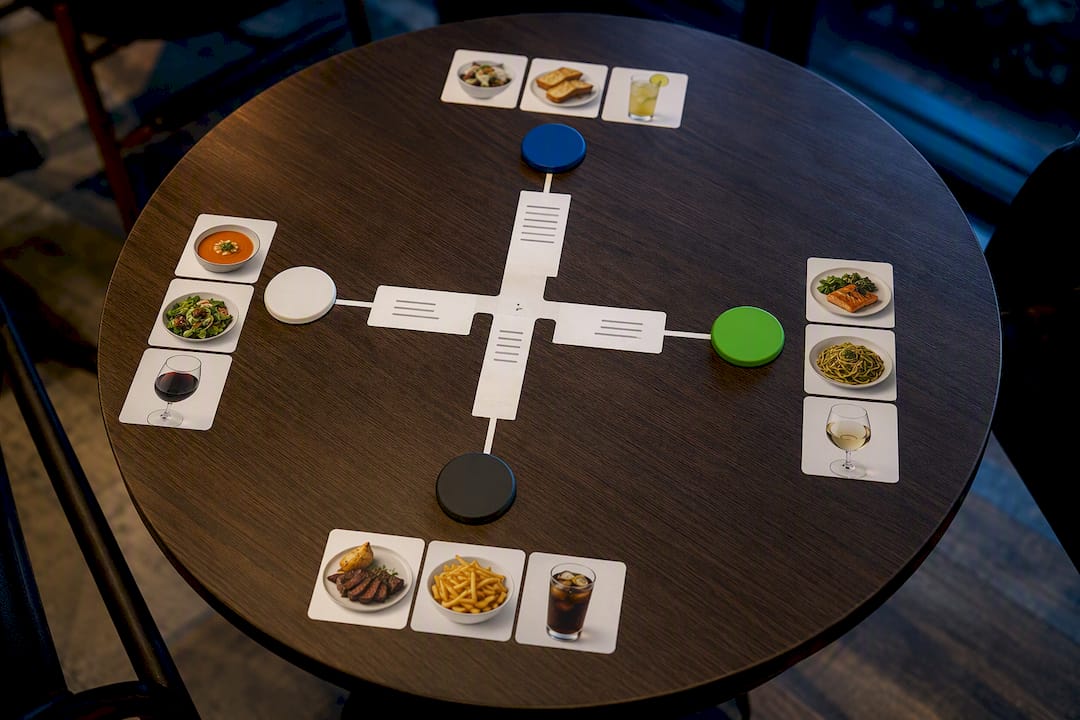
Diners who receive a clear, itemised breakdown of their share settle faster and query less, because the receipt itself acts as proof of what they owe rather than a number they’re asked to trust. Industry reporting also points to rising demand for split bills and QR self-pay, which reduces how often staff handle the split manually at all.
A hospitality EPOS system built for this should offer:
- Seat-numbered ordering that carries through to the split screen automatically.
- Split-tender support for cash, card, and gift vouchers on one order.
- Auto-generated digital or QR-linked itemised receipts per payer.
- UK-based support when a till issue happens mid-service, not mid-afternoon three days later.
Configure seat numbers as standard, enable partial tenders by default, and switch on digital receipts. Small settings, fewer disputes.
Manager perspective: speed versus itemisation
Equal split is fine for drinks-only tabs where nobody’s tracking individual orders. Itemised split earns its extra thirty seconds on business dinners and shared-plate tables, where accuracy matters more than pace. QR self-splitting and asking early both cut friction without slowing service. My recommendation: publish one venue-wide rule, something as simple as “seat numbers on all food orders, equal split allowed on drinks-only tabs,” so every shift applies it the same way instead of improvising table by table.
— Amir
Get a POS built for split bills, not against them
Many modern EPOS systems provide seat assignment, split-tender payments, and itemised digital receipts in one system, streamlining till operations for staff. The Hospitality EPOS Bundle starts from £349 + VAT upfront plus a monthly service plan on a 12-month minimum term, covering the table service, split bill and receipt features above without bolting on separate apps.

If your venue takes card, cash, and vouchers across the same table regularly, our food and hospitality EPOS works with DNA Payments and Teya card machines, so split-tender payments confirm in one flow instead of two separate systems trying to agree with each other. Pricing transparency and responsive technical support are important features to look for in EPOS providers. Book a demo to see the split-bill screen in action before you commit to anything.
Curated support and research links
- Simplifying split bills and tips with Restaurant POS — how-to overview of POS split modes.
- Split Bill – Divide the Check Between Guests | Vendion Support — vendor workflow reference.
- How to layout hospitality spaces — venue layout and service flow guidance.
Sources
- Simplifying split bills and tips with Restaurant POS
- Split Bill – Divide the Check Between Guests | Vendion Support
- Receipt as proof: how itemised receipts reduce split-bill disputes | splitty
- How to accept multiple forms of payment — Stripe resource
FAQ
Is there a good app for splitting restaurant bills?
Most modern EPOS systems, including Switch-and-save’s hospitality bundle, build split-bill functions directly into the till rather than needing a separate app, which keeps receipts and payments on one record.
Why do some restaurants dislike split bills?
Splitting takes extra till time and can slow table turnover during peak service, and research shows the real difficulty is reconciling who has actually paid, not the calculation itself.
Which is the best bill-splitting method?
Seat-based splitting suits business dinners and itemised orders, equal split suits quick drinks tabs, and a three-layer approach works best for shared plates, dividing communal items evenly and individual orders separately.
Is it a red flag to split the bill?
No, splitting a bill is a normal payment preference rather than a signal about the diner or the relationship, and clear POS support for it removes any awkwardness from asking.
What does a split-bill POS system from Switch-and-save cost?
The Hospitality EPOS Bundle starts from £349 + VAT upfront plus a monthly service plan on a 12-month minimum term, and a card machine is included (subject to provider approval; card processing fees are separate); full prices are on the Switch-and-save site.