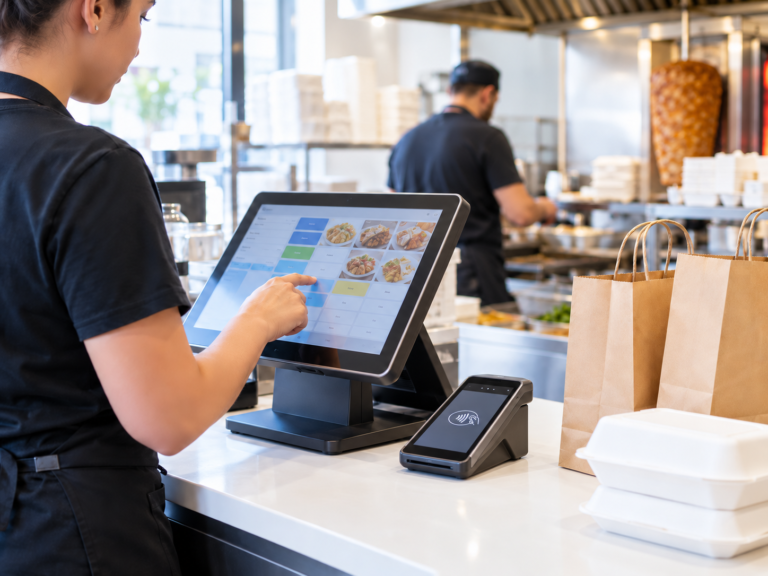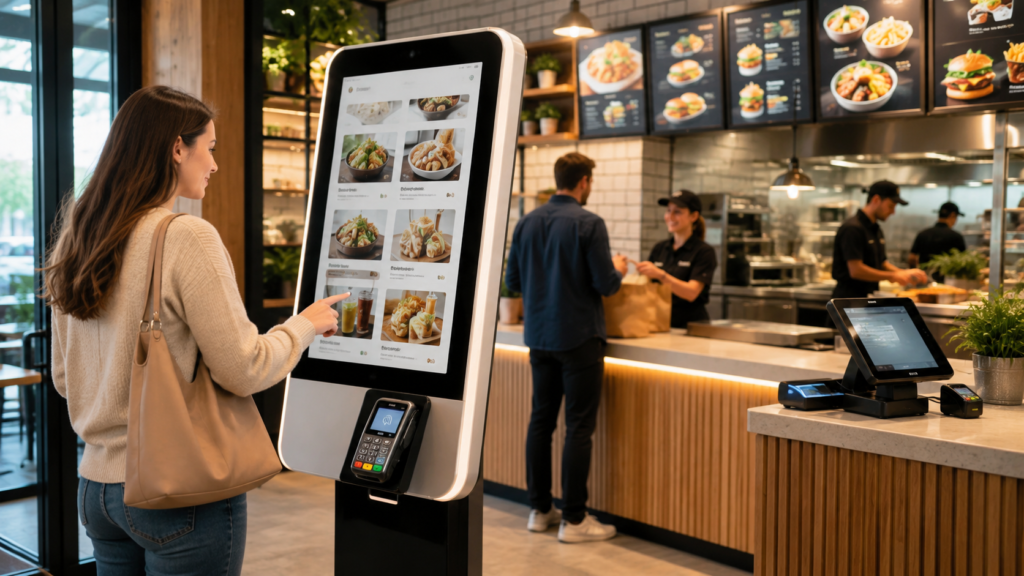
A self service kiosk restaurant system lets customers place orders and pay through a touchscreen instead of waiting at the counter. For UK restaurants, takeaways, cafés and quick-service food businesses, kiosks can reduce queues, improve order accuracy, support upselling, and send orders directly to the EPOS, kitchen printer or kitchen display system.
The cost depends on kiosk size, hardware, software, card payment integration, installation and support. As a general UK planning guide, a small restaurant may pay from a few hundred pounds upfront for entry-level kiosk hardware, while larger touchscreen kiosk setups can cost more depending on screen size, payment terminal, software subscription and integration requirements.
The best option is not always the cheapest kiosk. A good restaurant kiosk should connect with your EPOS, menu, payments, kitchen workflow, reporting and staff operations.
Switch & Save Hospitality EPOS can integrate with self-service kiosks, card payment terminals, kitchen printers and order management tools, helping restaurants take orders faster, reduce manual errors and keep operations connected from front counter to kitchen.
What Is a Self-Service Kiosk for Restaurants?
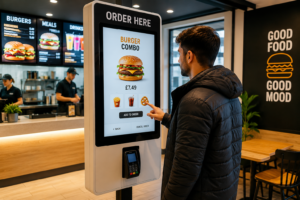
A self-service kiosk for restaurants is a touchscreen ordering system that allows customers to browse the menu, customise items, add extras, place orders and pay by card or other supported methods.
Instead of a staff member manually taking every order at the till, the customer uses the kiosk. The order is then sent to the restaurant EPOS, kitchen printer, kitchen display screen or preparation area.
Self-service kiosks are common in fast food restaurants, takeaways, dessert shops, cafés, food courts, burger shops, pizza shops and busy quick-service restaurants. They are also becoming useful for small independent UK businesses that want to serve more customers without adding pressure to front-of-house staff.
How Self-Service Restaurant Kiosks Work
A restaurant kiosk usually follows a simple process:
- The customer selects “Eat In”, “Takeaway” or “Collection”.
- They browse categories such as burgers, pizzas, wraps, drinks or meal deals.
- They customise the order, such as removing onions, adding cheese or choosing a spice level.
- The kiosk suggests extras, upgrades or add-ons.
- The customer pays by card or supported digital payment.
- The order goes directly to the EPOS and kitchen.
- Staff prepare the food and call the order number or send it to a collection screen.
When connected properly, the kiosk becomes part of your full restaurant system rather than a separate device.
Key Takeaways
| Point | What It Means for UK Restaurants |
|---|---|
| Best for | Takeaways, fast food, cafés, dessert shops, burger bars, pizza shops and busy restaurants |
| Main benefit | Faster ordering and reduced counter queues |
| Cost factor | Hardware, software, payment integration, installation and support |
| EPOS integration | Essential for stock, reporting, kitchen printing and order flow |
| Customer experience | Lets customers browse, customise and order at their own pace |
| Staff benefit | Staff can focus on food prep, customer support and table service |
| Best option | A kiosk that connects with your EPOS, card payments and kitchen workflow |
| Switch & Save support | EPOS, card payments, business finance and cost-saving solutions for UK businesses |
Main Benefits of Self-Service Kiosks for Restaurants
1. Shorter Queues During Busy Hours
Restaurants often lose sales when queues look too long. A self-service kiosk helps customers place orders without waiting for a cashier.
For example, a takeaway in Birmingham may get a rush between 12 pm and 2 pm. If one staff member is taking orders and answering phone calls, queues build quickly. A kiosk gives customers another way to order, reducing pressure on the counter.
2. Better Order Accuracy
Misheard orders can cause refunds, complaints and wasted ingredients. A kiosk lets the customer select exactly what they want.
This is useful for custom orders such as:
- No salad
- Extra cheese
- Mild spice
- Gluten-free option
- Meal upgrade
- Sauce on the side
Because the customer confirms the order before payment, there is less chance of staff entering the wrong item.
3. Higher Average Order Value
A well-designed restaurant self-ordering kiosk can suggest add-ons naturally. For example:
- “Add fries?”
- “Make it a meal?”
- “Add a drink?”
- “Upgrade to large?”
- “Add dessert?”
This helps increase average order value without staff needing to ask every customer manually. The key is to keep upselling helpful, clear and relevant.
4. Better Staff Productivity
Self-service kiosks do not remove the need for good staff. Instead, they help staff spend less time typing orders and more time on higher-value work.
Staff can focus on:
- Preparing food
- Packing takeaway orders
- Supporting customers who need help
- Managing delivery orders
- Cleaning tables
- Handling complex requests
For small restaurants, this can make the shift feel less chaotic.
5. Consistent Customer Experience
A kiosk presents the same menu, prices, modifiers and meal deals every time. This reduces the risk of staff forgetting to mention offers or entering inconsistent prices.
For businesses with multiple branches, a consistent kiosk menu also helps maintain brand standards.
6. Faster Payment Flow
When the kiosk connects with a card payment solution, customers can order and pay in one smooth process. This reduces back-and-forth at the till and helps orders move faster into the kitchen.
Switch & Save provides card payment solutions alongside EPOS systems, helping UK businesses create a more connected payment and ordering setup.
7. Improved Menu Control
A good self-service ordering system makes it easier to update items, prices and availability. For example, if a restaurant runs out of peri-peri wings, the item can be marked unavailable so customers do not keep ordering it.
This is especially important for restaurants with changing menus, lunch deals or limited-time offers.
How Much Does a Restaurant Self-Service Kiosk Cost?
The cost of a self service kiosk restaurant setup depends on what you need. A basic kiosk may be suitable for a small takeaway, while a larger quick-service restaurant may need multiple kiosks, integrated payments, kitchen routing and advanced reporting.
Main Cost Elements
| Cost Area | What It Includes |
|---|---|
| Hardware | Touchscreen, stand, enclosure, printer, scanner or payment mount |
| Software | Ordering interface, menu management, reporting and updates |
| EPOS integration | Syncing products, prices, orders, stock and sales reports |
| Card payments | Integrated payment terminal or payment gateway |
| Installation | Setup, testing, staff training and menu configuration |
| Support | Ongoing technical support, updates and troubleshooting |
Typical UK Cost Considerations
For planning purposes, UK restaurants should think in three levels:
Entry-level kiosk setup: Suitable for small takeaways or cafés that need one customer-facing ordering point.
Mid-range kiosk setup: Suitable for busy quick-service restaurants that need a larger screen, stronger hardware and payment integration.
Advanced kiosk setup: Suitable for multi-branch restaurants, high-volume takeaways or businesses that need multiple kiosks, kitchen display integration, advanced reporting and central menu management.
The cheapest option can become expensive if it does not connect properly with your EPOS, card payments or kitchen workflow. The smarter approach is to compare total value, not just the upfront hardware price.
Best Options for UK Restaurants
1. Wall-Mounted Self-Service Kiosk
A wall-mounted kiosk is useful where floor space is limited. It works well in small takeaways, dessert shops and compact cafés.
Best for: Small premises with limited counter space.
Watch out for: Accessibility, screen height and payment terminal placement.
2. Freestanding Touchscreen Kiosk
A freestanding kiosk is the most common option for quick-service restaurants. It can be placed near the entrance or ordering area.
Best for: Fast food, burger shops, pizza shops and high-footfall restaurants.
Watch out for: Floor space, cable management and customer flow.
3. Countertop Ordering Kiosk
A countertop kiosk sits on the counter and allows customers to order without taking up floor space.
Best for: Cafés, bakeries, bubble tea shops and small restaurants.
Watch out for: Counter height, queue layout and staff access.
4. Tablet-Based Self-Ordering System
A tablet kiosk can be a lower-cost way to test self-service ordering before investing in larger hardware.
Best for: Start-ups, small cafés and restaurants testing demand.
Watch out for: Durability, security, charging and professional appearance.
5. EPOS-Integrated Restaurant Kiosk
This is usually the best long-term option. The kiosk connects directly with the EPOS system, payments, kitchen printer, reporting and menu management.
Best for: Restaurants that want a scalable, efficient and professional setup.
Watch out for: Integration quality, support and future upgrade options.
What Features Should You Look For?
Easy Menu Navigation
Customers should be able to find items quickly. Use clear categories such as:
- Mains
- Sides
- Drinks
- Meal deals
- Kids meals
- Desserts
- Extras
If the kiosk is confusing, customers will still ask staff for help.
Product Images
Food images can help customers choose faster and increase confidence. A pizza shop, for example, can show photos of popular pizzas, sides and drinks.
Modifier Options
Your kiosk should handle custom choices such as toppings, spice level, sauces, portion size and allergy notes.
Integrated Card Payments
Payment should be smooth and secure. A kiosk that requires staff to manually check payments defeats the purpose of self-service.
Kitchen Printer or Kitchen Display Integration
Orders should go directly to the right preparation area. For example:
- Burgers to the grill station
- Drinks to the drinks area
- Pizzas to the pizza prep station
- Desserts to the dessert counter
Real-Time Menu Updates
If an item sells out, staff should be able to remove it quickly from the kiosk menu.
Reporting
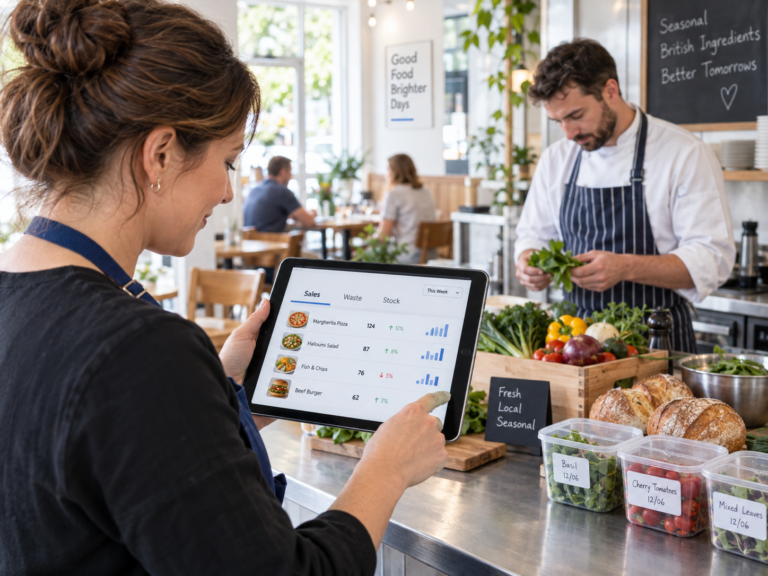
A good restaurant kiosk system should show what customers are ordering, which add-ons work best, and what times are busiest.
Accessibility
Think about screen height, readable text, clear buttons and simple navigation. Not every customer is confident with technology, so the kiosk should be easy to use.
Common Mistakes to Avoid
Choosing Hardware Before Checking EPOS Compatibility
Do not buy a kiosk just because it looks good. First check whether it connects with your EPOS, payments and kitchen workflow.
Making the Menu Too Complicated
A kiosk should simplify ordering. Too many pages, unclear buttons or confusing modifiers will slow customers down.
Ignoring Staff Training
Staff still need to know how to help customers, update menus, fix simple issues and manage orders.
Poor Kiosk Placement
If the kiosk is hidden in a corner, customers may not use it. Place it where the ordering journey feels natural.
No Backup Plan
Your restaurant should still be able to take orders if the kiosk, internet or payment connection has an issue.
Is a Self-Service Kiosk Right for Your Restaurant?
A self-service kiosk is worth considering if your restaurant has:
- Long queues at peak times
- High takeaway or quick-service order volume
- Many customisable menu items
- Staff pressure at the counter
- Frequent order mistakes
- Strong card payment usage
- Plans to modernise the customer experience
It may not be the first priority if your restaurant is very small, has low footfall, or mainly provides full table service. In that case, an improved EPOS setup, better card payment rates, online ordering or kitchen printing may deliver better value first.
Why Choose Switch & Save?
Switch & Save helps UK businesses reduce costs and improve efficiency with AI-powered EPOS systems, card payment solutions, business finance and utility switching services.
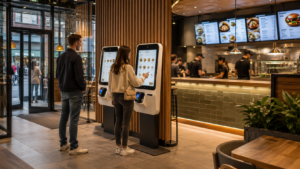
For restaurants, takeaways, cafés and hospitality businesses, this means you can look beyond one piece of hardware and review your full operating setup.
Switch & Save can help you consider:
- Restaurant EPOS systems
- Card payment solutions
- Integrated ordering workflows
- Kitchen printer and order routing options
- Business finance for growth
A self-service kiosk works best when it is part of a connected system. That is where Switch & Save can support small businesses with practical advice and cost-saving options.
A self-service kiosk should connect with your hospitality EPOS system and card payment solutions so orders, payments and reports stay accurate.
FAQs
What is a self-service kiosk in a restaurant?
A self-service kiosk is a touchscreen ordering system that lets customers choose food, customise items and pay without ordering directly from a cashier.
How much does a restaurant self-service kiosk cost in the UK?
Costs vary depending on hardware, screen size, software, EPOS integration, payment setup and installation. Small setups may start from a few hundred pounds upfront, while larger integrated systems can cost more.
Do self-service kiosks replace restaurant staff?
No. They reduce pressure on staff by handling simple ordering tasks. Staff are still needed for food preparation, customer support, cleaning, service and issue handling.
Are self-service kiosks good for small restaurants?
Yes, if the restaurant has regular queues, high takeaway volume or many repeat orders. Smaller businesses should start with a setup that matches their budget and space.
Can a kiosk connect to my EPOS system?
Yes, if you choose an EPOS-compatible kiosk. This is important because orders, payments, stock and reports should stay connected.
Can customers pay by card at a self-service kiosk?
Yes. Many kiosks support integrated card payments when connected with the right payment terminal or payment provider.
What type of restaurant benefits most from kiosks?
Fast food restaurants, takeaways, pizza shops, burger shops, cafés, dessert shops and quick-service restaurants often benefit most because they handle high-volume, repeatable orders.
Do kiosks increase sales?
They can help increase average order value by showing meal upgrades, add-ons, sides and drinks during the ordering process. Results depend on menu design, customer behaviour and setup quality.
What is the best self-service kiosk for restaurants?
The best option is one that connects with your EPOS, card payments, kitchen workflow and reporting. For most UK restaurants, integration and support matter more than screen size alone.
How can Switch & Save help?
Switch & Save helps UK businesses reduce costs with AI-powered EPOS systems, card payment solutions and business finance. The team can help you review your restaurant setup and find practical ways to improve efficiency.
Switch & Save helps UK businesses reduce costs with AI-powered EPOS systems, card payment solutions and business finance.