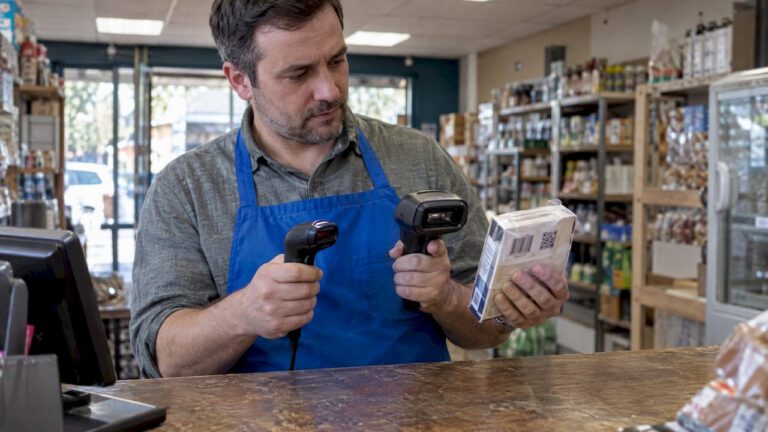
A point of sale (POS) system is defined as the frontline data engine that captures every sales transaction and updates stock levels in real time, making it the foundation of effective inventory management for retail and hospitality businesses. Most managers think of a POS terminal as a checkout tool. The role of POS in inventory management goes much further. Every scan, every sale, and every return feeds directly into your stock records, giving you a live picture of what you have, what is selling, and what needs reordering. Understanding this connection is what separates businesses that run out of stock unexpectedly from those that always have the right products at the right time.
How POS systems automate inventory tracking and reduce errors
Manual stocktaking is slow, error-prone, and expensive. A POS system removes most of that burden by updating stock counts automatically with every transaction. When a customer buys a product, the system deducts it from your inventory instantly. No spreadsheet update needed. No end-of-day tally required.
Automated POS inventory tracking reduces manual data entry errors and cuts administrative time significantly. That matters because small errors compound quickly. A miscounted case of wine or a missed delivery entry can throw your entire stock record out by the end of the week.

The role of POS in stock control becomes especially clear when you look at reorder alerts. Modern EPOS systems let you set minimum stock thresholds for every product. When levels drop below that threshold, the system flags it automatically. You do not need to walk the stockroom to know you are running low on your bestselling item.
Key automation benefits include:
- Instant stock deduction with every sale, return, or exchange
- Threshold-based reorder alerts that trigger before stockouts occur
- Reduced reliance on manual counts during busy trading periods
- Audit trails that record every stock movement for accountability
Pro Tip: Set reorder thresholds slightly higher than your minimum viable stock level. This gives you a buffer for supplier lead times, especially around peak trading periods like Christmas or bank holidays.
What inventory insights and reporting capabilities do POS systems provide?
POS-generated reports identify bestselling and slow-moving products, helping you make sharper decisions about purchasing, pricing, and promotions. This is where the impact of POS on inventory moves from operational to strategic.
A well-configured EPOS system produces several report types that directly inform stock decisions:
- Sales velocity reports showing which products sell fastest by day, week, or season
- Dead stock reports highlighting items that have not moved in 30, 60, or 90 days
- Stockout frequency reports revealing which products you consistently run out of
- Gross margin reports comparing revenue against cost of goods sold per product line
The table below shows how each report type translates into a practical stock management decision.
| Report type | What it tells you | Stock management action |
|---|---|---|
| Sales velocity | Which products sell fastest | Increase reorder quantities for top sellers |
| Dead stock | Slow-moving or unsold items | Run promotions or reduce future orders |
| Stockout frequency | Products that regularly run out | Raise reorder thresholds or find backup suppliers |
| Gross margin | Profit per product line | Prioritise stocking high-margin items |
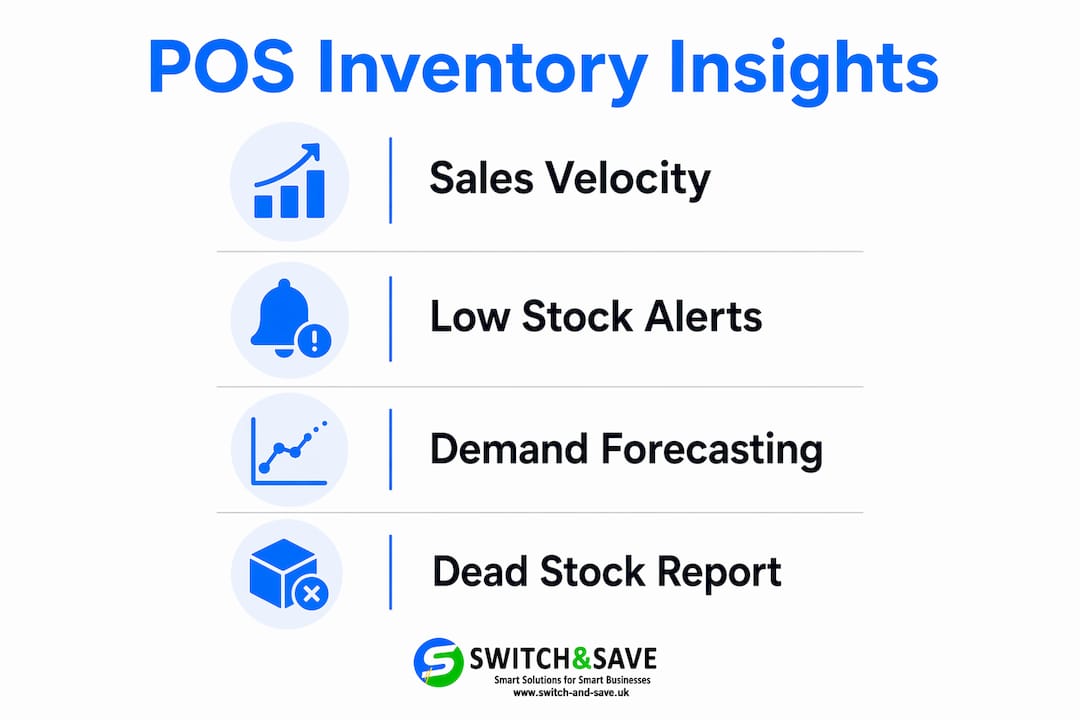
POS systems track inventory and issue low-stock alerts, which means you can reorder before a gap in availability affects customer satisfaction. For hospitality managers, this is particularly valuable. Running out of a key ingredient during a Friday evening service is not just inconvenient. It costs you revenue and damages your reputation.
The role of technology in inventory extends to demand forecasting. By analysing historical sales data, your EPOS system can highlight seasonal patterns. A pub that sells three times more lager in july than in january can use that data to plan purchases weeks in advance, rather than reacting when the cellar runs dry.
Pro Tip: Review your dead stock report monthly, not quarterly. Products that sit unsold for 60 days are tying up cash and taking up shelf space that a better-performing product could occupy.
Common misconceptions about POS and inventory management
The biggest misconception managers hold is that a POS system handles demand forecasting entirely on its own. It does not. POS software integrates sales and inventory data for real-time updates, but interpreting that data and making purchasing decisions still requires human judgement. The system gives you the information. You make the call.
Here are the most common misunderstandings, and the reality behind each:
- “My POS system means I never need to do a physical stocktake.” False. Regular physical stocktakes remain essential to reconcile POS data against real inventory and adjust for theft, scanning errors, or supplier short-deliveries. Even a well-maintained system drifts over time without physical verification.
- “My POS gives me accurate margin data automatically.” Only partly true. Accurate margin calculation through POS demands features that account for recipes in hospitality or bundled products in retail settings. If your system does not have recipe management built in, your margin figures will not reflect the true cost of a dish or a bundle deal.
- “A POS system replaces the need for a dedicated inventory manager.” A POS system is a data source, not a decision-maker. It captures and organises information. Acting on that information still requires someone who understands your business, your suppliers, and your customers.
- “All POS systems offer the same inventory features.” Entry-level systems often provide basic stock counts and simple alerts. More advanced EPOS platforms offer multi-location tracking, ERP integration, and detailed margin reporting. The gap between the two is significant for growing businesses.
The role of POS in stock management is best understood as a foundation, not a complete solution. Build your inventory processes around the data it provides, but do not remove the human checks that keep that data honest.
Best practices for integrating POS systems in retail and hospitality workflows
Getting the most from your EPOS system starts before you process a single transaction. The quality of your inventory data depends entirely on how well you set the system up and how consistently your team uses it.
Integrated POS systems reduce delays and inaccuracies by unifying sales, inventory, customer information, and accounting data. That integration only works when the underlying product data is accurate from day one.
Follow these best practices to get POS integration in stock management right:
- Enter accurate product data at setup. Every product needs a correct cost price, selling price, and unit of measure. Errors here flow through every report the system generates.
- Conduct a physical stocktake before going live. Your opening stock count must match reality. Starting with wrong figures means every subsequent report is built on a flawed baseline.
- Set reorder thresholds for every product. Do not leave this step until later. Thresholds are what turn your POS from a passive recorder into an active stock management tool.
- Train all staff on correct scanning and return procedures. A single team member who bypasses the system when processing a refund creates a discrepancy that takes hours to find and fix.
- Schedule weekly or fortnightly reconciliations. Compare your POS stock figures against a physical count of your highest-value or fastest-moving lines. Catch drift early before it becomes a significant problem.
- Use multi-location features if you run more than one site. Multi-location inventory tracking and ERP integration improve stock visibility across retail networks, letting you transfer stock between sites and see your total position at a glance.
With frequent reconciliation and proper setup, POS systems can enable techniques like just-in-time and perpetual inventory management for cost reduction and stock accuracy. These are not advanced concepts reserved for large retailers. Any well-configured EPOS system can support them.
You can find more detail on inventory management best practices for retail and hospitality on the Switch-and-save blog, including guidance on how to structure your reconciliation process.
Key takeaways
A POS system is the most effective tool for real-time inventory control, but it delivers full value only when paired with accurate setup, consistent staff training, and regular physical stocktakes.
| Point | Details |
|---|---|
| POS as a data engine | Every sale updates stock instantly, giving you a live view of inventory without manual counting. |
| Automation reduces errors | Threshold alerts and automatic deductions cut the manual work that causes stock discrepancies. |
| Reports drive decisions | Sales velocity, dead stock, and margin reports turn raw data into purchasing and pricing decisions. |
| Physical stocktakes remain vital | POS data drifts without regular physical checks to catch theft, scanning errors, and supplier shortfalls. |
| Setup quality determines output | Accurate product data and staff training at the start determine how reliable your inventory reports will be. |
Why I think most managers underuse their POS system
After years of working with retail and hospitality businesses across the UK, the pattern I see most often is this: managers invest in a good EPOS system, use it to process sales, and then largely ignore the reporting suite it comes with. The checkout function gets used every day. The inventory insights get checked once a month, if at all.
Retail managers often underestimate the POS system’s role, focusing only on sales, yet it functions as a comprehensive inventory data hub that informs procurement and pricing decisions. I have seen this play out in real terms. A hospitality manager I spoke with was ordering the same quantities of a seasonal ingredient every week, despite the fact that their EPOS system had six months of sales data clearly showing a 40% drop in demand during winter. They were not ignoring the data out of laziness. They simply had not been shown how to find it.
The fix is not complicated. Spend 30 minutes each week reviewing your top three reports: sales velocity, low stock alerts, and dead stock. That alone will change how you order and how much cash you tie up in slow-moving products. The data captured by your POS system is only valuable if someone looks at it and acts on it.
My honest view is that the future of POS and inventory management is tighter integration, not more complexity. AI-assisted reorder suggestions, automatic supplier ordering, and real-time margin tracking are already appearing in advanced EPOS platforms. The businesses that build good data habits now will find those features far easier to adopt when they arrive.
— Amir
How Switch-and-save EPOS systems support your inventory management
If you are looking for an EPOS system that does more than process payments, Switch-and-save builds systems specifically for UK retail and hospitality businesses that need real inventory control built in from day one.

Switch-and-save EPOS systems include real-time stock tracking, threshold-based reorder alerts, multi-location support, and detailed sales and inventory reporting. The SSPOS software is designed to give managers a clear view of stock across every product line, without needing a separate inventory platform. Whether you run a single shop or a group of hospitality sites, Switch-and-save offers packages to match your scale. Get in touch for a free demo and see how the system handles your specific stock management needs.
FAQ
What is the role of POS in inventory management?
A POS system records every sale and automatically updates stock levels in real time, giving managers an accurate and continuous view of inventory without manual counting. It also generates reports and reorder alerts that support purchasing and pricing decisions.
Does a POS system replace physical stocktakes?
No. Physical stocktakes remain essential even with a POS system in place. They reconcile digital records against actual stock and account for theft, scanning errors, or supplier discrepancies that the system cannot detect on its own.
How does POS aid inventory control in hospitality?
In hospitality, a POS system tracks ingredient-level usage against sales, flags low stock before service, and produces reports that reveal seasonal demand patterns. Accurate margin reporting in hospitality also requires recipe management features within the POS.
Can a POS system support multiple locations?
Yes. Modern EPOS platforms offer multi-location inventory tracking, allowing managers to view stock levels across all sites from a single dashboard and transfer stock between locations when needed.
What reports does a POS system produce for stock management?
A POS system typically produces sales velocity reports, dead stock reports, stockout frequency reports, and gross margin reports. Each one gives managers specific information to guide reordering, promotions, and product range decisions.