
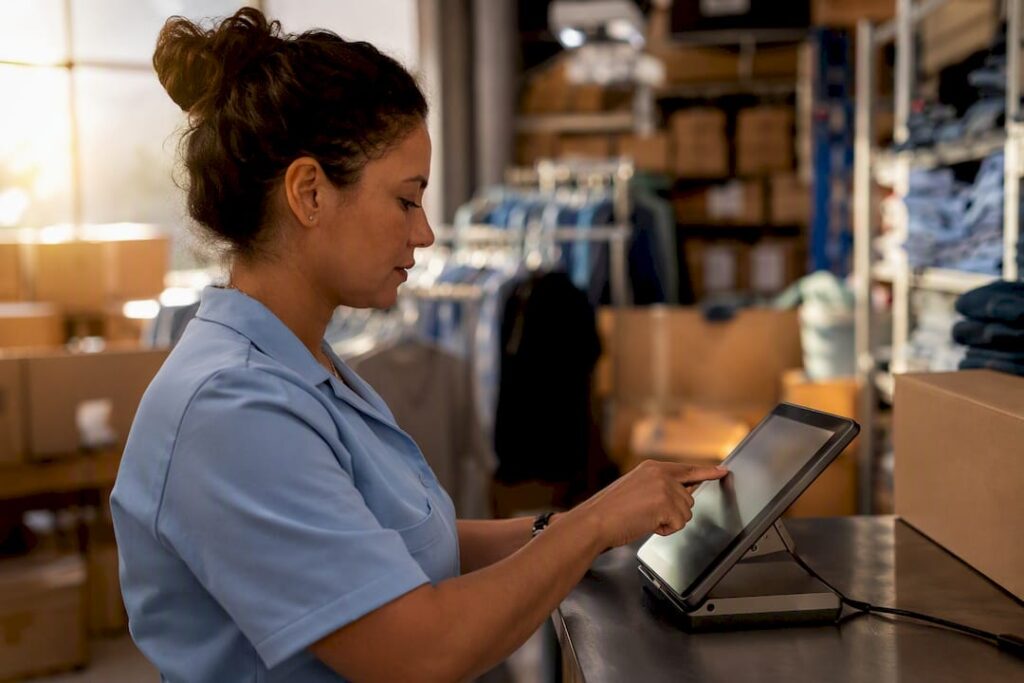
A real time sales dashboard shows you live takings, product-level sales and stock levels the moment a transaction happens, pulled straight from your EPOS tills without a spreadsheet in sight. The core value is simple: you can act on what’s actually happening in your shop or restaurant right now, not on yesterday’s report. For UK retail and hospitality managers, that means catching a slow lunchtime before it costs you the afternoon, or spotting a stock gap before a customer hits an empty shelf.
Three things separate a genuine live dashboard from a glorified end-of-day report:
- Cloud access — check takings from your phone whilst you’re off-site
- Automatic inventory sync — stock levels update the instant a sale registers, according to standard EPOS architecture
- A mobile app — no need to be stood at the till to see what’s selling
TL;DR:
- Real-time dashboards must demonstrate instant updates during peak loads to validate their speed and reliability under genuine business conditions.
- Inventory synchronization and low-stock alerts are crucial for retail, especially when managing numerous SKUs, while staffing views are more vital for hospitality operators.
- Testing a system’s live capability involves running simulations during high traffic to uncover delays that may not appear in quiet demos.
- Key metrics like hourly takings, average transaction value, and sell-through rates should be checked regularly to inform decision-making during shifts.
- Cloud-native EPOS systems with mobile access, offline fallback, and proper integrations provide the most trustworthy real-time data for effective management.
Table of Contents
- What does a real time sales dashboard actually show you?
- Which KPIs should managers check first?
- How do live dashboards change day-to-day decisions?
- What technical setup makes reporting genuinely live?
- What should you test during an EPOS demo or trial?
- Why trust this guidance on choosing a dashboard?
- Which dashboard features matter most for your business type?
- Get the technical requirements sorted with Switch-and-save
- Key Takeaways
- Sources
- FAQ
What does a real time sales dashboard actually show you?
Most dashboards worth paying for organise the same core information, just with different layouts and colour schemes. Knowing what to expect helps you spot a vendor who’s cutting corners.
- Live takings by till and by store — usually shown both net and gross, so you can see turnover before and after refunds or discounts
- Product-level sales — top sellers, slow movers, and category roll-ups so you know what’s actually moving stock
- Inventory status — current stock counts with low-stock alerts, and automatic decrements as items sell, a standard feature of modern EPOS reporting
- Staff and shift views — sales-by-hour charts that double up as a scheduling tool
- Comparison snapshots — today versus yesterday, or rolling seven and thirty-day periods, so a single good hour doesn’t fool you into thinking business is booming
The better systems let you rearrange or hide panels so the dashboard reflects how you actually run the floor, not how a software developer imagined a generic shop would run.
Which KPIs should managers check first?
Too many dashboards drown you in numbers you’ll never act on. Focus on the metrics that actually change a decision mid-shift.
- Daily net takings and sales by hour — your baseline read on whether today is tracking to target
- Average transaction value and items per sale — a falling ATV often signals a staffing or upselling problem before revenue drops noticeably
- Top products by units and value, plus sell-through rate — tells you what to reorder and what to discount
- Payment method mix and reconciliation totals — speeds up cashing up and flags card terminal issues early
- Refunds, voids and discounts — a spike here is usually the first sign of either a stock problem or a staff training gap
Pro Tip: Pick three “north-star” metrics for your business, whether that’s ATV, sell-through, or hourly takings, and check them at the start and end of every shift. Trying to monitor everything at once is how managers end up monitoring nothing at all, a pattern well documented in retail leadership research.
How do live dashboards change day-to-day decisions?
The real payoff of a real time sales report isn’t the data itself. It’s the decisions you make because you saw it early enough to matter.
- Adjust staffing on the fly — if the sales-by-hour chart shows a rush building, you can pull someone from stockroom duties before the queue forms
- React to low-stock alerts immediately — rather than discovering a gap when a customer asks for something you sold out of an hour ago
- Run a targeted promotion during a quiet patch — push a slow-moving line while footfall is low instead of waiting for a scheduled markdown
- Coach staff in near real time — a dip in one till’s average transaction value is easier to fix with a quick word than a monthly review
- Speed up cashing up — payment mix and reconciliation totals mean less time chasing pennies at close
Retailers using real-time inventory engines that auto-draft purchase orders also cut down on the routine reordering admin that eats into a manager’s afternoon, particularly across multiple branches.
What technical setup makes reporting genuinely live?
This is where demos separate real capability from marketing gloss. A dashboard that looks live in a quiet showroom can lag badly once it’s handling genuine footfall.
- Cloud-native EPOS with automatic sync, plus offline fallback so a dropped connection doesn’t stop you trading
- Hardware that actually supports the reporting: tills, barcode scanners, card payment terminals, and customer-facing displays like Switch-and-save’s 11.1 inch rear customer display screen
- Integrations with accounting software (Xero being the most common request), ecommerce platforms, and payment settlement systems, so figures don’t need manual reconciliation
- Network and bandwidth considerations, since a busy Saturday afternoon will stress-test a connection far more than a Tuesday morning
- User roles, permissions and audit logs so only the right people see sensitive sales and payment data
Most UK EPOS providers now run cloud-based systems with mobile monitoring built in, which is increasingly the industry baseline rather than a premium extra. Cloud architectures typically pair this with encryption and permissioned access, so a manager sees takings across the estate while a till operator only sees their own shift.
One figure worth remembering: the gap between a system that syncs instantly and one that batches updates every few minutes is invisible in a quiet demo but very visible on a Friday night rush. Ask specifically how the vendor tested it under load.
What should you test during an EPOS demo or trial?
Don’t take a salesperson’s word for “real time.” Prove it yourself with a short checklist before you sign anything.
- Ring up a sale on one terminal and time how long it takes to appear on the dashboard or a second till
- Check inventory decrements immediately and confirm a low-stock alert triggers when you drop below your reorder point
- Test multi-branch roll-up if you run more than one site, then drill down into a single branch’s figures
- Confirm mobile access and check what a manager-level login can see versus a till operator’s permissions
- Validate the accounting and payment reconciliation integration by checking a test transaction flows through correctly
- Note any sync delay under realistic conditions — ask the vendor to run the test during a simulated rush, not a silent room
Testing peak-period behaviour specifically is the single most useful thing you can do in a demo, since latency problems rarely show up until the system is under genuine load. Switch-and-save’s features checklist for retail and hospitality EPOS covers the same ground if you want a structured list to take into a vendor meeting.
Why trust this guidance on choosing a dashboard?
This article is written by Amir, drawing on hands-on familiarity with how UK retail and hospitality businesses actually use EPOS reporting day to day, not just how vendors describe it on a spec sheet.
- Switch-and-save has built a reputation as a provider of comprehensive EPOS solutions combining hardware, AI-powered software and payment processing for UK retail and hospitality businesses
- The Switch-and-save blog covers exactly how daily EPOS reports work for business owners, if you want more detail before a demo
- Hardware like the 11.1 inch rear customer display shows the level of product specification detail worth expecting from a serious EPOS supplier
- UK-based support and transparent pricing remain the two things worth checking before you sign with anyone
Which dashboard features matter most for your business type?
Product-heavy retailers should prioritise inventory sync and low-stock alerts first. If you’re managing hundreds of SKUs, a dashboard that decrements stock instantly and flags reorder points saves more time than any other single feature.
Hospitality operators should weight sales-by-hour and staffing views more heavily, since your biggest cost lever is labour against a fluctuating covers count, not stock turnover. Neither group needs every feature a vendor demos. Depth matters less than whether your team will actually open the dashboard each shift, which is exactly why the implementation checklist above matters more than a features brochure.
— Amir
Get the technical requirements sorted with Switch-and-save
Switch-and-save is built around exactly the requirements this guide walks through: cloud-native sync, automatic inventory decrements, mobile dashboard access, and integrations with the accounting tools you already use.

Rather than taking a vendor’s word that their reporting is “live,” you can request a demo and run the same checklist above yourself: ring up a test sale, watch the dashboard update, check the mobile app on your own phone. Switch-and-save pairs this with UK-based support and transparent pricing, so you know exactly what you’re paying before you commit. Browse the EPOS systems range to see hardware bundles, look at the SSPOS software for the reporting engine itself, or check local EPOS support in your area if on-site installation matters to you. Book a demo and time the sync yourself.
Key Takeaways
A real time sales dashboard turns EPOS transaction data into immediate action on staffing, stock and takings, and the systems worth buying prove that speed under realistic load, not just in a quiet demo.
| Point | Details |
|---|---|
| Definition | A live dashboard shows takings, product sales and inventory the moment a sale happens, not at end of day. |
| Prioritise three KPIs | Track ATV, sell-through rate, and hourly takings each shift rather than monitoring everything at once. |
| Test under load | Run demo checks during a simulated rush to reveal sync delays that don’t show up in a quiet room. |
| Match features to business type | Retail should weight inventory sync highest; hospitality should weight staffing and sales-by-hour views. |
| Switch-and-save option | Offers cloud-native EPOS with live dashboards, mobile access, UK-based support and transparent pricing. |
Sources
- EPOS FAQs 2026 | UK Business POS, Payments & Retail Tech Explained | Compare Your Business Costs
- Benefits of real-time POS reporting: A practical guide for better business decisions
- The importance of real-time sales data in retail management: Deciding with data – Pryseflow Base
- How real-time reporting changes the way you lead
FAQ
What is a real time sales dashboard?
It’s a live view from your EPOS system showing takings, product sales and stock levels as transactions happen, rather than in a delayed end-of-day report.
How is this different from a standard EPOS report?
Standard reports are typically generated after the fact; a real time dashboard updates continuously, so a sale at 2pm shows up on the dashboard within seconds.
What metrics should I check first each shift?
Average transaction value, sell-through rate on top products, and hourly takings give you the fastest read on whether the shift is on track.
Can I access the dashboard away from the till?
Yes, most cloud-based EPOS systems, including Switch-and-save, offer mobile apps so managers can check takings and stock from a phone or tablet off-site.
What should I test during an EPOS demo?
Ring up a sale on one terminal and confirm it appears on the dashboard and any linked till within seconds, then check that stock decrements and low-stock alerts fire correctly.
Does a live dashboard help with staff scheduling?
Sales-by-hour charts let you match staffing to actual footfall patterns rather than guesswork, helping you cut labour costs during quiet periods and cover rushes properly.



