
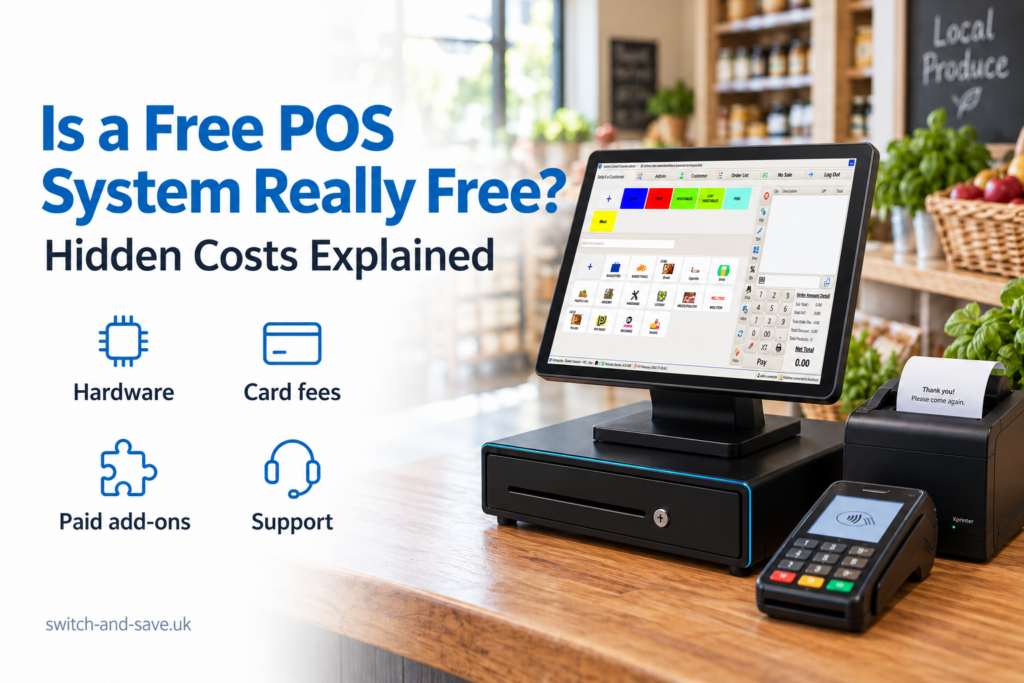
A free POS system in the UK can genuinely have no software subscription, but that doesn’t mean your complete till setup costs nothing. You may still pay for hardware, card processing, additional features, support or services linked to the package. Some offers are free trials; others include software only while you use a particular payment provider.
Free isn’t automatically a bad deal. For a small business with straightforward needs, it could be a sensible starting point. The key is to compare the total cost of running the system, rather than choosing on the strength of a £0 headline.
Here’s what to check before you commit.
What does “free POS” actually mean?
POS means point of sale: the system you use to record sales and take payments. EPOS means electronic point of sale, usually combining software with equipment such as a touchscreen, printer and barcode scanner.
A free offer might cover only one part of that setup.
Free basic software means you can use a limited plan without a subscription. More advanced tools may cost extra.
Software included with payments means access depends on using a specified card processing service. You’ll need to assess its payment charges alongside the software.
A free trial gives you temporary access before a paid subscription starts.
No upfront hardware payment means you don’t pay for equipment at the beginning. Check whether it’s rented, financed or supplied under another agreement.
These arrangements have different costs and commitments. Before comparing offers, establish exactly which one you’re looking at.
Key takeaways
| What to check | Why it matters |
|---|---|
| What “free” covers | Software, hardware and payment processing are separate costs |
| Card processing charges | Small differences can add up as card sales grow |
| Included features | Stock, table management or reporting may require an upgrade |
| Hardware compatibility | Existing equipment may need replacing |
| Support and setup | Installation, training and help may be charged separately |
| Contract and exit terms | Cancelling one service may leave another agreement running |
| Total annual cost | This gives you a more useful comparison than the headline price |
The hidden costs to check
Not every extra charge is hidden or unreasonable. A printer costs money, and specialist support takes time. The problem is finding out about essential costs after you’ve already committed.
1. Hardware and accessories
Free epos software doesn’t necessarily include a tablet, touchscreen terminal, receipt printer, cash drawer or barcode scanner.
For example, a Birmingham convenience shop might already own a tablet. That could reduce its starting costs, but only if the software supports that device and the shop’s printer and scanner.
Ask for a compatibility list before buying anything. Include stands, cables, delivery and any equipment needed for kitchen printing or customer displays.
Also confirm ownership. If equipment is supplied on loan or rental, ask what happens when you cancel.
2. Card processing fees
Your POS software records the sale. Your payment provider processes the customer’s card payment. Those services may be bundled together, but their charges still need checking separately.
A payment quote may include a percentage fee, a fixed charge per transaction, terminal rental or other account charges. Ask whether rates differ for particular card types or payment methods.
The Payment Systems Regulator’s card-acquiring review identified difficulties comparing providers because pricing structures and headline rates varied. That’s a good reason to request a complete written breakdown.
For a café selling plenty of low-value items, a fixed transaction charge deserves particular attention. An illustrative 5p fee on 2,000 monthly transactions adds £100 before any percentage fees.
When reviewing card payment solutions, use your actual sales volume and transaction count.
3. Paid features you need every day
A basic plan might handle sales perfectly well but charge for the tools your business relies on.
A grocery shop may need purchase orders, stock adjustments and supplier records. A restaurant may need table layouts, split bills and kitchen printing. A mobile phone shop might need repair jobs and customer histories.
Don’t accept “stock management included” without seeing what that means. Tracking a quantity is different from managing deliveries, returns and multiple locations.
Ask for a demonstration using your own products or menu. For food businesses, compare those requirements with a dedicated hospitality EPOS system and confirm what the quoted package includes.
4. Extra tills, locations and integrations
A plan that works for one till may charge more when you add another device or branch. Check whether fees apply per terminal, user, location or account.
Integrations—connections to other software—can also carry separate costs. Accounting tools, online ordering and delivery services may involve charges from the POS provider, the connected service or both.
For example, a takeaway could discover that receiving online orders automatically requires an additional subscription. Ask who bills for each connection and whether setup is included.
5. Installation, training and support
Downloading an app isn’t the same as getting your business ready to trade.
Someone still needs to enter products, organise categories, configure receipts and connect the equipment. If you’re changing systems, you may also need to transfer menus, customer records or opening stock.
Check what help is included and how you can reach support. A business operating on Sunday evenings needs to know whether assistance is available then.
Self-service setup may suit you. Just allow for the hours you or your staff will spend doing it.
6. Payment extras and routine running costs
Ask how refunds, disputed payments and payouts are handled. A chargeback is a card payment disputed through the customer’s bank; check whether your agreement includes a handling fee.
You should also ask about any PCI-related charges. PCI DSS is the security standard for handling card information. Clarify which compliance steps apply to your setup and what any paid service actually provides.
Then add ordinary costs such as receipt rolls, internet access and replacement equipment. They aren’t necessarily POS hidden fees, but they still belong in your budget.
Check whether quoted prices include VAT and which charges attract it.
7. Cancellation and moving your data
Before signing up, ask how you would leave.
Your software subscription, card processing agreement and equipment rental may have different cancellation rules. Confirm notice periods, any early termination charges and whether equipment must be returned.
Check data access too. Can you export products, customers and sales records in a usable format? Will you retain access after cancelling?
Moving becomes more difficult if essential records are trapped in the old system. Get the export arrangements confirmed while you’re still choosing.
How to calculate the real cost
Use a simple calculation:
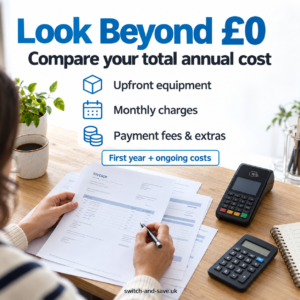
First-year cost = upfront costs + 12 months of recurring charges + payment fees + expected extras.
Then compare a later year separately, because equipment purchases and initial setup may not repeat.
Here’s an illustrative comparison for a business taking £15,000 in card payments each month. These figures are hypothetical, not provider quotes.
| Cost | Free software option | Paid software option |
|---|---|---|
| Hardware purchased upfront | £400 | £400 |
| Monthly software fee | £0 | £30 |
| Illustrative card processing rate | 1.6% | 1.2% |
| Monthly processing cost | £240 | £180 |
| Annual software and processing | £2,880 | £2,520 |
| First-year total including hardware | £3,280 | £2,920 |
In this example, the paid option costs £360 less over the first year because the payment savings exceed the subscription.
That doesn’t mean paid software always wins. Different sales volumes, fixed transaction charges and required features can change the result. VAT and other charges are excluded from this example; include applicable amounts in your own comparison.
The useful question is: Which complete setup costs less for the way your business actually trades?
When free EPOS software makes sense
A free plan can suit a market trader, small pop-up or business with a short product list and simple reporting needs.
It may be good value if your existing hardware works, the payment charges are suitable and you don’t need paid upgrades. The good news is that you don’t have to buy every available feature.
A busier shop or hospitality venue may need more. Consider the time spent entering online orders manually, checking stock in spreadsheets or correcting payment amounts.
Test everyday tasks before deciding. Process a sale, refund an item, change a price and close the till. For a restaurant, add modifiers and split a bill. That tells you more than a feature list alone.
Questions to ask before signing up
Get clear answers to these questions in writing:
- Is this permanently free software, a trial or a conditional offer?
- What will I pay upfront and each month, including applicable VAT?
- Are all the features in the demonstration included in my quote?
- What are the complete card processing and account charges?
- What costs more if I add another till or location?
- What setup, training and support are included?
- What happens during an internet outage, including card payments?
- How do I cancel, return equipment and export my records?
Use the same questions for every supplier. When comparing EPOS bundles, match the equipment, features and services as closely as possible.
Find the right setup with Switch & Save
Choosing a free pos system uk offer should start with your business needs and finish with a complete cost comparison.
Switch & Save helps UK businesses reduce costs with AI-powered EPOS systems, card payment solutions and business finance. Share your current bills, card turnover and essential features so you can discuss a setup that fits how you work.
FAQs
Can a POS system really be free?
Yes, the software can have no subscription fee. Hardware, card processing and optional services may still cost money. Check exactly what the offer includes.
What are the main hidden costs of free POS software?
Costs to check include equipment, payment fees, feature upgrades, additional tills, integrations, setup, support and cancellation charges. They don’t apply to every offer.
Can I use my existing tablet or printer?
Possibly. Ask the provider to confirm compatibility with the exact device models before you commit or buy accessories.
Is paid EPOS software better than free software?
Not automatically. Choose the system that meets your operational needs at a suitable total cost. Paying for features you won’t use offers little value.
Does free POS software include free card payments?
Don’t assume so. A £0 software subscription doesn’t establish what card processing costs. Request the payment pricing separately.
What should I compare before choosing?
Compare first-year and ongoing costs using your sales volume, transaction count, equipment needs and essential features. Include contract and data-export terms.



