
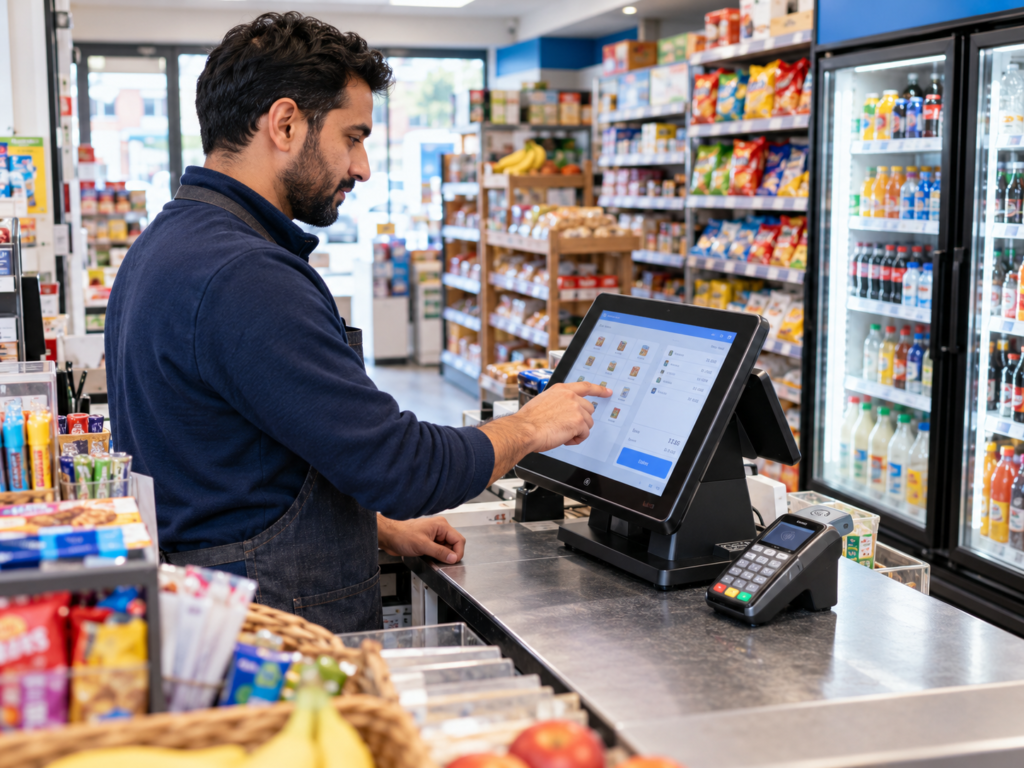
Choosing the right EPOS system for a small business comes down to five things: how you sell, how you take payments, how you manage stock, how easily your staff can use it, and whether the provider supports your business after installation. A good EPOS system should make everyday trading easier, not add another job to your list.
For a UK shop, café, takeaway, restaurant, bar or mobile business, the best choice is usually an EPOS system that connects sales, card payments, stock, reports, customer data and staff controls in one place. That way, you’re not guessing what sold, chasing paperwork at closing time or manually matching card payments to till totals.
Switch & Save helps UK businesses reduce costs with AI-powered EPOS systems, card payment solutions and business finance. The aim is simple: help you run your business with less waste, fewer errors and better visibility.
Key Takeaways
| Area | What to Look For |
|---|---|
| Sales flow | Fast checkout, easy product search, clear order screen |
| Payments | Integrated card machine, contactless, refunds and split payments |
| Stock | Product tracking, low-stock alerts, purchase history and reports |
| Staff use | Simple screen layout, permissions and training support |
| Reports | Daily sales, Z reports, best sellers, refunds and payment breakdowns |
| Support | UK-friendly help, setup guidance and ongoing assistance |
| Cost | Hardware, software, card fees, installation and long-term value |
What Is an EPOS System?
An EPOS system is an electronic point of sale system. In plain English, it’s the till system your business uses to process sales, take payments, print receipts, manage stock and track performance.
A basic till records a sale. A proper EPOS system does more than that.
It can show you what’s selling, which products are running low, how much cash should be in the drawer, which staff member processed a refund, and how card payments match with sales. For hospitality, it can also handle tables, split bills, kitchen orders, modifiers and takeaway orders.
For example, a convenience store might use an EPOS system to scan barcodes, track stock and check daily sales. A café might use it to send orders to the kitchen, take card payments at the counter and see which menu items sell best at lunch.
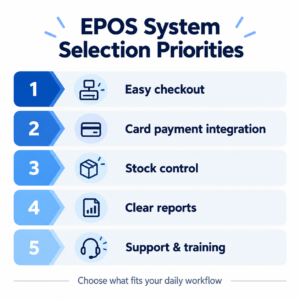
Why Choosing the Right EPOS Matters
Your EPOS system sits in the middle of your business. If it’s slow, confusing or badly matched to your trade, it affects your customers, staff and cash flow.
The right setup helps you answer everyday questions quickly:
What sold today?
Which items need reordering?
Did cash and card totals match?
Which staff member served that order?
Are refunds being handled correctly?
Which products are making money?
Without clear answers, small problems can build up. Stock goes missing. Staff make mistakes. Customers wait too long. Reports take longer than they should.
The good news is, you don’t need the most expensive system. You need the right EPOS system for how your business works.
Start With How Your Business Actually Sells
Before comparing systems, look at your daily sales flow. This is where many businesses go wrong. They choose a system because it looks modern, then later realise it doesn’t fit their shop, café or restaurant.
For Retail Shops
If you run a grocery shop, convenience store, off-licence, mobile shop or general retail store, speed matters. You’ll want barcode scanning, quick product search, clear pricing, stock tracking and easy refunds.
For example, if customers bring ten mixed items to the counter, your staff should be able to scan, total and take payment without fighting the screen.
Useful retail EPOS features include:
- Barcode scanning
- Product categories
- Stock control
- Supplier records
- Promotions and discounts
- Staff permissions
- Receipt printing
- Daily sales reports
For Hospitality Businesses
If you run a café, takeaway, restaurant or bar, your EPOS needs are different. You may need tables, kitchen printing, modifiers, split bills and online ordering.
A restaurant might need one order to go to the kitchen printer and drinks to go to the bar printer. A takeaway might need delivery and collection orders clearly separated. A café might need quick buttons for popular items like coffee, cakes and meal deals.
Useful hospitality EPOS features include:
- Table management
- Kitchen order printing
- Menu modifiers
- Split payments
- Discounts and service charges
- Online ordering support
- Customer notes
- End-of-day reports
In practice, the best EPOS system is the one that matches your normal working day.
Check the Payment Setup
Card payments are now a normal part of trading for most UK small businesses. So your EPOS system and card machine should work smoothly together.
So, what actually happens when a customer taps their card?
With an integrated payment setup, the EPOS sends the sale amount directly to the card machine. The customer pays, and the result comes back to the till. This reduces typing mistakes and makes end-of-day checking much easier.
With a non-integrated setup, staff may need to type the amount into the card machine manually. That can work, but it increases the chance of errors, especially during busy periods.
Look for:
- Contactless payment support
- Integrated card machine options
- Clear card fee information
- Refund handling
- Split payment options
- Payment reports
- Support for cash and card totals
Switch & Save provides EPOS systems and card payment solutions together, which can help small businesses simplify setup and check whether they could reduce costs.
Look Closely at Stock Control
Stock control is one of the biggest reasons to choose a proper EPOS system. If you sell physical products, you need to know what you have, what sold and what needs ordering.
For a grocery shop, this might mean tracking soft drinks, tobacco, household items and fresh products. For a café, it might mean keeping an eye on ingredients, cakes, bottled drinks and packaged snacks. For a takeaway, it could help you understand which menu items are selling most often.
A useful EPOS stock system should help you:
- Add products easily
- Track stock levels
- See best sellers
- Spot slow-moving items
- Set reorder alerts
- Check purchase history
- Reduce waste and over-ordering
Plainly, better stock information helps you make better buying decisions. It won’t run the business for you, but it gives you clearer numbers to work with.
Make Sure It’s Easy for Staff to Use
A good EPOS system should feel simple at the counter. If staff need too many steps to complete a sale, mistakes become more likely.
This matters even more if you employ part-time staff, weekend staff or people who are new to till work. Training should be quick. The screen should be clear. Common items should be easy to find.
Look for:
- Large, clear buttons
- Fast product search
- Easy refunds and discounts
- Staff logins
- Manager permissions
- Clear error messages
- Simple end-of-day process
For example, a busy takeaway doesn’t need a complicated screen when orders are flying in. Staff need to add items, choose modifiers, send the order and take payment quickly.
Check Reporting and End-of-Day Tools
Reports are where an EPOS system becomes more than a till. They help you understand your business instead of relying on guesswork.
At the end of the day, you should be able to see what you sold, how customers paid and whether the till balances. A clear Z report can save time and reduce confusion.
Useful reports include:
- Daily sales
- Cash and card totals
- VAT summary
- Refunds and voids
- Best-selling products
- Staff sales
- Department sales
- Gross and net totals
For example, a shop owner might notice that soft drinks sell well after 3pm, while certain snacks barely move. A café owner might see that breakfast items sell well on weekdays, but weekend customers prefer lunch deals.
That kind of information helps you plan stock, staff and promotions with more confidence.
Think About Customers, Loyalty and Receipts
Your EPOS system can also help you improve the customer experience. This doesn’t have to mean anything complicated.
It might be as simple as faster checkout, clearer receipts, loyalty points or digital customer records.
Useful customer features include:
- Printed receipts
- Email or QR receipts
- Loyalty points
- Customer profiles
- Discounts for regular customers
- Order history
- Gift vouchers
For a local convenience store, loyalty points can encourage repeat visits. For a café, customer records might help with regular orders. For a restaurant, clear receipts and smooth bill splitting can make service feel more professional.
Don’t Ignore Support, Training and Installation
The EPOS software is only one part of the decision. You also need to think about installation, setup and support.
A system can look good in a demo, but what happens when you need help on a busy Friday? What happens if the printer stops working, a product won’t scan or a staff member can’t process a refund?
Before choosing a provider, ask:
- Is installation included?
- Will products and menus be set up?
- Is staff training provided?
- What support is available after setup?
- Can the system be used offline if the internet drops?
- Are updates included?
- Can the system grow with the business?
For a small business, good support can be just as valuable as the software itself.
Compare Price With Real Value
It’s natural to look at price first. Every small business has costs to manage. But the cheapest EPOS system isn’t always the best value.
You should compare the full cost, including:
- Till hardware
- Touchscreen
- Receipt printer
- Cash drawer
- Barcode scanner
- Card machine
- Software fees
- Installation
- Training
- Support
- Payment charges
Then think about what the system could save you in time, errors and missed stock.
For example, if better stock control helps you avoid over-ordering, that has value. If integrated payments reduce mistakes at the till, that has value too. If reports save you time every evening, that also matters.
Switch & Save helps UK businesses review EPOS systems, card payment solutions and business finance together, so you can look at the total setup rather than one cost in isolation.
Common Mistakes to Avoid
Choosing an EPOS system is easier when you know what to avoid.
One common mistake is buying hardware before checking whether the software suits your business. Another is focusing only on monthly cost and forgetting about support, card fees or installation.
Some businesses also choose a system that’s too basic. It works at first, but then becomes limiting when they add more products, staff, branches or payment options.
Try to avoid:
- Choosing on price alone
- Ignoring payment integration
- Forgetting stock control
- Buying without a proper demo
- Not checking support options
- Choosing a system that can’t grow
- Overcomplicating the setup
A simple system is good. A limited system is not.
Final Checklist: How to Choose the Right EPOS System
Before you decide, use this quick checklist.
Your EPOS system should:
- Fit your type of business
- Be easy for staff to use
- Support cash, card and refunds
- Connect with a card machine if needed
- Track products, stock or menu items
- Produce clear daily reports
- Handle discounts, VAT and receipts
- Include setup and training support
- Offer reliable aftercare
- Give you value beyond the upfront price
If a system ticks those boxes, it’s much more likely to work well in real life.
The best EPOS system for a small business is the one that fits how you sell, how your staff work and how your customers pay. It should speed up checkout, improve stock control, simplify reporting and make daily trading easier.
You don’t need a complicated setup. You need a practical one.
Switch & Save helps UK businesses reduce costs with AI-powered EPOS systems, card payment solutions and business finance.
FAQ
What is the best EPOS system for a small business?
The best EPOS system depends on your business type. A retail shop may need barcode scanning and stock control, while a restaurant may need table management, kitchen printing and split payments. The right system should match your daily sales process.
How much does an EPOS system cost in the UK?
The cost can vary depending on hardware, software, installation, support and payment setup. A small business should compare the full package rather than only the monthly fee or upfront price.
Do I need an EPOS system for a small shop?
If you sell regularly, manage stock or take card payments, an EPOS system can make trading easier. It helps you track sales, manage products, reduce errors and understand daily performance.
Can an EPOS system help with stock control?
Yes. Many EPOS systems can track stock levels, show best sellers, flag low stock and help you make better ordering decisions. This is useful for shops, cafés, takeaways and hospitality businesses.
Should my EPOS system connect to my card machine?
Integrated card payments can reduce mistakes because the till sends the amount directly to the card machine. This can also make end-of-day checks easier.
Is an EPOS system useful for restaurants and takeaways?
Yes. Hospitality EPOS systems can support table orders, kitchen printing, modifiers, collection orders, delivery orders and split payments. This helps staff serve customers more smoothly.
What should I ask before buying an EPOS system?
Ask about setup, training, support, card payment integration, stock control, reporting, offline use, hardware warranty and total cost. A demo is also useful before making a decision.



