
A solid hospitality inventory workflow is the difference between a profitable operation and one haemorrhaging money through waste, over-ordering, and stock discrepancies. At its core, it is a systematic process that coordinates purchasing, receiving, stocktaking, waste control, and integration with sales and menu planning, all working together to keep your costs in check and your kitchen or bar running without surprises.
Get it right, and you will see:
- Improved stock accuracy across dry, chilled, and frozen storage zones
- Reduced waste costs through daily logging and better portion discipline
- Enhanced operational efficiency by connecting procurement to real-time sales data
- Compliance confidence on allergen management and cold-chain requirements
- Better profitability as ingredient margins become visible and manageable
Inventory is genuinely a team sport. Your chefs, bar staff, purchasing manager, and front-of-house team all touch stock at different points, and a gap in any one of those handoffs creates variance that costs you money. Categorising your inventory by product type, storage requirement, and usage frequency is the foundation. Without that structure, even the best supplies tracking software cannot give you reliable data. Technology, particularly AI-powered EPOS systems, makes the whole workflow dynamic, updating stock positions in real time so your decisions are based on what is actually on the shelf, not what was there last Tuesday.
Table of Contents
- 1. How do you set up a hospitality inventory management system?
- 2. What are the best practices for procurement and receiving?
- 3. How do you conduct stocktaking and variance analysis effectively?
- 4. How can you reduce waste and spoilage in a hospitality operation?
- 5. How does technology support your inventory workflow, and what are the legal requirements?
- 6. How do AI and integrated EPOS systems take your inventory workflow further?
- Switch-and-save: real-time inventory control built for UK hospitality
- FAQ
- Key takeaways
1. How do you set up a hospitality inventory management system?
The setup phase is where most operations either build a strong foundation or create problems they will spend months trying to fix. Do this properly once, and everything downstream becomes significantly easier.

Categorise your inventory first. Group products by type (food, beverage, cleaning, packaging), storage requirement (ambient, chilled, frozen), and usage frequency (daily, weekly, occasional). This shapes how you map your storage locations and how often you count each category.
Map your storage locations. Every shelf, rack, and fridge section should have a named location in your system. Dry store, walk-in chiller, freezer room, bar back-stock — each one becomes a discrete counting zone. This is not bureaucracy; it is what makes variance analysis meaningful rather than guesswork.
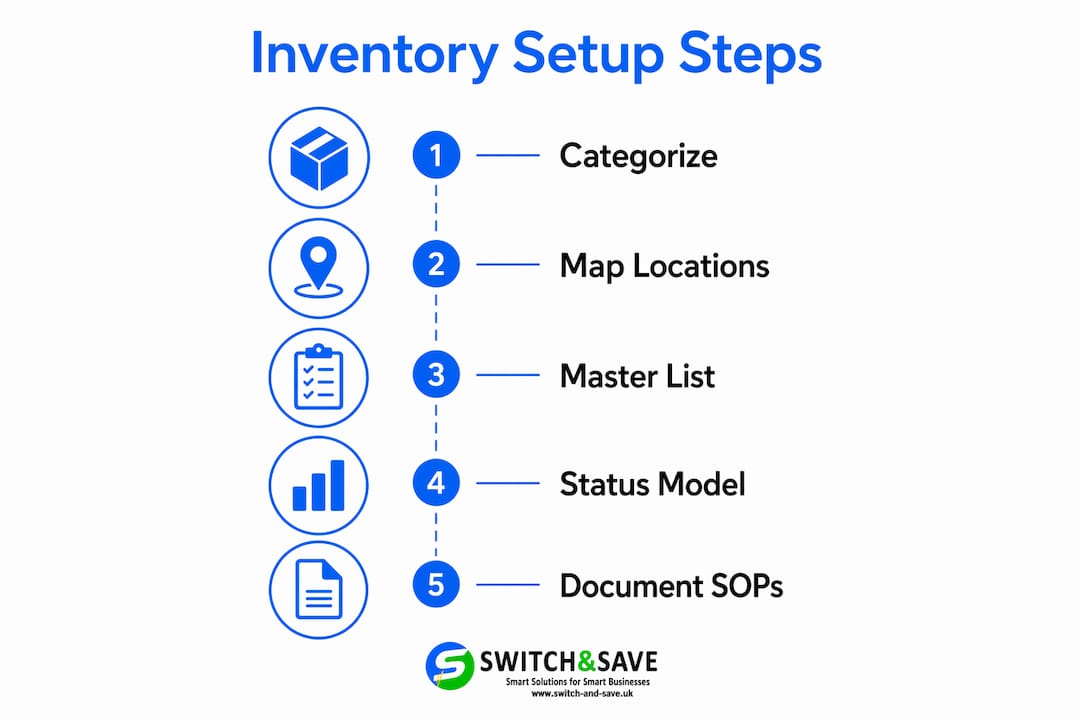
Build a product master list. For every item you stock, record the supplier name, pack size, unit of measure, allergen information, and yield percentage where relevant. This list becomes the backbone of your ordering, costing, and compliance processes. Under Natasha’s Law, accurate allergen data is a legal requirement, not optional.
Configure your inventory status model. Define what each stock state means in your system: allocatable (available to use), in transit (ordered but not yet received), and on hold (quarantined or awaiting quality check). Getting these states right before you switch on any automation prevents the most common source of discrepancies between physical stock and system records.
Document your SOPs. Who places orders? Who signs off deliveries? Who counts the freezer on a Monday morning? Written procedures remove ambiguity and make training new staff far less painful.
Pro Tip: Run a quarterly audit specifically to catch undocumented exceptions: unreported damages, informal returns to suppliers, or items moved between locations without a system update. These small gaps compound quickly and distort your variance figures.
2. What are the best practices for procurement and receiving?
Procurement is where your inventory workflow either starts cleanly or inherits problems that ripple through every subsequent stage. The goal is to order the right quantity at the right time, then receive it accurately.
Just-In-Time purchasing reduces holding costs and minimises the risk of spoilage by timing deliveries close to production needs. It works well when your supplier relationships are solid and your demand forecasting is reliable. Without both, it creates gaps at the worst possible moments.
Key practices to embed in your receiving process:
- Verify every delivery against the purchase order before signing anything. Quantity, pack size, and price should all match.
- Check temperature compliance for chilled and frozen goods on arrival. The Food Standards Agency’s cold-chain guidance sets clear requirements, and a single non-compliant delivery can create both a food safety risk and a stock write-off.
- Log stock immediately into your system at the point of receipt, not hours later. Delays create discrepancies that are hard to trace.
- Use AI invoice scanning to automatically extract product names, pack sizes, prices, and allergen data from supplier documents, removing manual data entry errors from the process.
- Establish clear procedures for substitutions and backorders. When a supplier sends a different pack size or a replacement product, your team needs to know exactly how to handle it in the system rather than improvising.
- Share real-time stock data between procurement, receiving, and kitchen teams so replenishment decisions are based on current levels, not yesterday’s count.
The collaboration between your purchasing and receiving teams matters more than most operators realise. A delivery accepted without proper checking, or logged incorrectly, creates a variance that looks like theft or waste when it is actually a process failure.
3. How do you conduct stocktaking and variance analysis effectively?
Regular stocktaking is not just a compliance exercise — it is the feedback loop that tells you whether your purchasing, portioning, and waste controls are actually working.
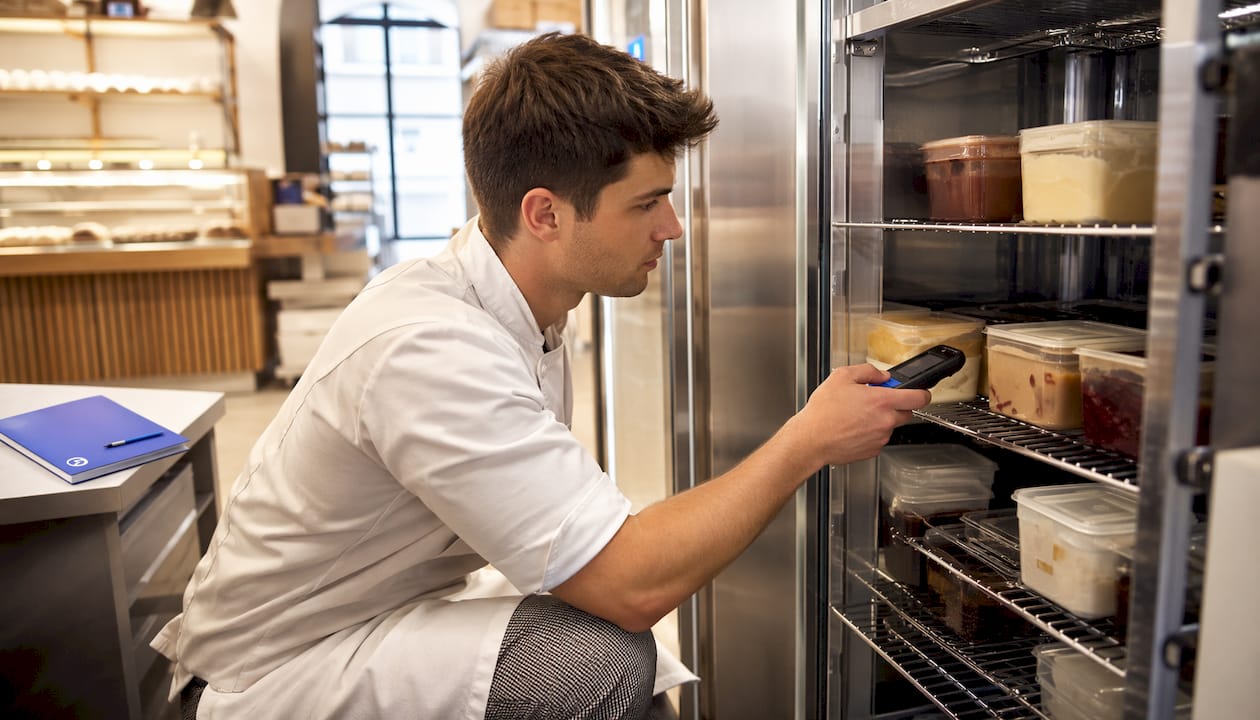
Weekly counts, supported by digital location mapping, reduce the chance of missed items and make the process faster for staff. The key is consistency: same person, same route through the storage areas, same time of day. Variation in method is variation in results.
When you find a variance, record the likely cause:
| Variance cause | Typical indicator | Action required |
|---|---|---|
| Overuse / over-portioning | Consistent shortfall on high-volume items | Review portion weights, retrain kitchen team |
| Spoilage / expiry | Write-offs concentrated in one storage zone | Check FEFO rotation, review order quantities |
| Miscount error | Variance reverses the following week | Retrain counter, check unit-of-measure settings |
| Theft or pilferage | Unexplained shortfall on high-value items | Review access controls, cross-reference EPOS data |
| Receiving error | Variance matches a recent delivery discrepancy | Audit delivery records, contact supplier |
Location-level control across dry, chilled, and frozen sections is what makes this analysis meaningful. When you track stock by zone rather than as a single total, you can pinpoint exactly where a discrepancy is occurring rather than spending hours searching for it. Misreported spoilage, in particular, masks purchasing issues and inflates variance figures in ways that are genuinely misleading.
Integrating your stocktake results with financial data and menu costing reveals the true margin impact of each ingredient. A dish that looks profitable on paper can quietly erode your gross profit if its key ingredient has a high spoilage rate or inconsistent yield.
Mobile apps that allow staff to log counts and waste in real time, rather than on paper sheets transferred later, remove a significant source of transcription error from the process.
4. How can you reduce waste and spoilage in a hospitality operation?
Waste in hospitality falls into distinct categories, and treating them all the same is a mistake. Overproduction, spoilage, prep mistakes, staff meals, and expired items each have different root causes and different solutions.
Daily waste logging is the single most effective habit you can build into your operation. When staff record waste at the point it occurs, using a mobile-first solution, you get accurate data on where losses are happening rather than a vague end-of-week total. The Sustainable Restaurant Association’s research on food waste in hospitality underlines that treating inventory as a shared team responsibility, with visible data and staff involvement, is what drives genuine reduction.
Practical steps to reduce waste:
- Differentiate plate waste from spoilage. Customers leaving food on the plate points to portion size or dish design issues. Spoilage in the walk-in points to ordering or rotation failures. They require completely different responses.
- Apply First-Expiry, First-Out (FEFO) rotation rather than basic FIFO. FEFO stock rotation prioritises items nearest to their use-by date, reducing expired product write-offs significantly.
- Calibrate portion sizes using weighed portions during service, at least periodically. Small overpouring or over-plating adds up across hundreds of covers.
- Review waste data weekly to spot trends. If a particular ingredient appears repeatedly in waste logs, the issue is likely in your ordering quantity or prep schedule, not in your kitchen team’s discipline.
Pro Tip: Introduce a waste reduction leaderboard visible to kitchen staff, showing which team or shift is generating the least waste that week. Friendly competition works. Staff who can see their own impact on the numbers engage with the process far more consistently than those who receive a monthly report they had no hand in creating.
5. How does technology support your inventory workflow, and what are the legal requirements?
Technology does not replace good process, but it makes good process far easier to maintain consistently. The right tools remove manual data entry, surface problems faster, and keep your operation compliant without adding administrative burden.
Key tools for a modern hospitality stock control workflow:
- Digital stock location mapping so every item has a defined home and counts are structured rather than ad hoc
- AI invoice scanning that automatically captures product details from supplier documents, removing manual keying errors
- Integrated EPOS systems that connect sales data to stock levels in real time, so your inventory position updates with every transaction
- Cloud-based dashboards giving managers remote visibility of stock, variance, and waste data across single or multiple sites
- Automated reorder triggers based on par levels, reducing the risk of running out of key items during a busy service
On the compliance side, your inventory workflow needs to account for several legal requirements. Allergen management under UK food law requires accurate, up-to-date ingredient records — your product master list is the foundation of this. Cold-chain compliance means logging delivery temperatures and maintaining records that demonstrate your chilled and frozen stock has been handled correctly throughout. If your venue holds a premises licence, stock records also support your duty of care obligations around alcohol management.
Properly configured inventory status models are particularly important when automation is involved. If your system does not correctly distinguish between allocatable stock and stock that is on hold or in transit, automated reorder triggers will fire incorrectly, creating over-ordering or phantom shortfalls.
Pro Tip: Before switching on any automation rules, walk through your inventory status model with your system provider. Confirm that every stock state is defined, that your team understands what each state means operationally, and that your physical processes match what the system expects. This single step prevents the majority of automation-related discrepancies.
6. How do AI and integrated EPOS systems take your inventory workflow further?
Moving from a reactive stocktaking approach to proactive cost engineering requires connected data. AI and integrated EPOS systems are what make that connection practical for operators who do not have a dedicated data team.
AI capabilities that directly improve your workflow include:
- Predictive ordering based on historical sales patterns, upcoming bookings, and seasonal trends
- Dynamic recipe costing that updates automatically when supplier prices change, so your menu margins stay visible in real time
- AI invoice scanning that captures product details from supplier documents automatically, including pack sizes, prices, and allergen information
- Real-time stock updates triggered by sales through your EPOS, so your inventory position reflects actual usage rather than last week’s count
- Variance analysis that flags discrepancies as they emerge rather than waiting for a weekly stocktake
- Price intelligence that tracks supplier price movements and alerts you to cost increases before they hit your margins
- Recipe version control so that when a dish changes, the costing and stock deductions update consistently across the system
Integrating production, inventory, and financial data is what shifts managers from counting stock to managing margins. When your EPOS sales feed directly into your inventory system, and your inventory system feeds into your recipe costing and purchasing, you have a live picture of your operation rather than a series of disconnected snapshots.
For operators ready to move in this direction, the practical starting points are straightforward: build a complete product master list, enable daily waste logging, configure your inventory status model correctly, and connect your EPOS to your stock system. The role of your POS system in this chain is central — it is the point where sales data becomes inventory data automatically, without anyone having to transfer it manually.
Workflow automation in hotels and restaurants that adopt this integrated approach spend less time on administrative stock management and more time on the decisions that actually affect profitability as explained in automated ecommerce workflows. That is the real value of getting the technology layer right.
Switch-and-save: real-time inventory control built for UK hospitality
If you have read this far, you know that a strong inventory workflow depends on connected, accurate data moving between your sales, stock, and finance systems in real time. That is exactly what Switch-and-save’s hospitality EPOS system is built to deliver.

Switch-and-save combines AI-powered software with integrated payment processing and a cloud dashboard that gives you live visibility of stock levels, sales performance, and variance data, whether you are on-site or managing remotely. The system supports multi-site operations, real-time inventory updates triggered by every sale, and the kind of reporting that turns your stocktake data into genuine margin intelligence. It is designed for UK hospitality businesses that want the capability of an enterprise system without the complexity or the long-term contract that usually comes with it.
Browse the full range of EPOS systems for hospitality or book a free demo to see how Switch-and-save fits your operation.
FAQ
What is an inventory workflow in hospitality?
A hospitality inventory workflow is the structured sequence of steps covering purchasing, receiving, stocktaking, waste logging, and integration with sales and menu planning. It keeps stock accurate, costs visible, and operations running without unnecessary waste or shortfalls.
What is the 80/20 rule in inventory management?
The Pareto principle suggests that a small portion of your stock value or waste typically comes from a limited subset of your products. Focusing your tightest controls on that high-impact 20% gives you the greatest return on your management effort.
What does inventory mean in a hospitality context?
In hospitality, inventory covers all physical stock used to deliver your service: food and beverage ingredients, cleaning supplies, packaging, and consumables. Accurate inventory management means knowing what you have, where it is, and what it cost, at any given moment.
Do restaurants use FIFO or FEFO for stock rotation?
Most restaurants use FIFO (First-In, First-Out) as a basic standard, but FEFO (First-Expiry, First-Out) is more effective for perishable goods. FEFO rotation prioritises items closest to their use-by date regardless of when they arrived, which reduces expired product write-offs more reliably than FIFO alone.
How does an EPOS system improve inventory accuracy?
An integrated EPOS system updates stock levels automatically with every sale, removing the lag between what has been used and what your system shows. Switch-and-save’s hospitality EPOS connects sales, inventory, and reporting in real time, so your stock data reflects actual usage rather than a periodic manual count.
Key takeaways
A well-structured hospitality inventory workflow, supported by integrated EPOS technology and daily waste logging, is the most direct route to improved stock accuracy, lower waste costs, and stronger margins.
| Point | Details |
|---|---|
| Build your foundation first | A product master list, mapped storage locations, and defined inventory status models must be in place before any automation. |
| Procurement discipline matters | Just-In-Time purchasing reduces holding costs but requires reliable supplier communication and real-time demand data to work. |
| Variance analysis drives improvement | Recording the cause of every stock discrepancy, by location and category, reveals operational weaknesses that cost figures alone cannot show. |
| Treat waste as a team responsibility | Daily waste logging with staff visibility, including plate waste separate from spoilage, reduces losses more effectively than end-of-week reviews. |
| Switch-and-save connects the whole workflow | Switch-and-save’s hospitality EPOS links sales, stock, and reporting in real time, giving UK operators live margin intelligence without enterprise-level complexity. |