Yes, modern point-of-sale systems let you sell and redeem physical and digital gift cards. First, decide whether to use native POS gift cards or an integrated third-party issuer, then configure denominations, redemption rules, and accounting mapping before you go live. Run one full test sale and redemption before launch.
TL;DR:
- Using built-in POS gift-card features is usually more straightforward for single-site businesses than integrating third-party platforms with multiple sales channels.
- Proper setup requires selecting the card format, generating unique codes, testing full transactions, and configuring staff permissions before going live.
- Accurate VAT, consumer law compliance, and accounting setup, including liability accounts and VAT mapping, are essential for legal and financial accuracy.
- Frequent reconciliation, permission audits, and case-by-case handling of lost or faulty cards help maintain program accuracy and reduce disputes.
- For multi-store retailers, a cloud dashboard that shows real-time gift-card balances across locations simplifies management and reconciliation efforts.
Table of Contents
- How do you set up gift cards with POS from scratch?
- VAT, consumer law, and accounting rules you must configure
- Native POS or third-party issuer: which integration fits?
- Daily routines that keep gift-card programmes accurate
- What we’ve learned rolling this out across UK sites
- Getting gift cards live on your EPOS without the guesswork
- Official guidance and practical resources to check first
- Sources
- FAQ
How do you set up gift cards with POS from scratch?
Getting gift cards with POS running properly means working through a fixed sequence, not bolting a feature on overnight. Skip a step and you end up reconciling mismatched balances three months later, which is a far worse Tuesday than the setup itself.
Start by deciding on card format and value structure. Physical cards suit walk-in retail and hospitality tills; e-gift cards suit online shops and last-minute buyers who need something delivered in minutes, not days. You also need to choose between fixed denominations (£10, £25, £50) and open-value cards where the customer sets the amount, plus whether partial redemption is allowed on a single visit.
- Choose card types and value rules. Decide physical, digital, or both, and whether cards carry fixed or open value with partial redemption permitted.
- Generate or order unique codes. Each card needs a distinct number or code, ideally sequential but not predictable, to prevent guesswork fraud.
- Activate in the POS and test end-to-end. Sell one card, redeem part of the balance, and check the remaining balance shows correctly on the till and in reporting.
- Capture customer contact details where needed. Email addresses are required for one-time passcodes on e-gift links and for handling the distance-selling cooling-off period on online purchases.
- Set staff permissions. Only authorised staff should be able to issue new cards or load extra value, not just redeem them.
- Prepare a migration file if switching systems. Build a CSV with card number, current balance, and issue date, then run a small test import before the full batch, following a step-by-step setup and migration guide.
Pro Tip: Run your first ten live gift cards at low value (£5 to £10) rather than jumping straight to £100 cards. Small errors in code formatting or tax mapping cost you very little to fix at that stage.
VAT, consumer law, and accounting rules you must configure
The VAT treatment of gift cards depends on what type of voucher you are issuing, and getting this wrong distorts your figures long before HMRC notices. Since 1 January 2019, UK rules split vouchers into two categories: single-purpose vouchers, redeemable only against one type of good or service at one VAT rate, and multi-purpose vouchers, redeemable across different goods, services, or VAT rates. For multi-purpose vouchers, VAT is generally due only when the card is redeemed, not when it’s sold, which changes how your POS should be timing tax calculations. HMRC’s own information sheet gives worked examples of how transfers and redemptions should be accounted for, and the statutory basis for what actually counts as a voucher sits in Legislation.
Consumer law gives you room to set expiry dates, but only if they’re clearly disclosed at the point of sale. Online sales carry an additional wrinkle: buyers get a cooling-off period on an unused gift card bought remotely, which is commonly 14 days. (https://sprintlaw.co.uk/articles/understanding-gift-voucher-expiry-laws-in-the-uk-what-businesses-need-to-know/).
Your accounting setup needs three things configured before launch:
- A dedicated gift-card liability account, since money taken for unredeemed cards is not yet revenue.
- A separate redemption revenue category, so gift-card sales don’t distort your gross profit reporting when a card is finally spent.
- A clear VAT rate mapping per voucher type, checked against your actual product mix.
If a customer returns faulty goods bought with a gift card, the Consumer Rights Act 2015 typically means the refund goes back onto the card rather than as cash. For multi-brand groups or franchise setups where vouchers cross entities, talk to an accountant early, because the VAT point can shift depending on who ultimately redeems the value.
Native POS or third-party issuer: which integration fits?
Choosing between built-in POS gift cards and a separate third-party platform comes down to how many sales channels you run and how much you trust your legacy systems to talk to each other. Native gift cards, built into your POS, tend to be simpler and cheaper for single-site shops selling in person only. Third-party issuers usually win on omnichannel support, letting a card bought in-store get redeemed online and vice versa, though they add a fee layer and another vendor relationship to manage.
Redemption itself works through one of three routes: barcode or QR scanning at the till, manual entry of a printed code, or an emailed link that takes the customer straight to a checkout field. Worth stating plainly: an ordinary physical gift card is not a contactless “tap to pay” instrument. Only mobile wallet versions, loaded onto a phone or smartwatch, use near-field communication the way a contactless bank card does.
On the technical side, you’re choosing between real-time API or webhook syncing, which updates balances instantly across every channel, and CSV batch imports, which are cheaper but leave a lag between sale and system update. A look at how different card payment options interact with your till helps clarify where gift cards sit alongside contactless and chip-and-PIN in your daily workflow.
Common pitfalls worth testing for before launch:
- Time zone mismatches on expiry dates, especially with cloud systems hosted outside the UK.
- Currency formatting errors if a platform defaults to US dollars or euros.
- Leading zeros dropped from card numbers during CSV import, breaking lookups.
- Duplicate code generation when two terminals issue cards simultaneously offline.
Test with low-value trial cards, force a partial redemption, sell on one channel and redeem on another, and deliberately try to break it with an expired or already-spent code.
Daily routines that keep gift-card programmes accurate
A gift-card programme lives or dies on the boring bits: what staff say at the till, and whether someone checks the numbers every night. Give your team a short, consistent script for both selling and redeeming, and display expiry terms and the cooling-off policy clearly, both at the till and on your online checkout.
- Reconcile daily. Match your POS’s gift-card liability total against outstanding balances and spot-check two or three redemptions against the system log.
- Audit permissions monthly. Confirm only the staff who should issue or load value still have that access, particularly after a departure.
- Log every override. Manual balance adjustments need a name and reason attached, not a silent edit.
- Handle lost cards case by case. Require proof of purchase or a registered email before reinstating a balance, rather than an automatic cash refund.
Pro Tip: Keep your refund and lost-card policy to three short sentences on a laminated card by the till. Staff who have to guess the rules under pressure make the disputes worse, not better.
What we’ve learned rolling this out across UK sites
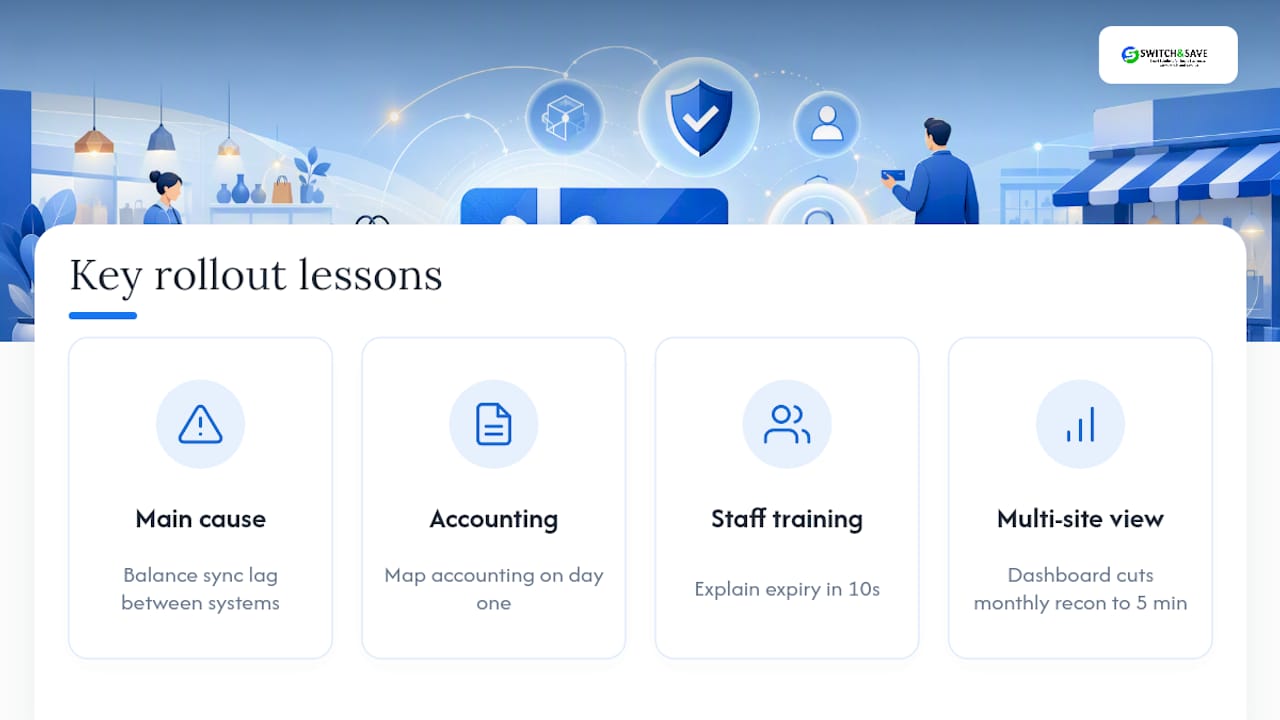
The single biggest cause of gift-card headaches isn’t fraud or even VAT confusion. It’s balance sync lag between systems that were never properly connected, which quietly creates a gross profit distortion nobody spots until the quarterly accounts look wrong. Get the accounting mapping right on day one and most other problems become minor.
Staff training matters more than the technology choice itself. A till assistant who can explain expiry terms confidently in ten seconds prevents more disputes than any clever redemption feature. For multi-site retailers, a cloud dashboard that shows every location’s gift-card liability in one place, the kind built into Switch&Save’s Switch&Save EPOS software, turns a monthly reconciliation nightmare into a five-minute morning check.
— Amir
Getting gift cards live on your EPOS without the guesswork
If you’re weighing up native POS cards against a third-party issuer, the honest answer for most independent retailers and hospitality sites is that you don’t need two vendors and two invoices to manage. Some EPOS packages build gift-card functionality directly into the system, so you get sales, redemption, and accounting mapping running on the same system you already use for stock and payments, rather than stitching together a separate voucher platform.

The Switch&Save EPOS software handles multi-store balance visibility from one cloud dashboard, which matters the moment you run more than one till or site. If you’re weighing up options, a demo is the place to ask pointed questions: does the system sync gift-card balances in real time across ecommerce and till, how does it map redemptions to a separate revenue category, does it support CSV migration from your current provider, and how granular are staff permissions for issuing versus redeeming. For hospitality sites specifically, the Hospitality EPOS system bundles gift-card handling with table and till workflows already built for that setting.
Browse the EPOS systems range and book a free demo to see gift-card setup and reconciliation working on a live terminal before you commit.
Official guidance and practical resources to check first
- Gov for tax timing rules.
- Legislation for the legal test.
- UK gift card refund law guidance on faulty goods and disputes.
Sources
FAQ
What Is a POS Card?
A POS card is any card processed through a point-of-sale terminal, covering debit, credit, and gift cards used for in-store transactions. In the gift-card context, it specifically means a card loaded with prepaid value that a POS system tracks, activates, and deducts from at redemption.
What Are the Most Popular Gift Cards in the UK?
Retail and hospitality gift cards vary by sector, but supermarkets, high street fashion chains, and coffee shop brands consistently rank among the most gifted categories, alongside multi-retailer voucher schemes redeemable across several brands. Popularity shifts seasonally, with Christmas driving the sharpest spike in both physical and digital sales.
Which Platform Is Best for Selling Gift Cards In Store?
The best platform is whichever one issues, tracks, and reconciles gift cards inside the same system you already use for daily sales, rather than a bolt-on tool that needs separate reporting. An EPOS system with built-in gift-card functionality avoids the balance-sync errors that separate platforms often introduce.
Are Gift Cards Tap to Pay?
Standard physical gift cards are not contactless tap-to-pay instruments; they’re read by barcode, QR code, or manual entry at the till. Only digital versions loaded into a mobile wallet use near-field communication the way a contactless bank card does.